
Uninstaller -Quick App Manager 電腦版
Root Uninstaller
用GameLoop模拟器在電腦上玩Uninstaller -Quick App Manager
Uninstaller -Quick App Manager 電腦版
來自發行商 Root Uninstaller 的 Uninstaller -Quick App Manager 能夠在安卓系統上運行。
現在,您可以在電腦上使用 GameLoop 模擬器流暢地玩 Uninstaller -Quick App Manager。
在 GameLoop 遊戲庫或搜索結果中下載。 不需要再暢玩遊戲時盯著電池電量或被令人懊惱的來電打斷。
只需在電腦大屏幕上免費下載暢玩Uninstaller -Quick App Manager 電腦版!
Uninstaller -Quick App Manager 簡介
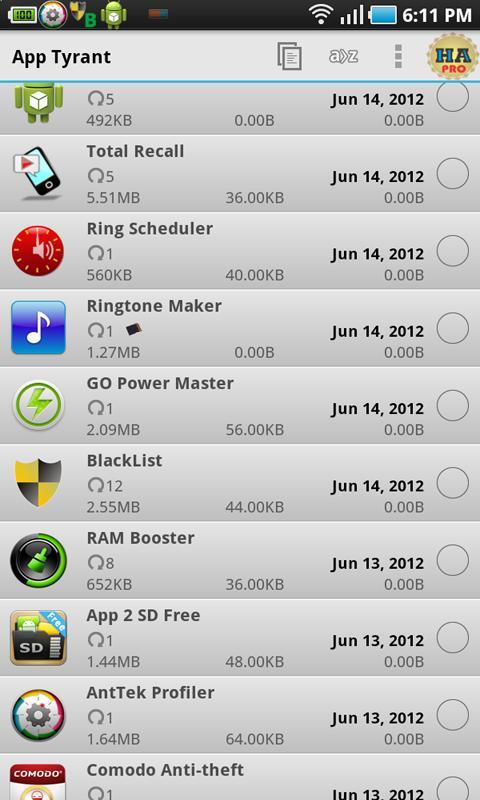
The most powerful tool to manage your apps: backup & restore, uninstall, permission viewer, sharing, (12 features)
Features
★ Uninstall app in one-click/in batch mode
★ Backup apps to Dropbox (PRO)
★ Permission viewer: find apps using strange permissions
★ Install apps from Sdcard, full mode view with icon/name for a .APK file annotated with newer/current/older version
★ Save/backup .apk files in one-click for all your apps.
★ One click to share Market links or as installable files.
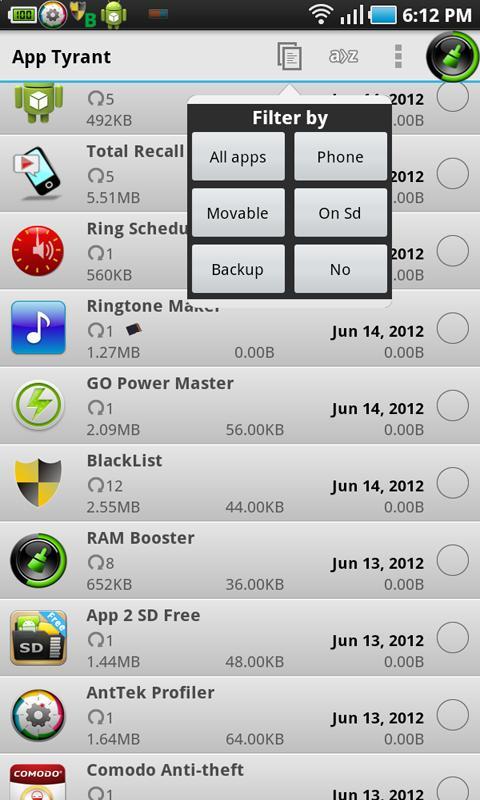
★ Filter multiple .APK by apps/install state
★ Sort apps by date/app size/cache size/ data size
★ Manage app: App2SD, clear cache, clear data
★ Auto backup
and more
★ Change on-click/on-long-click action (in app's settings)
★ UI is clean and easy to use.
★ Cache files to enhance .apk loading speed.
★ You can not send/save forward lock apps (most paid apps are forward lock)
★ APK installer is very fast
This app was renamed from "Fast Uninstaller & Installer" app and created by the author of the famous apps "Root Uninstaller",
** Affiliation **
App Tyrant is not affiliated with Uninstaller, App Monster, App Manager, App Backup & Restore, or App2SD.
Website: http://rootuninstaller.com/
Facebook: https://www.facebook.com/pages/Root-Uninstaller/200912803368166
預覽
標籤
工具訊息
開發商
Root Uninstaller
最新版本
3.5
更新時間
2015-10-14
類別
工具
同時可用
Google Play
更多
如何在電腦上用 GameLoop 玩 Uninstaller -Quick App Manager
1. 從官網下載GameLoop,然後運行exe文件安裝GameLoop
2. 打開GameLoop,搜索“Uninstaller -Quick App Manager”,在搜索結果中找到Uninstaller -Quick App Manager,點擊“安裝”
3. 享受在 GameLoop 上玩 Uninstaller -Quick App Manager 的樂趣
Minimum requirements
OS
Windows 8.1 64-bit or Windows 10 64-bit
GPU
GTX 1050
CPU
i3-8300
Memory
8GB RAM
Storage
1GB available space
Recommended requirements
OS
Windows 8.1 64-bit or Windows 10 64-bit
GPU
GTX 1050
CPU
i3-9320
Memory
16GB RAM
Storage
1GB available space