Thai Keyboard: Thai Typing 電腦版
Multilingual Keyboard Apps
用GameLoop模拟器在電腦上玩Thai Keyboard: Thai Typing
Thai Keyboard: Thai Typing 電腦版
來自發行商 Multilingual Keyboard Apps 的 Thai Keyboard: Thai Typing 能夠在安卓系統上運行。
現在,您可以在電腦上使用 GameLoop 模擬器流暢地玩 Thai Keyboard: Thai Typing。
在 GameLoop 遊戲庫或搜索結果中下載。 不需要再暢玩遊戲時盯著電池電量或被令人懊惱的來電打斷。
只需在電腦大屏幕上免費下載暢玩Thai Keyboard: Thai Typing 電腦版!
Thai Keyboard: Thai Typing 簡介
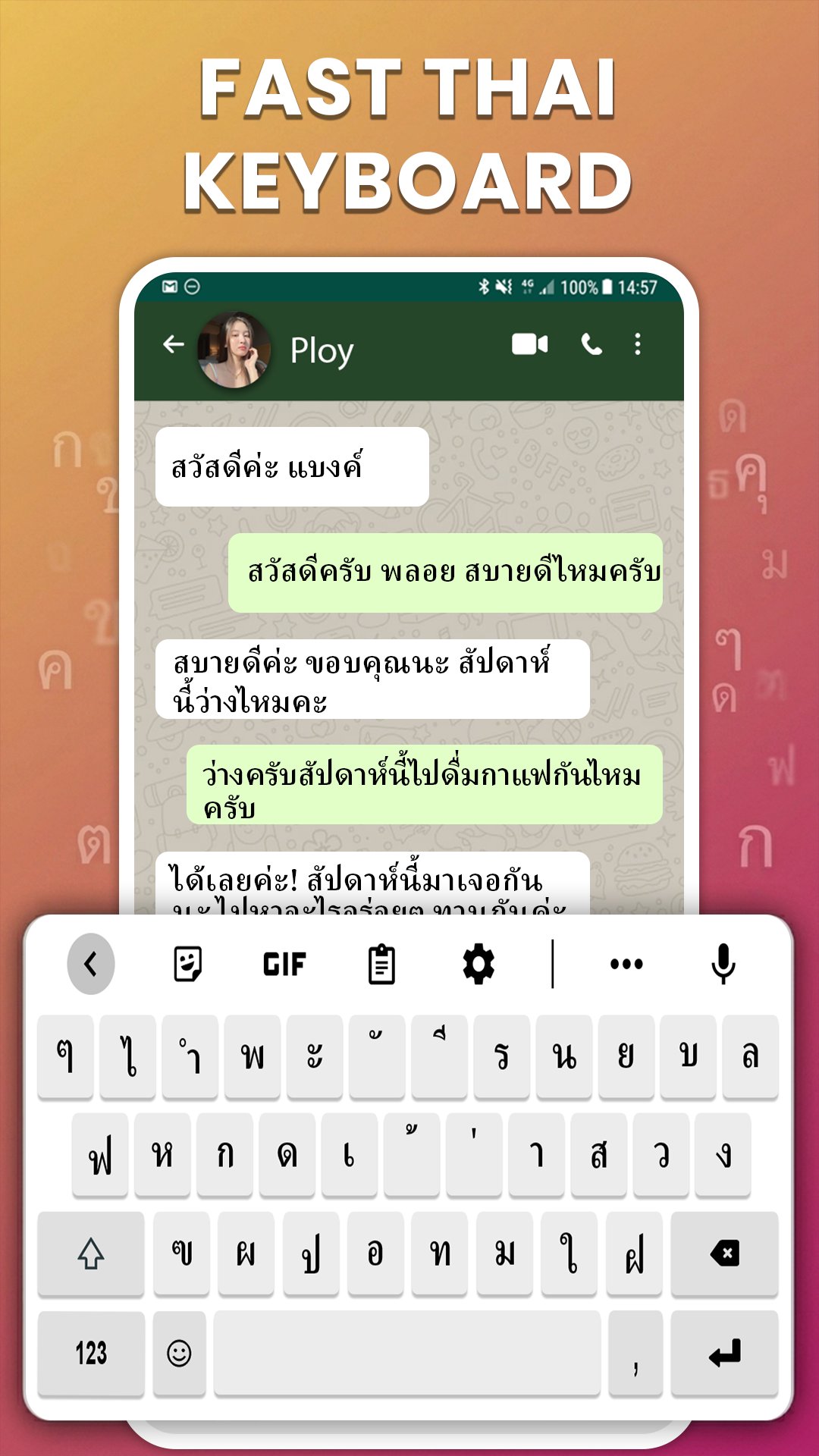
Welcome to Thai Keyboard, the ultimate smart typing application designed to help you type in the Thai language quickly, accurately, and effortlessly. Whether you are chatting with friends, drafting professional emails, or updating your social media, this Thai Typing Keyboard is your perfect daily companion!
Our app features the traditional and widely recognized Thai Kedmanee Layout, ensuring a smooth and natural typing flow. With a simple swipe or long-press on the spacebar, you can seamlessly switch between English and Thai input methods instantly.
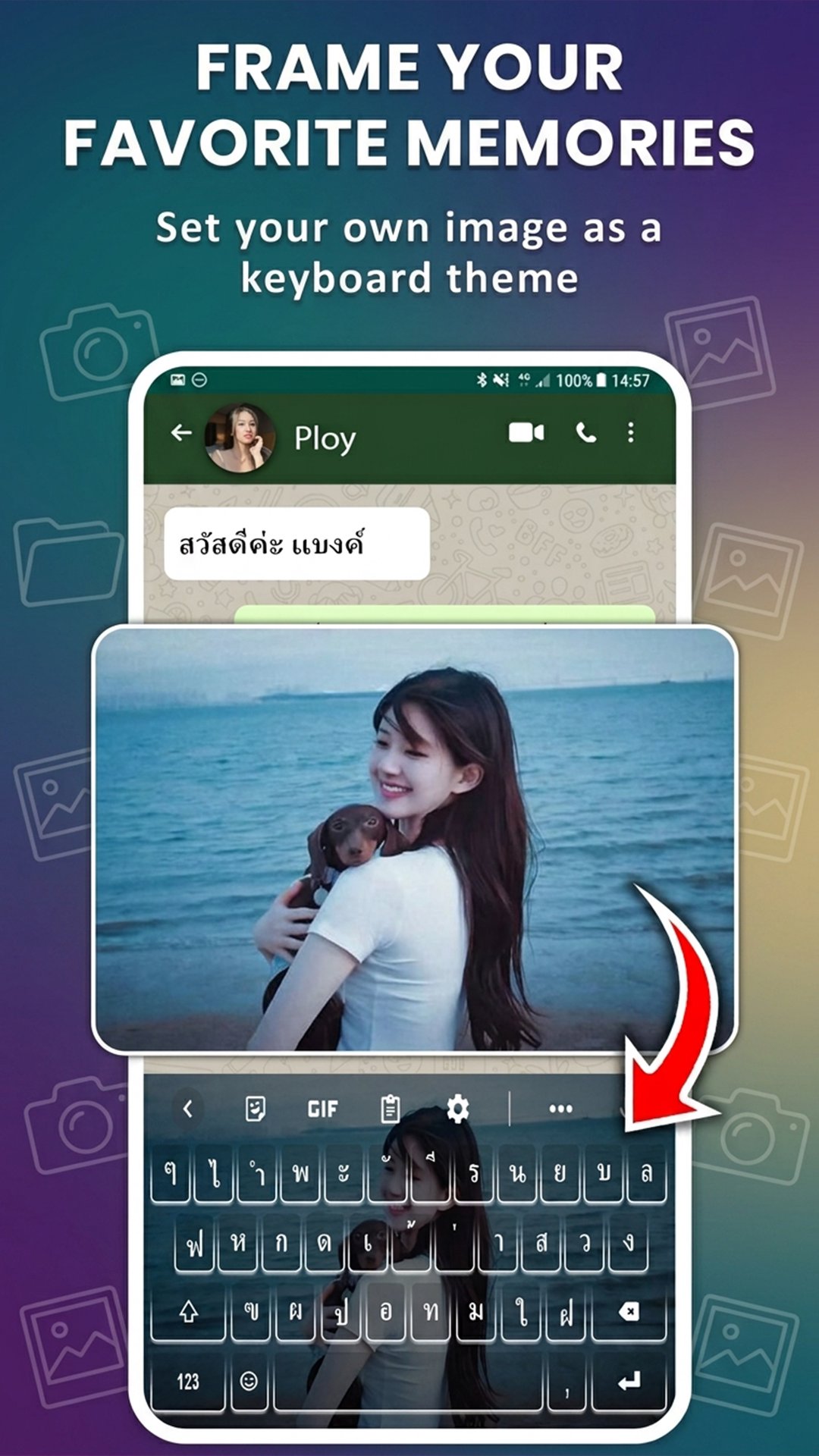
🎨 Elegant Custom Themes & Personal Backgrounds (Photo Keyboard)
• Custom Photo Keyboard: Easily personalize your typing interface by setting your favorite picture from your gallery as your keyboard background.
• Stylish Themes: Choose from a premium collection of vibrant layouts, sleek Dark Modes, or clean minimalist styles to match your personal aesthetic.
🔤 Beautiful Thai Fonts & Stylish Typography (Font Changer)
• Stylish Fonts Keyboard: Access a rich collection of creative fonts for both Thai and English characters to make your text messages stand out.
• Quick Font Changer: Switch between different text styles directly from the shortcut toolbar on your keyboard layout.
🤖 Fast Typing Engine & Smart Text Correction (Auto-Correct)
• Fast Typing Layout: Optimized for high-speed responsiveness with minimal touch latency, making daily texting a breeze.
• Advanced Auto-Correction: Eliminate typos with an intelligent system that automatically detects and corrects spelling errors in Thai text.
• Predictive Text Suggestions: Type faster with real-time next-word predictions powered by an advanced contextual AI engine.
• Personal Dictionary: Easily save your favorite slang, custom phrases, or frequent words for faster retrieval in future sessions.
🌟 Expressive Emojis & Quick GIF Sharing (Emoji Keyboard)
• Smart Emoji Keyboard: Send popular emojis and expressive emoticons directly from your layout to add personality to your conversations.
• Instant GIFs & Stickers: Find and share engaging stickers or animated GIFs instantly from the keyboard panel without leaving your active chat application.
🔒 Secure Clipboard Manager & Data Privacy
• Clipboard History Manager: Securely log your recently copied text segments and links, allowing you to paste them instantly whenever needed.
• 100% Privacy Protection: We highly value your security. This application does not store, collect, or transmit personal data, passwords, or confidential inputs.
⚙️ Advanced Layout Customization & Professional Utilities
• Adjustable Keyboard Height: Tailor the vertical height and key spacing of the keyboard layout to perfectly fit your device's screen size.
• One-Handed Mode: Compress the layout width to the left or right side for comfortable and ergonomic single-thumb typing.
• Swipe to Delete: Swipe left on the backspace button to quickly wipe out long words or full sentences with high precision.
Download Thai Keyboard: Language Typing today to experience the fastest, most customizable, and smoothest Thai typing experience on your mobile device!
預覽
標籤
工具訊息
開發商
Multilingual Keyboard Apps
最新版本
1.1.0
更新時間
2026-05-20
類別
工具
同時可用
Google Play
更多
如何在電腦上用 GameLoop 玩 Thai Keyboard: Thai Typing
1. 從官網下載GameLoop,然後運行exe文件安裝GameLoop
2. 打開GameLoop,搜索“Thai Keyboard: Thai Typing”,在搜索結果中找到Thai Keyboard: Thai Typing,點擊“安裝”
3. 享受在 GameLoop 上玩 Thai Keyboard: Thai Typing 的樂趣
Minimum requirements
OS
Windows 8.1 64-bit or Windows 10 64-bit
GPU
GTX 1050
CPU
i3-8300
Memory
8GB RAM
Storage
1GB available space
Recommended requirements
OS
Windows 8.1 64-bit or Windows 10 64-bit
GPU
GTX 1050
CPU
i3-9320
Memory
16GB RAM
Storage
1GB available space