SURFboard Central 電腦版
ARRIS Enterprises, Inc.
用GameLoop模拟器在電腦上玩SURFboard Central
SURFboard Central 電腦版
來自發行商 ARRIS Enterprises, Inc. 的 SURFboard Central 能夠在安卓系統上運行。
現在,您可以在電腦上使用 GameLoop 模擬器流暢地玩 SURFboard Central。
在 GameLoop 遊戲庫或搜索結果中下載。 不需要再暢玩遊戲時盯著電池電量或被令人懊惱的來電打斷。
只需在電腦大屏幕上免費下載暢玩SURFboard Central 電腦版!
SURFboard Central 簡介
Thank you for purchasing a SURFboard product! Simply download this application, select the device model, and follow the on-screen instructions to setup your device.
This single (Central) mobile application will support all our current SURFboard devices.
Cable Modems:
- Models: S33, S34, SB6141, SB6121, SB6183, SB6190, SB8200, SBV3202, SBV2402, T25.
- Step-by-step install guide includes help for device activation by your Cable Internet Service Provider.
- Access to device information, help, and technical support.
- Quick launch the device Web Application for device configuration and management.
Cable Modems with Wi-Fi:
- Models: G18, G20, G34, G36, G54, SBG10, SBG6950, SBG7400, SBG7580, SBG7600, SBG8300
- Step-by-step install guide includes help for device activation by your Cable Internet Service Provider.
- Access to device information, help, and technical support.
- Use the device Web Application OR the mobile app for device configuration and management.
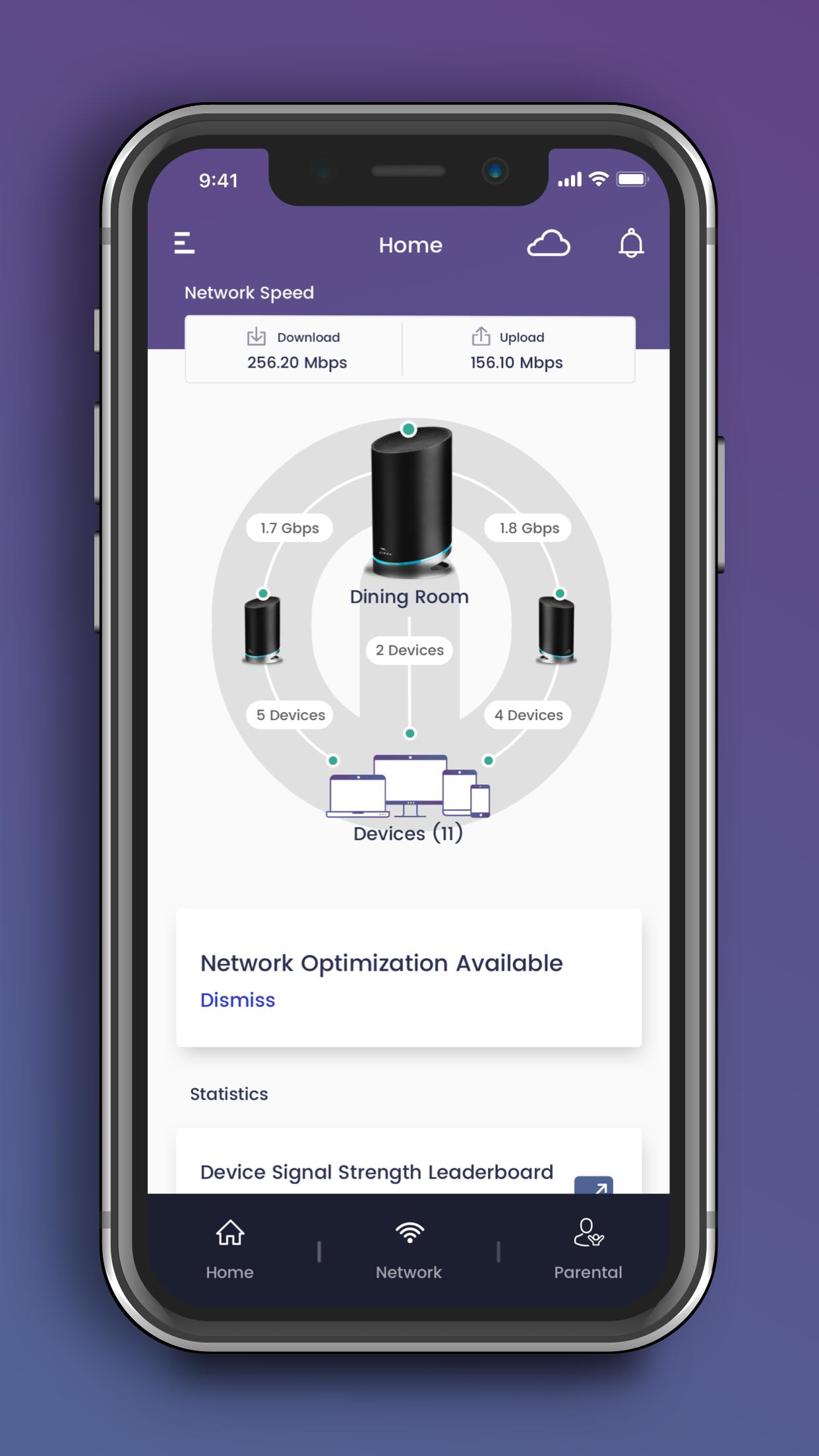
- Easy to use Wi-Fi management functions.
mAX Wi-Fi Mesh Routers:
- Models: W11, W121, W122, W21, W30, W31, W61, WC4S, WC4T
- Step-by-step install guide includes help for optimal mesh node placement in your home for performance and coverage.
- Easy to use Wi-Fi management and enhanced mAX features*.
Wi-Fi Gaming and Extenders:
- Models: W6B, W6U
- Step-by-step install guide.
- Access to device information, help, and technical support.
- Quick launch the device Web Application for device configuration and management.
--- Easy to use Wi-Fi management functions ---
- Manage your Wi-Fi network when you are at home or away.
- Setup a private and secure home Wi-Fi network.
- Setup a separate Guest network for visitors.
- View client devices connected to your network.
- Add friendly names for each client device.
- Check your mobile device real-time Wi-Fi speed.
- Create profiles for your kids to manage their screen time, allowing schedule or manual Internet pause.
--- Enhanced mAX features ---
- Get notified when selected device leave or join your home network.
- Enhance your parental controls with "screen" time rewards.
- Network Health monitoring with recommendations for optimization.
For additional help, please visit the SURFboard User Community at https://community.surfboard.com/
For device technical details and support, please visit SURFboard Support at https://www.surfboard.com/support/resources/
* Not all enhanced mAX features are available on W61, WC4S, and WC4T
預覽
標籤
工具訊息
開發商
ARRIS Enterprises, Inc.
最新版本
4.3.4
更新時間
2024-09-23
類別
工具
同時可用
Google Play
更多
如何在電腦上用 GameLoop 玩 SURFboard Central
1. 從官網下載GameLoop,然後運行exe文件安裝GameLoop
2. 打開GameLoop,搜索“SURFboard Central”,在搜索結果中找到SURFboard Central,點擊“安裝”
3. 享受在 GameLoop 上玩 SURFboard Central 的樂趣
Minimum requirements
OS
Windows 8.1 64-bit or Windows 10 64-bit
GPU
GTX 1050
CPU
i3-8300
Memory
8GB RAM
Storage
1GB available space
Recommended requirements
OS
Windows 8.1 64-bit or Windows 10 64-bit
GPU
GTX 1050
CPU
i3-9320
Memory
16GB RAM
Storage
1GB available space