
Restore Deleted Photos RecovMy 電腦版
LookAndFeel Lab
用GameLoop模拟器在電腦上玩Restore Deleted Photos RecovMy
Restore Deleted Photos RecovMy 電腦版
來自發行商 LookAndFeel Lab 的 Restore Deleted Photos RecovMy 能夠在安卓系統上運行。
現在,您可以在電腦上使用 GameLoop 模擬器流暢地玩 Restore Deleted Photos RecovMy。
在 GameLoop 遊戲庫或搜索結果中下載。 不需要再暢玩遊戲時盯著電池電量或被令人懊惱的來電打斷。
只需在電腦大屏幕上免費下載暢玩Restore Deleted Photos RecovMy 電腦版!
Restore Deleted Photos RecovMy 簡介
RecovMy is a Free Photo Recovery App that helps you to restore deleted photos easily. Our photo recovery algorithm perform a deep scan on your phone storage to retrieve all deleted photos and then give you the ability to restore deleted photos.
If you come to a situation where you deleted all of your photos by mistake, and tried a lot of apps to restore them without any result, then you are at the right place. RecovMy will solve this problem for you. It will scan all your phone storage looking for deleted photos and list them in an easy way that will help you to restore them back to your phone storage.
Restore Deleted Photos: How it works?
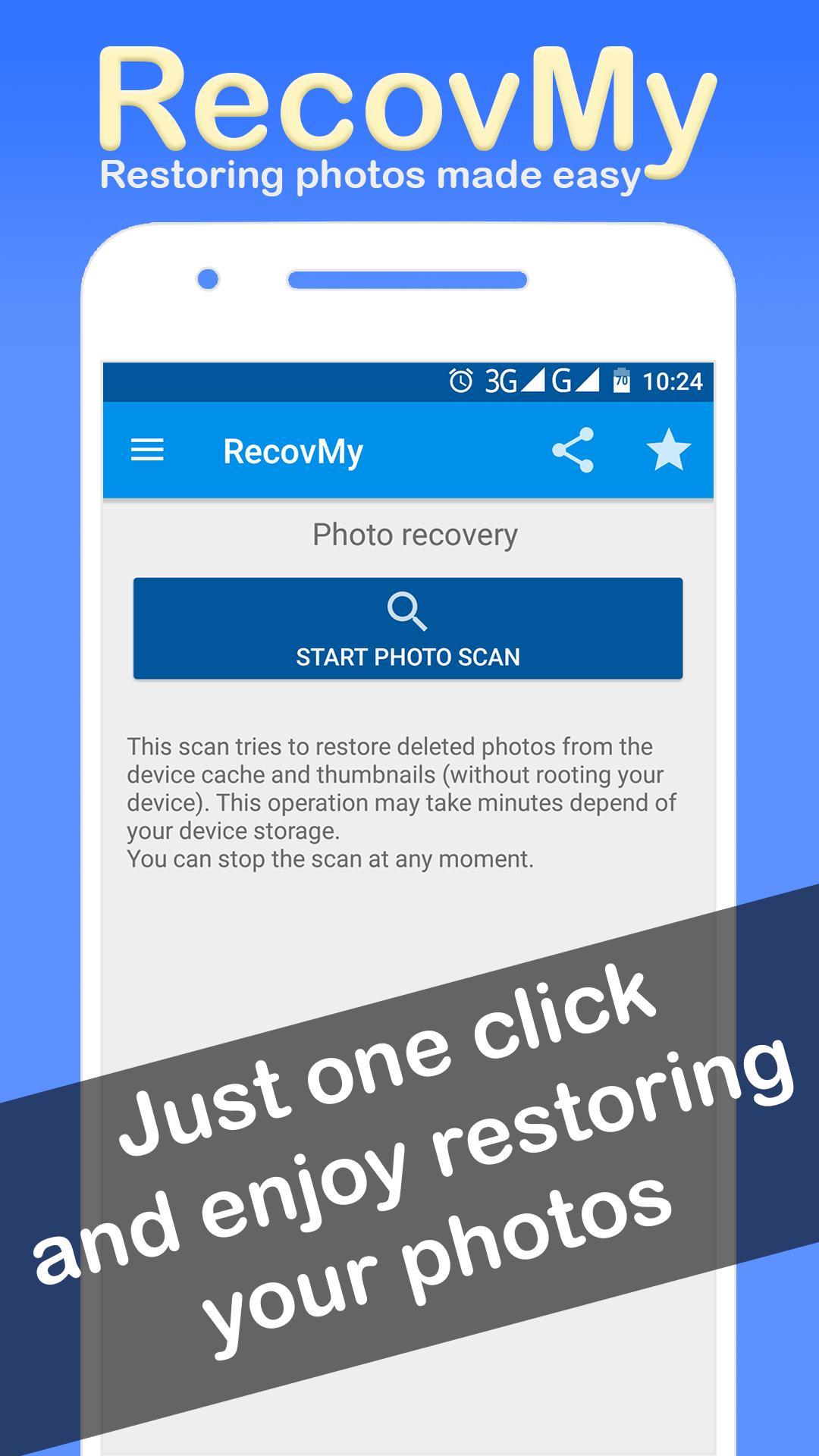
RecovMy scans your device and tries to restore deleted photos from the cache and thumbnails (no root required), this operation may take minutes depend of your device storage.
Operating Steps to restore deleted photos:
★ Install and Open the RecovMy App.
★ In the main window of the RecovMy - restore deleted photos app, click the button « Start photo scan » in « Photo Recovery » section.
★ Wait Until the scan finished.
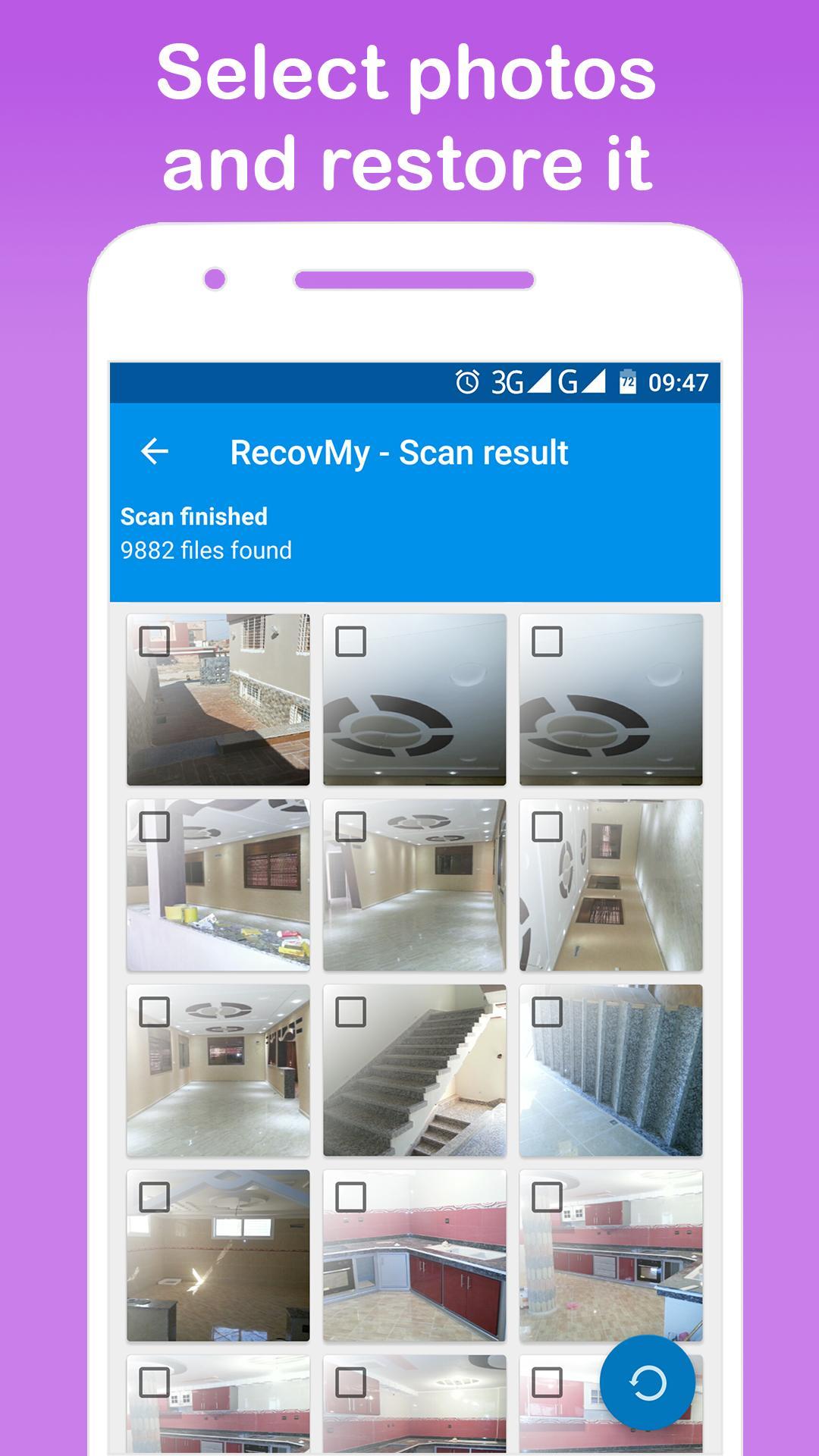
★ You will found deleted and undeleted photos.
★ Select the deleted photos that you want to restore, then, click the « restore » button in the bottom of window.
★ All selected photos will be restored to the RecovMy_photos Folder in your Gallery App.
★ Enjoy the best photo recovery app to restore deleted photos.
Your feedback is extremely appreciated and we act on it!
Please leave review or email me about this photo recovery app at contact@lookfeel.me
預覽
標籤
工具訊息
開發商
LookAndFeel Lab
最新版本
2.1.4
更新時間
2021-07-04
類別
工具
同時可用
Google Play
更多
如何在電腦上用 GameLoop 玩 Restore Deleted Photos RecovMy
1. 從官網下載GameLoop,然後運行exe文件安裝GameLoop
2. 打開GameLoop,搜索“Restore Deleted Photos RecovMy”,在搜索結果中找到Restore Deleted Photos RecovMy,點擊“安裝”
3. 享受在 GameLoop 上玩 Restore Deleted Photos RecovMy 的樂趣
Minimum requirements
OS
Windows 8.1 64-bit or Windows 10 64-bit
GPU
GTX 1050
CPU
i3-8300
Memory
8GB RAM
Storage
1GB available space
Recommended requirements
OS
Windows 8.1 64-bit or Windows 10 64-bit
GPU
GTX 1050
CPU
i3-9320
Memory
16GB RAM
Storage
1GB available space