
Minimalist Pomodoro Timer 電腦版
shpavda LLC
用GameLoop模拟器在電腦上玩Minimalist Pomodoro Timer
Minimalist Pomodoro Timer 電腦版
來自發行商 shpavda LLC 的 Minimalist Pomodoro Timer 能夠在安卓系統上運行。
現在,您可以在電腦上使用 GameLoop 模擬器流暢地玩 Minimalist Pomodoro Timer。
在 GameLoop 遊戲庫或搜索結果中下載。 不需要再暢玩遊戲時盯著電池電量或被令人懊惱的來電打斷。
只需在電腦大屏幕上免費下載暢玩Minimalist Pomodoro Timer 電腦版!
Minimalist Pomodoro Timer 簡介
Searching for a powerful tool to boost your productivity? Meet our Minimalist Pomodoro Timer app, specifically designed to optimize your time and elevate your work efficiency to new heights.
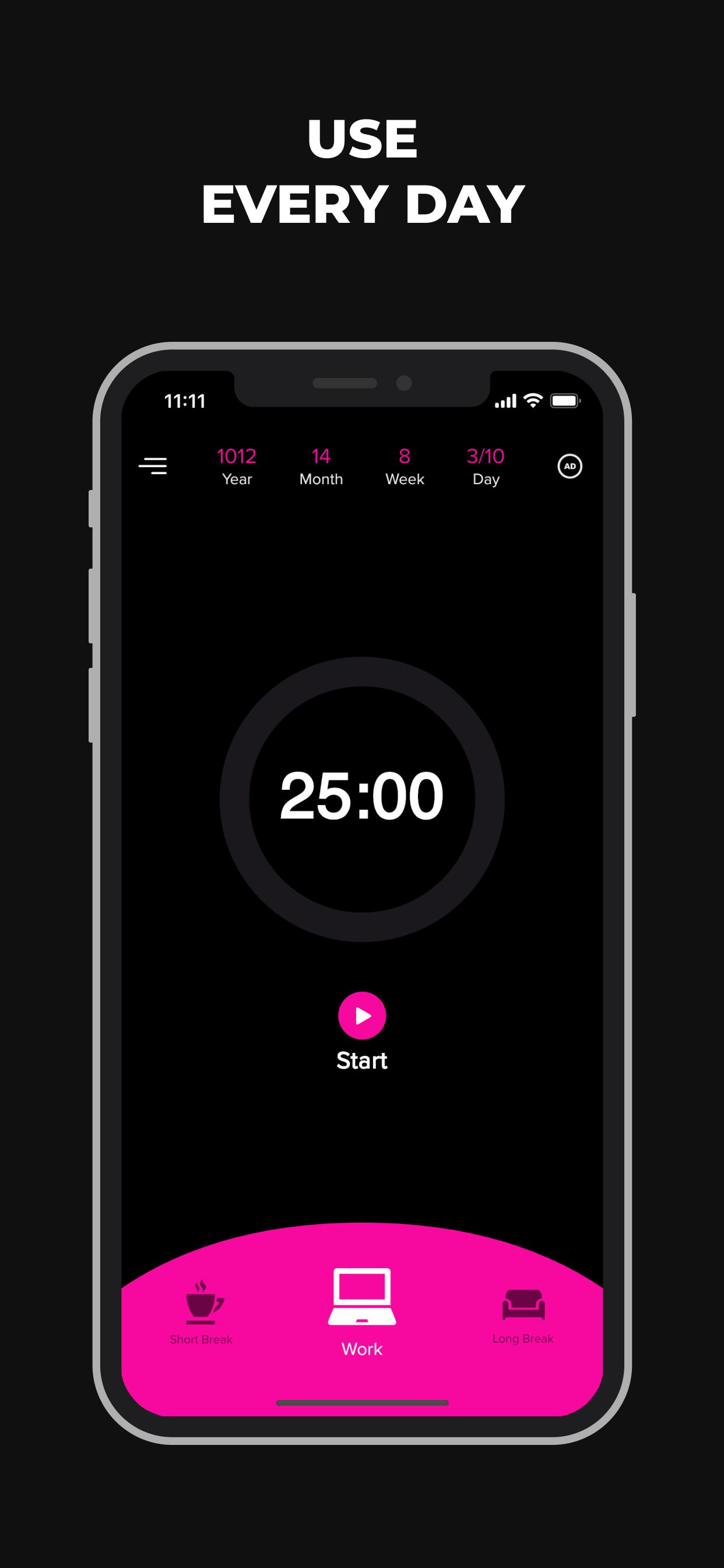
Our Pomodoro Timer application embraces minimalism while integrating the proven Pomodoro Technique. The user-friendly design, the intuitive interface, and the ability to run in the background without exhausting your battery make it a standout choice among productivity tools. This application is a perfect blend of aesthetics and functionality, designed to work effortlessly with your daily routine.
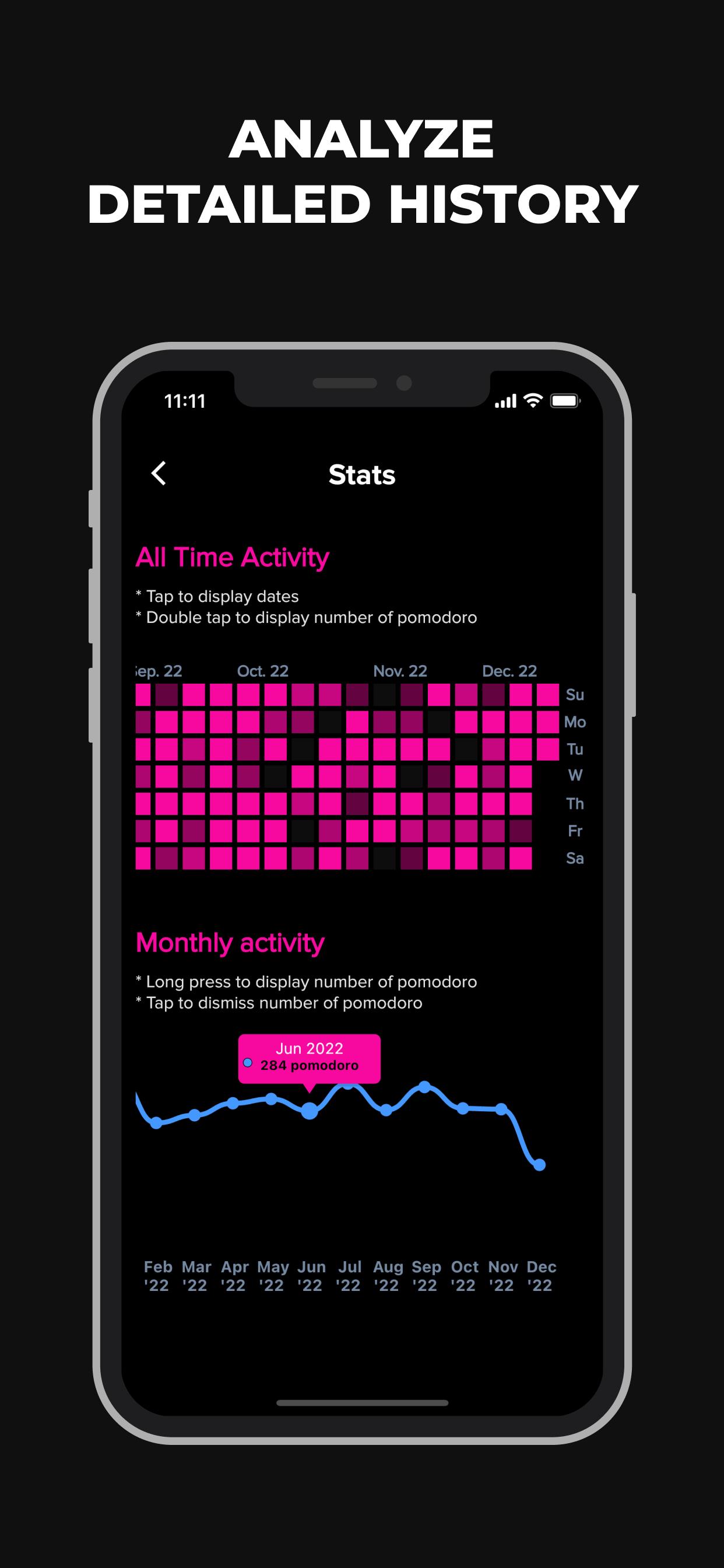
This Pomodoro Timer is not just an ordinary timer; it offers a comprehensive suite of features to guide you on your path to higher productivity. It features an alarm with notifications, helping you maintain your focus on the task at hand, backed up by detailed statistics and daily objectives which results a perfect solution for your time management. These analytics offer insightful data about your most productive days, optimal work times, and the number of Pomodoro completed on any given day. The daily goals challenge you, fostering personal growth and driving you towards new achievements.
The Pomodoro technique, at the heart of this application, is a renowned productivity method comprising six fundamental steps:
1) Identify the tasks at hand.
2) Activate the Pomodoro timer (the default setting in our app is 25 minutes).
3) Concentrate on the most urgent task.
4) Complete your task when the timer signals, and take a short break (5 minutes is the default interval).
5) If fewer than four work cycles have been completed, repeat steps 2 through 4.
6) After four work cycles, indulge in a longer break (15 minutes is our app's default). Once this is over, return to step 2.
Our Pomodoro Timer oversees this entire sequence of activities, alerting you when to focus on work and when to rest, leaving you free to concentrate on achieving your targets.
Key Features of the Pomodoro Timer app:
- Ideal for everyday use
- Provides regular notifications
- Detailed statistical reports
- Monthly progress overview
- Insights on most productive days and peak productive hours
- Customizable work intervals, short breaks, and long break durations
- Set long breaks after a certain number of cycles
- Daily goal setting
- Toggle between light and dark themes
- Multilingual support
- Minimalistic, clean design
- Completely free to use
- Offers helpful content on improving productivity
With our app, managing your time has never been easier. Take a step towards a more organized, productive lifestyle today.
預覽
標籤
工具效率提升訊息
開發商
shpavda LLC
最新版本
1.2.8
更新時間
2025-09-10
類別
工具
同時可用
Google Play
更多
如何在電腦上用 GameLoop 玩 Minimalist Pomodoro Timer
1. 從官網下載GameLoop,然後運行exe文件安裝GameLoop
2. 打開GameLoop,搜索“Minimalist Pomodoro Timer”,在搜索結果中找到Minimalist Pomodoro Timer,點擊“安裝”
3. 享受在 GameLoop 上玩 Minimalist Pomodoro Timer 的樂趣
Minimum requirements
OS
Windows 8.1 64-bit or Windows 10 64-bit
GPU
GTX 1050
CPU
i3-8300
Memory
8GB RAM
Storage
1GB available space
Recommended requirements
OS
Windows 8.1 64-bit or Windows 10 64-bit
GPU
GTX 1050
CPU
i3-9320
Memory
16GB RAM
Storage
1GB available space