
Macro Photography Tools 電腦版
Ioannis Ioannou
用GameLoop模拟器在電腦上玩Macro Photography Tools
Macro Photography Tools 電腦版
來自發行商 Ioannis Ioannou 的 Macro Photography Tools 能夠在安卓系統上運行。
現在,您可以在電腦上使用 GameLoop 模擬器流暢地玩 Macro Photography Tools。
在 GameLoop 遊戲庫或搜索結果中下載。 不需要再暢玩遊戲時盯著電池電量或被令人懊惱的來電打斷。
只需在電腦大屏幕上免費下載暢玩Macro Photography Tools 電腦版!
Macro Photography Tools 簡介
📸 Master Your Macro Photography with Precision
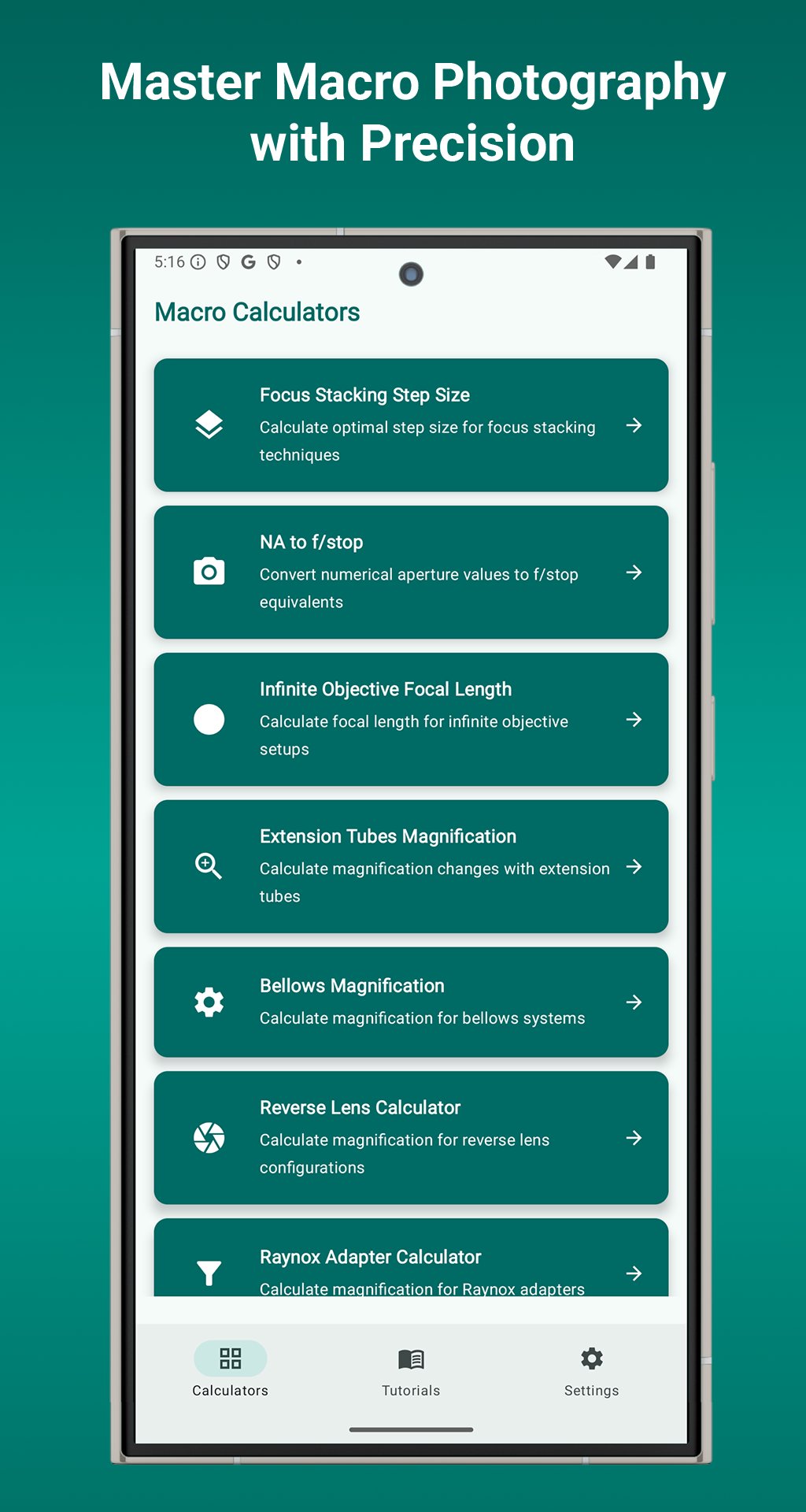
Macro Tools is the ultimate calculator suite built for serious macro photographers. Whether you're focus stacking, calculating magnification, or configuring complex setups, this app gives you the accuracy and control professionals rely on.
🔍 9 Powerful Macro Photography Calculators
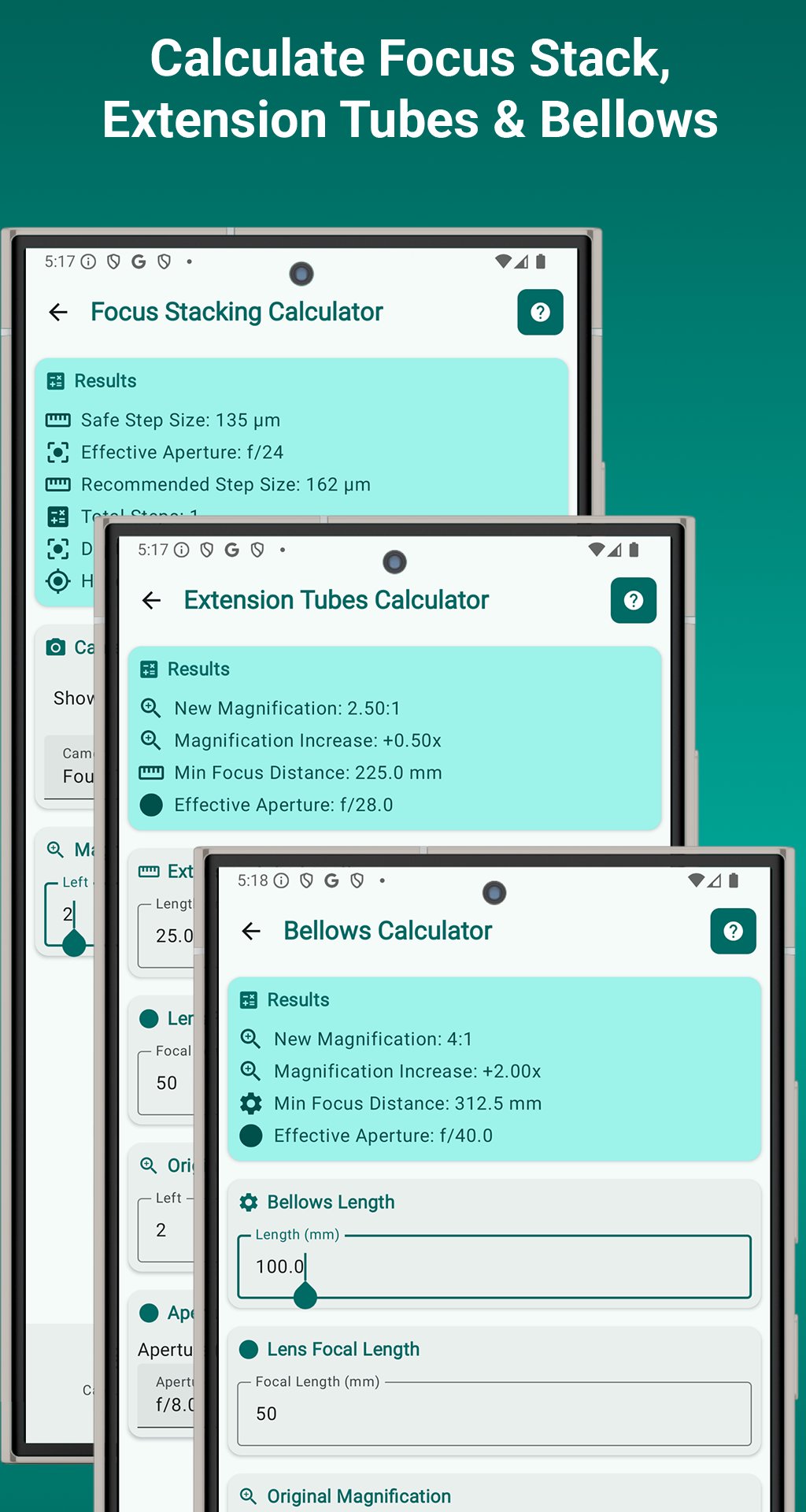
📏 Focus Stacking
• Calculate step sizes for tack-sharp stacks
• Supports all sensor sizes & apertures
• Ideal for product, insect, and nature shots
🔧 Extension Tubes
• Adjust magnification and focusing distance
• Includes exposure and effective aperture tools
🔬 NA to f/stop Converter
• Convert numerical aperture to f-stop
• Perfect for microscopy and scientific imaging
📡 Infinite Objective
• Calculate magnification in infinite objective setups
• Tailored for microscope-style macro systems
📷 Bellows Calculator
• Estimate magnification and working distance
• Designed for professional bellows rigs
🔁 Reverse Lens
• Compute high magnification using reversed lenses
• Great for high-detail, low-cost macro
🔍 Raynox Adapter
• Determine magnification and working distance
• Optimized for telephoto macro combos
🔍 Close-up Filters
• Calculate magnification from diopter strength
• Choose the right filter for your needs
🌀 Stacked Lenses
• Combine two lenses for extreme macro
• Get total system magnification instantly
✨ Built for Macro Photography Professionals
⚡ Real-Time Results – Instant feedback as you type
📂 Auto-Save Inputs – No need to re-enter data
📘 Tutorials – Learn theory and technique
🎨 Modern UI – Clean, responsive, Material Design
🌗 Dark Mode – Beautiful teal interface with theme toggle
🌍 Locale-Smart – Supports all number formats
🎯 Who’s It For?
• Macro & scientific photographers
• Nature & product shooters
• Educators, students, and hobbyists
• Anyone who values precision and control
🚀 Why Choose Macro Tools?
• Most complete macro photography calculator app
• Works fully offline – no internet or permissions
• Lightweight, battery-friendly (<20MB)
• Trusted by professionals worldwide
📞 Support You Can Count On
• Built-in guides
• FAQ
• responsive developer support
• Regular updates
✅ Download Macro Tools – Photography Calculator today and elevate your macro photography with tools designed for true detail work. Perfect focus, perfect results — every time.
預覽
標籤
工具訊息
開發商
Ioannis Ioannou
最新版本
1.2025.07.31
更新時間
2025-08-01
類別
工具
同時可用
Google Play
更多
如何在電腦上用 GameLoop 玩 Macro Photography Tools
1. 從官網下載GameLoop,然後運行exe文件安裝GameLoop
2. 打開GameLoop,搜索“Macro Photography Tools”,在搜索結果中找到Macro Photography Tools,點擊“安裝”
3. 享受在 GameLoop 上玩 Macro Photography Tools 的樂趣
Minimum requirements
OS
Windows 8.1 64-bit or Windows 10 64-bit
GPU
GTX 1050
CPU
i3-8300
Memory
8GB RAM
Storage
1GB available space
Recommended requirements
OS
Windows 8.1 64-bit or Windows 10 64-bit
GPU
GTX 1050
CPU
i3-9320
Memory
16GB RAM
Storage
1GB available space