
Linear MQTT Dashboard 電腦版
ravendmaster
用GameLoop模拟器在電腦上玩Linear MQTT Dashboard
Linear MQTT Dashboard 電腦版
來自發行商 ravendmaster 的 Linear MQTT Dashboard 能夠在安卓系統上運行。
現在,您可以在電腦上使用 GameLoop 模擬器流暢地玩 Linear MQTT Dashboard。
在 GameLoop 遊戲庫或搜索結果中下載。 不需要再暢玩遊戲時盯著電池電量或被令人懊惱的來電打斷。
只需在電腦大屏幕上免費下載暢玩Linear MQTT Dashboard 電腦版!
Linear MQTT Dashboard 簡介
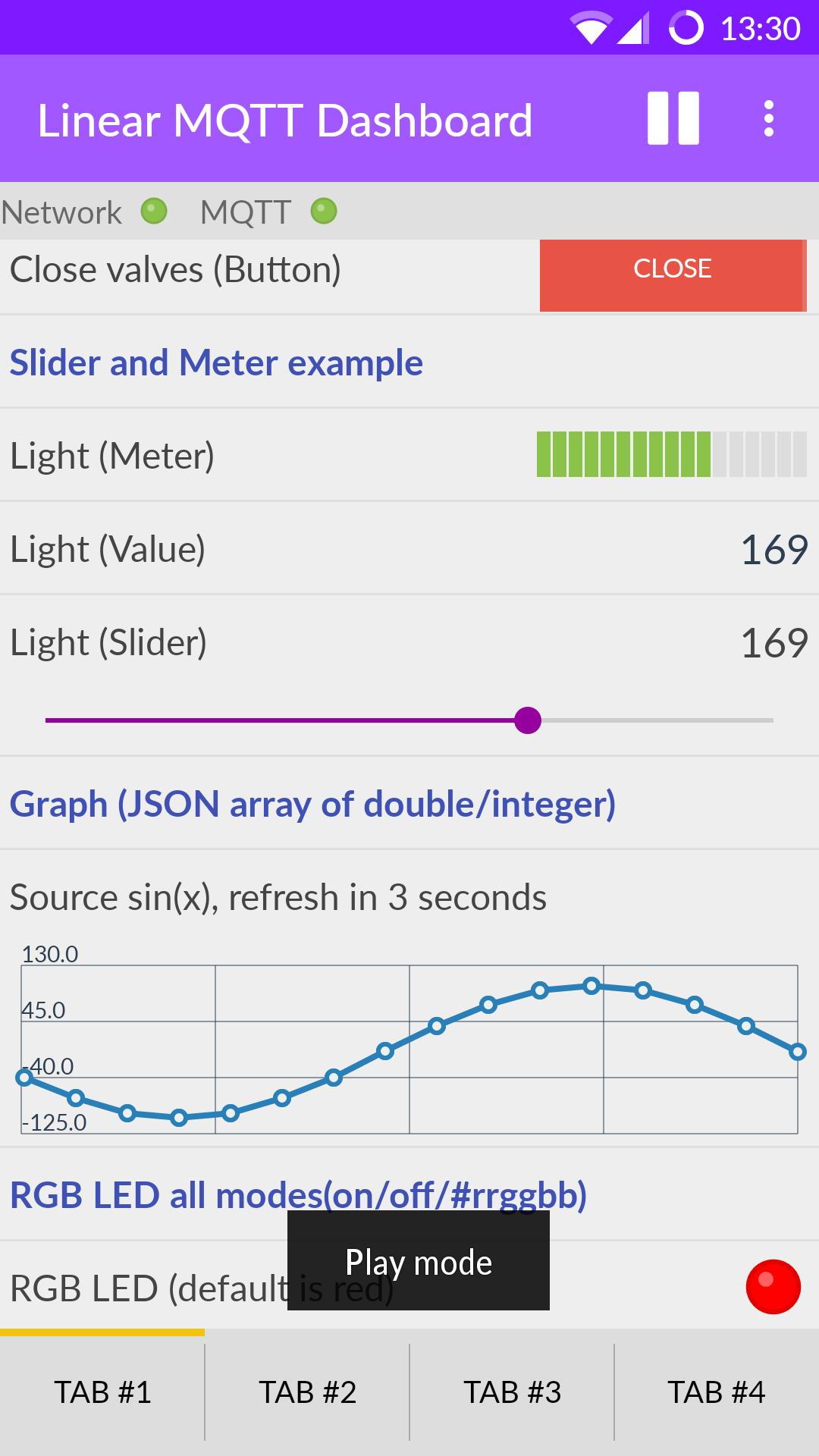
Easy, customizable control panel - MQTT-client.
The solution for your IoT, DIY devices.
Source codes - https://github.com/ravendmaster/linear-mqtt-dashboard-kotlin
Available widgets:
- Header
- Slider
- Value
- Switch
- Button
- RGB LED
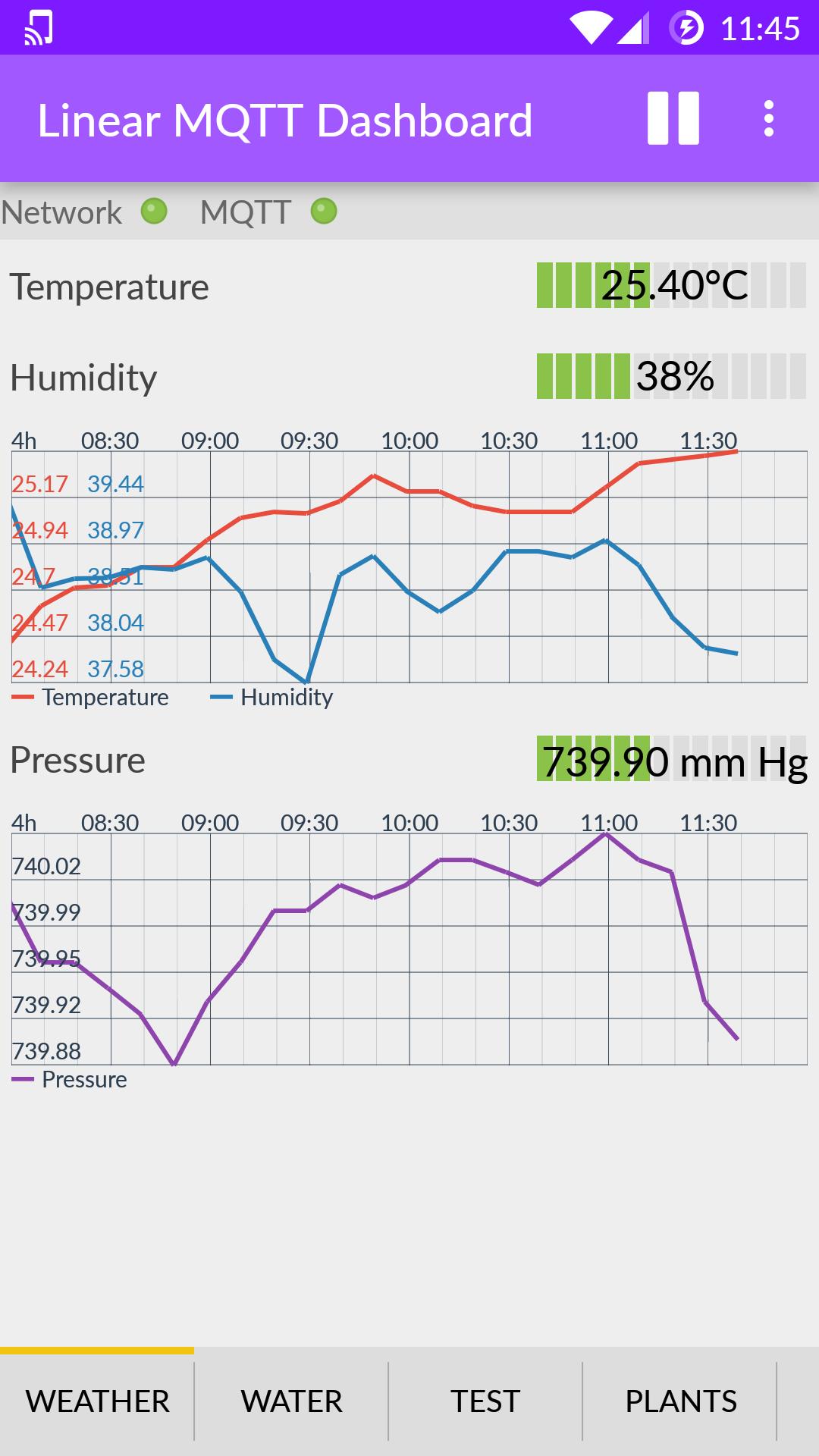
- Meter
- Graph
- Buttons set
- Combo box
Features:
★ Tabs
★ Order of widgets can be changed. Number of widgets is not limited to the size of the screen - the list can be scrolled.
★ Status of network connection and MQTT broker displayed RGB LED.
★ Ability to receive push notifications even when the app is closed.
★ Corrective message from the widget "Value" by long press on the value (in the widget settings, you must specify the topic of publication of the new value).
★ Two meanings of the text messages and the two labels are available for the widget "Button" - for the states "pressed" / "not pressed" respectively. You can also specify a "retained" for messages.
★ Widget "Meter" can display the value of by a different color (alarm zone, yellow and red), if value approaches the limits of measurement. Thresholds limit values can be specified separately for the lower and upper boundaries.
★ Widgets Slider and Meter can handle decimals
★ Share settings
★ JavaScript to represent the value of some widgets
★ Graph widget displays the value of an array of double and integer types in JSON format, payload for example of payload: [1,2,100.88] or [100.5, 200, 0, 0, 0, -10]
★ Graph widget in live mode
★ Graph widget in 'historical' mode (1h, 4h etc.), see "Application server mode" in application serttings
★ "Buttons set" widget allows place several buttons in one place
★ Widget Combo box to work with a predefined list of values
★ "Application server mode" - the ability to handle incoming MQTT messages using JavaScript even when the app is in the background. See OnReceive().
預覽
標籤
工具訊息
開發商
ravendmaster
最新版本
2.5.8
更新時間
2020-05-10
類別
工具
同時可用
Google Play
更多
如何在電腦上用 GameLoop 玩 Linear MQTT Dashboard
1. 從官網下載GameLoop,然後運行exe文件安裝GameLoop
2. 打開GameLoop,搜索“Linear MQTT Dashboard”,在搜索結果中找到Linear MQTT Dashboard,點擊“安裝”
3. 享受在 GameLoop 上玩 Linear MQTT Dashboard 的樂趣
Minimum requirements
OS
Windows 8.1 64-bit or Windows 10 64-bit
GPU
GTX 1050
CPU
i3-8300
Memory
8GB RAM
Storage
1GB available space
Recommended requirements
OS
Windows 8.1 64-bit or Windows 10 64-bit
GPU
GTX 1050
CPU
i3-9320
Memory
16GB RAM
Storage
1GB available space