JavaIDEdroid 電腦版
Tanapro GmbH, Tom Arn
用GameLoop模拟器在電腦上玩JavaIDEdroid
JavaIDEdroid 電腦版
來自發行商 Tanapro GmbH, Tom Arn 的 JavaIDEdroid 能夠在安卓系統上運行。
現在,您可以在電腦上使用 GameLoop 模擬器流暢地玩 JavaIDEdroid。
在 GameLoop 遊戲庫或搜索結果中下載。 不需要再暢玩遊戲時盯著電池電量或被令人懊惱的來電打斷。
只需在電腦大屏幕上免費下載暢玩JavaIDEdroid 電腦版!
JavaIDEdroid 簡介
JavaIDEdroid is an integrated development environment which runs on Android and allows to create native Android applications without the need to use the Android SDK on Windows or Linux.
You need Android 2.2.3 or higher and a storage card (/sdcard/) to use this app!
Following development tools are integrated in JavaIDEdroid:
* aapt tool
* Eclipse compiler for Java
* dx tool
* DexMerger tool
* ApkBuilder
* zipsigner-lib (this library also does the zipalign)
* SpongyCastle Library
* BeanShell Interpreter
* JavaRunner: allows to run any binary Java commandline application (.jar file)
The APP can be extended with modules. The modules are loaded dynamically and the integrity of the module is checked before every start of the module. In the download area of the project's website you'll find some pre-built modules, for example for Ant or the jar tool.
The APP can be controlled and customized with BeanShell scripts. The APP supports the 'protected script mode' which verifies the integrity of the scripts before executing them.
The software supports project features:
* Project definition files: Allows to define project specific information for every project.
* Default scripts: Due to the project definition files, it is possible to use default BeanShell scripts (for compiling and building) which fit almost all projects. The default scripts can be started from the project menu and can be customized if needed.
* Project template: When creating a new project definition files, you can tell the app to create a skeleton project for you.
* Recent project list: Allows to quickly re-open recent projects
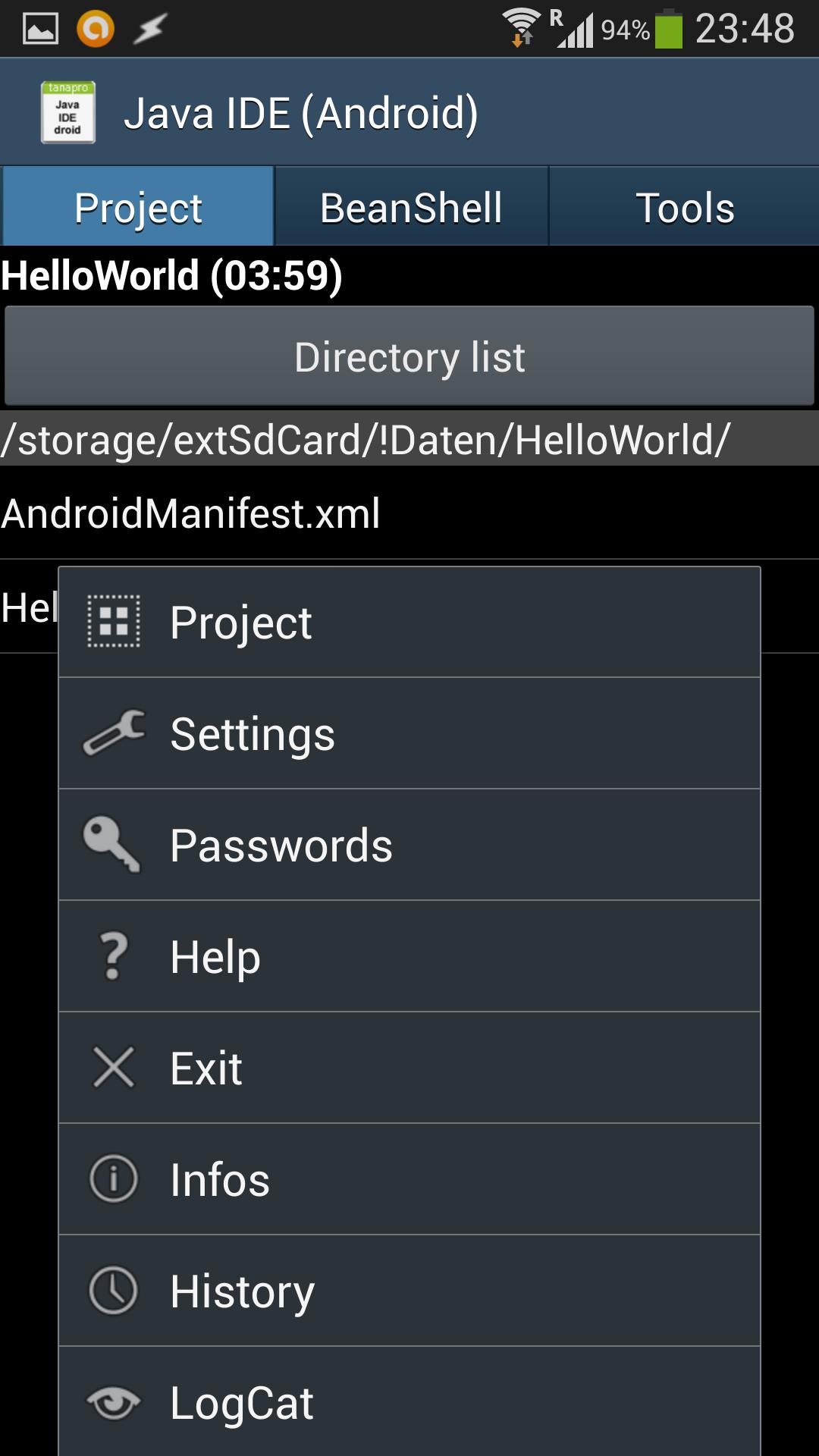
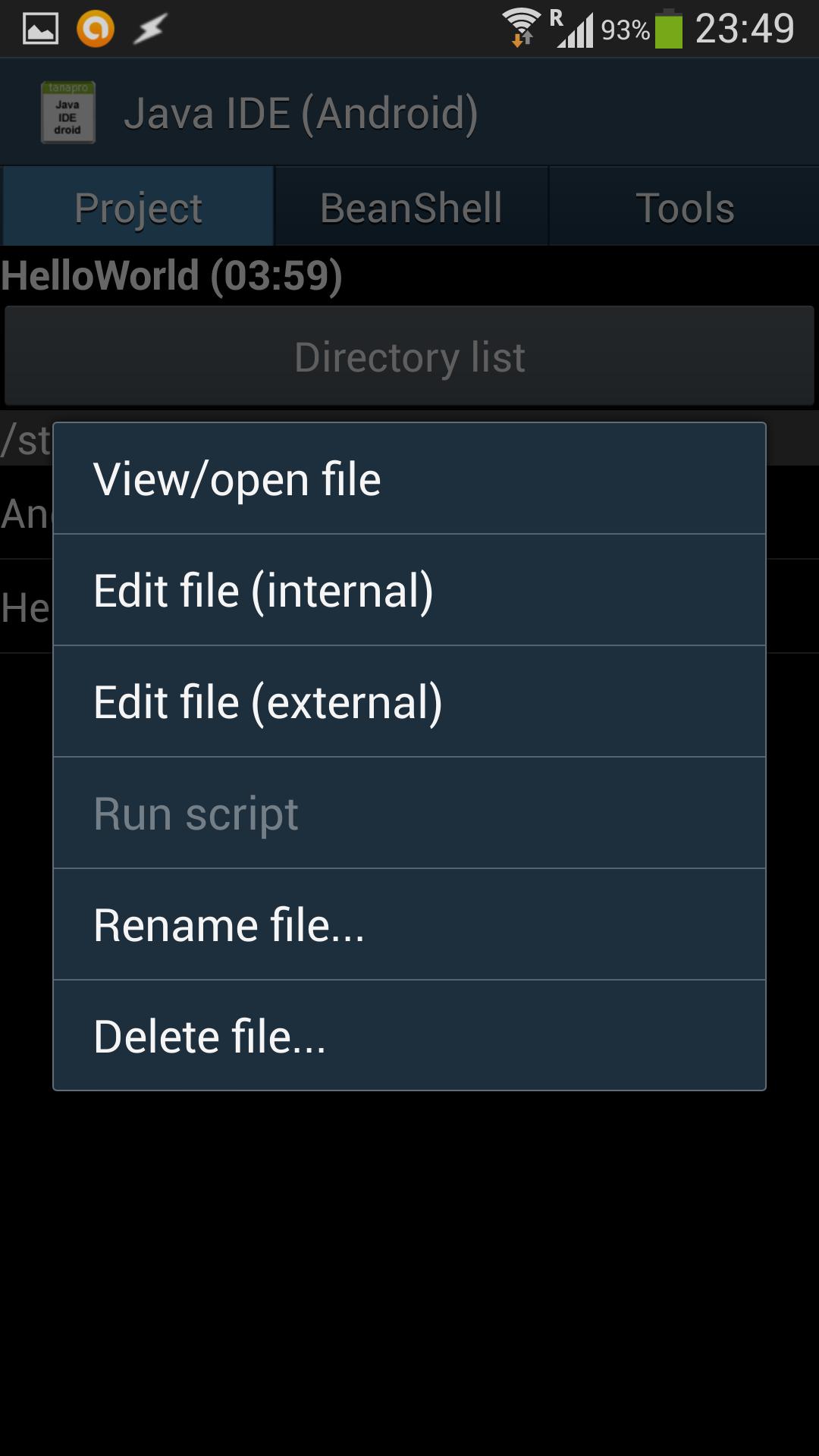
* Project filemanager: Allows you to browse all your project files and create, open, edit, delete and run (only .bsh files) them. There is a 'Directory list' button that lets you quickly change to another subdirectory of the project.
* Project time log: Allows you to see the time spent for development
By installing the JavaIDEdroidPRO key (or the old JavaIDEdroidPRO 1.x app) additional features become available:
* Unlimited project support (the free version only supports very small projects)
* DexMerger Tool: Allows to merge 2 .dex files. So, .jar libraries do not need to be re-dexed everytime.
* dx: Merge functionality
* dx: Incremental option
* APK signing with user certificate
* Unlimited JavaRunner (the free version only supports very small .jar files and only 1 module at a time)
The Permission is used, so that Java console applications can access the Internet. JavaIDEdroid itself does not need the Internet access.
For more details see the online version of the built-in help file: http://www.tanapro.ch/products/JavaIDEdroid/help-en.html
Check the project web site for more information and support:
https://github.com/t-arn/java-ide-droid/wiki
In the Wiki you'll find a HowToGetStarted tutorial:
https://github.com/t-arn/java-ide-droid/wiki/1.-How-to-get-started
In the Wiki you'll also find a guide on how to create and use the module for the free Java obfuscator yGuard.
There, you'll also find how to create Codename One applications on your Android device.
Please check the support forum before rating this app badly. We will give our best to help you there.
History: http://www.tanapro.ch/products/JavaIDEdroid/history-en.html
預覽
標籤
工具訊息
開發商
Tanapro GmbH, Tom Arn
最新版本
2.10.1
更新時間
2018-02-01
類別
工具
同時可用
Google Play
更多
如何在電腦上用 GameLoop 玩 JavaIDEdroid
1. 從官網下載GameLoop,然後運行exe文件安裝GameLoop
2. 打開GameLoop,搜索“JavaIDEdroid”,在搜索結果中找到JavaIDEdroid,點擊“安裝”
3. 享受在 GameLoop 上玩 JavaIDEdroid 的樂趣
Minimum requirements
OS
Windows 8.1 64-bit or Windows 10 64-bit
GPU
GTX 1050
CPU
i3-8300
Memory
8GB RAM
Storage
1GB available space
Recommended requirements
OS
Windows 8.1 64-bit or Windows 10 64-bit
GPU
GTX 1050
CPU
i3-9320
Memory
16GB RAM
Storage
1GB available space