
Network Guru: Speed Indicator 電腦版
Paget96
用GameLoop模拟器在電腦上玩Network Guru: Speed Indicator
Network Guru: Speed Indicator 電腦版
來自發行商 Paget96 的 Network Guru: Speed Indicator 能夠在安卓系統上運行。
現在,您可以在電腦上使用 GameLoop 模擬器流暢地玩 Network Guru: Speed Indicator。
在 GameLoop 遊戲庫或搜索結果中下載。 不需要再暢玩遊戲時盯著電池電量或被令人懊惱的來電打斷。
只需在電腦大屏幕上免費下載暢玩Network Guru: Speed Indicator 電腦版!
Network Guru: Speed Indicator 簡介
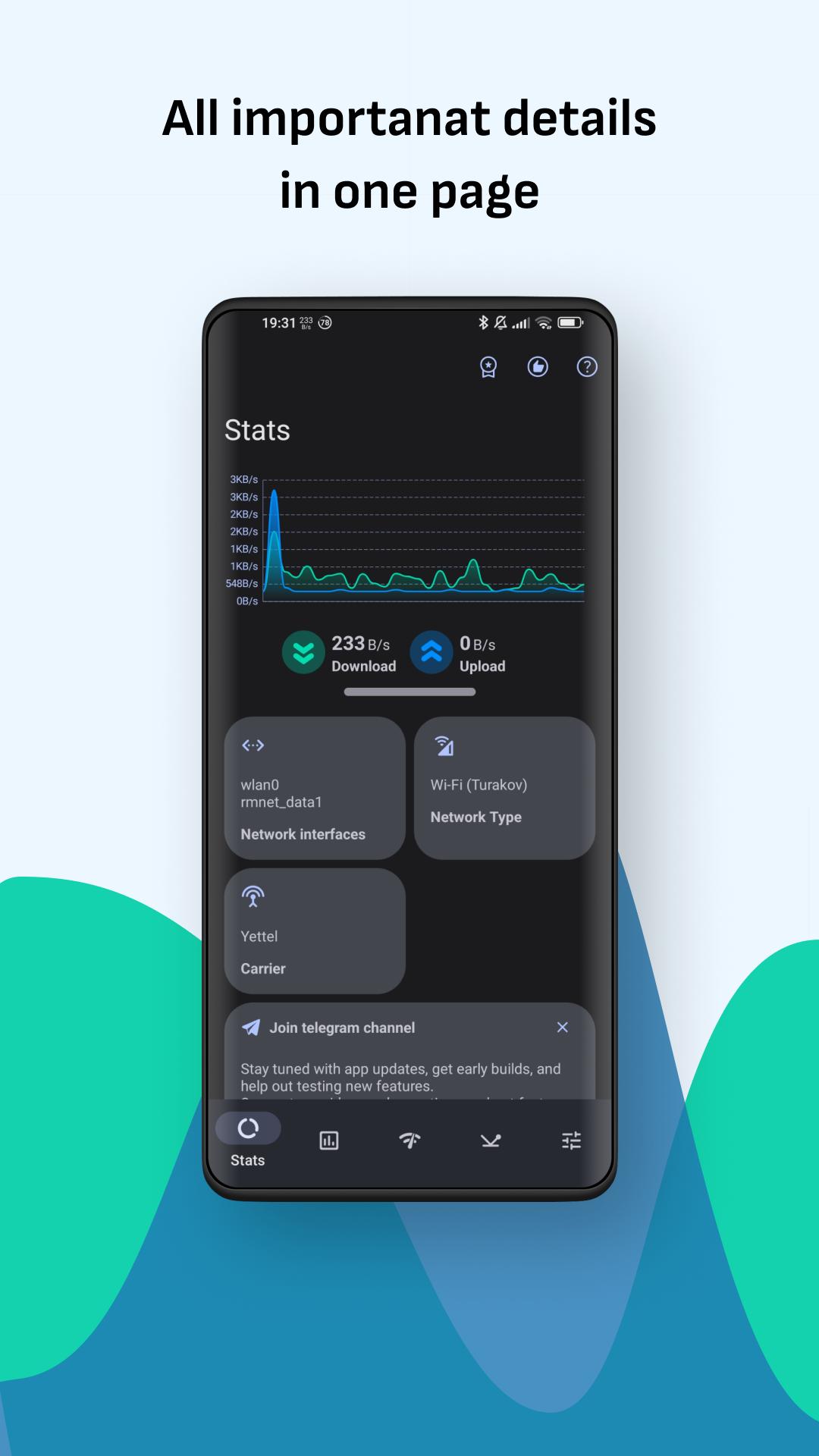
Stay informed with real-time download and upload speed, data usage, and ping statistics, all in one clean interface. Network Guru is a lightweight yet powerful tool to monitor your internet connection performance.
📡 Real-time speed monitor
View current download and upload speeds in the status bar, notification panel, or floating widget.
📊 Usage history
Track daily and monthly mobile data and Wi-Fi usage, including sent and received data.
📶 Ping test
Measure connection stability with minimum, maximum, and average ping, along with packet loss.
Run ping tests to a custom destination of your choice (e.g., google.com or any server).
During the test, a real-time graph visualizes ping fluctuations for better insight.
🚀 Advanced speed test
Perform detailed speed tests including:
- Download and upload speeds (in Mbps)
- IPv4 and IPv6 addresses
- Server location
- Latency and jitter
- Packet loss
📍 Wi-Fi Analyzer
Inspect nearby networks and get info like SSID, BSSID, signal strength, frequency, and more.
📱 Per-app usage
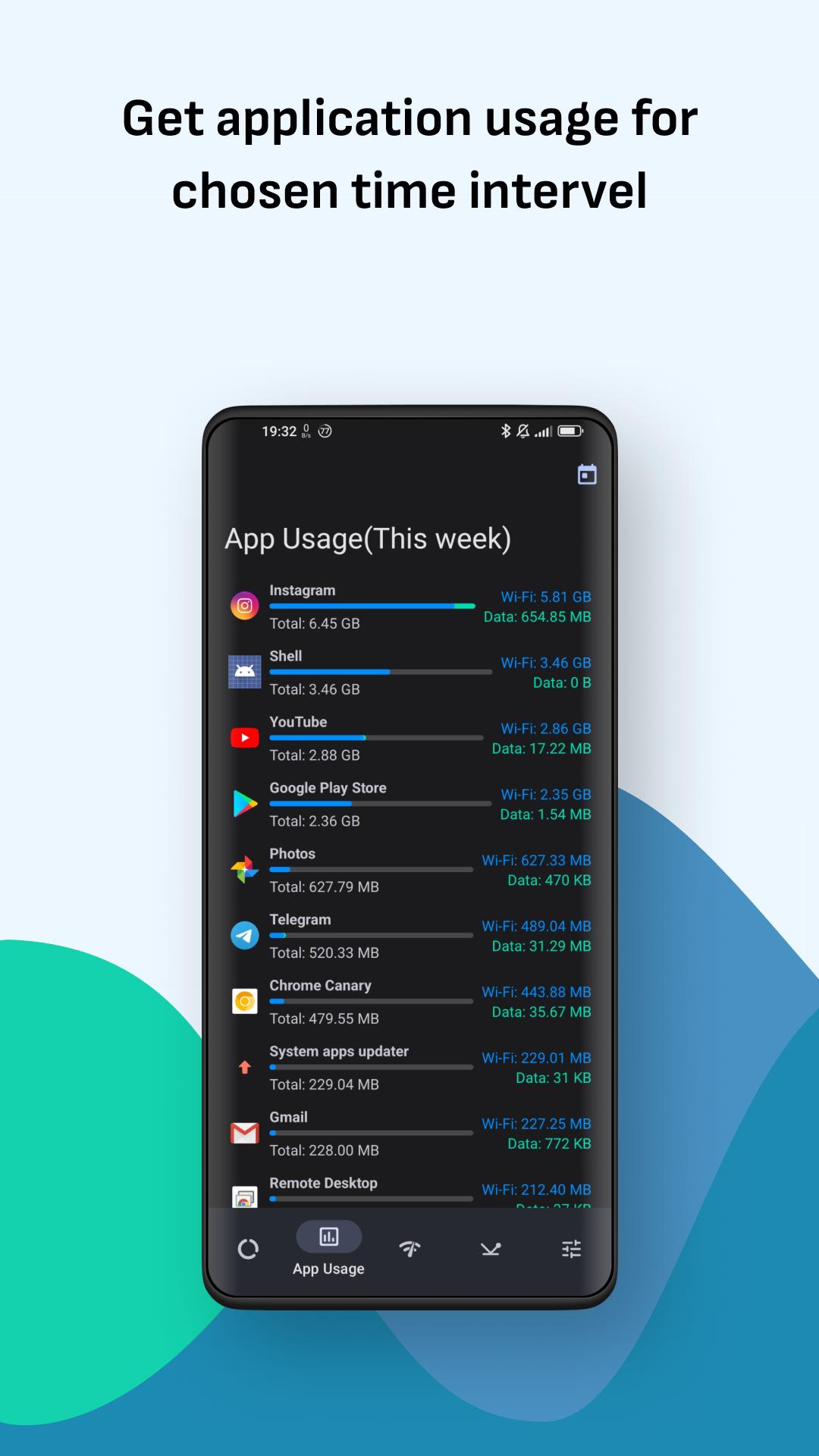
Monitor mobile data and Wi-Fi usage for each app across different time ranges.
View a ranked list of apps by total usage (download + upload), with separate stats for Wi-Fi and mobile.
Tap on any app to see detailed foreground and background usage, including:
- Data received (download)
- Data sent (upload)
- Total usage for both Wi-Fi and mobile
💬 Floating widget
A lightweight floating indicator that displays real-time upload and download speed in one or two lines.
Customize the appearance and manually position it anywhere on the screen for quick access without opening the app.
🎨 Customization
Choose speed units (kbps, Mbps, KB/s, MB/s), indicator layout, update frequency, app theme and more.
🪙 Ad-free experience
- Remove ads for 24 hours (free, renewable daily)
- 1-week or 1-month ad-free subscriptions available
🛠️ Built with user feedback
Over 90% of the features were requested by users. Got an idea? Join the community and help shape future updates.
Network Guru is your all-in-one solution for speed monitoring, network usage tracking, Wi-Fi analysis, and connection diagnostics, precise, lightweight, and customizable.
預覽
標籤
工具訊息
開發商
Paget96
最新版本
1.9-beta5
更新時間
2025-07-20
類別
工具
同時可用
Google Play
更多
如何在電腦上用 GameLoop 玩 Network Guru: Speed Indicator
1. 從官網下載GameLoop,然後運行exe文件安裝GameLoop
2. 打開GameLoop,搜索“Network Guru: Speed Indicator”,在搜索結果中找到Network Guru: Speed Indicator,點擊“安裝”
3. 享受在 GameLoop 上玩 Network Guru: Speed Indicator 的樂趣
Minimum requirements
OS
Windows 8.1 64-bit or Windows 10 64-bit
GPU
GTX 1050
CPU
i3-8300
Memory
8GB RAM
Storage
1GB available space
Recommended requirements
OS
Windows 8.1 64-bit or Windows 10 64-bit
GPU
GTX 1050
CPU
i3-9320
Memory
16GB RAM
Storage
1GB available space