Alarm sensor on your desktop 電腦版
graphtoweb.com
用GameLoop模拟器在電腦上玩Alarm sensor on your desktop
Alarm sensor on your desktop 電腦版
來自發行商 graphtoweb.com 的 Alarm sensor on your desktop 能夠在安卓系統上運行。
現在,您可以在電腦上使用 GameLoop 模擬器流暢地玩 Alarm sensor on your desktop。
在 GameLoop 遊戲庫或搜索結果中下載。 不需要再暢玩遊戲時盯著電池電量或被令人懊惱的來電打斷。
只需在電腦大屏幕上免費下載暢玩Alarm sensor on your desktop 電腦版!
Alarm sensor on your desktop 簡介
Android sensors are virtual devices that provide data coming from a set of physical sensors: accelerometers, gyroscopes, magnetometers, barometer, humidity, pressure, light, proximity and heart rate sensors. This application is providing an easy access to these data inside your favorite’s browser on your desktop. Once the service is started the main window is showing a web link to write inside any browser on the network. The access is protected by a login credentials. The default credentials value are (root, admin).
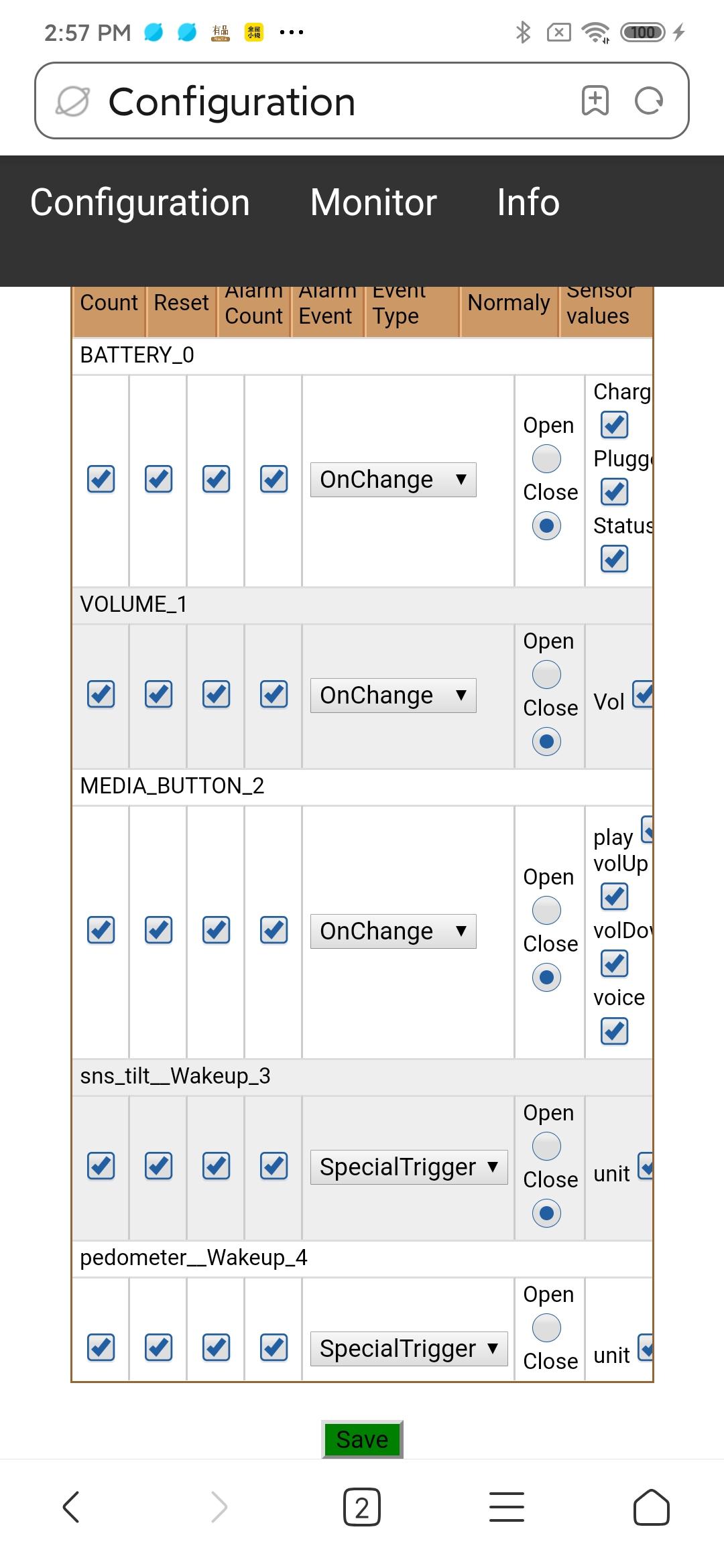
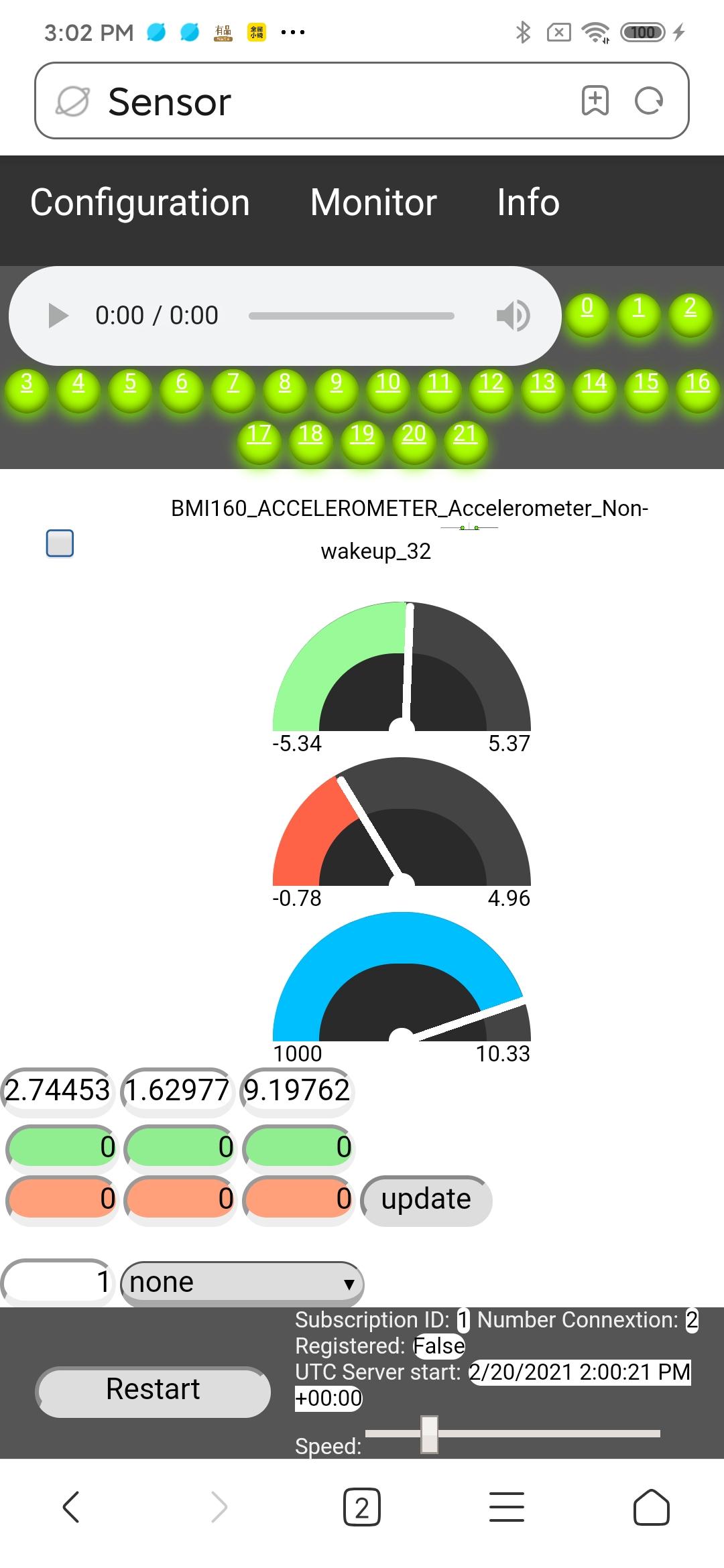
From any modern web browser it’s easy to monitor live value from all the sensors. In addition a trigger level can be set for every sensor. These trigger are used to activate an alarm. These alarms are computed inside the phone and will propagate to every opened browser. Therefore alarms are absolutely not affected by low bandwidth. Each sensors field is showing the total number of alarm as well as the last alarm level. Remember that you might have several browsers open but you got only one piece of hardware. So change in configuration will be automatically reflected in all the browsers. But every browser connected can setup individual and different alarm sound.
This tool might be useful to test if all the sensor hardware of you phone work correctly. Sensor might react differently from different Mobile producer. So I leave one configuration parameter open to the user of this app: The event type “OnChange” is sometime not really what it means. For these sensors it is possible to change the Event Type to “Continous”. In order to know which one should be used simply watch the sensor on the “Monitor” page and look if the last field is continuously updated or not.
Product features:
✅ Display automatically all sensor available on the connected smartphone.
✅ Sensor can be configured individually.
✅ Monitor sensor data on a user friendly web page even when phone is sleeping.
✅ Configuration changes are global and automatically reflected on all browser.
✅ Setup up global alarm level for each sensor.
✅ Alarm signal will never be missed even on low bandwidth.
✅ LED row show sensor with alarm and provide a quick access.
✅ Each browser can configure alarm sound individually.
✅ Connection to the smartphone is protected by a password.
✅ Provide assistance to disable the power saver which might stop the sensor.
預覽
標籤
工具訊息
開發商
graphtoweb.com
最新版本
1.1
更新時間
2024-05-06
類別
工具
同時可用
Google Play
更多
如何在電腦上用 GameLoop 玩 Alarm sensor on your desktop
1. 從官網下載GameLoop,然後運行exe文件安裝GameLoop
2. 打開GameLoop,搜索“Alarm sensor on your desktop”,在搜索結果中找到Alarm sensor on your desktop,點擊“安裝”
3. 享受在 GameLoop 上玩 Alarm sensor on your desktop 的樂趣
Minimum requirements
OS
Windows 8.1 64-bit or Windows 10 64-bit
GPU
GTX 1050
CPU
i3-8300
Memory
8GB RAM
Storage
1GB available space
Recommended requirements
OS
Windows 8.1 64-bit or Windows 10 64-bit
GPU
GTX 1050
CPU
i3-9320
Memory
16GB RAM
Storage
1GB available space