GENNECT Cross for Android 電腦版
HIOKI E.E. CORPORATION
用GameLoop模拟器在電腦上玩GENNECT Cross for Android
GENNECT Cross for Android 電腦版
來自發行商 HIOKI E.E. CORPORATION 的 GENNECT Cross for Android 能夠在安卓系統上運行。
現在,您可以在電腦上使用 GameLoop 模擬器流暢地玩 GENNECT Cross for Android。
在 GameLoop 遊戲庫或搜索結果中下載。 不需要再暢玩遊戲時盯著電池電量或被令人懊惱的來電打斷。
只需在電腦大屏幕上免費下載暢玩GENNECT Cross for Android 電腦版!
GENNECT Cross for Android 簡介
The GENNECT Cross is compatible with the following products.
Target Models : https://gennect.net/en/cross
Key Features:
-The functions linked with GENNECT Cloud: The functions allow you to upload/download measurement data and setting data when linked with GENNECT Cloud.
https://www.gennect.net/en/cloud/
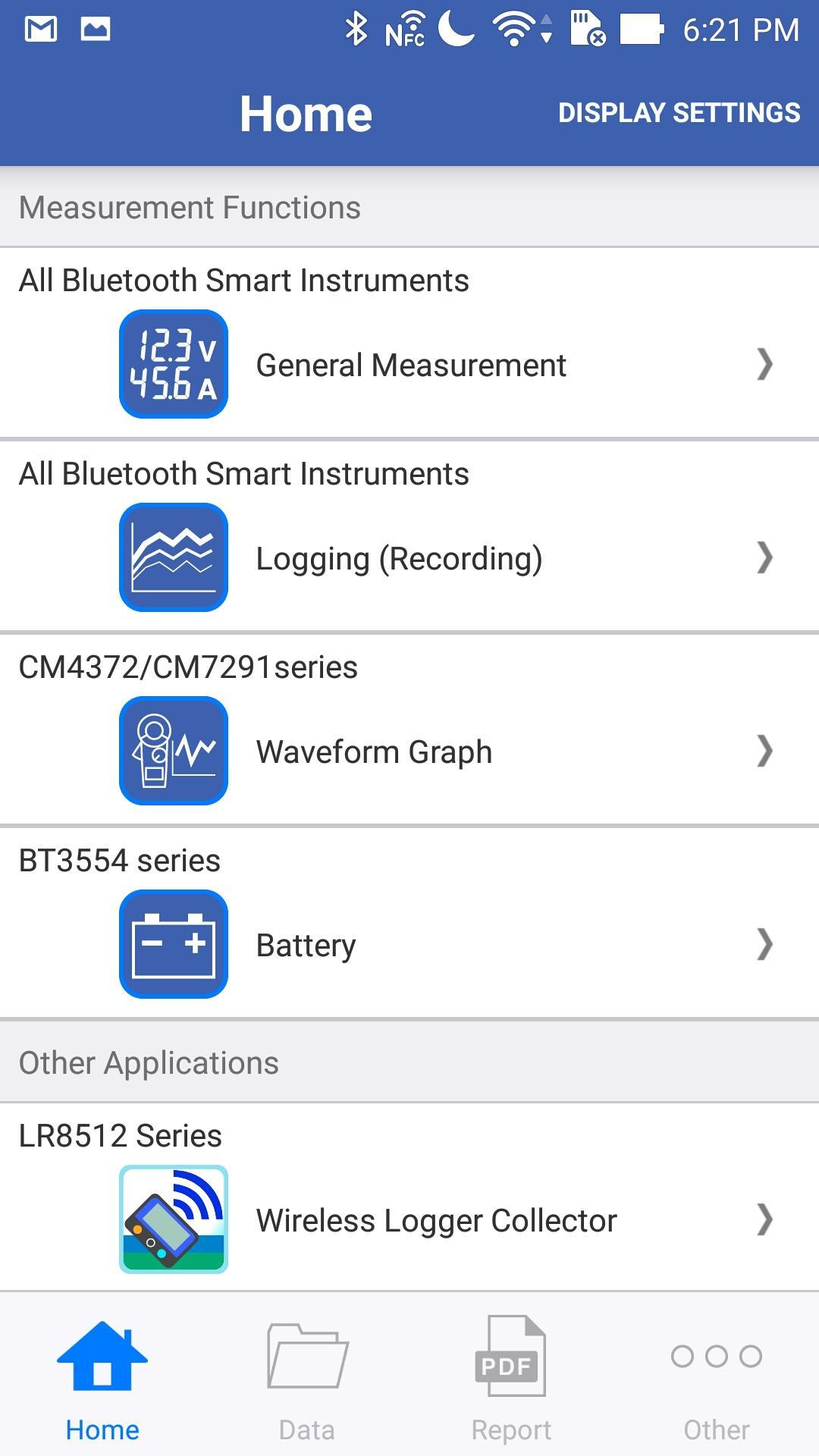
- General Measurement: This function is useful when you would like to get the multiple data. You can connect up to 8 measurement instruments and save the data manually. In addition, location information and photos can be saved with measured data.
- Logging (Recording): This function automatically record the data up to a maximum of 24 hours, with the fastest interval of every 5 seconds and up to 8 channels simultaneously.
- Comparator: This function is used to judge whether the measured values are good or bad by the FAIL criteria. You can utilize several options to set the criteria, an arbitral value (for all models), a instrument-defined value (for IR4058-20) and so on.
- Waveform/FFT: This function is used to capture the voltage waveforms(simple FFT) or current waveforms(simple FFT) . You can also download INRUSH waveform from CM series.
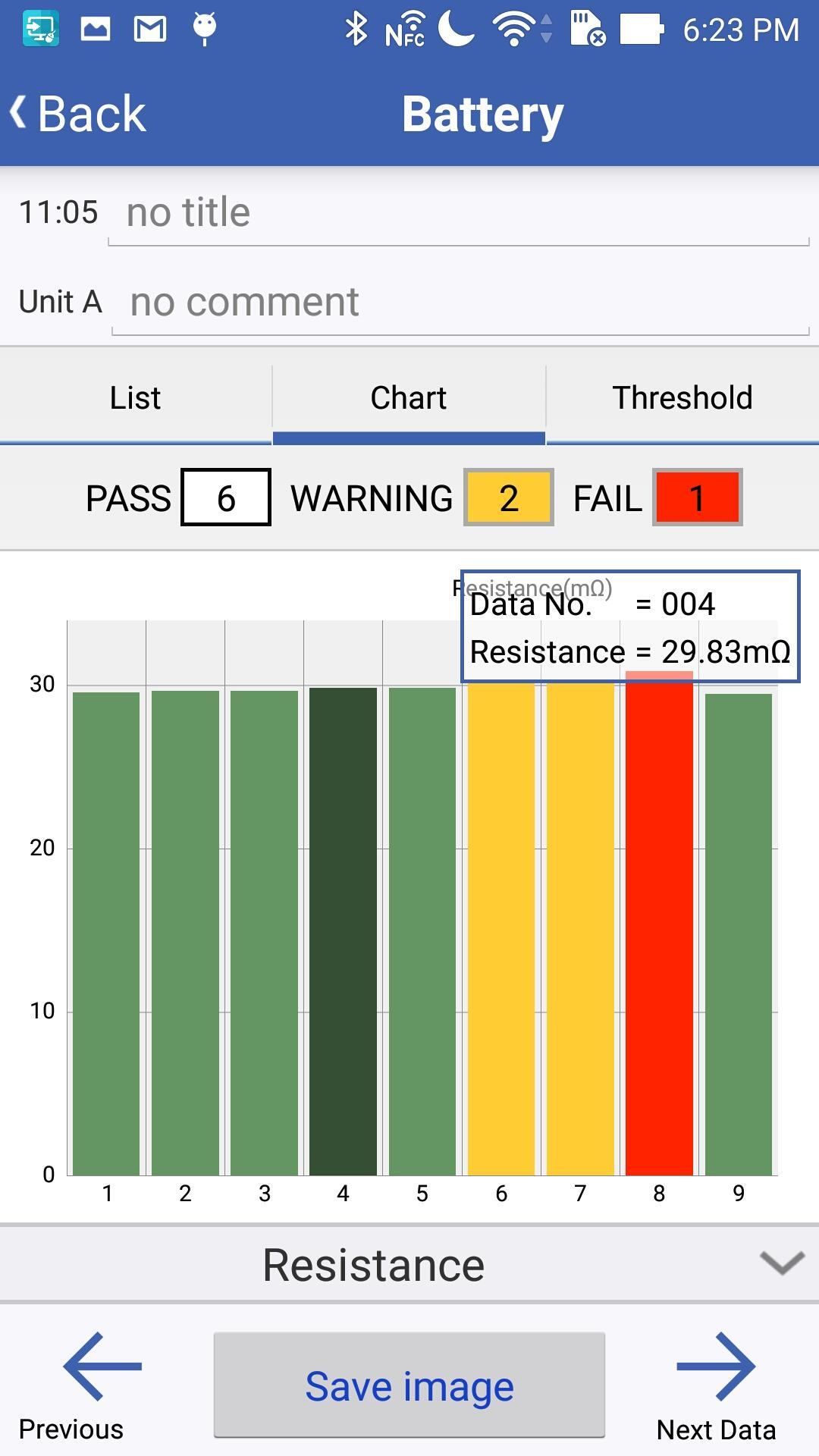
- Battery: This function is used to record measurement data transferred from battery testers. The recorded data can be displayed in the graph or the list form.The battery number can be confirmed audibly by the Measurement Recording Guide function.
- Electric Theft Detection : This function is used to check the "Theft of Electricity" status by measuring current and power using CM3286-01. You can also create PDF reports including measurement data related with pictures and the map information.
- Harmonic Analysis: This function is used to analyze the harmonics from 1 to 30th order. The level, content percentage of FND, total harmonic distortion(THD), harmonic graph and measured waveforms are displayed and recorded.
- Field Maintenance: This is a general purpose function of "Illuminance Measurement". You can also create templates in advance and load it later.
- Event Recording: This is a function that allows you to easily visualize when and how much measuring values exceeded the pre-set thresholds on your smartphone and tablet. This is ideal for troubleshooting of over load and leakage current and voltage drop, for example.
- Vector:This function allows you to display measured values and vector diagrams simultaneously and compare them with saved data.
- Cloud monitor: This function allows you to upload measurement values to the GENNECT Cloud and monitor values uploaded from another GENNECT One/Cross apps or GENNECT Remote gateways communicating with the GENNECT Cloud within the same account.
- Create PDF reports: You can create PDF reports from various measurement data and photographs.
Notice:
- This app needs to access the internet via a cellular network or Wi-Fi. Please note that you have to cover this access fee to the internet.
- This app uses the location information service (GPS).
- This application supports Android OS 5 or later, but proper operation is not guaranteed on all Android handsets.
- Please be sure to confirm the privacy polisy on the upper right of the [Other] screen and agree before using this app.
Privacy Polisy:https://app.gennect.net/appli/static/en/policy/android/
Contact form:https://www.hioki.com/contact
The copyright to the executable program file and associated documents is owned by HIOKI E.E. CORPORATION.
HIOKI reserves the right to make changes to the software specifications without any prior warning.
HIOKI disclaims any and all responsibility for any consequences arising out of use of this software.
預覽
標籤
工具訊息
開發商
HIOKI E.E. CORPORATION
最新版本
2.3.1
更新時間
2025-06-27
類別
工具
同時可用
Google Play
更多
如何在電腦上用 GameLoop 玩 GENNECT Cross for Android
1. 從官網下載GameLoop,然後運行exe文件安裝GameLoop
2. 打開GameLoop,搜索“GENNECT Cross for Android”,在搜索結果中找到GENNECT Cross for Android,點擊“安裝”
3. 享受在 GameLoop 上玩 GENNECT Cross for Android 的樂趣
Minimum requirements
OS
Windows 8.1 64-bit or Windows 10 64-bit
GPU
GTX 1050
CPU
i3-8300
Memory
8GB RAM
Storage
1GB available space
Recommended requirements
OS
Windows 8.1 64-bit or Windows 10 64-bit
GPU
GTX 1050
CPU
i3-9320
Memory
16GB RAM
Storage
1GB available space