
Game Booster 8x Faster Lag Fix 電腦版
My Apps World Studio
用GameLoop模拟器在電腦上玩Game Booster 8x Faster Lag Fix
Game Booster 8x Faster Lag Fix 電腦版
來自發行商 My Apps World Studio 的 Game Booster 8x Faster Lag Fix 能夠在安卓系統上運行。
現在,您可以在電腦上使用 GameLoop 模擬器流暢地玩 Game Booster 8x Faster Lag Fix。
在 GameLoop 遊戲庫或搜索結果中下載。 不需要再暢玩遊戲時盯著電池電量或被令人懊惱的來電打斷。
只需在電腦大屏幕上免費下載暢玩Game Booster 8x Faster Lag Fix 電腦版!
Game Booster 8x Faster Lag Fix 簡介
The original Game Booster app from 2010 gives you the most complete gaming experience possible.
Game Launcher
With Game Booster, you can collect all your games in one place. Don't waste time searching for the game you want to play, use that precious time for the game!
You want to see how your device is performing. Or maybe your games are lagging, running slower than you expected, and you want to understand where the problem lies.
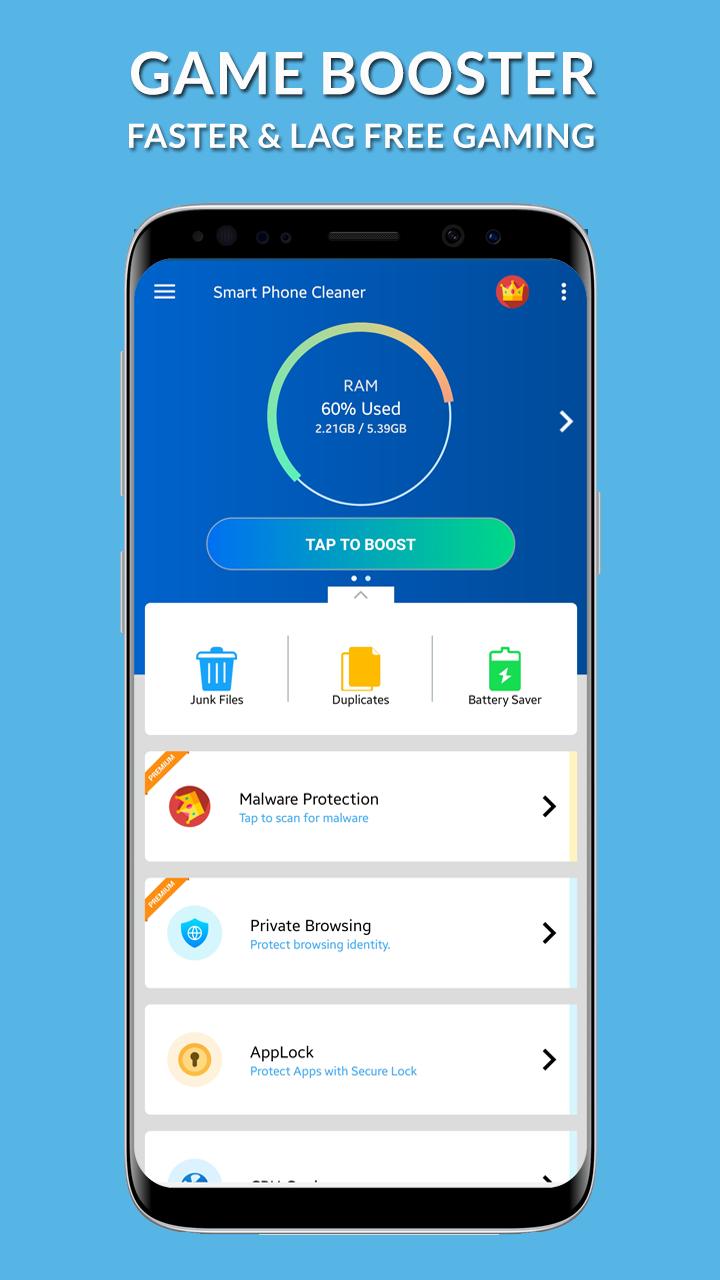
Boost your game performance with one touch. Automatically boost CPU, RAM and other things for gaming and maximum performance. This is the All-In-One Toolbox (App Launcher, Booster & Speed Optimizer) Game Booster.
Monitoring the game's FPS can help you understand and fix the problem.
FPS describes how smoothly the game you're playing runs on your device. The more frames that fit in a second, the smoother the game will be. Frame rates lower than 30 FPS will cause you to feel lags in the game and lessen your enjoyment of the game.
Thanks to Game Booster's FPS Monitor, you can monitor the FPS of the game you are playing (Not supported by all games). Knowing your framerate can help make sure you're playing the game at the best possible performance.
Be One Step Ahead Of Other Players!
We seem to hear you take a sniper rifle and say "I wish the sniper rifle had a Crosshair!" in first-person shooter games. We have a solution for you!
No matter what weapon you have in games, you can always use the Crosshair. Hunt down your opponents without having to open the scope, never miss a shot.
Game Booster unlocks the maximum potential of your device with its advanced features and can help you play games with better performance. (Features listed under this heading require root.)
* FEATURES Of Game Booster:
* Game Play Mode:
* Assign your favorite play style for each game and boost the app within that game play mode! Like Play offline Mode, Long Play Mode.
* You can customize the modes by choosing the best setting of your choice.
* Configure Mobile-Data, Bluetooth, Brightness, Screen Rotation, Data Auto-Sync, and Sounds.
* Assign your favorite mode to your games.
* One Click to boost your games and apps
* Play games with no lag.
* Optimize memory (RAM) for any app using App Booster.
* Game Booster will unleash the real performance of your Android device.
* Place your games at one Place.
* Release memory as much as possible.
Advance GFX Settings:
* Resolution:Change the resolution of your game as you like.
* HDR Game Graphics: Make it possible to turn on the HDR graphics on low end devices.
* Extreme FPS:Unlock Extreme FPS limit.
* Anti-Aliasing:Support 4x MSAA makes the textures more smoother.
* Styles:Choose your favorite color filter for game! Like ( classic,colorful, realistic ,soft, movie ) .
* Shadows:Enable and disable shadows.
* Rendering Quality:Customise shaders, textures etc according to your mobile performance to reduce lags.
Why should I use Game Booster?
• All your games in one place with Game Launcher!
• Show the actual FPS of your device and measure your device’s performance.
• Your games are automatically detected and listed in the Game Launcher.
• Use Crosshair in first-person shooter games and never miss a shot.
• Monitor your device temperature.
• Keep track of how much your RAM is used.
Game Booster automatically detects the games on your device and lists them all in one place with the Game Launcher! All you have to do is start and play any of your games.
There is no need to manually add the games to the list.
Required Permissions And Privacy Notes
Usage Stats Permission: To detect the games you are playing, we need to be able to see the last running app. For this, we ask for your "Usage Stats" permission.
Overlay Permission: We ask for "Display Over Other Apps" permission so that we can show the Auto Boost screen, FPS meter, and Crosshair.
App List: We send your installed packages anonymously only to detect your installed games automatically.
預覽
標籤
工具訊息
開發商
My Apps World Studio
最新版本
1.0
更新時間
2022-08-25
類別
工具
同時可用
Google Play
更多
如何在電腦上用 GameLoop 玩 Game Booster 8x Faster Lag Fix
1. 從官網下載GameLoop,然後運行exe文件安裝GameLoop
2. 打開GameLoop,搜索“Game Booster 8x Faster Lag Fix”,在搜索結果中找到Game Booster 8x Faster Lag Fix,點擊“安裝”
3. 享受在 GameLoop 上玩 Game Booster 8x Faster Lag Fix 的樂趣
Minimum requirements
OS
Windows 8.1 64-bit or Windows 10 64-bit
GPU
GTX 1050
CPU
i3-8300
Memory
8GB RAM
Storage
1GB available space
Recommended requirements
OS
Windows 8.1 64-bit or Windows 10 64-bit
GPU
GTX 1050
CPU
i3-9320
Memory
16GB RAM
Storage
1GB available space