Fast Scanner PDF 電腦版
MorgenDEX
用GameLoop模拟器在電腦上玩Fast Scanner PDF
Fast Scanner PDF 電腦版
來自發行商 MorgenDEX 的 Fast Scanner PDF 能夠在安卓系統上運行。
現在,您可以在電腦上使用 GameLoop 模擬器流暢地玩 Fast Scanner PDF。
在 GameLoop 遊戲庫或搜索結果中下載。 不需要再暢玩遊戲時盯著電池電量或被令人懊惱的來電打斷。
只需在電腦大屏幕上免費下載暢玩Fast Scanner PDF 電腦版!
Fast Scanner PDF 簡介
Fast Scanner PDF:
Free and Fast Scanner HD document PDF is a PDF creator from documents and photo clips. The document scanning application is an original paper scanner for saving descriptive data in a formal PDF file. The practical scanner is clear scanning and border detection of documents. Every document can be scanned and Free Document Scanner HD is the great camera for reading receipts, business cards and other valuable documents.
takes an additional step to convert the image to PDF.
The public is concerned about saving documents and storing paper data through a digital scanning process to create real files in electronic form.
Cam scan replaced the heavy table scanner and the scanner coded as the attributes of an Android phone using the fixed mobile camera.
Free Document Scanner HD develops PDF and PNG outputs with camera inputs.
The best documents not available are scanned for inclusion in the cloud of fast scanning documents.
PDF maker is a virtual scanner for converting high quality PDF documents, paper and images.
It also automatically detects the border of the document. PDF キ ャ ナ contains numerous image filters for optimal results and perfect data quality.
The best documents not available are scanned for inclusion in the cloud of fast scanning documents.
PDF maker is a virtual scanner for converting high quality PDF documents, paper and images.
It also automatically detects the border of the document. PDF キ ャ ナ contains numerous image filters for optimal results and perfect data quality.
The best documents not available are scanned for inclusion in the cloud of fast scanning documents.
PDF maker is a virtual scanner for converting high quality PDF documents, paper and images. It also automatically detects the border of the document. PDF キ ャ ナ contains numerous image filters for optimal results and perfect data quality.
Fast scanning: Free HD document scanner, PDF scanning is an OCR technology owner who is able to take footage, images and images to keep them and compose an original scanned document.
The PDF document scanner and composer is meant for a clear copy of the paper file as an electronic copy. Select an option for all content pages, usable maps, and JPEG output. Create an observable image to scan the camera and get an authentic PDF file and document. The photophone scanner quickly takes letters, written applications, images or academic documents and finally renews them in the mobile application.
Free Document Scanner HD is flexible and varies in range from maximum to minimum size without affecting print quality or scanning perfection.
Second, the best way to scan documents to the cloud is through backup and synchronization.
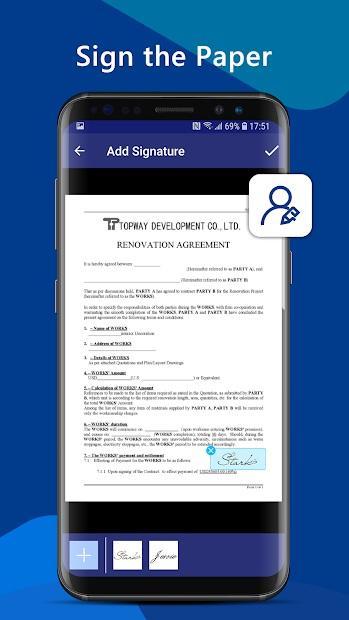
E-signature addition to newel document accessories.
Functions for fast scanning
• The scanning application for scanning documents, receipts, images and business cards
• Automatic cropping to adjust borders and page size
• Numerous photo filters to obtain perfection and excellent scanned view
• High quality PDF or JPEG output • PDF image
converter, PDF OCR generator
• Save and synchronize documents in the cloud training
• Allow live text output
• Folders and subfolders to then organize all documents
• Edit and cut… after saving a file, deleting or adding data , extracting text for pdf
• transferring images to text and document
• Converting and transferring images by optical character recognition
• entering electronic signatures
How to scan and edit
• Scan the document as camera input and save it in format PDF or JPEG.
• Editing the file allows you to add and delete targeted data.
• OCR (Optical Character Recognition) extract the data to integrate the image into the PDF output
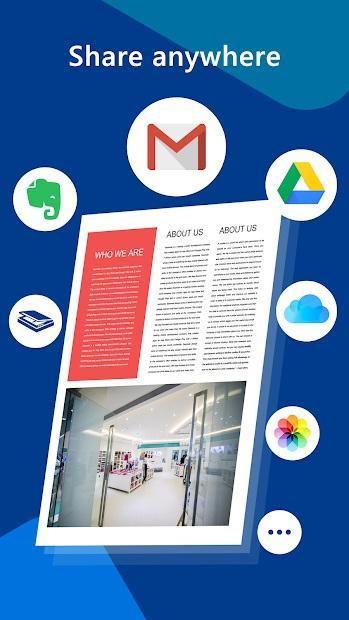
• The scanned text is ready to be shared via a scanning camera on different platforms.
預覽
標籤
工具訊息
開發商
MorgenDEX
最新版本
1.0
更新時間
2020-05-02
類別
工具
同時可用
Google Play
更多
如何在電腦上用 GameLoop 玩 Fast Scanner PDF
1. 從官網下載GameLoop,然後運行exe文件安裝GameLoop
2. 打開GameLoop,搜索“Fast Scanner PDF”,在搜索結果中找到Fast Scanner PDF,點擊“安裝”
3. 享受在 GameLoop 上玩 Fast Scanner PDF 的樂趣
Minimum requirements
OS
Windows 8.1 64-bit or Windows 10 64-bit
GPU
GTX 1050
CPU
i3-8300
Memory
8GB RAM
Storage
1GB available space
Recommended requirements
OS
Windows 8.1 64-bit or Windows 10 64-bit
GPU
GTX 1050
CPU
i3-9320
Memory
16GB RAM
Storage
1GB available space