App Installer 電腦版
Eugen C.
用GameLoop模拟器在電腦上玩App Installer
App Installer 電腦版
來自發行商 Eugen C. 的 App Installer 能夠在安卓系統上運行。
現在,您可以在電腦上使用 GameLoop 模擬器流暢地玩 App Installer。
在 GameLoop 遊戲庫或搜索結果中下載。 不需要再暢玩遊戲時盯著電池電量或被令人懊惱的來電打斷。
只需在電腦大屏幕上免費下載暢玩App Installer 電腦版!
App Installer 簡介
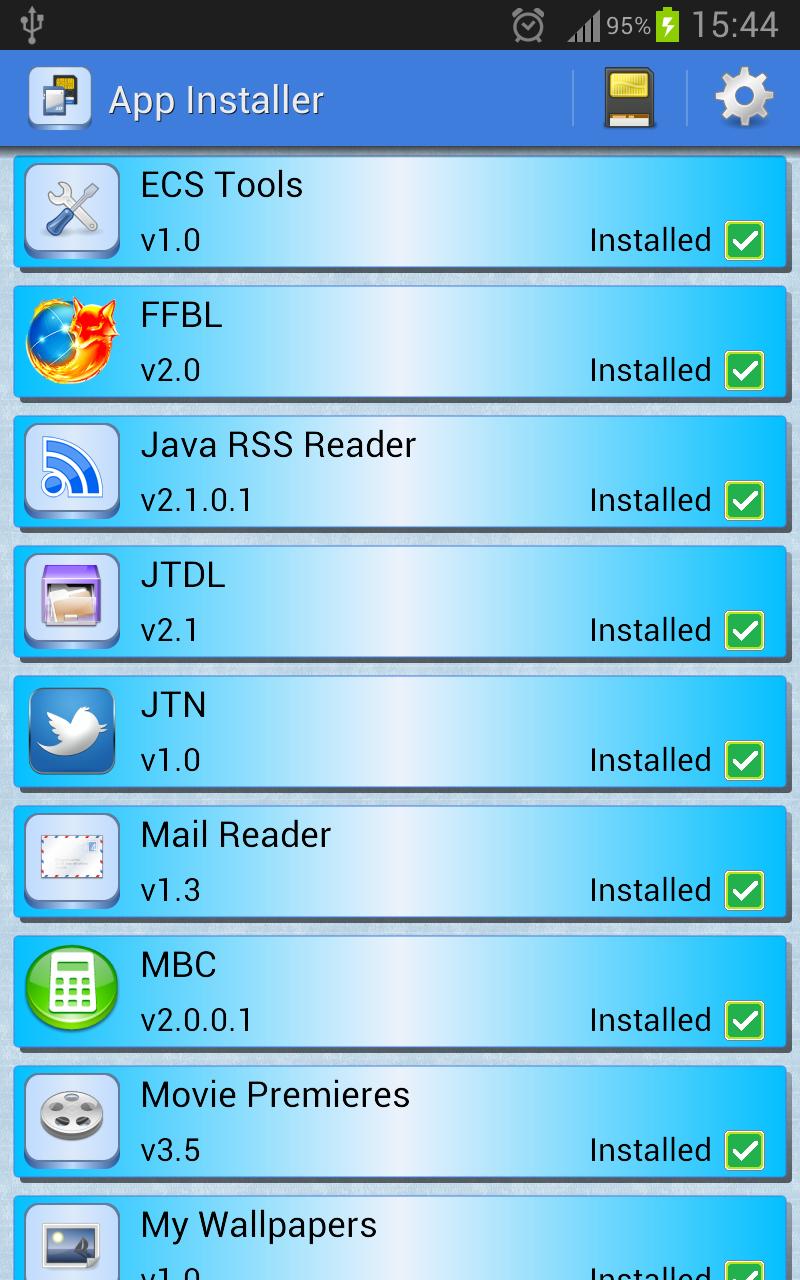
App Installer will scan your internal storage or SD card(s) for apk files and show you a single unified list of all the apps you can install.
Then, it will only take one touch of the finger to either install the app, or delete the apk file.
IMPORTANT NOTICE: if your device is running Android 11 or newer, in order for the app to be able to scan your device for the APK files you have copied/downloaded from other sources, you will have to allow for the "All Files Access Permission" when prompted, otherwise the scan will fail and the app will be useless.
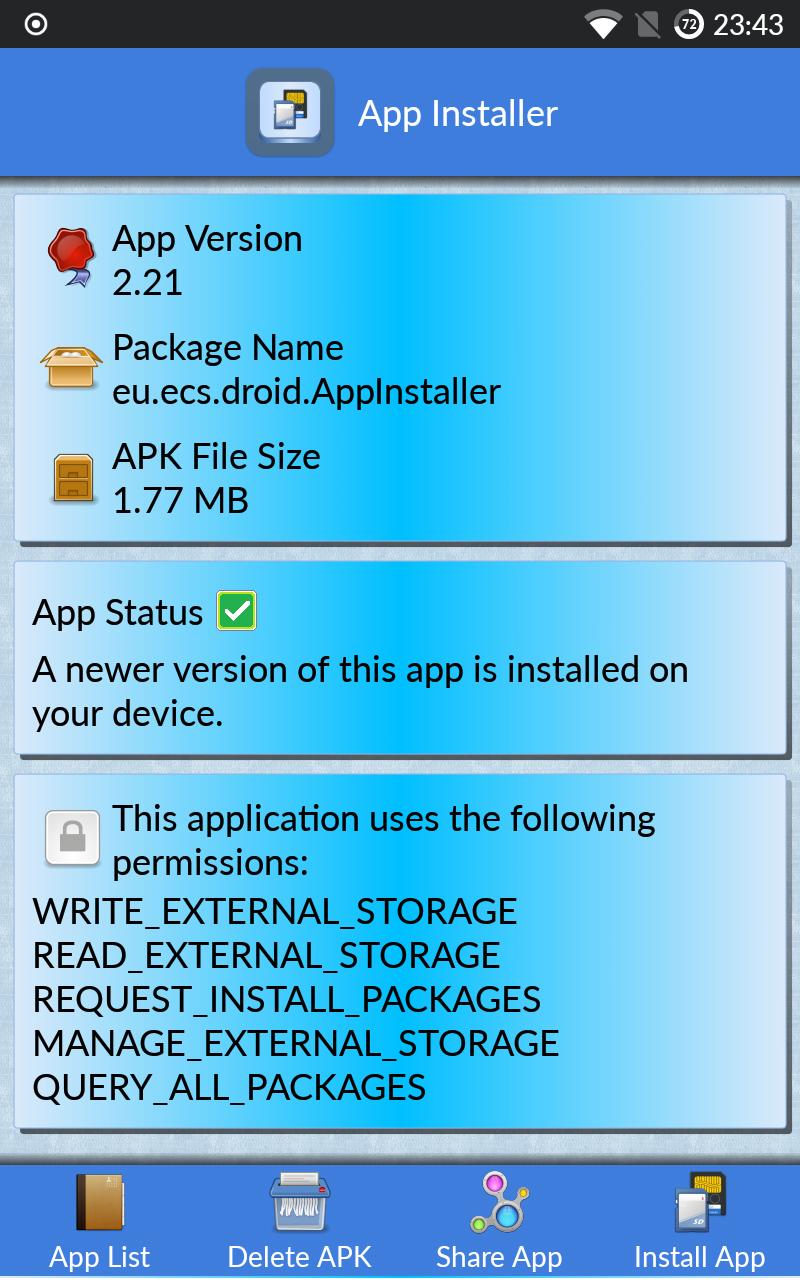
You'll get the following information for each apk:
- app name
- app icon
- app version
- apk file size
- app package
- list of permissions required by the app
You will also see the installation status for each app, as follows:
- green icon - the app is already installed, and the installed version is the same or newer than the apk version
- yellow icon - the app is already installed, but the installed version is older than the apk version
- red icon - the app is not installed at all
- warning icon - the app requires a minimum Android version higher than the one on your device
Note that after installing or uninstalling apps, a rescan is needed for the statuses to be refreshed.
You can also share your favorite apps with your friends via the share app button.
Known issues:
- app installations may fail if your Android device does not have Play Services installed and enabled.
Permissions used and why:
READ_EXTERNAL_STORAGE - required for accessing the internal storage or SD Card. No longer used on Android 13 and newer.
WRITE_EXTERNAL_STORAGE - required for deleting the apk files from the internal storage or SD Card. No longer used on Android 13 and newer.
REQUEST_INSTALL_PACKAGES - required on Android 8.0 and newer for calling the Package Installer
MANAGE_EXTERNAL_STORAGE - required on Android 11 and newer for storage access
QUERY_ALL_PACKAGES - required on Android 11 and newer for reading the version of the installed apps
預覽
標籤
工具訊息
開發商
Eugen C.
最新版本
2.25
更新時間
2025-07-22
類別
工具
同時可用
Google Play
更多
如何在電腦上用 GameLoop 玩 App Installer
1. 從官網下載GameLoop,然後運行exe文件安裝GameLoop
2. 打開GameLoop,搜索“App Installer”,在搜索結果中找到App Installer,點擊“安裝”
3. 享受在 GameLoop 上玩 App Installer 的樂趣
Minimum requirements
OS
Windows 8.1 64-bit or Windows 10 64-bit
GPU
GTX 1050
CPU
i3-8300
Memory
8GB RAM
Storage
1GB available space
Recommended requirements
OS
Windows 8.1 64-bit or Windows 10 64-bit
GPU
GTX 1050
CPU
i3-9320
Memory
16GB RAM
Storage
1GB available space