DUiPro Recorder - Gravador de 電腦版
VIRTUES LLC
用GameLoop模拟器在電腦上玩DUiPro Recorder - Gravador de
DUiPro Recorder - Gravador de 電腦版
來自發行商 VIRTUES LLC 的 DUiPro Recorder - Gravador de 能夠在安卓系統上運行。
現在,您可以在電腦上使用 GameLoop 模擬器流暢地玩 DUiPro Recorder - Gravador de 。
在 GameLoop 遊戲庫或搜索結果中下載。 不需要再暢玩遊戲時盯著電池電量或被令人懊惱的來電打斷。
只需在電腦大屏幕上免費下載暢玩DUiPro Recorder - Gravador de 電腦版!
DUiPro Recorder - Gravador de 簡介
The DUiPRO Recorder is a screen recorder for Android free, stable and high quality that helps you record videos in a simple and clear way. With a variety of features, such as screen capture, video recorder, video editor and without root definition, DUiPRO Recorder provides an easy way to record screen videos such as videos games, video calls, concerts live and more, making it simple!
Screen Recorder is a free screen capture app and unlimited to record the screen of your device for video.
To create promotional videos, make tutorials or simply record clips to use as a support / help with audio.
- No recording time limit
- Audio recording
- Displays taps on the screen during recording
- Stir or turn off the screen to stop
- Delay the start of recording
- Absolutely FREE WITHOUT purchase within the app
- Video HIGH QUALITY: 1080p, 12 Mbps, 60FPS
★ Screen Recording
The DUiPRO Recorder provides a stable and smooth recording. With this screen recorder, you can record videos from popular mobile games. You can also record video calls with family and friends, as well as famous programs in live applications! The DUiPRO Recorder was created with the following free resources:
------ Many resolutions, frame rates and bit rates available; support for high-definition video
------ Pause / resume screen recording
------ Activate the front camera
------ Record ambient sound
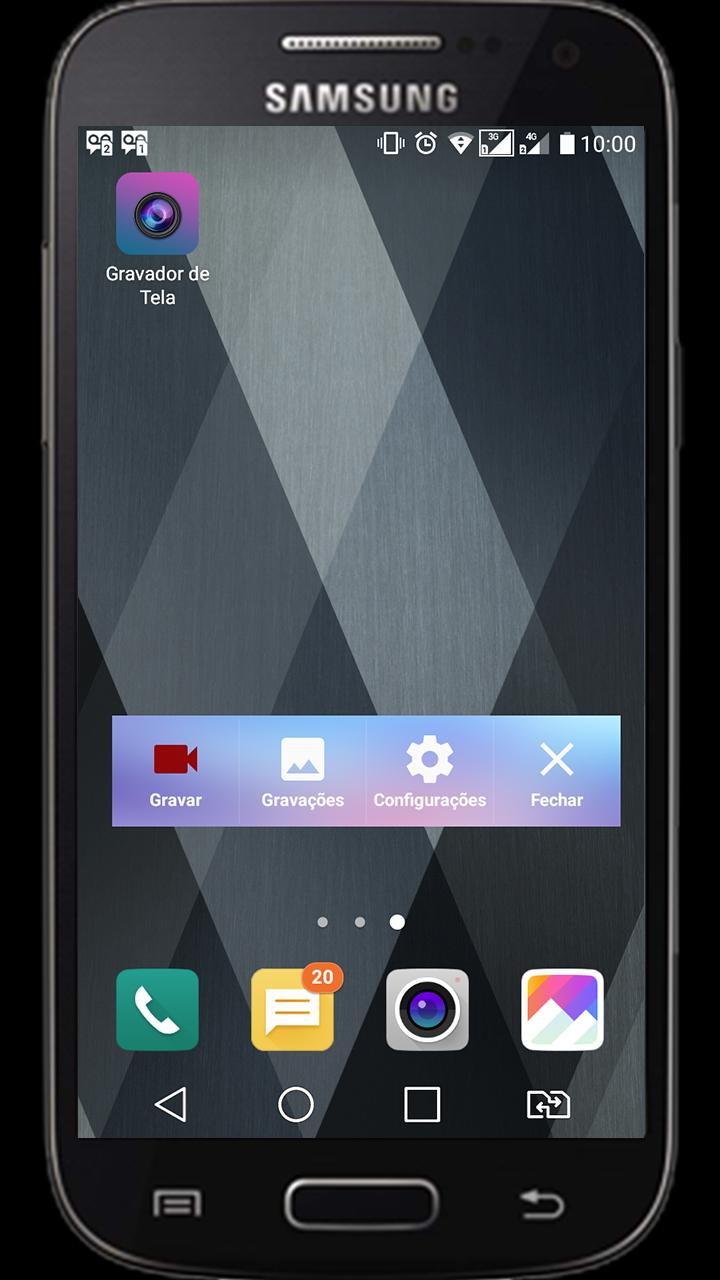
------ Control screen recording with a floating window or a notification bar, hide the floating window for videos without frames
------ Display click on write operations
------ Shake the device to stop screen recording
------ alternate storage location: internal storage / SD
------ brush Feature: Touch the screen to draw
------ Connect to a computer via WiFi and download videos and screenshots on your computer
------ maker GIF: A GIF recorder helps you to record the screen as GIF
★ Video Editor
DUiPRO Recorder has many video editing functions that can help you create better videos. You can easily make the following video editing operations with the screen recorder:
------ Crop video / Remove the middle part of the video
------ Merge videos: Combine mutiple videos in a
------ Add background music to videos
------ Adjust video volume
------ Add captions to video
------ Add intro and outro Video
------ Add background image to the vertical video
------ Changing the video speed
------ Rotate video
------ Cut video
------ Convert Video To GIF
Live Creator ★
------ broadcast resolution settings, stream with high quality
------ privacy level settings for live streaming
------ public comments in real time
------ You can use the front camera to do live broadcasts
★ s screen and image editing
------ Use the notification bar or the floating window to take a screenshot with one click.
------ Sew images: combines several images into one smartly.
------ Blur image: pixele the image to cover the areas you do not want to show.
------ Cut image: keep only part of the desired image.
預覽
標籤
工具訊息
開發商
VIRTUES LLC
最新版本
2.1.0
更新時間
2019-01-22
類別
工具
同時可用
Google Play
更多
如何在電腦上用 GameLoop 玩 DUiPro Recorder - Gravador de
1. 從官網下載GameLoop,然後運行exe文件安裝GameLoop
2. 打開GameLoop,搜索“DUiPro Recorder - Gravador de ”,在搜索結果中找到DUiPro Recorder - Gravador de ,點擊“安裝”
3. 享受在 GameLoop 上玩 DUiPro Recorder - Gravador de 的樂趣
Minimum requirements
OS
Windows 8.1 64-bit or Windows 10 64-bit
GPU
GTX 1050
CPU
i3-8300
Memory
8GB RAM
Storage
1GB available space
Recommended requirements
OS
Windows 8.1 64-bit or Windows 10 64-bit
GPU
GTX 1050
CPU
i3-9320
Memory
16GB RAM
Storage
1GB available space