Mercury Diagnostic App 電腦版
Mercury Marine
用GameLoop模拟器在電腦上玩Mercury Diagnostic App
Mercury Diagnostic App 電腦版
來自發行商 Mercury Marine 的 Mercury Diagnostic App 能夠在安卓系統上運行。
現在,您可以在電腦上使用 GameLoop 模擬器流暢地玩 Mercury Diagnostic App。
在 GameLoop 遊戲庫或搜索結果中下載。 不需要再暢玩遊戲時盯著電池電量或被令人懊惱的來電打斷。
只需在電腦大屏幕上免費下載暢玩Mercury Diagnostic App 電腦版!
Mercury Diagnostic App 簡介
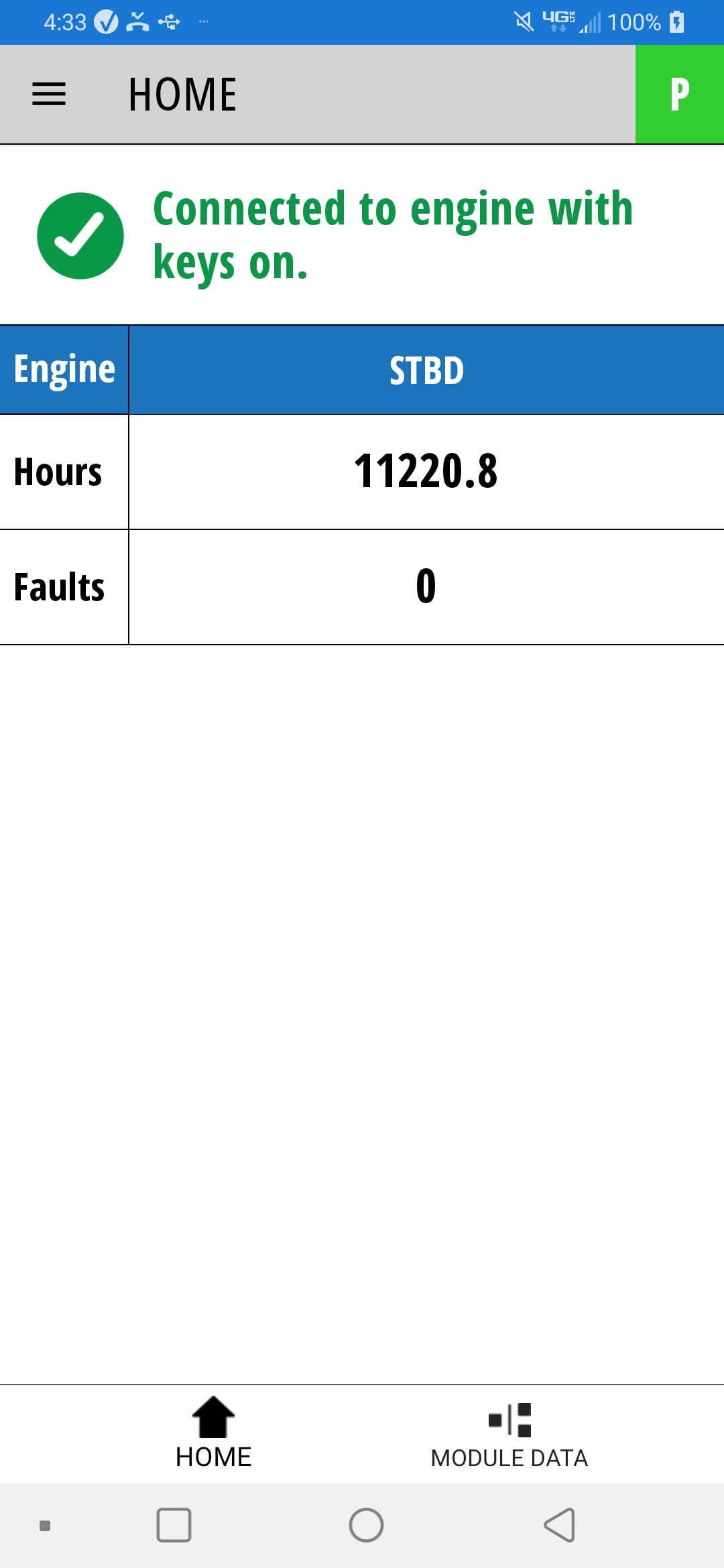
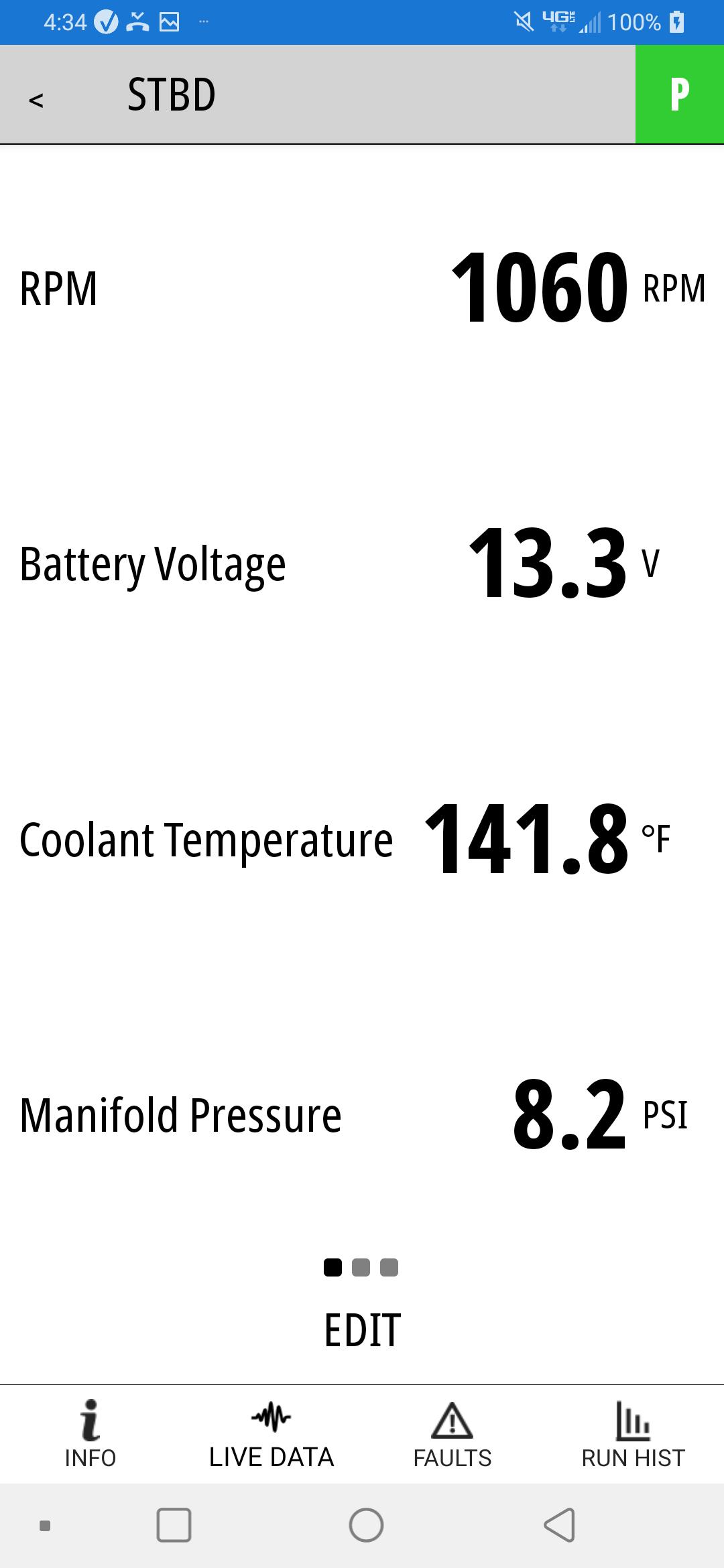
Mercury Marine’s Diagnostic App (MDA) enables Mercury dealer technicians to easily switch between VesselView Mobile rigged boats (or a module carried with them) throughout the day to do basic diagnostics on SmartCraft® engines with the phone in their pockets. MDA provides the ability to create custom data lists to view live engine data, obtain active faults, view runtime history, create reports, and more. The full functionality of the app is enabled with a license key obtained from Mercury Marine and works in conjunction with the Bluetooth Low Energy VesselView Mobile module. When the app is open and connected to your vessel it requires a continuous connection and therefore may impact the battery life of your device.
Features:
• View live SmartCraft® engine data and create custom data lists with: RPM, Battery Voltage, Engine Temperature, Engine Hours, Oil Temperature, Oil Pressure, Coolant Temperature, Sea Temperature and more!
• View active fault and corresponding descriptive fault information
• View engine hours and runtime history
• Enter Maintenance records
• Communicate wirelessly to SmartCraft® engines through a Bluetooth Low Energy connection and a connected VesselView Mobile module
• Allows for normal phone operation – call, text, streaming music, search the web, etc. while connected to a Mercury Marine SmartCraft® engine
************ IMPORTANT INFORMATION *************************
• MDA is limited to use by Mercury Marine Dealers. A software license key is required to use this app.
• MDA is designed to work with the VesselView Mobile module that may already be rigged on a boat, or may be purchased through your dealership or through a link inside the app. A firmware update to the VesselView Mobile module may be required to use MDA. *Requires version 1.0.3 firmware or later.
• The VesselView Mobile module works with SmartCraft® capable engines built since 2003 (40HP and up). One to four engines can be viewed simultaneously.
• The VesselView Mobile module simply connects to a SmartCraft® connector located either at the helm or on the engine.
• Continued use of GPS running in the background can dramatically decrease battery life.
預覽
標籤
工具訊息
開發商
Mercury Marine
最新版本
1.0.11.2
更新時間
2025-05-08
類別
工具
同時可用
Google Play
更多
如何在電腦上用 GameLoop 玩 Mercury Diagnostic App
1. 從官網下載GameLoop,然後運行exe文件安裝GameLoop
2. 打開GameLoop,搜索“Mercury Diagnostic App”,在搜索結果中找到Mercury Diagnostic App,點擊“安裝”
3. 享受在 GameLoop 上玩 Mercury Diagnostic App 的樂趣
Minimum requirements
OS
Windows 8.1 64-bit or Windows 10 64-bit
GPU
GTX 1050
CPU
i3-8300
Memory
8GB RAM
Storage
1GB available space
Recommended requirements
OS
Windows 8.1 64-bit or Windows 10 64-bit
GPU
GTX 1050
CPU
i3-9320
Memory
16GB RAM
Storage
1GB available space