Time calculator 電腦版
Yutaka Kenjo
用GameLoop模拟器在電腦上玩Time calculator
Time calculator 電腦版
來自發行商 Yutaka Kenjo 的 Time calculator 能夠在安卓系統上運行。
現在,您可以在電腦上使用 GameLoop 模擬器流暢地玩 Time calculator。
在 GameLoop 遊戲庫或搜索結果中下載。 不需要再暢玩遊戲時盯著電池電量或被令人懊惱的來電打斷。
只需在電腦大屏幕上免費下載暢玩Time calculator 電腦版!
Time calculator 簡介
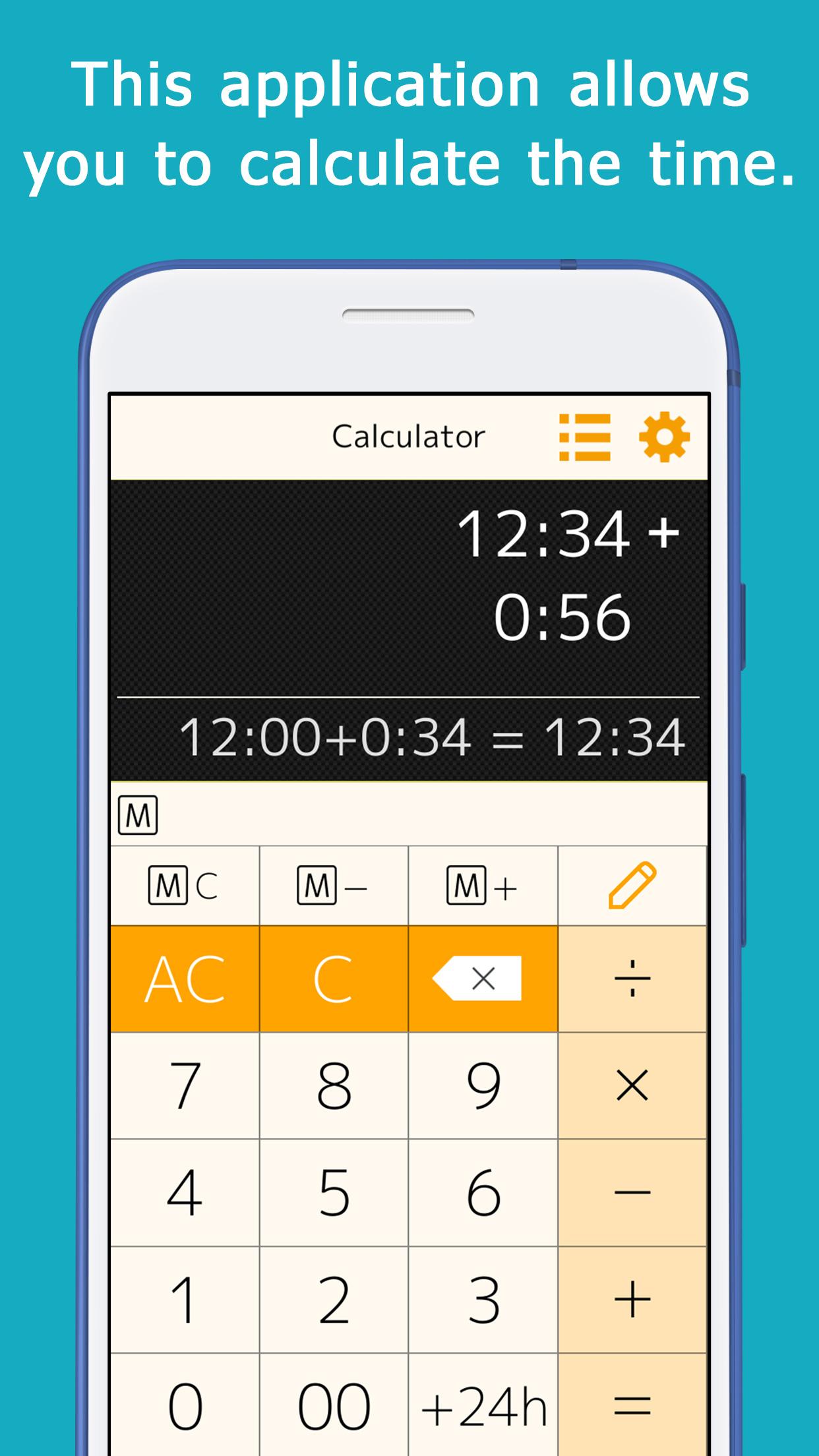
This application allows you to calculate time (hours and minutes).
You can calculate things like 1:30+0:50.
When you enter a number, ":" is automatically inserted to separate the hour and minute, so you can calculate quickly.
This is useful for calculating total work hours, time spent on daily errands, and travel time.
You can add, subtract, multiply, and divide.
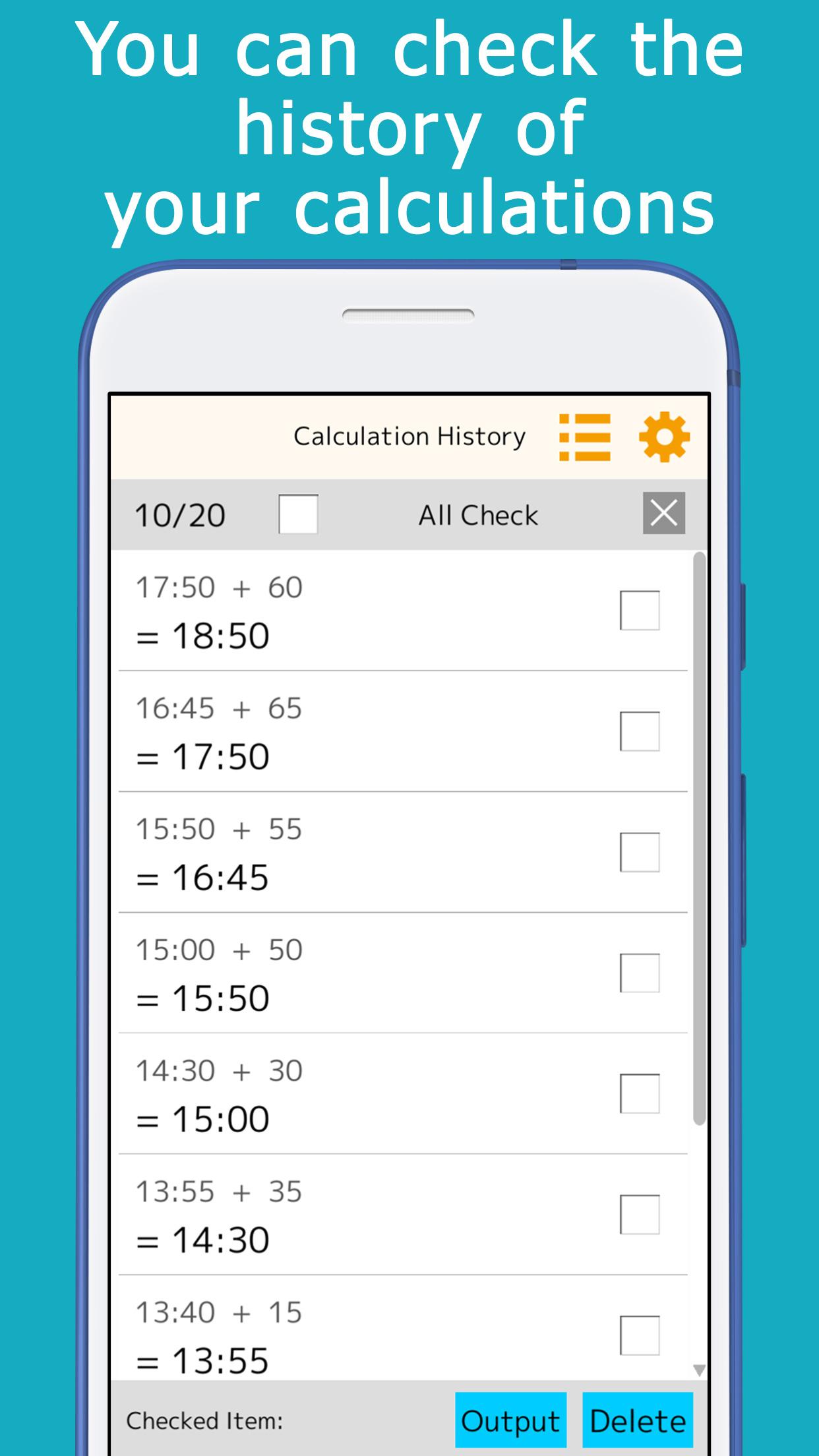
The calculation history is automatically saved, so you can check it later.
A memory key is provided, allowing you to save and add subtotals.
Minutes that are often used for calculations (15 minutes, 30 minutes, etc.) can be registered and used for one-touch addition.
It is equipped with a button to add or subtract 24 hours.
This is useful for calculating the time across midnight.
It comes in a variety of colors such as orange, green, cyan, pink, and black, and you can choose the one you like best.
[ List of functions ]
You can check the calculation history, and touch the answer displayed in the history to reuse it for calculations.
You can use the memory keys to save, add, and subtract subtotals.
By setting the preset keys, you can use the most frequently used time (minutes) for calculation with a single touch.
The color of the application can be selected.
預覽
標籤
工具訊息
開發商
Yutaka Kenjo
最新版本
1.21
更新時間
2025-09-04
類別
工具
同時可用
Google Play
更多
如何在電腦上用 GameLoop 玩 Time calculator
1. 從官網下載GameLoop,然後運行exe文件安裝GameLoop
2. 打開GameLoop,搜索“Time calculator”,在搜索結果中找到Time calculator,點擊“安裝”
3. 享受在 GameLoop 上玩 Time calculator 的樂趣
Minimum requirements
OS
Windows 8.1 64-bit or Windows 10 64-bit
GPU
GTX 1050
CPU
i3-8300
Memory
8GB RAM
Storage
1GB available space
Recommended requirements
OS
Windows 8.1 64-bit or Windows 10 64-bit
GPU
GTX 1050
CPU
i3-9320
Memory
16GB RAM
Storage
1GB available space