Auto Call Recorder & Editor 電腦版
Theta Mobile
用GameLoop模拟器在電腦上玩Auto Call Recorder & Editor
Auto Call Recorder & Editor 電腦版
來自發行商 Theta Mobile 的 Auto Call Recorder & Editor 能夠在安卓系統上運行。
現在,您可以在電腦上使用 GameLoop 模擬器流暢地玩 Auto Call Recorder & Editor。
在 GameLoop 遊戲庫或搜索結果中下載。 不需要再暢玩遊戲時盯著電池電量或被令人懊惱的來電打斷。
只需在電腦大屏幕上免費下載暢玩Auto Call Recorder & Editor 電腦版!
Auto Call Recorder & Editor 簡介
Auto Call, Audio, Sound, Voice Recorder & Editor is a free app for recording calls, lectures, meetings and much more. Our Auto Call Recorder offers unique features that allow you to automatically record each call. You will find Auto Call, Audio, Sound, Voice Recorder & Editor to be feature rich and simple in operation for the ease of our users.
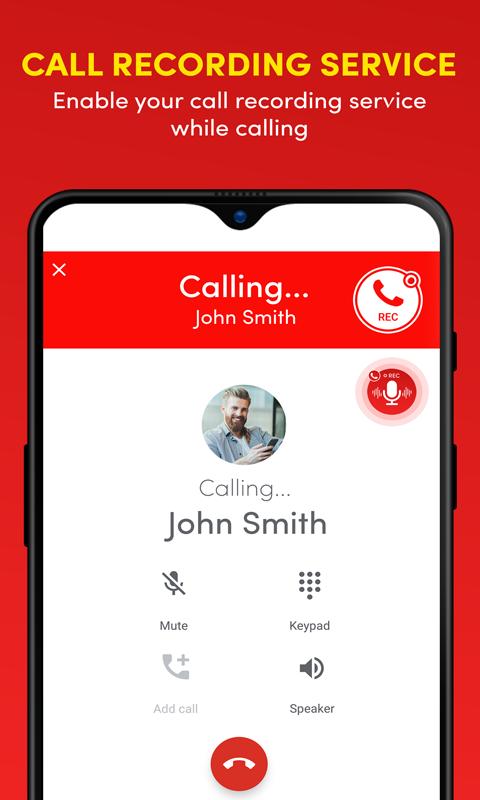
With Auto Call, Audio, Sound, Voice Recorder & Editor, you can record calls automatically and save all calls you want in the mp3 audio format with quality of your choice. Our call recorder stands out in the store as it renders the choice to the user at each audio call intimation. You can just click a button on the incoming call alert and auto call recorder will do the trick.
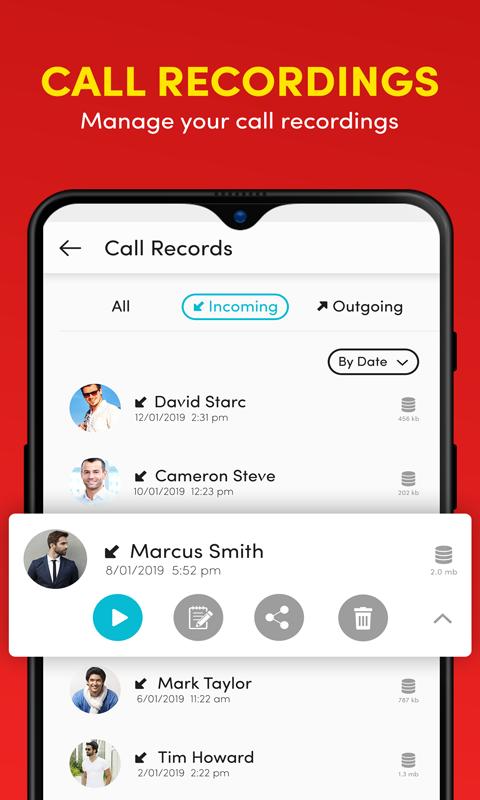
Auto Call, Audio, Sound, Voice Recorder & Editor allows you to record phone calls and intelligently manage recording files. Our audio editor includes features such as split audio calls, play audio calls, delete audio calls and rename audio call records; we have included the editor so that you can cut and save the critical part of a long audio call for later use.
Sitting a long lecture or having a full day strategy meeting; it gets hard to keep notes and be attentive as well. We have Auto Call, Audio, Sound, Voice Recorder & Editor to solve this problem with a single tap you can start the audio recorder and use the functionality of our high-quality sound recorder for any situation.
All auto call recordings and the audio recordings are curated separately within the audio gallery of the app and our user has the option to rename or edit the sound files with the built-in audio editor. All audio and calls are saved in mp3 sound format that is best in the world.
One more unique feature of Auto Call, Audio, Sound, Voice Recorder & Editor is that it delivers a powerful audio recorder widget that shows on any incoming call or outgoing call intimation on your screen. Just a single tap on the auto call recorder button and the call recorder triggers for that call. Once the call ends the auto call recorder notification comes up that takes you to the auto recorded call.
For clear & quality recording our app needs permission to use device microphone, storage, phone call, & accessibility service.
Storage (to save recordings)
Microphone (to record audio)
Phone (to manage calls)
Accessibility Service (to record call on Android 10)
Disable Battery Optimization (to work in background)
Auto call, audio, sound, voice recorder & editor comes with a load of features that include;
• Auto calls recording
• Organize auto call recording logs
• View all auto call records with options, such as: E.g. list by time, group by name or group by date
• Play or record your call as MP3 files on your SD card
• Auto call recorder/ Voice recorder audio sound editor
• Audio Recording for any lecture, meeting or sound situation
• Play recorded conversations as audio
• Delete or edit audio recordings
Download Auto Call, Audio, Sound, Voice Recorder & Editor and give us feedback so that we can make more functional and useful apps for you.
預覽
標籤
工具訊息
開發商
Theta Mobile
最新版本
2.1.2
更新時間
2023-11-17
類別
工具
同時可用
Google Play
更多
如何在電腦上用 GameLoop 玩 Auto Call Recorder & Editor
1. 從官網下載GameLoop,然後運行exe文件安裝GameLoop
2. 打開GameLoop,搜索“Auto Call Recorder & Editor”,在搜索結果中找到Auto Call Recorder & Editor,點擊“安裝”
3. 享受在 GameLoop 上玩 Auto Call Recorder & Editor 的樂趣
Minimum requirements
OS
Windows 8.1 64-bit or Windows 10 64-bit
GPU
GTX 1050
CPU
i3-8300
Memory
8GB RAM
Storage
1GB available space
Recommended requirements
OS
Windows 8.1 64-bit or Windows 10 64-bit
GPU
GTX 1050
CPU
i3-9320
Memory
16GB RAM
Storage
1GB available space