Auto Bluetooth Connect Devices 電腦版
Move More Solutions
用GameLoop模拟器在電腦上玩Auto Bluetooth Connect Devices
Auto Bluetooth Connect Devices 電腦版
來自發行商 Move More Solutions 的 Auto Bluetooth Connect Devices 能夠在安卓系統上運行。
現在,您可以在電腦上使用 GameLoop 模擬器流暢地玩 Auto Bluetooth Connect Devices。
在 GameLoop 遊戲庫或搜索結果中下載。 不需要再暢玩遊戲時盯著電池電量或被令人懊惱的來電打斷。
只需在電腦大屏幕上免費下載暢玩Auto Bluetooth Connect Devices 電腦版!
Auto Bluetooth Connect Devices 簡介
Auto connect Bluetooth using below configuration conditions:
- Enter a broadcast name for Bluetooth devices, separated by commas
- Bluetooth device MAC address
- Bluetooth device UUID
Start scan to connect automatically.
Scan Bluetooth BLE device easily.
It Gives following Info:
-Bluetooth Name
-Mac Address
-RSSI value
Connect one or many easily
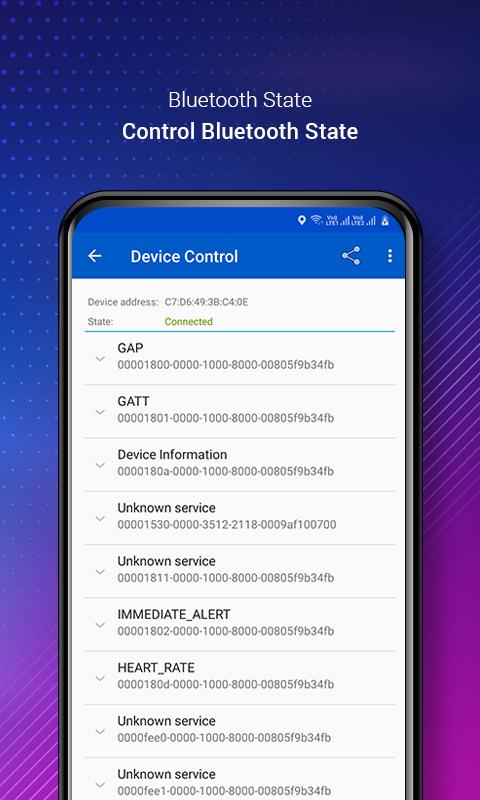
get full detail of nearest device easily:
- Device Info like name,address and many more
- RSSI Info like RSSI values, timestamp and many more
- Scan Records
- Raw Ad Records
Download App Now and make Bluetooth feature more useful in a easy way.
Required Permission:
android.permission.BLUETOOTH
android.permission.BLUETOOTH_ADMIN
Both permission needed to connect Bluetooth and get Bluetooth list
android.permission.ACCESS_COARSE_LOCATION
android.permission.ACCESS_FINE_LOCATION
In latest devices for scanning Bluetooth location permission needed
預覽
標籤
工具訊息
開發商
Move More Solutions
最新版本
1.72
更新時間
2025-04-07
類別
工具
同時可用
Google Play
更多
如何在電腦上用 GameLoop 玩 Auto Bluetooth Connect Devices
1. 從官網下載GameLoop,然後運行exe文件安裝GameLoop
2. 打開GameLoop,搜索“Auto Bluetooth Connect Devices”,在搜索結果中找到Auto Bluetooth Connect Devices,點擊“安裝”
3. 享受在 GameLoop 上玩 Auto Bluetooth Connect Devices 的樂趣
Minimum requirements
OS
Windows 8.1 64-bit or Windows 10 64-bit
GPU
GTX 1050
CPU
i3-8300
Memory
8GB RAM
Storage
1GB available space
Recommended requirements
OS
Windows 8.1 64-bit or Windows 10 64-bit
GPU
GTX 1050
CPU
i3-9320
Memory
16GB RAM
Storage
1GB available space