
AirTurn Manager 電腦版
AirTurn, Inc.
用GameLoop模拟器在電腦上玩AirTurn Manager
AirTurn Manager 電腦版
來自發行商 AirTurn, Inc. 的 AirTurn Manager 能夠在安卓系統上運行。
現在,您可以在電腦上使用 GameLoop 模擬器流暢地玩 AirTurn Manager。
在 GameLoop 遊戲庫或搜索結果中下載。 不需要再暢玩遊戲時盯著電池電量或被令人懊惱的來電打斷。
只需在電腦大屏幕上免費下載暢玩AirTurn Manager 電腦版!
AirTurn Manager 簡介
This is a new version released on April 27, 2020. More devices are supported and Android versions 6-10 are supported. Customer feedback has been incorporated. Contact support if you have any problems.
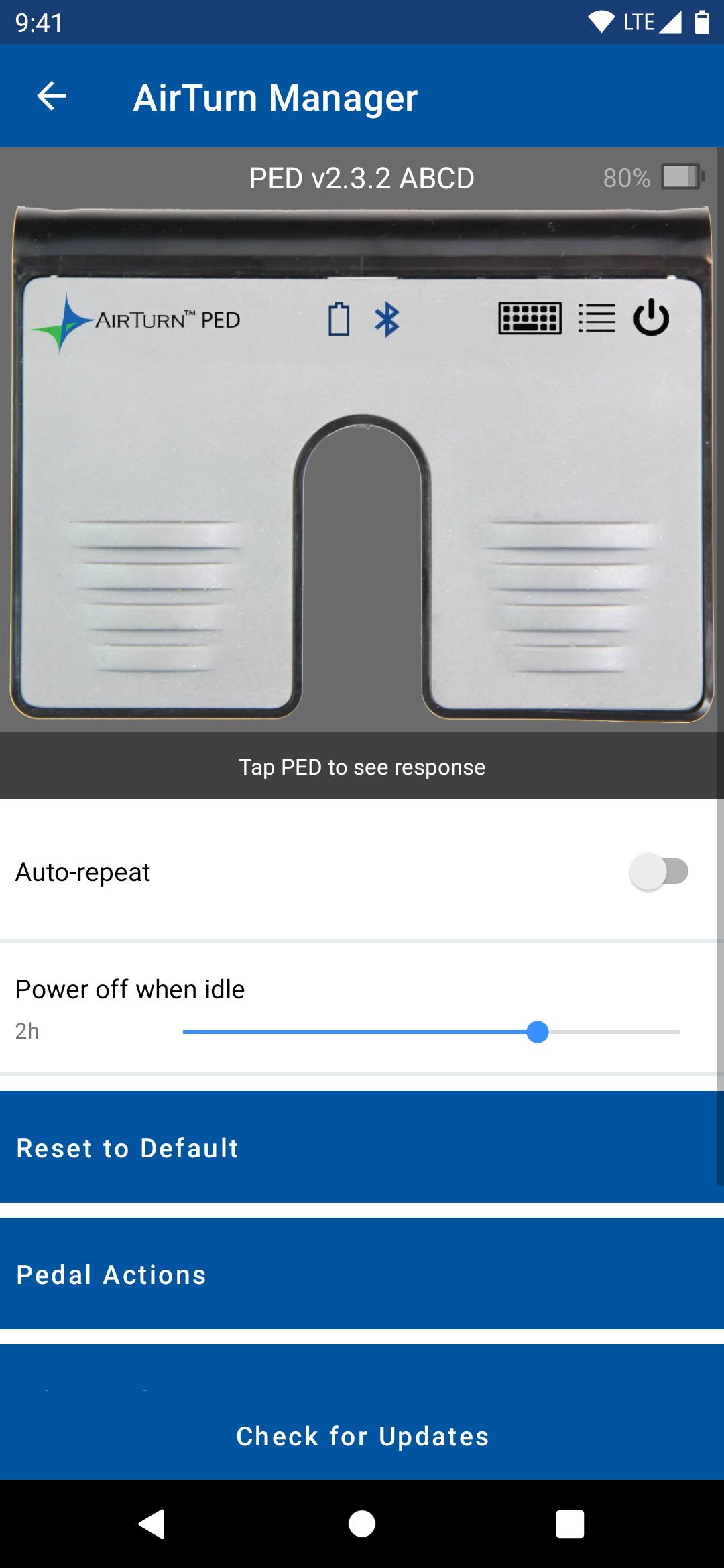
AirTurn Manager allows you to test your AirTurn's switches, change its output configuration, and update its software.
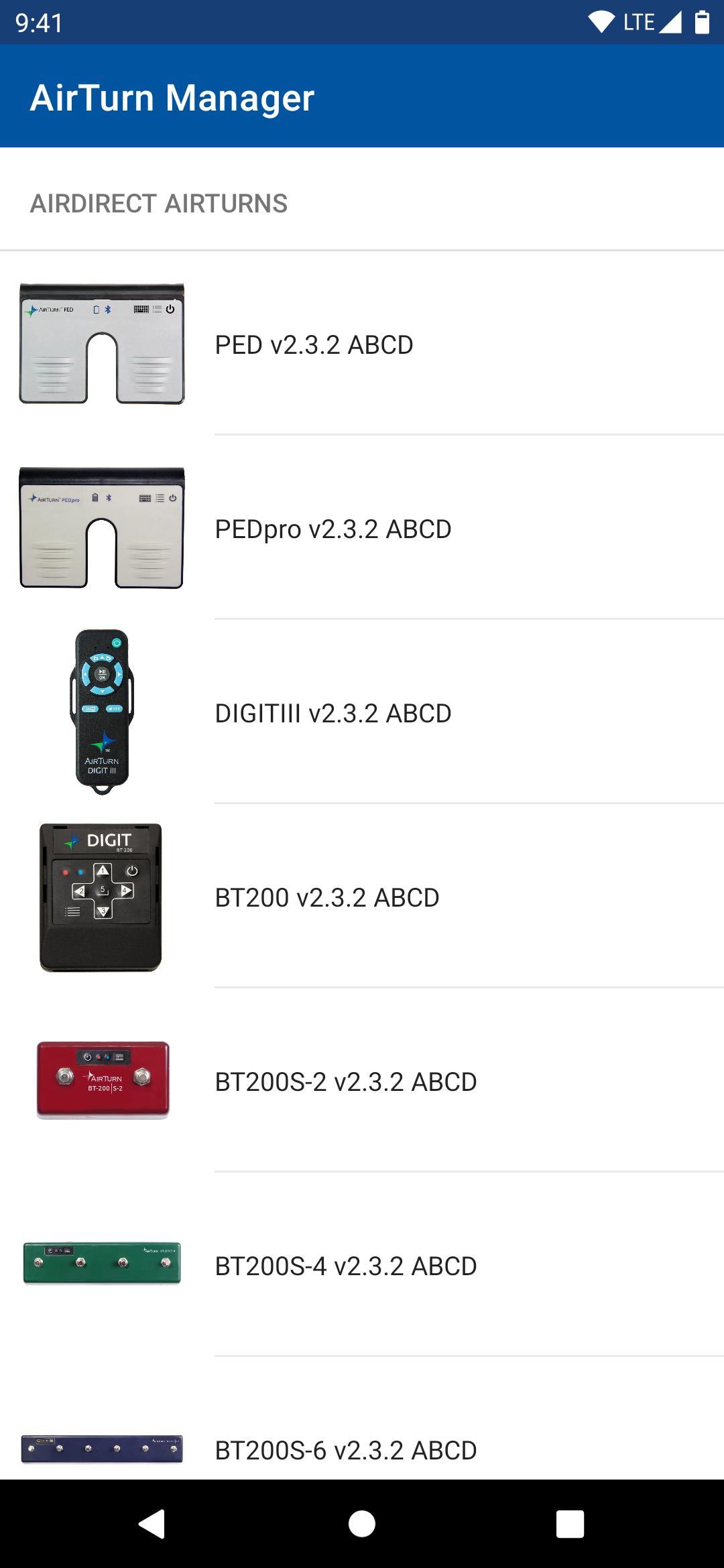
Supported AirTurn models include:
DUO 200
DIGIT 200
QUAD 200
BT200S-2
BT200S-4
BT200S-6
PED
PEDpro
DIGIT III.
TEST YOUR AirTurn: When you press a pedal/button on your AirTurn it will be highlighted on the image. You can also use your AirTurn to scroll when reading the manual or FAQ.
CONFIGURE YOUR AirTurn controller: Configure the keyboard/mouse/MIDI actions when a pedal/button is pressed for each of 7 modes, the repeat rate when you hold down a pedal, and how long before the AirTurn powers off when idle. (Note: MIDI is only in MODE 7)
UPDATE YOUR AirTurn controller: If a software update is available for your AirTurn you will be notified and provided with details of the update. If you choose to go ahead and update the software it will automatically be downloaded from the Internet and transferred to the device.
INSTRUCTIONS:
Pair your AirTurn device with Android phone or tablet:
1. Power on the AirTurn pedal by holding the power button for 2 seconds.
2. Briefly press the MODE button until the red LED turns off. Both LEDs should flash once. This indicates the AirTurn device is now in MODE 1.
3. Open Bluetooth Settings on your Android device, and find the AirTurn by model name in the available devices list. Tap it to pair.
4. Before exiting Bluetooth settings, tap the gear icon next to the paired AirTurn, and turn off “Use as Input Device”.
5. Open AirTurn Manager, select the device model you’re trying to pair, and select your device from the list once it appears.
You can now configure your AirTurn pedal from the Setting menu, accessible via the gear icon in the upper right corner of the preview display.
Select your AirTurn pedal from the configurable models listed. AirTurn Manager will begin scanning for the selected model.
Once connected, you can test switches for operability.
To change device configurations, tap the gear icon in the upper right corner of the preview panel.
Port Configuration allows you to select a MODE to configure, then select a switch to assign actions. (MODE 7 is reserved for MIDI)
All changes are saved automatically.
預覽
標籤
工具訊息
開發商
AirTurn, Inc.
最新版本
1.0.4
更新時間
2025-09-27
類別
工具
同時可用
Google Play
更多
如何在電腦上用 GameLoop 玩 AirTurn Manager
1. 從官網下載GameLoop,然後運行exe文件安裝GameLoop
2. 打開GameLoop,搜索“AirTurn Manager”,在搜索結果中找到AirTurn Manager,點擊“安裝”
3. 享受在 GameLoop 上玩 AirTurn Manager 的樂趣
Minimum requirements
OS
Windows 8.1 64-bit or Windows 10 64-bit
GPU
GTX 1050
CPU
i3-8300
Memory
8GB RAM
Storage
1GB available space
Recommended requirements
OS
Windows 8.1 64-bit or Windows 10 64-bit
GPU
GTX 1050
CPU
i3-9320
Memory
16GB RAM
Storage
1GB available space