Sultan of Towers 電腦版
Ethem Volkan USLU
用GameLoop模拟器在電腦上玩Sultan of Towers
Sultan of Towers 電腦版
來自發行商 Ethem Volkan USLU 的 Sultan of Towers 能夠在安卓系統上運行。
現在,您可以在電腦上使用 GameLoop 模擬器流暢地玩 Sultan of Towers。
在 GameLoop 遊戲庫或搜索結果中下載。 不需要再暢玩遊戲時盯著電池電量或被令人懊惱的來電打斷。
只需在電腦大屏幕上免費下載暢玩Sultan of Towers 電腦版!
Sultan of Towers 簡介
Build a defensive line with a powerful tower and defend your lands.Protect your lands using quick thinking and an arsenal of awesome TD weapons. Time of battle is back. Download and enjoy the best among war strategy games.
Your lands has been surrounded by tanks. Take your heart, choose a good strategy and you may change the war.
You have one choice: defend, defend, defend. Are you ready?
We invite you to play one of the best strategy game in the mobile games industry.
How to choose a good strategy?
1 - Define the Problem.
2 - Think Logically.
3 - Analyze.
4 - Attack and Kill'Em all :)
*****How to play*****
**Objective**
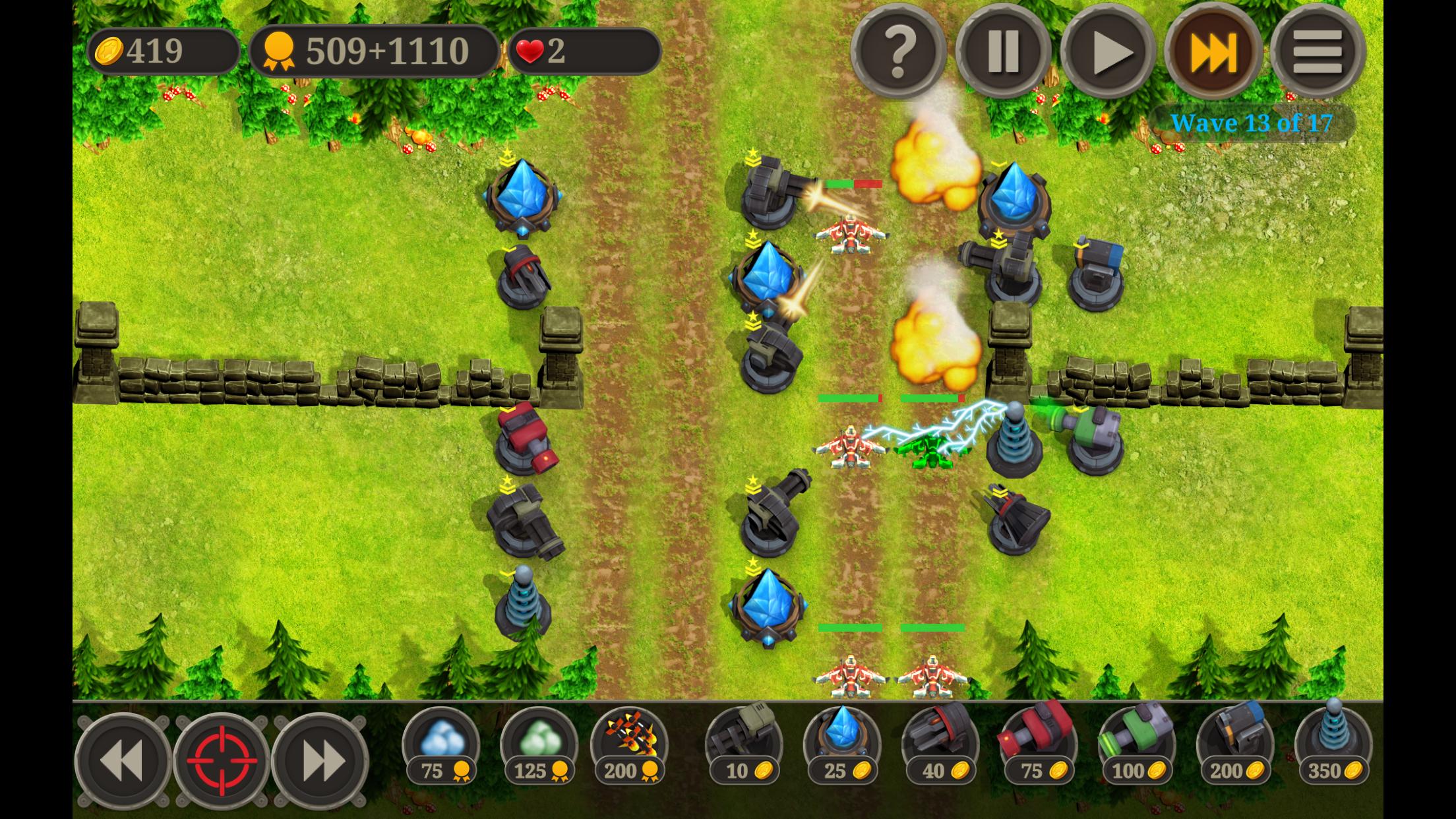
Protect road(s) from enemy attacks. When an enemy is defeated, you will earn money and experience points. Spend your money to upgrade towers or build more towers. Tower type and position is the essential strategy of the game. Spend experience points to use super powers or permanent tower upgrades.
**Towers**
Build towers to stop enemies. Every tower has different effect. For example "Machine Gun" has little effect on tanks but very effective on other enemies. Check in game help screen for more information.
**Tower Building**
You have two options
a) Drag&Drop : Tap and hold any tower on bottom menu and move to available area.
b) Tap&Build : Tab on any available area, select tower and confirm.
**Tower Upgrade**
Every tower has 3 upgrade level. Upgrade effects towers attack, effect radius and reload times.To upgrade, tap on desired tower and click upgrade icon.
**Tower Settings**
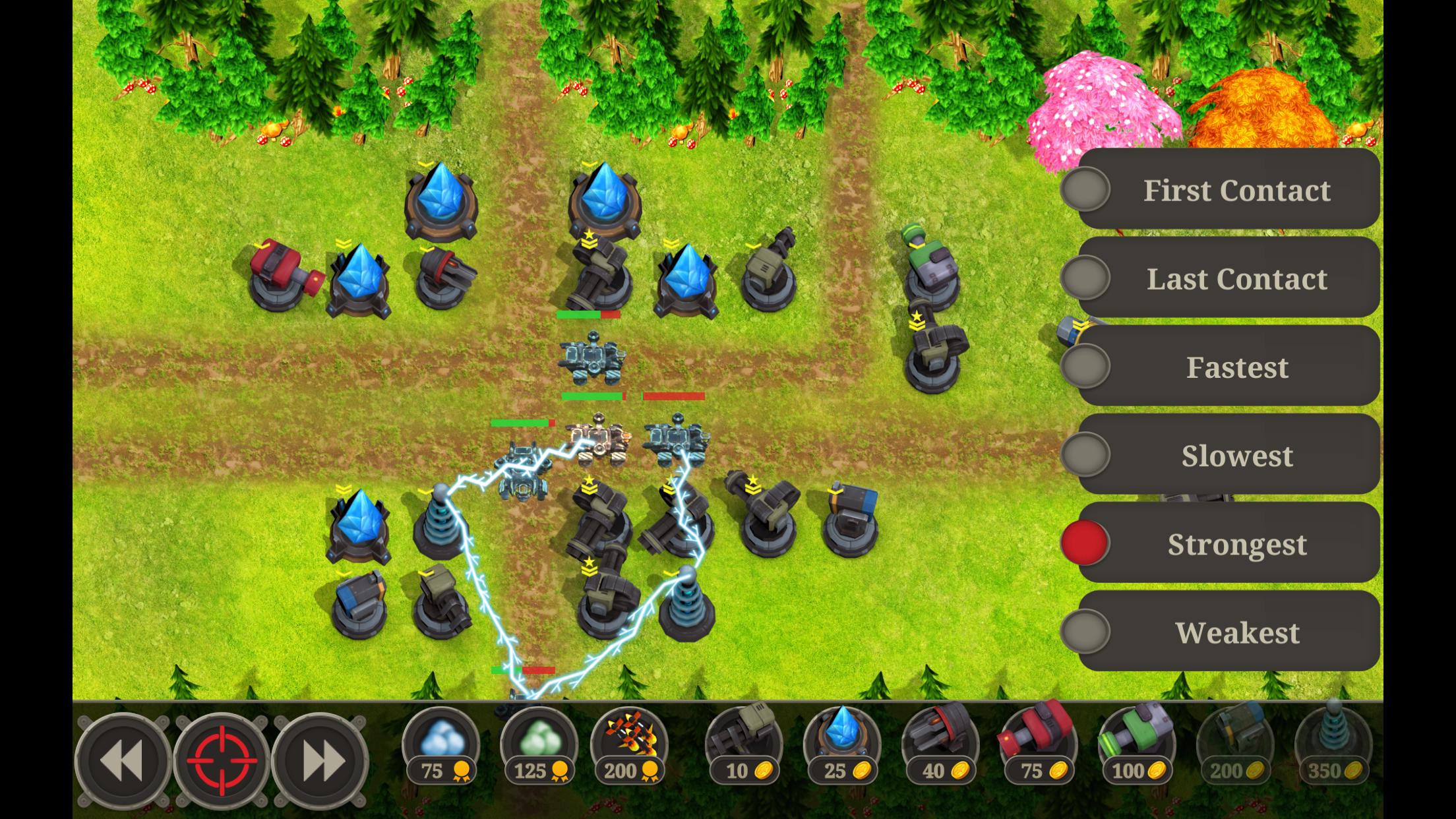
Tap on desired tower and click settings icon. Select one of following options:
First Contact : First contacted enemy will be main target. (default for all towers)
Last Contact : Last contacted enemy will be main target.
Fastest : Fastest enemy in attack radius will be main target.
Slowest : Slowest enemy in attack radius will be main target.
Strongest : Strongest enemy in attack radius will be main target.
Weakest : Weakest enemy in attack radius will be main target.
**Main Target**
Tap on enemy or click target button(strongest enemy will be selected) to select enemy. Selected enemy will be main target for all towers. You can select previous or next enemy from bottom menu.
**Super Powers**
Every super power uses experience points and needs time to re-use.
Slow : (blue cloud icon) Slows down all enemies for a limited time.
Acid : (green cloud icon) Acid damage for a limited time.
Air Strike : (multiple rocket icon) Kills all visible enemies
預覽
標籤
塔防休閒單人遊戲程式化單機遊戲訊息
開發商
Ethem Volkan USLU
最新版本
1.5.1
更新時間
2023-10-11
類別
策略
同時可用
Google Play
更多
如何在電腦上用 GameLoop 玩 Sultan of Towers
1. 從官網下載GameLoop,然後運行exe文件安裝GameLoop
2. 打開GameLoop,搜索“Sultan of Towers”,在搜索結果中找到Sultan of Towers,點擊“安裝”
3. 享受在 GameLoop 上玩 Sultan of Towers 的樂趣
Minimum requirements
OS
Windows 8.1 64-bit or Windows 10 64-bit
GPU
GTX 1050
CPU
i3-8300
Memory
8GB RAM
Storage
1GB available space
Recommended requirements
OS
Windows 8.1 64-bit or Windows 10 64-bit
GPU
GTX 1050
CPU
i3-9320
Memory
16GB RAM
Storage
1GB available space