中国香港
  • Global
  • México
  • 中國台灣
  • India
  • Indonesia
  • Türkiye
  • Việt Nam
  • ประเทศไทย
  • Brasil
  • Perú
  • Colombia
  • Argentina
  • Россия
  • السعودية
  • مصر
  • پاکستان
  • Malaysia
  • 日本
  • 中国香港
  • Philippines
下載
Turing Complete

Turing Complete

94 好評 / 1196 評分 | 版本: 1.0.0

LevelHead

  • Hong Kong
    HK$88.6HK$88.6
    去商店
  • Argentina
    HK$5HK$5
    去商店
  • Turkey
    HK$8.91HK$8.91
    去商店

用GameLoop模拟器在電腦上玩Turing Complete


Turing Complete,是由LevelHead開發的一款時下流行的steam遊戲。 您可以使用 GameLoop 下載Turing Complete和熱門Steam遊戲以在電腦上玩。點擊“獲取”按鈕,您就可以在 GameDeal 獲得最新最優惠的價格。

獲取 Turing Complete Steam 遊戲

Turing Complete,是由LevelHead開發的一款時下流行的steam遊戲。 您可以使用 GameLoop 下載Turing Complete和熱門Steam遊戲以在電腦上玩。點擊“獲取”按鈕,您就可以在 GameDeal 獲得最新最優惠的價格。

Turing Complete 遊戲特點

-= LEARN =-

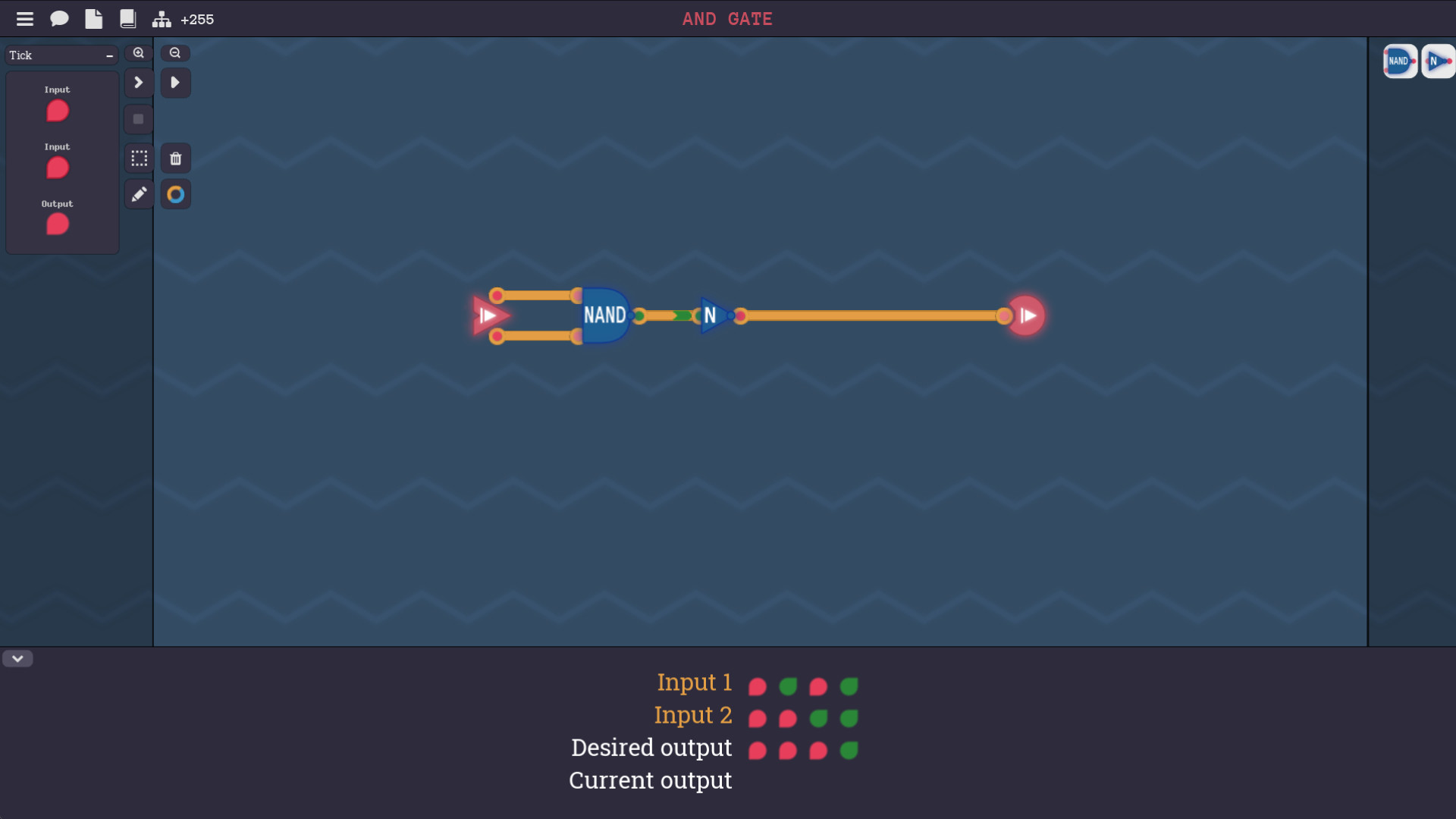
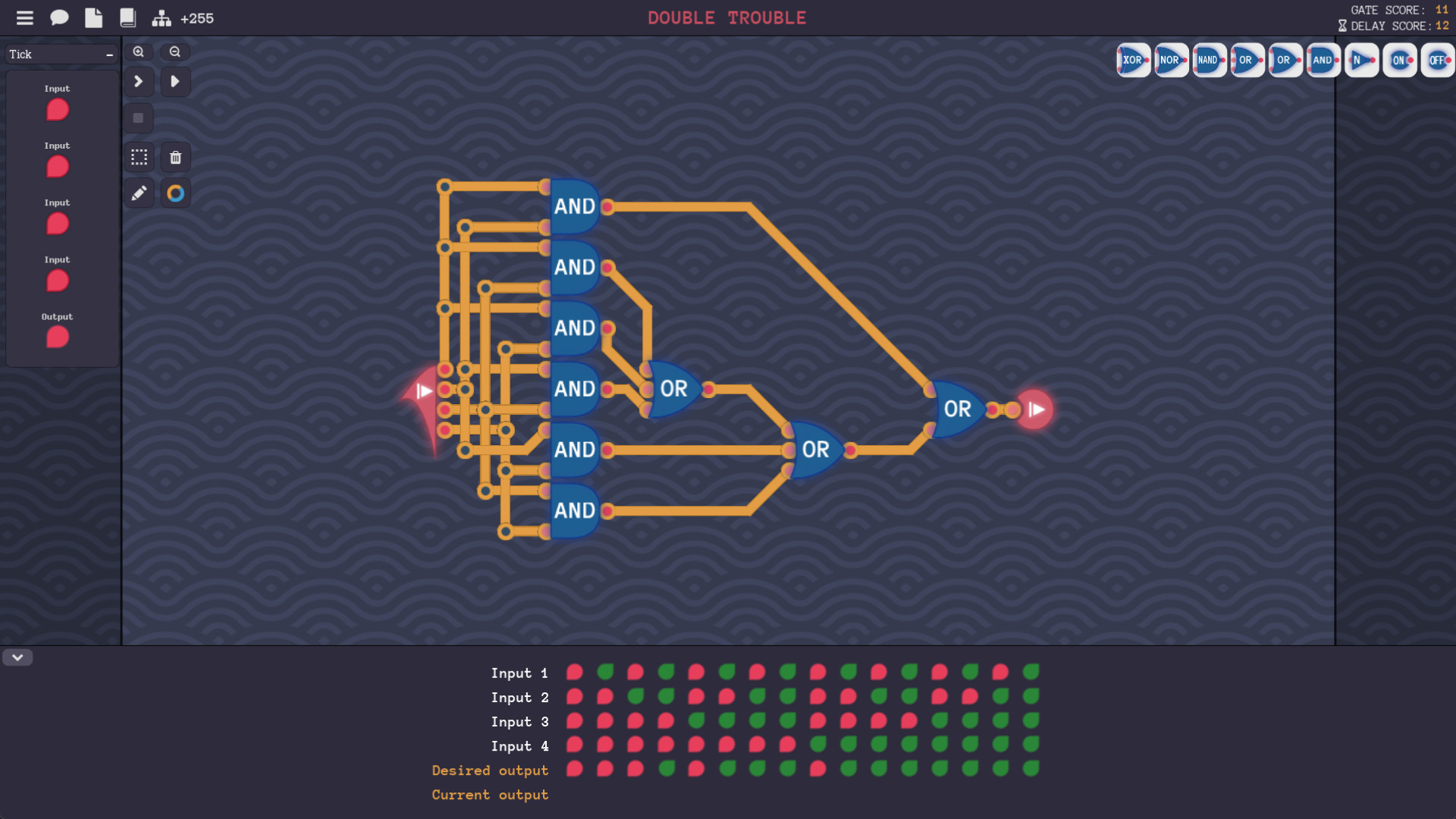
Everything in a computer can be constructed from a basic component called a NAND gate. You will be challenged through a series of puzzles, to discover the path from NAND gates to arithmetic, memory and all the way to full CPU architectures. If you complete this game, you will have a deep understanding of how assembly, CPU instruction sets and basic components are related. And you will understand how programming concepts like if statements, loops and functions actually work in assembly and hardware.

-= BUILD =-

The game is built on a powerful simulator, that gives you total freedom in how you solve levels or create your own computers. Wire up screens, timers, sound, keyboard input and network components to create whatever you want. You can even design a unique assembly language for your computer.

更多

用GameLoop模拟器在電腦上玩Turing Complete

獲取 Turing Complete Steam 遊戲

Turing Complete,是由LevelHead開發的一款時下流行的steam遊戲。 您可以使用 GameLoop 下載Turing Complete和熱門Steam遊戲以在電腦上玩。點擊“獲取”按鈕,您就可以在 GameDeal 獲得最新最優惠的價格。

Turing Complete 遊戲特點

-= LEARN =-

Everything in a computer can be constructed from a basic component called a NAND gate. You will be challenged through a series of puzzles, to discover the path from NAND gates to arithmetic, memory and all the way to full CPU architectures. If you complete this game, you will have a deep understanding of how assembly, CPU instruction sets and basic components are related. And you will understand how programming concepts like if statements, loops and functions actually work in assembly and hardware.

-= BUILD =-

The game is built on a powerful simulator, that gives you total freedom in how you solve levels or create your own computers. Wire up screens, timers, sound, keyboard input and network components to create whatever you want. You can even design a unique assembly language for your computer.

更多

預覽

  • gallery
  • gallery

訊息

  • 開發商

    LevelHead

  • 最新版本

    1.0.0

  • 更新時間

    2021-10-02

  • 類別

    Steam-game

更多

評論

  • Qrakhen

    Aug 8, 2023

    Got boring quick, do not recommend. :)
  • gamedeal user

    Dec 3, 2022

    4 years ago I asked my computer hardware professor if there was any software where I could build my own CPU from scratch, by building the fundamental gates, abstracting them and moving up from there. He said there really wasn't anything like what I was looking for and minecraft redstone would be my best bet. I found that way too tedious to be feasible and gave up on the idea, except for occasionally thinking to myself 'man I wish that existed, it would be so cool.' Lo and behold, someone has created quite literally the exact thing I dreamed of. I legitimately gave the biggest smile I've had in years and started tearing up when I saw that it started at NAND gates and built everything up from there. I'm typing this at four am because I found it at about 1:30 and couldn't stop playing and I probably won't stop tonight, or even this weekend at all. I know almost no one is likely to relate to this because I'm geeky as ****, but I want to thank the dev for making a multi-year dream of mine come true.
  • gamedeal user

    Nov 14, 2021

    I've been a professional software developer for almost a decade, and I've never been more proud of anything I've ever built than when I wrote a program to solve a maze in an assembly language that I encoded on a computer I built from scratch in this game. I feel like for the first time I REALLY understand how a computer works, and it is incredibly gratifying. I've been playing games like Factorio, Infinifactor, Shinzen I/O, TIS-100, Astroneer. Minecraft, "While True: Learn()", etc., but it turns out that this is the itch I was trying to scratch the whole time. And in the sense of scratching that itch, this is the best game I've ever played. I'd like to personally thank the developer of this game for all your hard work, brilliant teaching, and fantastic insights. THANK YOU!
  • gamedeal user

    Oct 16, 2021

    1. Start a level 2. Read instructions 3. Ignore instructions as you are a fool 4. Throw some random gates in there 5. Wire that sh*t up 6. Wrong 7. Reread instructions 8. Force monkey brain to comprehend 9. Throw more gates in there 10. Probably way over complicate it 11. "It just works" 12. Repeat until later levels 13. It no longer works that way in later levels 14. No Hablo Espanol 15. Pray to God 16. Beg him to make your brain bigger 17. Realize God is dead and Demux killed him 18. Dream of Xor and Nand 19. Everything starts to click 20. Reach the programming levels 21. Everything stops clicking 22. Brute force it 23. Works at first 24. Spend seven hours on one of the levels (not joking) 25. 01010000 01100001 01101001 01101110 8/10 I am still on that level but still having fun
  • gamedeal user

    Apr 11, 2023

    It's a fun and addictive teaching tool, but there's a few features that are conspicuously missing. The most obvious missing piece is a better solution process. Opening an external hyperlink to a youtube video is better than nothing, but it's a real missed opportunity for teachable moments. It's crucial that it should be able to tell the player "what you did is correct, but there's actually a better way to do it..." but currently there's no such feature; as long as it works, the game gives no guidance about optimization other than to provide a brick wall for users to ram their head against. Another really essential tool would be the ability to just.... read the design brief from the creation screen. That seems like a really fundamental basic feature so it's really odd that it's missing here. Maybe there's a reason, because it seems too obvious to just leave out without a good reason, but it would help eliminate some frustration if the player knew what that reason was (or even, just knew that a reason existed and that they had to trust the designers). All things considered, the controls are about as good as they could be; there's a LOT of functionality packed into a few button presses and I think the creators did a great job of making it intuitive. The biggest missing component seems to be a "pick component" button that selects whatever component the user is hovering over. If such a feature exists and I couldn't figure it out after 13 hours of play, I lean towards saying that's the designer's fault at that point. All things considered, don't let my nitpicks give the impression that this isn't a good game: it IS great. I would personally have waited for it to be on sale, though, because $20 for a game that doesn't really feel fully polished is a little steep. I would expect features like better tutorials, hints, explanations, etc. for that price point, whereas with the rudimentary "solutions" feature (that's frequently not available at all) and next to zero tutorials/hints/explanations outside of the select manual entries, I would expect to see that in a $10 game rather than a $20 game. I know that's a high bar, but that's show biz baby.
  • gamedeal user

    Aug 1, 2022

    TLDR: I work as an engineer in the industry and this game is absolutely amazing. It allows for a lot of creativity and playing around with concepts without needing to use simulator software. However, I really only recommend the game for those who have or are doing courses in electrical/computer engineering or computer science. The main reason why is that for someone who doesn't have any prior knowledge in circuits and want's to try it out will have a difficult and confusing time. Using my boyfriend as an example, he barely managed to get past the XOR gate and going further was too difficult because there are key concepts of digital logic design that he missed.

    Logic Gates

    I find it so strange that we start off with a NAND gate and immediately try to implement universal gates. This makes no intuitive sense for someone just stating to learn. The name isn't even intuitive until one learns about AND and NOT gates first. In a course the first things that are learned are AOI logic because it's easy to understand. AND means both inputs need to be on, OR means any input can be on, and the inverter just inverts the input. After these concepts are learned are when NAND and NOR are introduced, and universal gates are explained after the introduction of De Morgan's law. Also, I want to mention the lack of explanation on boolean algebra. A key component of understanding De Morgan's law is seeing how logic expressions can be simplified or changed using them. Boolean algebra would also help with the levels in Arithmetic and CPU architecture 1. In fact, I'd even call it essential. I'm not sure how one would solve the levels outside of random guessing otherwise. There were a few people who mentioned that the lack of internal representation of logic gates is a mistake. I disagree, as we start running into problems of transistor representation. The transistors need to have a power source and CMOS representation would just be confusing to someone new. It's outside the scope of the game and one doesn't need to understand the internal layout of a logic gate to understand what it does. Based on my experience, I completed these levels in only a few minutes. I feel like if someone had basic circuit design knowledge, they'd also complete it quickly.

    Artihmetic/Memory

    Provided someone knew the basics, then this would be a fun section overall. One would still need to do some thinking to solve certain levels. I personally liked the counting signals level in this section. It was really fun and I had to think for a little. I think the level progression made sense for the most part. There are also some complaints about the handwaving of flipflops to store data. I agree for the most part, since they would also be so useful in creating state machines. Latches and flip flops are essential for some circuits and useful for simplification in others. Not having them is a shame. I will say that it might be due to the fact that something like an SR latch requires outputs to be fed as an input. If doing pure binary implementation this leads to an undefined state. In the real world, voltage exists and that's what defines the initial state. I'm not sure if there is a solution that can allow for implementation of flipflops. I have a complaint about the 3 bit decoder level. It's annoying that there isn't an enable pin on the 1 bit decoder. It limits the way to solve the level to just brute forcing rather than using an already existing component effectively.

    Computer Architecture 1

    I like the way how the computer was built overtime and the implementation of one instruction at a time. It was well done. The introduction of the component factory was great. I was able to add an 8-bit multiplier to my ALU that way which made the programming levels easier. I find it strange on how there are no discussion of flags or how to integrate them into a machine. Like, there is a conditional component already made, why not use flags or at least have a discussion about them? I'm approaching this mainly from the perspective of someone who might've taken classes covering digital logic but not computer architecture, it's a necessary thing to implement.

    Programming

    I think the connection between assembly and machine code is very well explained due to needing to add your own instructions to the assembly language. The programming challenges weren't really all too difficult. The maze might be hard for some. I think this section was well designed.

    Computer Architecture 2

    Not done here yet, I've done everything until wire spaghetti. I think everything past the programming section is for people who actively study or work in the field. The main reason why is because the levels are now basically, "Do this" and nothing further. No hints or anything like that, so if someone gets stuck they'd have to look online. The comparators were genuinely difficult for me and took some time to figure out. So far it's been really fun. Outside of this, I have a few suggestions. When going into sandbox there is a counter for delay, this is because every gate has a delay of 2 associated with it, minus XOR and NXOR due to being made from other gates. This is good enough I think, there really isn't a need to include things like parasitic capacitance and what not. At that point just load up proper circuit simulator software. However, a couple levels explaining what propagation delay is and some techniques to minimize it would be beneficial in the later levels I think. Also this is more of a minor thing but adding floating point signed and unsigned to the options when dealing with 32bit or 64bit circuits would be cool when debugging and building floating point ALUs. I think I mentioned a lot of what I found wrong or issues with the game but it has been genuinely fun and most don't really affect me, This is just a way for me to build my own computer without using breadboards and to play around with concepts and ideas without needing to use simulation software.
  • gamedeal user

    Aug 31, 2022

    Cool game. Always wanted to learn this stuff. If I could offer one criticism it'd be that after I solve one I'd like to see the most efficient solution. Or, perhaps even better, tell me how many nodes the optimal solution uses as compared with my solution and then let me decide whether to see the optimal solution or whether I want to try again. A couple of those solutions I came up with I had an intuition they might be a bit lame. It'd be neat if the game had this kind of aspect to it. Other than that, I'd say it's great I'm really enjoying it!
  • gamedeal user

    Jan 25, 2023

    I would like to stick this game into my college professor's arse as this taught me way more than he did. I hate you Murat.
  • gamedeal user

    Oct 2, 2022

    ive been tricked into doing computer science homework for fun
  • gamedeal user

    Dec 27, 2022

    this is a thumbs up review because there is no "it depends" option. I have a learning disability that gives me profound difficulty with math - with friends who are computer scientists riding along who could explain concepts, I can make progress. Using this mainly to give feedback, because I love what this can do! - The controls are very opaque and would benefit from an optional tutorial to learn how to use them. Shift+Click to select is clear, that I need to then release these keys and click again to drag things is not, for instance, and until I realized this it was not clear what was going wrong. - please just permit the organisational tools to be used from the beginning. Access to colour coding wires straight away would have saved me about an hour of confusion and frustration, having to put my finger on the screen and trace where the lines were going. - if possible, please consider defining terms. At no point was it explained what a "bit" is, before I was told that now I'd be using a "byte", nor how many "bits" went into a "byte". This is super easy to overlook, but it is important. - Related to the above, if an input is arbitrary and could be anything, folks like myself would benefit strongly from being told that. I spent a long time staring at the intro to byte splitting and bit combining completely confused about why the input was 123, and wondering if there was some core concept I hadn't picked up on that explained why it was 123. With additional, external aid, I can use this to learn things that I never thought I'd be able to grasp. In terms of it as a stand-alone teaching and puzzle game, it's currently not useable for me personally for that purpose. I need to know how and why something works to be able to draw the rest of the metaphorical owl, without that I will have no clue how to proceed and not actually learn anything.
Load More

常見問題

PC Games Cheaper On Gamedeal | Find The Best Deals of Games Here!

Finding the right place to get the best game deals can prove to be quite a hassle when comparing game prices on multiple sites. However, you can skip through all the trouble by letting Gamedeal handle the price comparisons and grab only the best deal prices for you!


We compare game prices on all the trusted storefronts and list game deals starting with the lowest price possible at the moment. Looking for something more specific? Search it on Gamedeal and find all the best deals and cd keys discount codes to make the most out of your bucks. 


Not sure what you looking for? Browse through our massive library of games from different genres to find epic deals for your favorite games from the biggest retailers in the market. Can’t afford the game you are looking for? Make sure to wishlist it and stay up-to-date with all the price changes in the future.


Say Bye to Hefty Game Deals!

Gamedeal is your one-stop shop to find all the best deals from your favorite retailers including Steam, Epic Games, Gamestop, and many more under one roof. Looking for games that cost you nothing? We have got you covered with our free games list that includes free PC and Playstation games.


We help you stay on top of the news with upcoming Steam sales and Gamestop promo codes to ensure you get the game of your choice at the lowest price possible. From old-school classics to modern AAA titles, there is something for everyone to play here.

更多類似遊戲

查看全部
點擊安裝