F-Sim Space Shuttle 電腦版
SkyTale Software GmbH
用GameLoop模拟器在電腦上玩F-Sim Space Shuttle
F-Sim Space Shuttle 電腦版
來自發行商 SkyTale Software GmbH 的 F-Sim Space Shuttle 能夠在安卓系統上運行。
現在,您可以在電腦上使用 GameLoop 模擬器流暢地玩 F-Sim Space Shuttle。
在 GameLoop 遊戲庫或搜索結果中下載。 不需要再暢玩遊戲時盯著電池電量或被令人懊惱的來電打斷。
只需在電腦大屏幕上免費下載暢玩F-Sim Space Shuttle 電腦版!
F-Sim Space Shuttle 簡介
If you like F-Sim Space Shuttle, you're going to love its successor, F-Sim Space Shuttle 2 - available now!
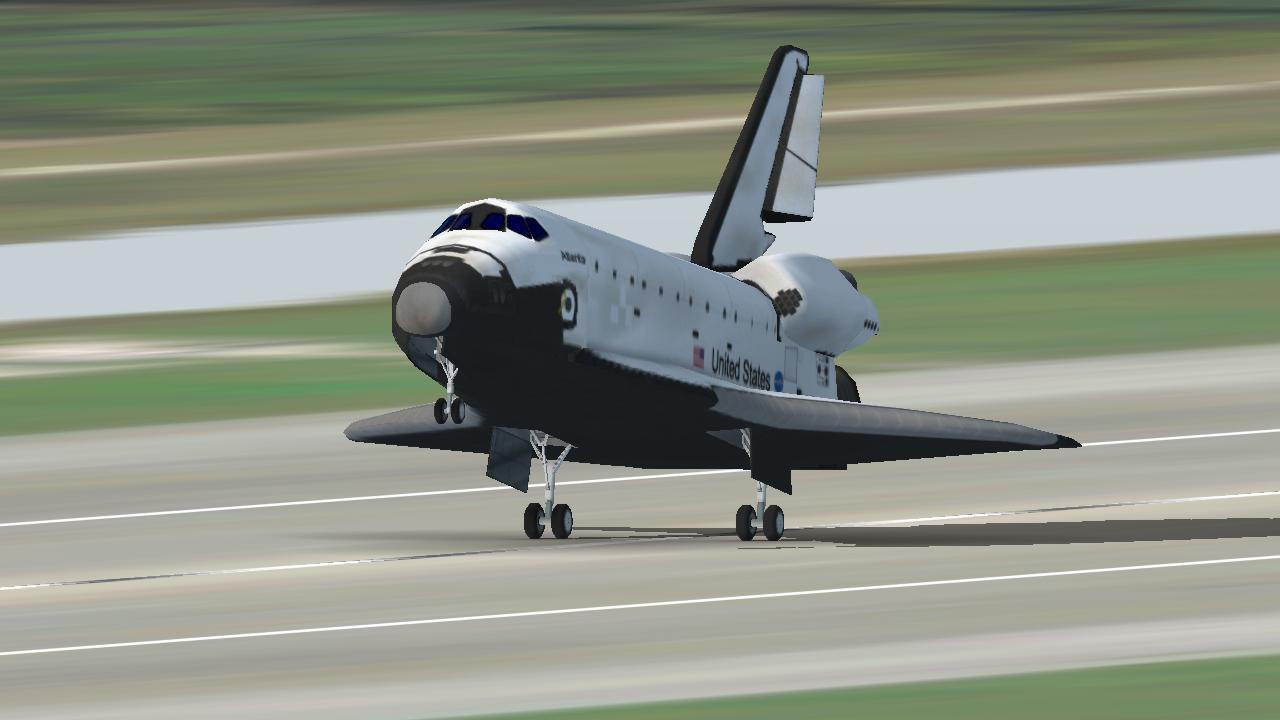
F-Sim Space Shuttle is a critically acclaimed flight simulator for Android smartphones and tablets. It simulates the Space Shuttle approach and landing in incredible detail and accuracy. We’ve tried to combine realistic flight dynamics with stunning graphics and fun game play: Each landing attempt takes just a few minutes. Our landing analysis and scoring system tells you exactly how to improve your next landing. It will make you come back and try again.
Each flight starts at either 10,000 feet, already aligned with the runway, or at up to 50,000 feet, before banking into the heading alignment cone. During descent, the Orbiter is an unpowered glider, so you will only have one chance to get it right. Astronauts used to call it a flying brick: because of its 200,000 lbs. gross weight and low lift over drag ratio, the approach is six times steeper and two times faster than a typical airliner approach. Landing the Orbiter takes practice, but the built-in autopilot demo and tutorials will get you started. After your first safe touchdown, chase that perfect landing, compare your high scores online with your friends, earn medals, and unlock achievements. Experiment with different weather conditions, night approaches, and even emergency scenarios or system failures. At the end of each flight, watch a replay from different camera angles.
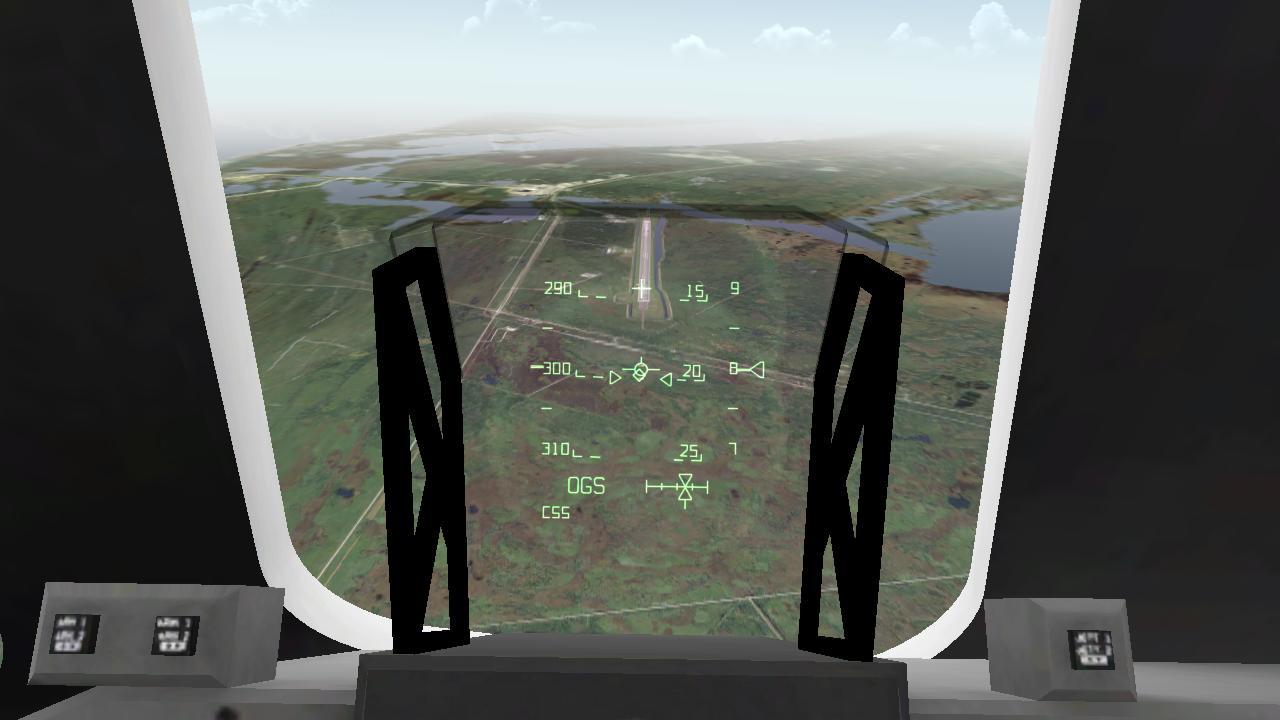
You control the Orbiter’s pitch and roll axes by tilting your device. Alternatively, you may switch to on-screen analog sticks. Rudder, speed brake, gear, and chute are usually handled by the autopilot, but you can have full manual control if you like. For beginners, we’ve added rectangles that visualize the desired approach path. Simply try to stay within the corridor of rectangles, and they’ll guide you right to the touchdown point. Advanced pilots can turn them off and rely on the instruments in the head-up display (HUD) instead. The simulated guidance, navigation and control (GNC) systems are authentic replications of their counterparts in the real Orbiter, and the HUD features all the instruments real Space Shuttle commanders used to employ to skillfully land this unique aircraft. Now it’s your turn to give it a try.
Here’s what others have said about it:
“Because this app is so visually exciting, so technically deep, so sophisticated, so beautifully done in its realism, effects, and documentation, it earned a perfect 5/5 rating, Outstanding.”
John Martellaro, Senior Editor for Reviews, The Mac Observer
“I was excited to see that I can enjoy flying the space shuttle realistically also on my iPhone and complement my addiction to our Space Shuttle Mission Simulator on PC when I am on the road.”
Alex L., www.space-shuttle-mission.com
“Absolutely awesome app that is a must for shuttle huggers and aspiring astronauts.”
Chris Bergin, Managing Editor, NASASpaceflight.com
預覽
標籤
載具航班休閒單人遊戲單機遊戲訊息
開發商
SkyTale Software GmbH
最新版本
2.4.252
更新時間
2014-01-27
類別
模擬
同時可用
Google Play
更多
如何在電腦上用 GameLoop 玩 F-Sim Space Shuttle
1. 從官網下載GameLoop,然後運行exe文件安裝GameLoop
2. 打開GameLoop,搜索“F-Sim Space Shuttle”,在搜索結果中找到F-Sim Space Shuttle,點擊“安裝”
3. 享受在 GameLoop 上玩 F-Sim Space Shuttle 的樂趣
Minimum requirements
OS
Windows 8.1 64-bit or Windows 10 64-bit
GPU
GTX 1050
CPU
i3-8300
Memory
8GB RAM
Storage
1GB available space
Recommended requirements
OS
Windows 8.1 64-bit or Windows 10 64-bit
GPU
GTX 1050
CPU
i3-9320
Memory
16GB RAM
Storage
1GB available space