
Zoho Writer - Document Editor 電腦版
Zoho Corporation
用GameLoop模拟器在電腦上玩Zoho Writer - Document Editor
Zoho Writer - Document Editor 電腦版
來自發行商 Zoho Corporation 的 Zoho Writer - Document Editor 能夠在安卓系統上運行。
現在,您可以在電腦上使用 GameLoop 模擬器流暢地玩 Zoho Writer - Document Editor。
在 GameLoop 遊戲庫或搜索結果中下載。 不需要再暢玩遊戲時盯著電池電量或被令人懊惱的來電打斷。
只需在電腦大屏幕上免費下載暢玩Zoho Writer - Document Editor 電腦版!
Zoho Writer - Document Editor 簡介
簡潔流暢的文字處理應用,讓您盡情揮灑創意,與好友互動討論,並透過評論功能進行交流。文件可在設備間同步,隨時隨地存取。
Writer 精心設計,旨在為您在智慧型手機、平板電腦和電腦上打造如白紙般簡潔的寫作體驗。而且,它永久免費!
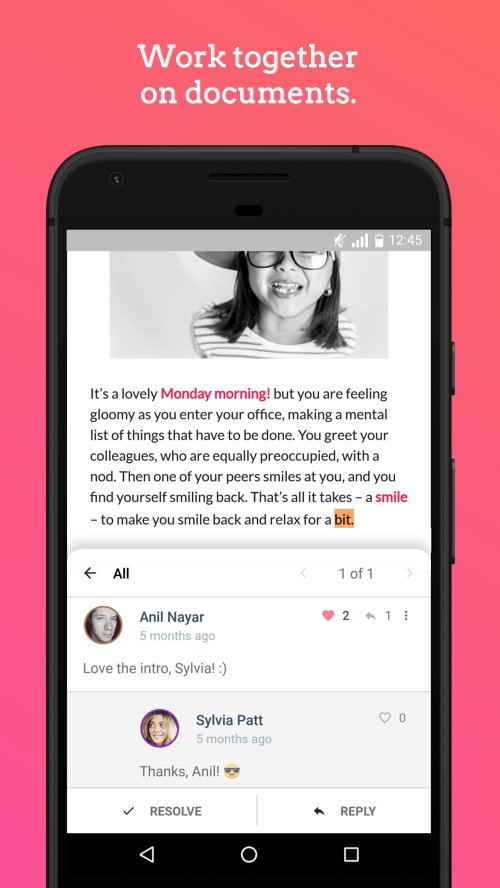
協作
- 即使不在辦公桌旁,也能參與討論。在文件中加入您的想法,回覆好友的評論,或點擊「按讚」表示讚賞。透過設備間的即時同步,與好友即時協作。
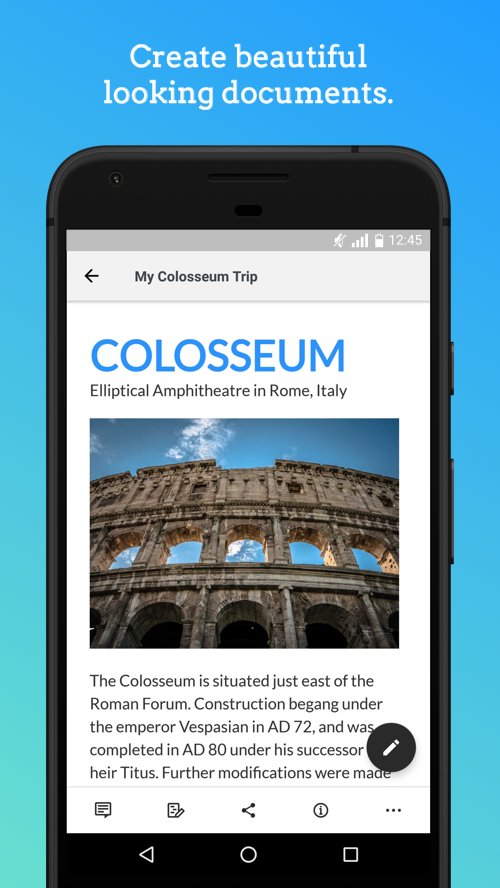
建立精美文檔
- 格式化您的文件。新增圖片、表格等元素。
Writer 與其他應用完美相容
- 開啟並編輯您的 Microsoft Word (DOCX) 文件。將文件匯出為 DOCX、PDF、ODT、HTML 或 TXT 格式。
離線工作
- 無需網路連線即可存取和編輯您的文件。
自動備份
- 無需手動儲存,即可輕鬆備份您的文件。您的變更會立即儲存。
還在猶豫什麼?趕緊開始吧!盡情寫作!
預覽
標籤
效率提升訊息
開發商
Zoho Corporation
最新版本
7.0.0
更新時間
2026-08-31
類別
效率提升
同時可用
Google Play
更多
如何在電腦上用 GameLoop 玩 Zoho Writer - Document Editor
1. 從官網下載GameLoop,然後運行exe文件安裝GameLoop
2. 打開GameLoop,搜索“Zoho Writer - Document Editor”,在搜索結果中找到Zoho Writer - Document Editor,點擊“安裝”
3. 享受在 GameLoop 上玩 Zoho Writer - Document Editor 的樂趣
Minimum requirements
OS
Windows 8.1 64-bit or Windows 10 64-bit
GPU
GTX 1050
CPU
i3-8300
Memory
8GB RAM
Storage
1GB available space
Recommended requirements
OS
Windows 8.1 64-bit or Windows 10 64-bit
GPU
GTX 1050
CPU
i3-9320
Memory
16GB RAM
Storage
1GB available space