
Three Month Calendar 電腦版
PeterClements
用GameLoop模拟器在電腦上玩Three Month Calendar
Three Month Calendar 電腦版
來自發行商 PeterClements 的 Three Month Calendar 能夠在安卓系統上運行。
現在,您可以在電腦上使用 GameLoop 模擬器流暢地玩 Three Month Calendar。
在 GameLoop 遊戲庫或搜索結果中下載。 不需要再暢玩遊戲時盯著電池電量或被令人懊惱的來電打斷。
只需在電腦大屏幕上免費下載暢玩Three Month Calendar 電腦版!
Three Month Calendar 簡介
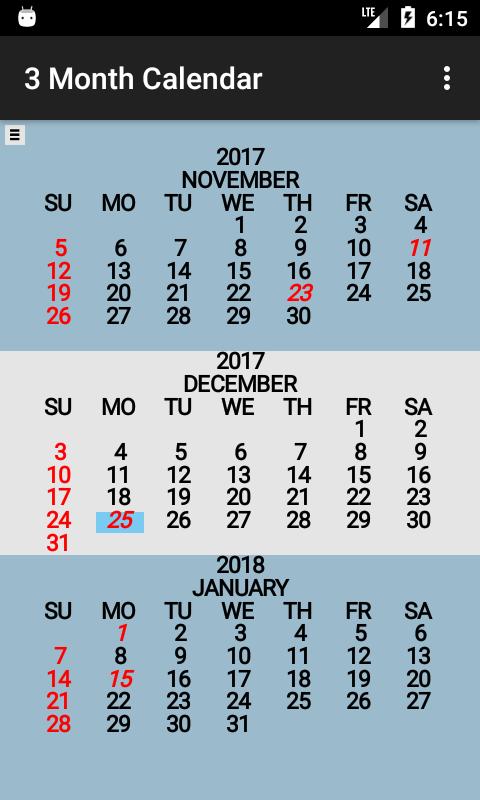
Three Month Calendar is a "back to basics" calendar providing a view of three months of the year on a single screen (similar to the 3 month view wall calendar).
The current date is displayed with a "blue" background.
United States holidays are displayed in "red". Sundays are also displayed in "red".
Some Preferences:
-Sunday or Monday as first day of week.
-Display Week Number
-Show holidays
-Background color different for not current.
-Countdown to date display line.
Holidays displayed are:
-New Year's day -- January 1
-Martin Luther King Jr's Birthday -- third Monday in January
-George Washington's Birthday -- third Monday in February
-Memorial Day -- last Monday in May
-Juneteenth National Independence Day -- June 19
-Independence Day -- July 4
-Labor Day -- first Monday in September
-Columbus Day -- second Monday in October
-Veterans Day -- November 11
-Thanksgiving Day -- fourth Thursday in November
-Christmas Day -- December 25
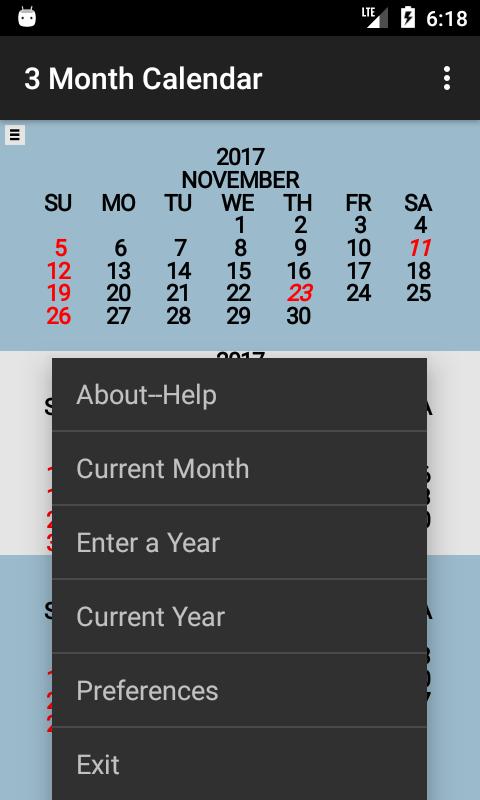
Current month is displayed in center at start up. Swipe to change the displayed months by one month. A year can be entered via the keyboard and displayed with the shown months unchanged. The background is changed to "blue" when displaying other than the current month (change can be disabled).
預覽
標籤
效率提升訊息
開發商
PeterClements
最新版本
1.3.9
更新時間
2023-05-08
類別
效率提升
同時可用
Google Play
更多
如何在電腦上用 GameLoop 玩 Three Month Calendar
1. 從官網下載GameLoop,然後運行exe文件安裝GameLoop
2. 打開GameLoop,搜索“Three Month Calendar”,在搜索結果中找到Three Month Calendar,點擊“安裝”
3. 享受在 GameLoop 上玩 Three Month Calendar 的樂趣
Minimum requirements
OS
Windows 8.1 64-bit or Windows 10 64-bit
GPU
GTX 1050
CPU
i3-8300
Memory
8GB RAM
Storage
1GB available space
Recommended requirements
OS
Windows 8.1 64-bit or Windows 10 64-bit
GPU
GTX 1050
CPU
i3-9320
Memory
16GB RAM
Storage
1GB available space