ThingSpeak (IoT) 電腦版
Brillo Solutions Pvt. Ltd.
用GameLoop模拟器在電腦上玩ThingSpeak (IoT)
ThingSpeak (IoT) 電腦版
來自發行商 Brillo Solutions Pvt. Ltd. 的 ThingSpeak (IoT) 能夠在安卓系統上運行。
現在,您可以在電腦上使用 GameLoop 模擬器流暢地玩 ThingSpeak (IoT)。
在 GameLoop 遊戲庫或搜索結果中下載。 不需要再暢玩遊戲時盯著電池電量或被令人懊惱的來電打斷。
只需在電腦大屏幕上免費下載暢玩ThingSpeak (IoT) 電腦版!
ThingSpeak (IoT) 簡介
For high speed, free and unlimited IoT implementation visit iGadget application:
https://play.google.com/store/apps/details?id=aarsoftronix.com.igadget
*** To monitor water (Fluid) level and control pump via internet (ThingSpeak), visit iFluid application from link given below:
https://play.google.com/store/apps/details?id=aarsoftronix.com.ifluidthingspeak
We are back again with a sweet, lightweight and easy to use app for the users those are fascinated by Internet of Things. So, are you ready to talk to appliances at home over the internet using most popular server ThingSpeak?
If so, then you are at right place and watching at what you were looking for! This is an app by which you can talk to your ThingSpeak channel without any restriction. This app is gonna give you everything you want.
Excited to know how it works? Here we go!
1. Install and open app.
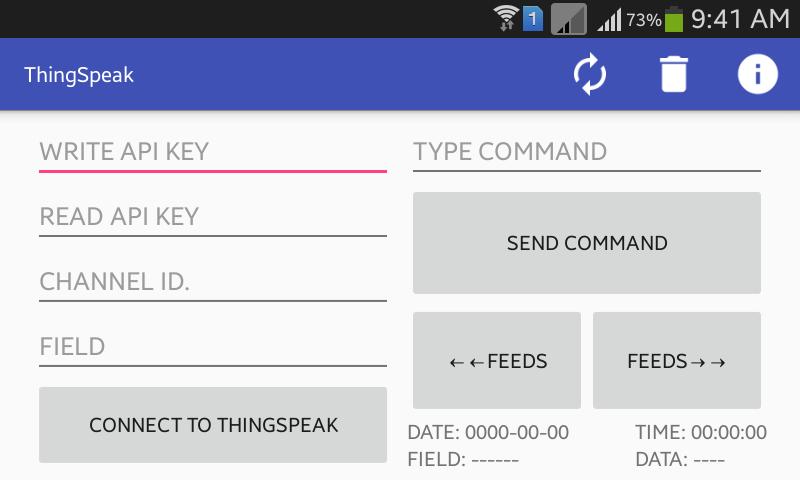
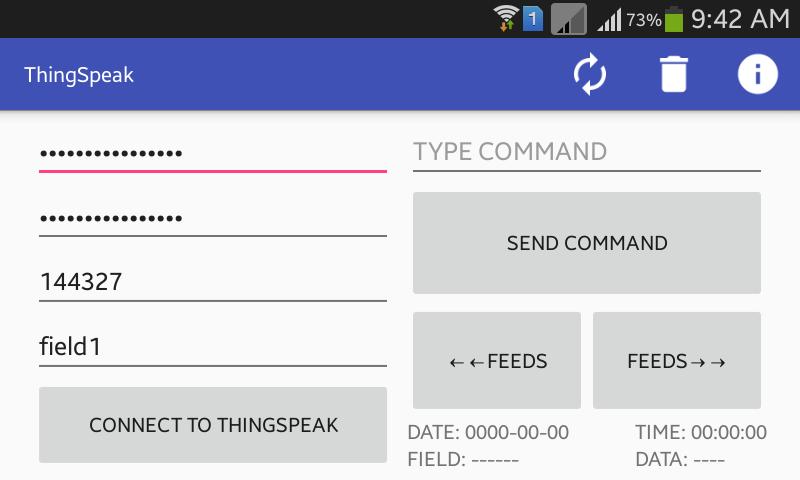
2. Type your READ API KEY, WRITE API KEY, CHANNEL ID, and FIELD.
3. Tap CONNECT TO THINGSPEAK button in order to connect app with ThingSpeak server.
4. If you want to disconnect app from server then tap DISCONNECT FROM THINGSPEAK button.
5. If field of your channel already contains data then after connecting app to server it will show you last data with date and time.
6. If you want to read previous or next feeds of your channel then tap rev. FEEDS or fwd. FEEDS button.
7. ***Note that after tapping either of FEEDS button, auto sync of data will be OFF, in order to turn auto sync ON to make app always fetch recently updated data (last feed), tap REFRESH button from menu bar at top.
8. In order to delete your channel details at one go, tap DELETE button from menu bar.
Kindly rate us and give your valuable review.
預覽
標籤
效率提升訊息
開發商
Brillo Solutions Pvt. Ltd.
最新版本
1.0.4
更新時間
2018-02-01
類別
效率提升
同時可用
Google Play
更多
如何在電腦上用 GameLoop 玩 ThingSpeak (IoT)
1. 從官網下載GameLoop,然後運行exe文件安裝GameLoop
2. 打開GameLoop,搜索“ThingSpeak (IoT)”,在搜索結果中找到ThingSpeak (IoT),點擊“安裝”
3. 享受在 GameLoop 上玩 ThingSpeak (IoT) 的樂趣
Minimum requirements
OS
Windows 8.1 64-bit or Windows 10 64-bit
GPU
GTX 1050
CPU
i3-8300
Memory
8GB RAM
Storage
1GB available space
Recommended requirements
OS
Windows 8.1 64-bit or Windows 10 64-bit
GPU
GTX 1050
CPU
i3-9320
Memory
16GB RAM
Storage
1GB available space