
RedMinerDroid, Redmine client 電腦版
vhqlabs
用GameLoop模拟器在電腦上玩RedMinerDroid, Redmine client
RedMinerDroid, Redmine client 電腦版
來自發行商 vhqlabs 的 RedMinerDroid, Redmine client 能夠在安卓系統上運行。
現在,您可以在電腦上使用 GameLoop 模擬器流暢地玩 RedMinerDroid, Redmine client。
在 GameLoop 遊戲庫或搜索結果中下載。 不需要再暢玩遊戲時盯著電池電量或被令人懊惱的來電打斷。
只需在電腦大屏幕上免費下載暢玩RedMinerDroid, Redmine client 電腦版!
RedMinerDroid, Redmine client 簡介
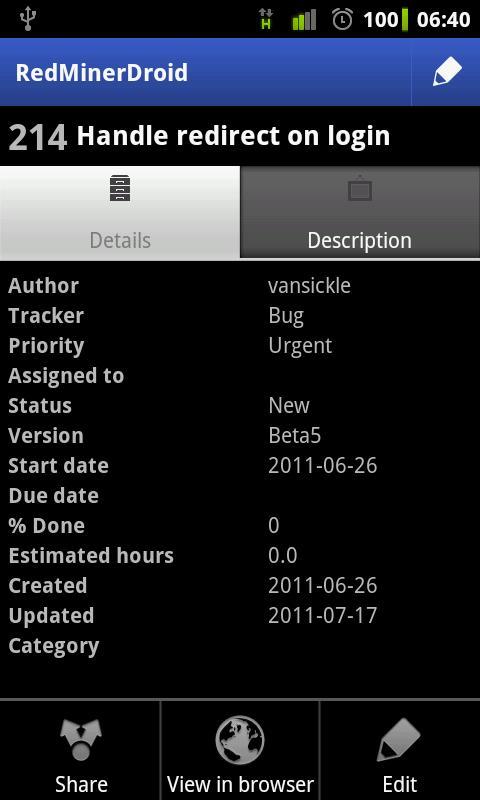
Android client for Redmine issue tracker
Supports Redmine 1.1 - 2.2.x
"Enable REST Web Service" must be checked in Redmine settings (Administration - Settings - Authentication) - ask your administrator if you have problems.
★✉ Please, contact us by email (info@vhqlabs.com) for feature request or bug report ✉★
* Browse projects
* View issues and show description in builtin webview
* Cache data localy and browse it offline
* Supports SSL(https), including self-signed certificates
* Add new issues offline and send it to server on sync
* Sort issues by id, name, priority
* Edit issues offline and send it to server on sync
* Filter issues by status
* Share issue
* Open issue in browser
預覽

標籤
效率提升訊息
開發商
vhqlabs
最新版本
1.3.1
更新時間
2016-08-28
類別
效率提升
同時可用
Google Play
更多
如何在電腦上用 GameLoop 玩 RedMinerDroid, Redmine client
1. 從官網下載GameLoop,然後運行exe文件安裝GameLoop
2. 打開GameLoop,搜索“RedMinerDroid, Redmine client”,在搜索結果中找到RedMinerDroid, Redmine client,點擊“安裝”
3. 享受在 GameLoop 上玩 RedMinerDroid, Redmine client 的樂趣
Minimum requirements
OS
Windows 8.1 64-bit or Windows 10 64-bit
GPU
GTX 1050
CPU
i3-8300
Memory
8GB RAM
Storage
1GB available space
Recommended requirements
OS
Windows 8.1 64-bit or Windows 10 64-bit
GPU
GTX 1050
CPU
i3-9320
Memory
16GB RAM
Storage
1GB available space