
Notification History 電腦版
Lufesu Inc.
用GameLoop模拟器在電腦上玩Notification History
Notification History 電腦版
來自發行商 Lufesu Inc. 的 Notification History 能夠在安卓系統上運行。
現在,您可以在電腦上使用 GameLoop 模擬器流暢地玩 Notification History。
在 GameLoop 遊戲庫或搜索結果中下載。 不需要再暢玩遊戲時盯著電池電量或被令人懊惱的來電打斷。
只需在電腦大屏幕上免費下載暢玩Notification History 電腦版!
Notification History 簡介
Never miss a notification with Norg, your complete notification history manager. Automatically save notifications, read messages without triggering read receipts, and view deleted messages privately. Everything stays on your device.
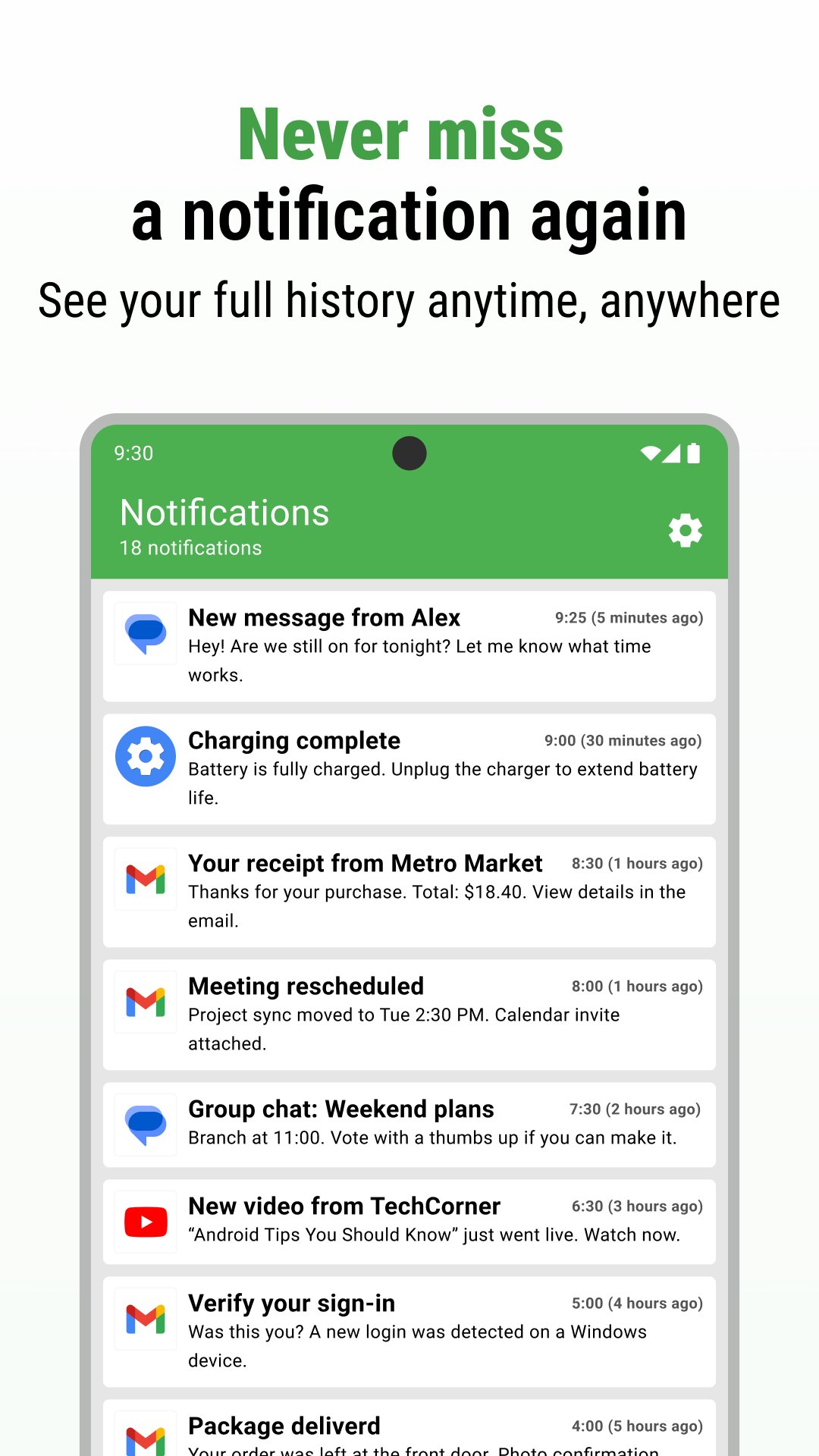
Complete Notification History
Automatically record every notification in a searchable log that never disappears. Check missed notifications from hours, days, or weeks ago. Search by app, keyword, or date. Your notification tracker works silently, ensuring you never lose important information.
Read Messages Without Being Seen
Avoid read receipt pressure with invisible reading. Preview messages from WhatsApp, Messenger, Instagram, and other apps without sending read receipts. Take your time to think before responding. Read during meetings or busy moments without feeling obligated to reply immediately. Your notification manager app keeps messages accessible until you're ready.
View Deleted Messages
Someone deleted a message before you could read it? Norg saves notifications as they arrive, so you can view deleted messages even after they're removed from the original app. See what was said before it disappeared. Only messages received after installing are recoverable.
Privacy-First Design
Your notifications stay private and local. Norg stores everything on your device only, with no cloud uploads or external transmission. Your notification history never leaves your phone. No accounts required, no data collection, no privacy concerns.
Smart Notification Organization
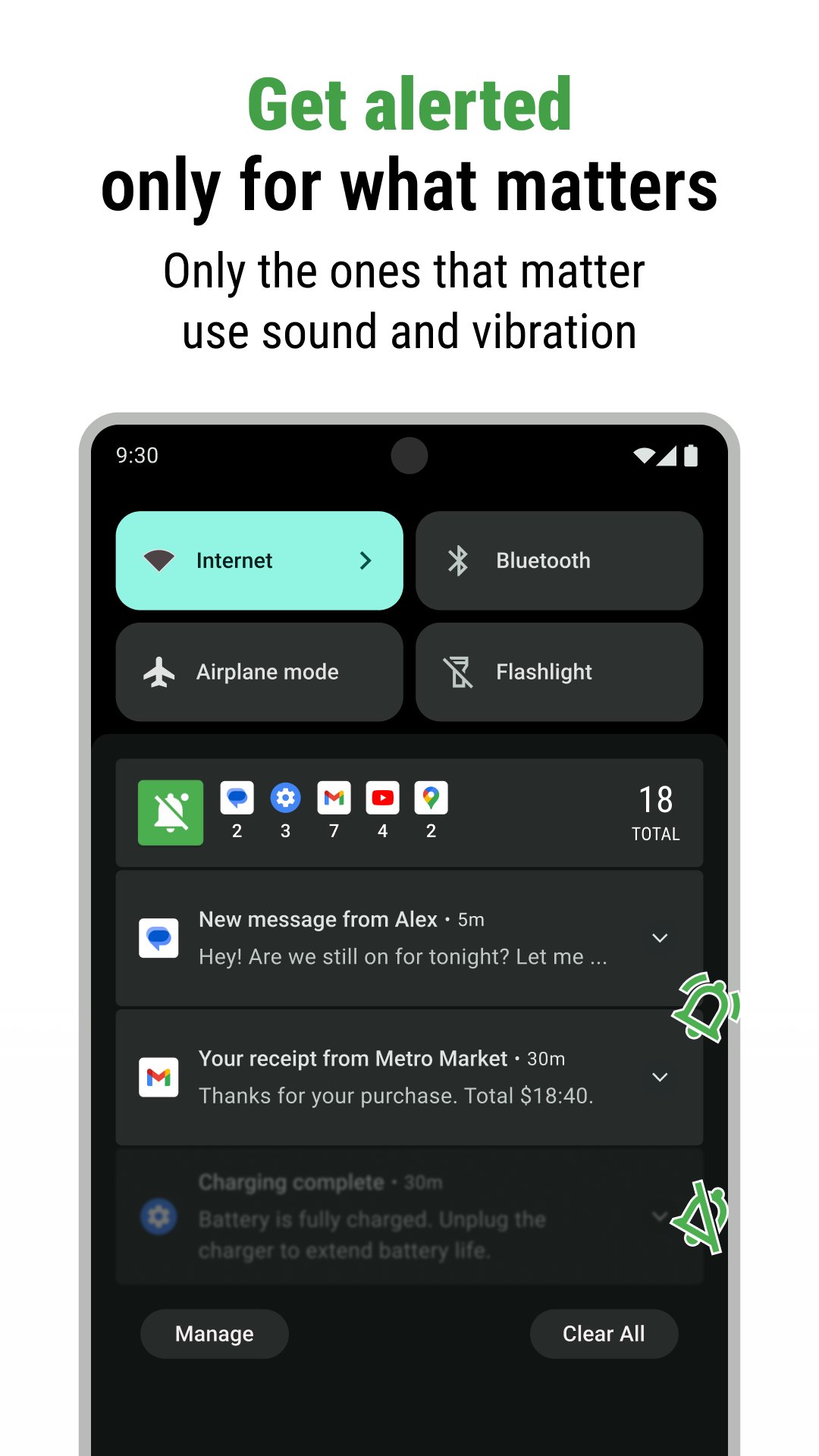
Filter notifications by app, group important alerts, and skip distractions. Set specific apps as important to keep them in your status bar with sound and vibration. Automatically organize others without cluttering your screen. Mark favorites, pin critical notifications, and find what matters most.
Advanced Features
Export notification history for backup or device migration. Home screen widgets provide instant access. Customize notification handling with flexible filtering. Built-in search finds notifications effortlessly. Dark and light themes available.
Works With Your Favorite Apps
Supports WhatsApp, Facebook Messenger, Instagram, LINE, Telegram, Gmail, Outlook, and virtually all Android apps. Your complete notification manager app for every communication channel.
Common Questions
How does read without receipts work?
Norg captures notification content before you open the original app. Read the message in Norg, then open the app when ready. The sender only sees read receipts when you open their app, not when viewing through Norg.
Can I recover old notifications from before installation?
No. Norg only saves notifications received after installation. Install Norg today to start building your notification history immediately.
Will this drain my battery?
Norg is optimized for minimal battery usage. Most users report no noticeable impact. For extended life, exclude Norg from battery optimization in settings.
Do notifications sync across devices?
Notifications are stored locally on each device for privacy. Use the export function to transfer notification history during device changes.
Is my data safe?
Absolutely. Norg never uploads your notifications to the internet. Everything stays on your device. No servers, no cloud.
What about smartwatch notifications?
Set important apps as "Important Notifications" in Norg settings. This ensures they appear in your status bar and sync to connected devices.
Why Choose Norg
Unlike basic notification history apps that only save notifications, or deleted message apps that only recover content, Norg combines complete notification management with privacy-focused message reading and deleted message recovery. Get organized notifications, invisible reading, and local-only storage in one powerful app.
Download Norg today and control your notifications. Never miss important information, read without pressure, maintain your privacy.
預覽
標籤
效率提升訊息
開發商
Lufesu Inc.
最新版本
1.5.5.1
更新時間
2025-12-18
類別
效率提升
同時可用
Google Play
更多
如何在電腦上用 GameLoop 玩 Notification History
1. 從官網下載GameLoop,然後運行exe文件安裝GameLoop
2. 打開GameLoop,搜索“Notification History”,在搜索結果中找到Notification History,點擊“安裝”
3. 享受在 GameLoop 上玩 Notification History 的樂趣
Minimum requirements
OS
Windows 8.1 64-bit or Windows 10 64-bit
GPU
GTX 1050
CPU
i3-8300
Memory
8GB RAM
Storage
1GB available space
Recommended requirements
OS
Windows 8.1 64-bit or Windows 10 64-bit
GPU
GTX 1050
CPU
i3-9320
Memory
16GB RAM
Storage
1GB available space