
Notification Blocker, Schedule 電腦版
Mobifolio
用GameLoop模拟器在電腦上玩Notification Blocker, Schedule
Notification Blocker, Schedule 電腦版
來自發行商 Mobifolio 的 Notification Blocker, Schedule 能夠在安卓系統上運行。
現在,您可以在電腦上使用 GameLoop 模擬器流暢地玩 Notification Blocker, Schedule。
在 GameLoop 遊戲庫或搜索結果中下載。 不需要再暢玩遊戲時盯著電池電量或被令人懊惱的來電打斷。
只需在電腦大屏幕上免費下載暢玩Notification Blocker, Schedule 電腦版!
Notification Blocker, Schedule 簡介
★★★★★ "Amazing app for per app notification blocking. Amazing timesaver and productivity booster!" - Graemer
★★★★★ "Doe's exactly what I wated it to do,Silence particular app's notification's that I selected." - Billy Burgess
★★★★★ "Great app - comes in handy at night when you don't need notifications from certain apps." - PHILL WHITE
🔥 New Features: Now you can schedule stopping/pausing of app notifications🔥
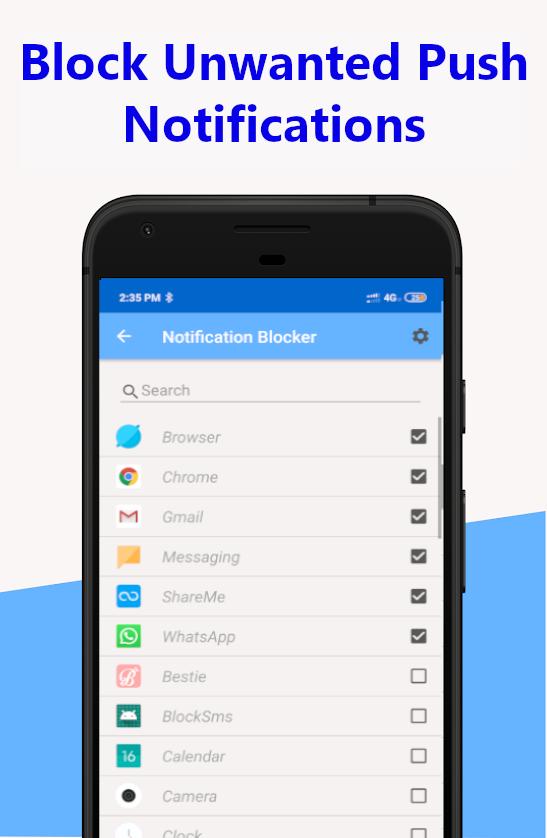
Want to get some work done during your do not disturb time, but the push notification light and sound keeps bugging you? Don't want to be bothered or interrupted by the notification LED or sound from Whatsapp, Facebook or Twitter or any other app you choose? Are you having a hard time managing notifications? You have a solution. Download Notification Blocker and select the apps whose notifications you want to block (pause). Notification Blocker is the ultimate notification manager app out there.
What does Notification Blocker do?
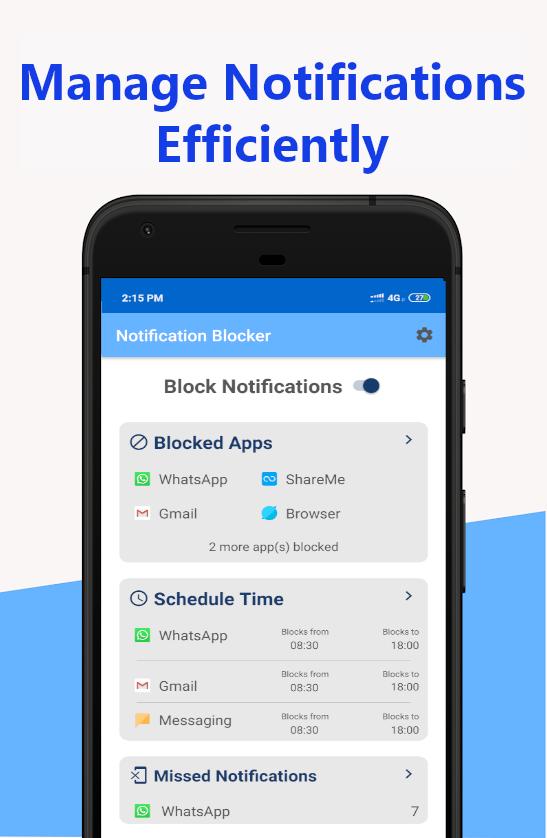
Notification Blocker lets you turn off notifications for selected apps whenever you decide to, with the simple click of a button. This application will stop the annoying push notification led as well as block the notification sound. You can just as quickly turn them back on. Don't worry about missing any notifications, because the app keeps a list of all missed notifications.
View blocked notifications:
All of your missed/blocked notifications will be kept within the Notification Blocker app. Open the app then go to the Menu -> Missed Notification and all of your blocked notifications will be displayed.
Schedule Your Notifications:
Want to block notifications of certain apps after work hours or during some other time? Then use our Schedule Time feature available under the main menu. With this feature you can stop notifications of selected apps in-between a pre-defined time.
Notification Blocker Features List
★ Ad-free app.
★ Simplistic UI
★ Easy to use: one tap to turn off/on any app's notifications
★ It works without root (Only one permission is required)
★ You can schedule and manage your notifications.
★ Block any type of notification(Image/Light/Sound)
★ A comprehensive history of all blocked notifications to review at your leisure
★ You can view missed/blocked notification inside the app.
★ Minimal APK size, small memory usage, and low battery consumption
★ Stable, robust, fast, and safe
So go ahead, download Notification Blocker and turn those annoying email notifications off during your do not disturb time. Focus better with the notifications turned off. See what you've missed from the widget or app, and you can always turn them back on from the widget or app.
Give Notification Blocker a try; you won't regret it.
How to tell us what you think about Notification Blocker?
• Send us an email at support@mobifolio.net
• Help on translations: support@mobifolio.net
預覽
標籤
效率提升訊息
開發商
Mobifolio
最新版本
6.3
更新時間
2020-04-23
類別
效率提升
同時可用
Google Play
更多
如何在電腦上用 GameLoop 玩 Notification Blocker, Schedule
1. 從官網下載GameLoop,然後運行exe文件安裝GameLoop
2. 打開GameLoop,搜索“Notification Blocker, Schedule”,在搜索結果中找到Notification Blocker, Schedule,點擊“安裝”
3. 享受在 GameLoop 上玩 Notification Blocker, Schedule 的樂趣
Minimum requirements
OS
Windows 8.1 64-bit or Windows 10 64-bit
GPU
GTX 1050
CPU
i3-8300
Memory
8GB RAM
Storage
1GB available space
Recommended requirements
OS
Windows 8.1 64-bit or Windows 10 64-bit
GPU
GTX 1050
CPU
i3-9320
Memory
16GB RAM
Storage
1GB available space