
My CenturyLink 電腦版
CenturyLink, Inc
用GameLoop模拟器在電腦上玩My CenturyLink
My CenturyLink 電腦版
來自發行商 CenturyLink, Inc 的 My CenturyLink 能夠在安卓系統上運行。
現在,您可以在電腦上使用 GameLoop 模擬器流暢地玩 My CenturyLink。
在 GameLoop 遊戲庫或搜索結果中下載。 不需要再暢玩遊戲時盯著電池電量或被令人懊惱的來電打斷。
只需在電腦大屏幕上免費下載暢玩My CenturyLink 電腦版!
My CenturyLink 簡介
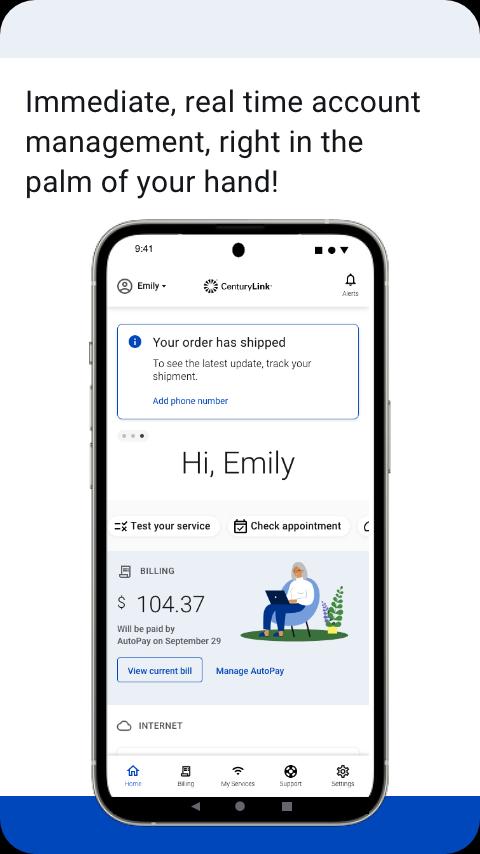
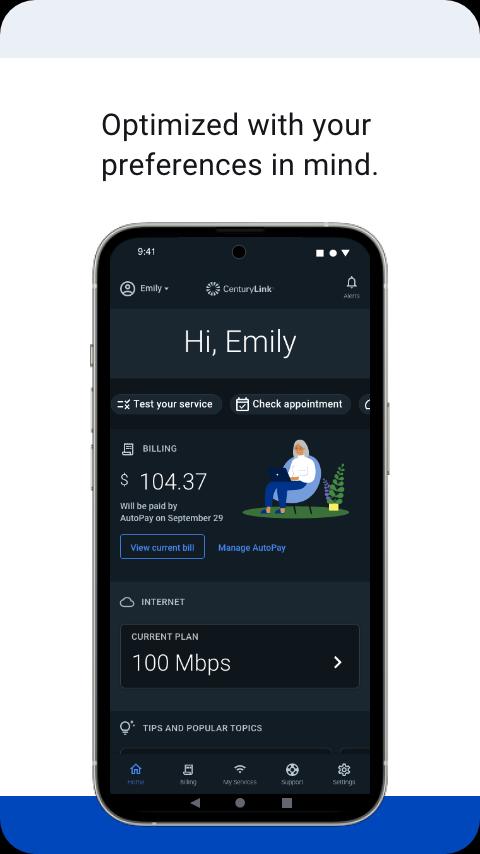
The My CenturyLink app brings management of your account and services into one easy place.
You can use the app to:
• Connect your new service quickly with modem self-install.
• View and manage your bill payment with convenience and ease.
• Check your services, upgrade your Internet speed (if available in your area).
• Manage your settings.
• Visit Support to troubleshoot or optimize your service through self-help tools and videos.
• Get personalized alerts, so you can see the status of your order, or find out if there is an interruption to your Internet service.
• Plus, so much more.
Additional features for our Secure WiFi customers (Secure WiFi is available on compatible modems leased from CenturyLink):
• Parental controls to guard against inappropriate web content.
• Pause and resume internet access of devices on our WiFi.
• Schedule online and offline times for devices and users.
Learn more about Secure WiFi by visiting https://centurylink.com/home/help/internet/secure-wifi
We're here to help! You can get in touch via http://www.centurylink.com/contact
預覽
標籤
效率提升訊息
開發商
CenturyLink, Inc
最新版本
5.4.5
更新時間
2025-09-25
類別
效率提升
同時可用
Google Play
更多
如何在電腦上用 GameLoop 玩 My CenturyLink
1. 從官網下載GameLoop,然後運行exe文件安裝GameLoop
2. 打開GameLoop,搜索“My CenturyLink”,在搜索結果中找到My CenturyLink,點擊“安裝”
3. 享受在 GameLoop 上玩 My CenturyLink 的樂趣
Minimum requirements
OS
Windows 8.1 64-bit or Windows 10 64-bit
GPU
GTX 1050
CPU
i3-8300
Memory
8GB RAM
Storage
1GB available space
Recommended requirements
OS
Windows 8.1 64-bit or Windows 10 64-bit
GPU
GTX 1050
CPU
i3-9320
Memory
16GB RAM
Storage
1GB available space