
GizmoSmart Cam 電腦版
Eagle Eye Networks B.V.
用GameLoop模拟器在電腦上玩GizmoSmart Cam
GizmoSmart Cam 電腦版
來自發行商 Eagle Eye Networks B.V. 的 GizmoSmart Cam 能夠在安卓系統上運行。
現在,您可以在電腦上使用 GameLoop 模擬器流暢地玩 GizmoSmart Cam。
在 GameLoop 遊戲庫或搜索結果中下載。 不需要再暢玩遊戲時盯著電池電量或被令人懊惱的來電打斷。
只需在電腦大屏幕上免費下載暢玩GizmoSmart Cam 電腦版!
GizmoSmart Cam 簡介
GizmoSmart Cam by GizmoLife
Most of the surveillance solutions available today are reactive and are used only after the event has happened.
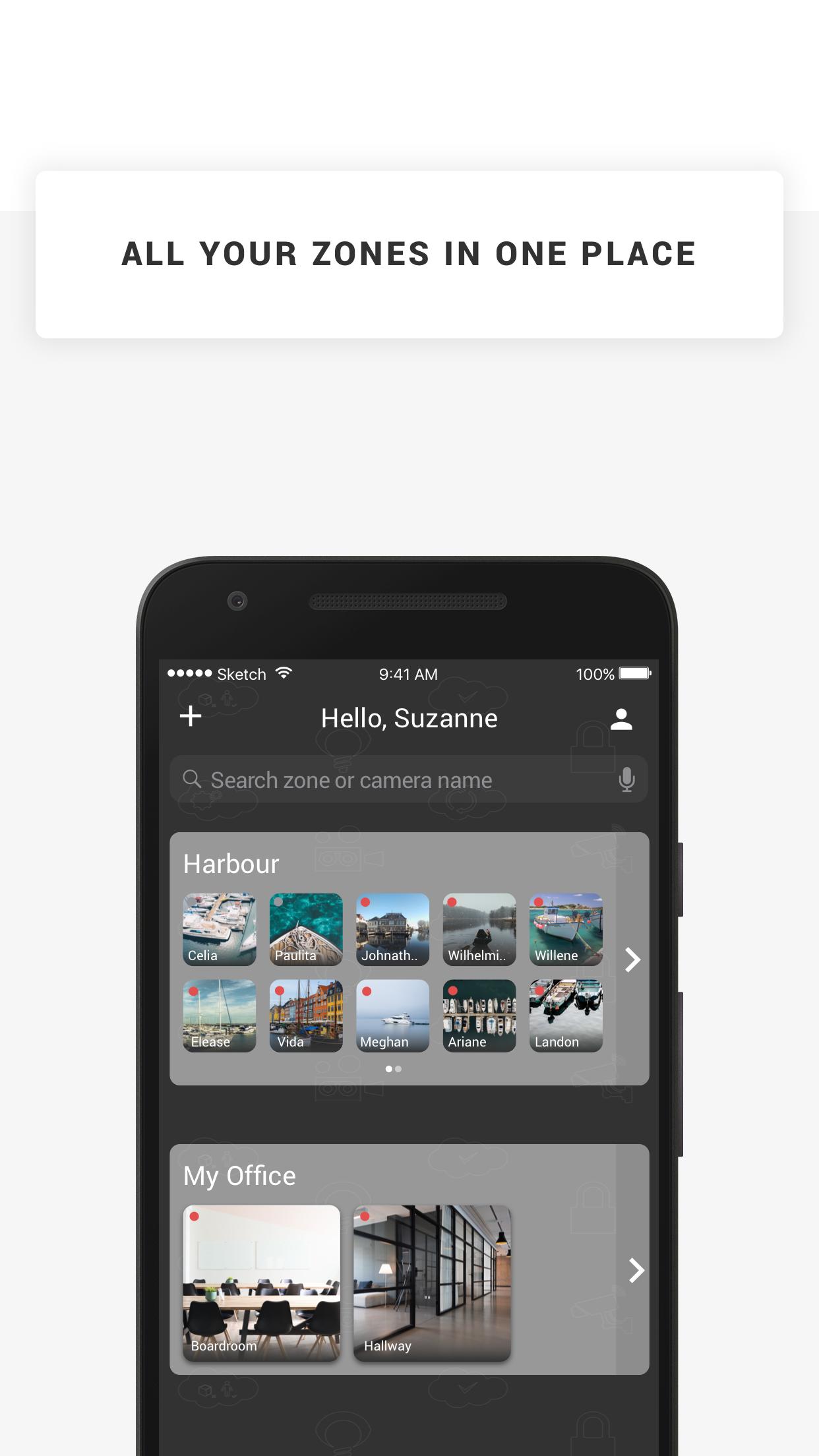
GizmoSmart Cam offers cloud-based surveillance solution: a user friendly and simple system that helps you manage your cameras & footage from the cloud, and pro-actively lets you know when something is up.
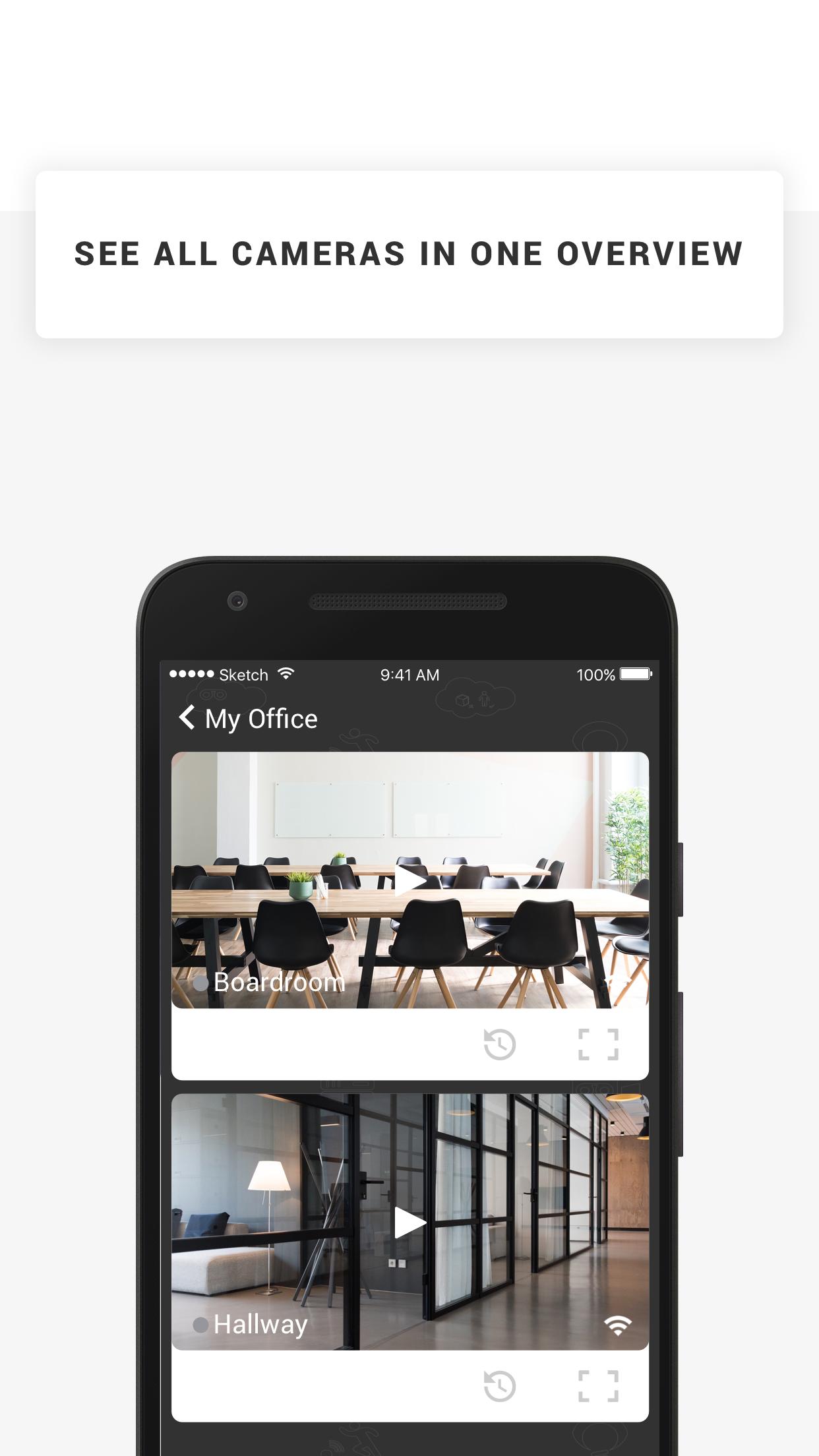
With GizmoSmart Cam you can keep an eye on all things that matter. The solution comes with Camera and various Cloud storage subscription plans. The system is very easy to use. Simply plug the camera to power and network, install the app on your device and you are done! You can manage cameras and view footage on your computer, smartphone and tablet, and use our application to receive push-notifications and emails if an object, motion, sound or heat is detected by your cameras. It's that simple.
Features
* Watch the live streams of your cameras
* Watch recorded footage
* Receive push notifications when your camera detects objects, motion, sound or heat
* Manage your cameras angle and zoom in & out
* Store snapshots on your device
預覽
標籤
效率提升訊息
開發商
Eagle Eye Networks B.V.
最新版本
23.1.0
更新時間
2023-01-10
類別
效率提升
同時可用
Google Play
更多
如何在電腦上用 GameLoop 玩 GizmoSmart Cam
1. 從官網下載GameLoop,然後運行exe文件安裝GameLoop
2. 打開GameLoop,搜索“GizmoSmart Cam”,在搜索結果中找到GizmoSmart Cam,點擊“安裝”
3. 享受在 GameLoop 上玩 GizmoSmart Cam 的樂趣
Minimum requirements
OS
Windows 8.1 64-bit or Windows 10 64-bit
GPU
GTX 1050
CPU
i3-8300
Memory
8GB RAM
Storage
1GB available space
Recommended requirements
OS
Windows 8.1 64-bit or Windows 10 64-bit
GPU
GTX 1050
CPU
i3-9320
Memory
16GB RAM
Storage
1GB available space