
Digital Signature Maker 電腦版
Erfouris Studio
用GameLoop模拟器在電腦上玩Digital Signature Maker
Digital Signature Maker 電腦版
來自發行商 Erfouris Studio 的 Digital Signature Maker 能夠在安卓系統上運行。
現在,您可以在電腦上使用 GameLoop 模擬器流暢地玩 Digital Signature Maker。
在 GameLoop 遊戲庫或搜索結果中下載。 不需要再暢玩遊戲時盯著電池電量或被令人懊惱的來電打斷。
只需在電腦大屏幕上免費下載暢玩Digital Signature Maker 電腦版!
Digital Signature Maker 簡介
✍️ Sign Documents Like a Pro
Digital Signature Maker is the ultimate Offline-First Digital Signature & PDF Editor designed for professionals, freelancers, and enterprise users who demand security, speed, and privacy. No subscriptions, no cloud uploads, and no internet required—your sensitive contracts never leave your device.
Whether you need to sign a contract, fill out a tax form, or stamp an invoice, Digital Signature Maker provides a beautiful "Liquid Glass" interface powered by cutting-edge technology to get the job done in seconds.
🚀 KEY FEATURES
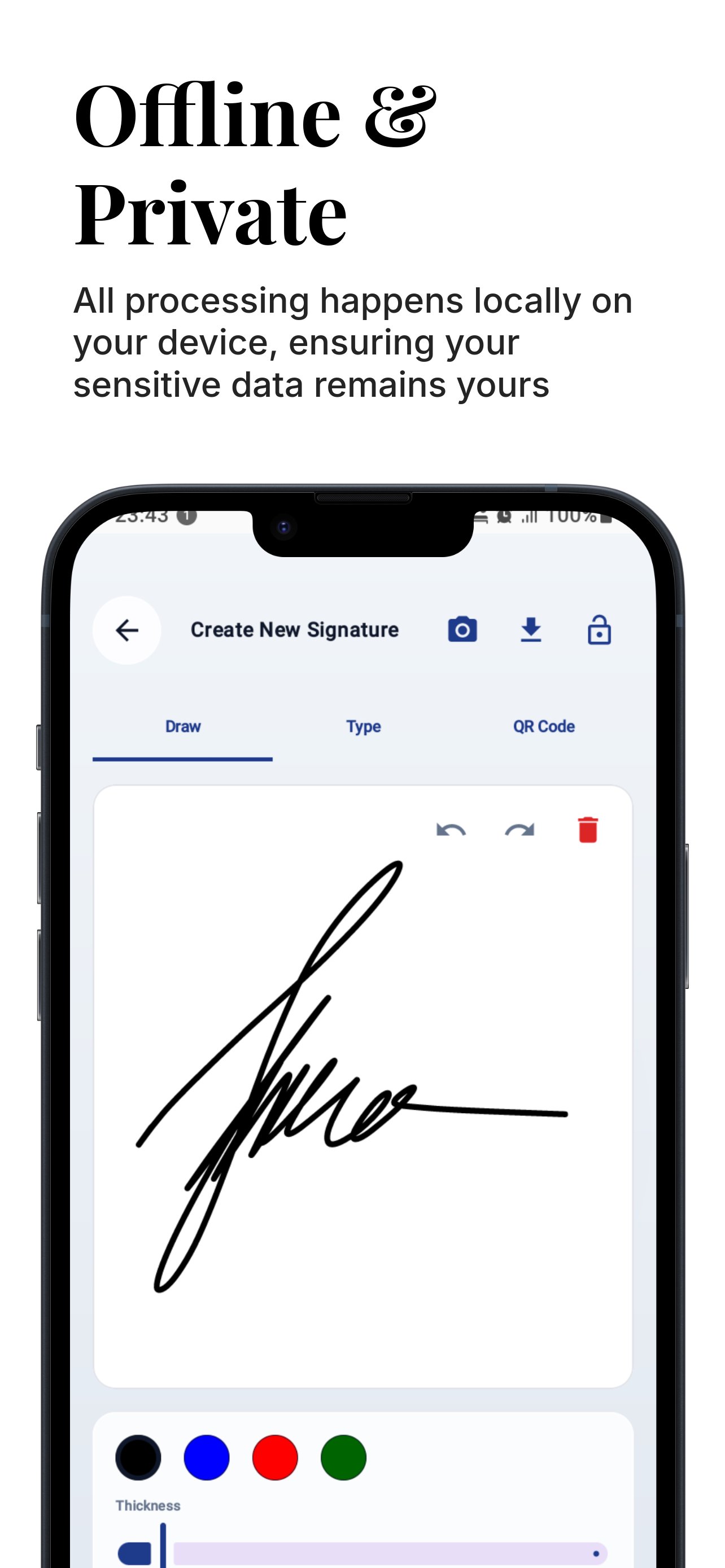
🔒 100% Offline & Private
Digital Signature Maker is built with a "Privacy First" architecture. Unlike other e-signature apps, we do not upload your documents to the cloud. All processing happens locally on your device, ensuring your sensitive data remains yours.
• No Cloud Sync Required
• Works completely without Internet
• GDPR & CCPA Friendly by design
🛡️ Defense-Grade Security
Protect your digital identity with biometric authentication.
• Biometric Lock: Secure your signature creation with Fingerprint or FaceID.
• PIN Protection: Fallback PIN security for devices without biometrics.
• Encrypted QR Codes: Generate secure QR signatures containing encrypted metadata that only authorized scanners can verify.
✍️ 3 Professional Ways to Sign
Create your perfect digital signature with our versatile tools:
Draw: Use our smooth, pressure-sensitive ink engine (Bezier curves) that feels like a real pen.
Type: Convert your name into a professional cursive signature using exclusive fonts.
Scan-to-Sign: Have a wet-ink signature you love? Snap a photo, and our AI instantly removes the background to create a transparent digital asset.
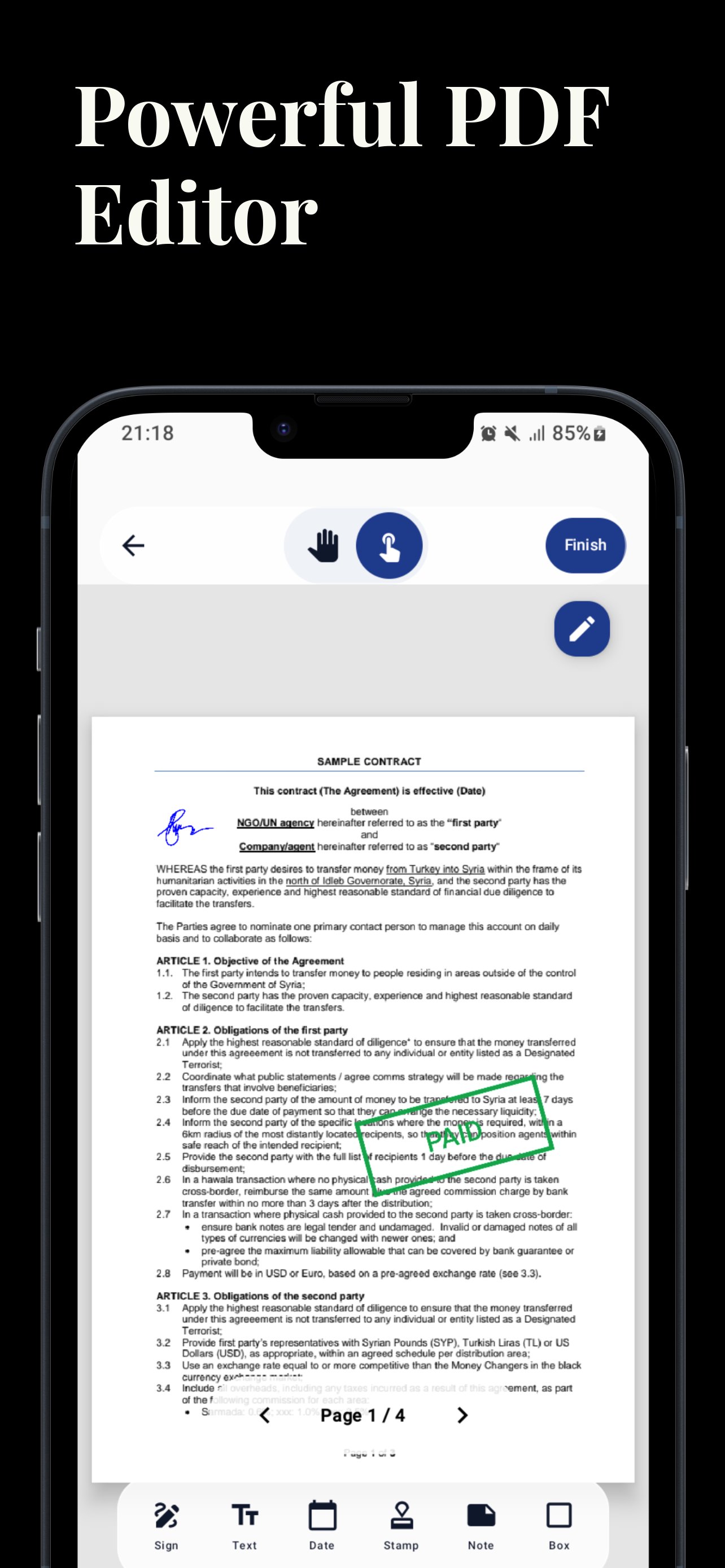
📄 Powerful PDF Editor
Turn your phone into a mobile office. Edit PDFs with precision tools that rival desktop software.
• Drag & Drop: Easily place signatures, text, and stamps anywhere on the document.
• Precision Sliders: Use X/Y/Scale sliders for pixel-perfect positioning—no more struggling with fat fingers blocking the view.
• Multi-Page Support: Seamlessly navigate and sign multi-page contracts.
• Zoom & Pan: High-performance rendering handles large blueprints and legal documents with ease.
🛠️ Enterprise Toolset
Everything a business user needs, built right in:
• Digital Rubber Stamps: Mark documents as "APPROVED", "CONFIDENTIAL", "DRAFT", "URGENT", and more.
• Sticky Notes: Add yellow sticky notes for comments and annotations.
• Date Picker: Insert the current date or choose a custom date with a single tap.
• Rectangle Tool: Highlight key clauses or redact sections with box shapes.
✅ Legal Validity & Audit Trail
Ensure your documents stand up in court. Digital Signature Maker automatically appends a Certificate of Completion page to every signed PDF.
• Digital Fingerprint: Calculate a SHA-256 cryptographic hash of the document.
• Tamper Proof: Proves exactly when the document was signed and that it hasn't been altered since.
• Metadata: Records timestamp (UTC), device model, and verification QR code.
🌟 WHY CHOOSE THIS APP?
• Modern UI: Experience the sleek "Liquid Glass" design that makes work feel effortless.
• Dark Mode: Fully optimized "Night Glass" mode for signing documents in low light.
• No Account Needed: Download and start signing immediately. No signup, no login walls.
• Lightweight: A powerful PDF engine that won't bloat your storage.
Permissions Notice:
• Biometrics: Used strictly to lock/unlock the signature creation screen.
• Storage: Required to save your signed PDFs and export signatures to your Gallery.
• Camera: Used only for the "Scan-to-Sign" feature to capture your physical signature.
Digital Signature Maker respects your privacy. We do not track your document contents or signature data.
預覽
標籤
效率提升工具訊息
開發商
Erfouris Studio
最新版本
3.19
更新時間
2025-12-09
類別
效率提升
同時可用
Google Play
更多
如何在電腦上用 GameLoop 玩 Digital Signature Maker
1. 從官網下載GameLoop,然後運行exe文件安裝GameLoop
2. 打開GameLoop,搜索“Digital Signature Maker”,在搜索結果中找到Digital Signature Maker,點擊“安裝”
3. 享受在 GameLoop 上玩 Digital Signature Maker 的樂趣
Minimum requirements
OS
Windows 8.1 64-bit or Windows 10 64-bit
GPU
GTX 1050
CPU
i3-8300
Memory
8GB RAM
Storage
1GB available space
Recommended requirements
OS
Windows 8.1 64-bit or Windows 10 64-bit
GPU
GTX 1050
CPU
i3-9320
Memory
16GB RAM
Storage
1GB available space