Detektor SmartWork 電腦版
Detektor
用GameLoop模拟器在電腦上玩Detektor SmartWork
Detektor SmartWork 電腦版
來自發行商 Detektor 的 Detektor SmartWork 能夠在安卓系統上運行。
現在,您可以在電腦上使用 GameLoop 模擬器流暢地玩 Detektor SmartWork。
在 GameLoop 遊戲庫或搜索結果中下載。 不需要再暢玩遊戲時盯著電池電量或被令人懊惱的來電打斷。
只需在電腦大屏幕上免費下載暢玩Detektor SmartWork 電腦版!
Detektor SmartWork 簡介
General description:
Detektor SmartWork allows you to monitor routes taken, areas visited, distances traveled, send panic alarms, synchronize with the Detektor platform to use forms and other variables, making use of the GPS and data plan of the mobile device.
You can download Detektor SmartWork at no cost and then subscribe by paying monthly or annually to enjoy all the benefits of Detektor's monitoring service. When you download Detektor SmartWork you will find, in the settings area, the contact information by country to activate your service.
SMARTWORK FEATURES:
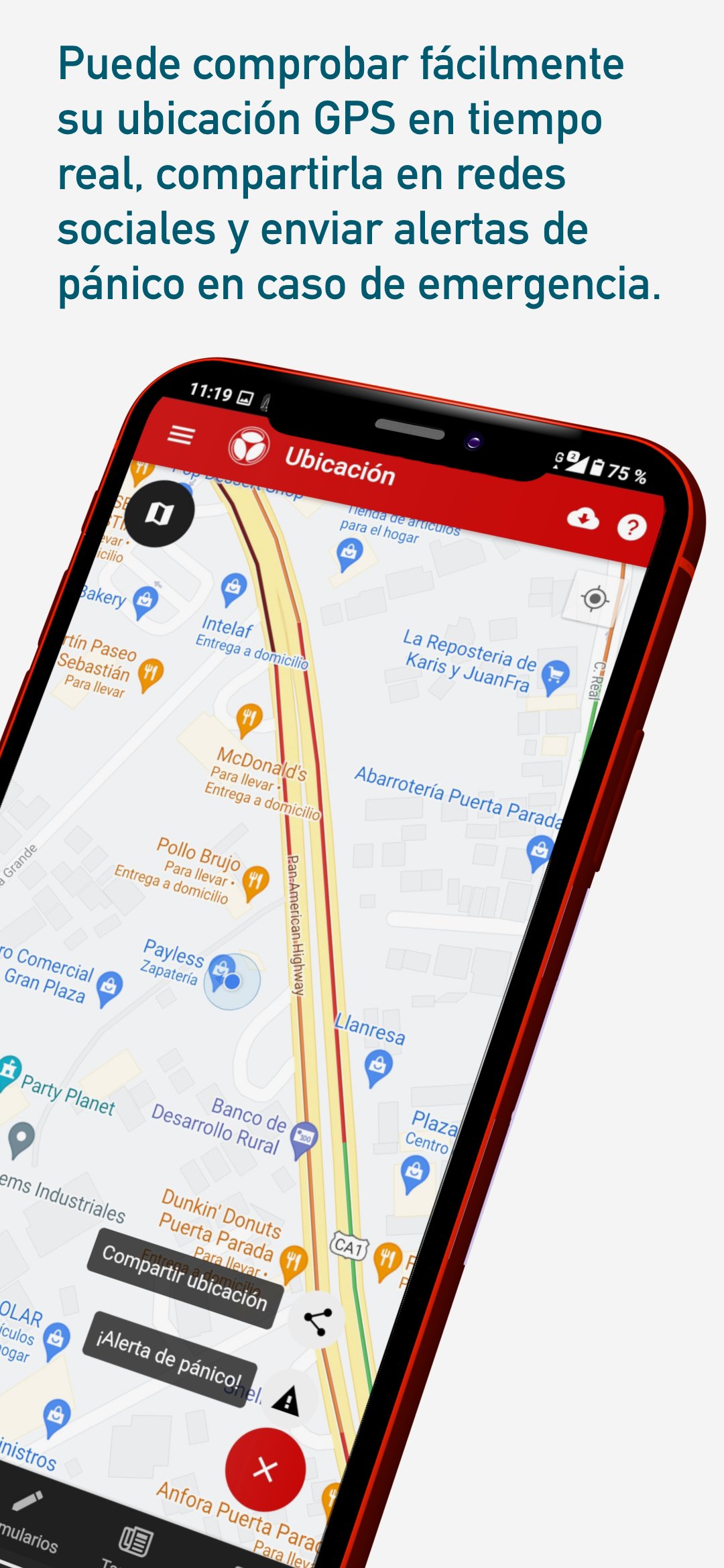
• LIVE TRACKING AND LOCATION
SmartWork uses GPS and your phone's internet connection to report the location of your employees to a minimum of 15 seconds when they are on the move.
• PANIC BUTTON
Report an alarm with your current location to get help as soon as possible.
• NOTIFICATIONS
Receive instant notifications after receiving new tasks and submitting forms to the platform.
Enable or disable notifications for forms in SmartWork settings.
• CLEAR YOUR FORMS EVEN WITHOUT INTERNET ACCESS
After designing forms on our platform, sync SmartWork to fill out your forms anytime, anywhere. SmartWork captures your GPS location on each form.
If you do not have internet access, the application will save the forms and the moment you have internet access again, SmartWork automatically synchronizes your forms with the platform.
• ATTACH IMAGES
The forms designed with image type fields allow you to attach an image either from the camera or from your cell phone gallery.
Navigating in the file browser you can select an image from your gallery or use the camera to take a photo.
• TASK MANAGEMENT
Synchronize to-dos organized by expiration date.
Manage tasks in allowed locations, the application compares your GPS location with the one configured for the task.
• VIEWING PDF FILES
Open and view PDF files and text documents uploaded from the Detektor platform and synchronized by SmartWork. To use the document viewer, SmartWork requires permissions for external storage.
• NOTES
To function correctly, access permissions are required to:
Camera: Capture and attach photos to forms.
GPS Location: Capture coordinates for form metadata, panics, task management, and location reporting.
Background location: Get your location even when the app is not open.
Storage: Attach images to forms and view shared PDF files.
• Technical recommendation:
- Android 5.1 or higher
- Minimum battery: 3300mAh
預覽
標籤
效率提升訊息
開發商
Detektor
最新版本
1.22.8
更新時間
2026-02-03
類別
效率提升
同時可用
Google Play
更多
如何在電腦上用 GameLoop 玩 Detektor SmartWork
1. 從官網下載GameLoop,然後運行exe文件安裝GameLoop
2. 打開GameLoop,搜索“Detektor SmartWork”,在搜索結果中找到Detektor SmartWork,點擊“安裝”
3. 享受在 GameLoop 上玩 Detektor SmartWork 的樂趣
Minimum requirements
OS
Windows 8.1 64-bit or Windows 10 64-bit
GPU
GTX 1050
CPU
i3-8300
Memory
8GB RAM
Storage
1GB available space
Recommended requirements
OS
Windows 8.1 64-bit or Windows 10 64-bit
GPU
GTX 1050
CPU
i3-9320
Memory
16GB RAM
Storage
1GB available space