
PZPIC Pan & Zoom Effect Video 電腦版
PHOTO3DLAB
用GameLoop模拟器在電腦上玩PZPIC Pan & Zoom Effect Video
PZPIC Pan & Zoom Effect Video 電腦版
來自發行商 PHOTO3DLAB 的 PZPIC Pan & Zoom Effect Video 能夠在安卓系統上運行。
現在,您可以在電腦上使用 GameLoop 模擬器流暢地玩 PZPIC Pan & Zoom Effect Video。
在 GameLoop 遊戲庫或搜索結果中下載。 不需要再暢玩遊戲時盯著電池電量或被令人懊惱的來電打斷。
只需在電腦大屏幕上免費下載暢玩PZPIC Pan & Zoom Effect Video 電腦版!
PZPIC Pan & Zoom Effect Video 簡介
What is PZPIC?
PZPIC is a video maker that lets you make beautiful videos from a single picture by adding pan and zoom effect (known as the Ken Burns effect).
What is the Ken Burns effect?
The Ken Burns effect, also known as "animatics", is panning and zooming effect used in motion picture production from a still photograph. The Ken Burns effect uses slow zooming and panning motion effect to a static image.
Bring Your Photos to Life with PZPIC: Pan, Zoom & Create Stunning Videos!
Transform your static images into captivating stories with PZPIC, the ultimate video maker for photos.
Unleash your creativity
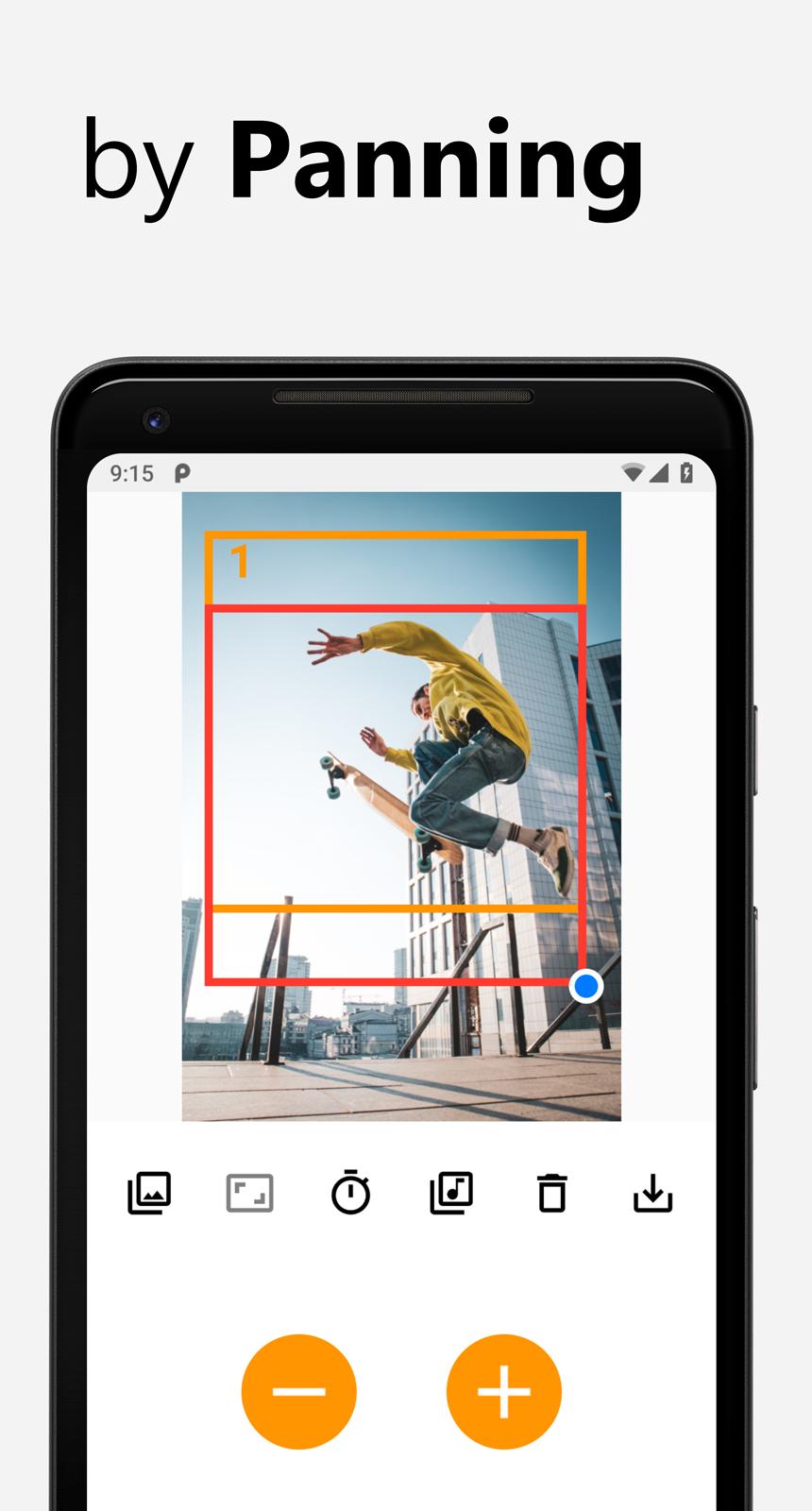
▪ Pan & Zoom: Simulate the cinematic "Ken Burns effect" by adding panning and zooming movements to your photos
▪ Face Zoom: Highlight emotions and details with smooth facial zooming
▪ Panoramic Effect (Pano Effect): Create a sweeping panorama feel from a single picture
▪ Scrolling Picture & Scrolling Story: Breathe life into landscapes, paintings, or illustrations with a scrolling effect
▪ Displace Effect: Add a dynamic touch with subtle warping and movement
Effortless storytelling
▪ Aspect Ratio & Crop Ratio: Choose the perfect frame size for your video, from Instagram-ready squares to widescreen landscapes
▪ Music & Audio: Add a soundtrack to enhance the atmosphere of your creation
▪ Save as MP4: Export your masterpiece in high-quality MP4 format, ready to share on social media or anywhere you desire
PZPIC is perfect for
▪ Photographers
▪ Artists
▪ Storytellers
▪ Anyone who wants to add magic to their photos!
Download PZPIC today and start creating stunning videos that will amaze your audience!
Why PZPIC?
PZPIC is more than just a photo editing app. It's a storytelling tool that allows you to capture and share your memories in a way that's both beautiful and engaging. With its powerful features and easy-to-use interface, PZPIC is perfect for anyone looking to create stunning panoramic images and stories.
Unleash your creativity with PZPIC, the ultimate app for transforming your photos into captivating panoramic stories. Whether you're an artist, photographer, or simply someone who loves telling stories through pictures, PZPIC is designed for you.
How does PZPIC work?
Using PZPIC is easy, intuitive and fun.
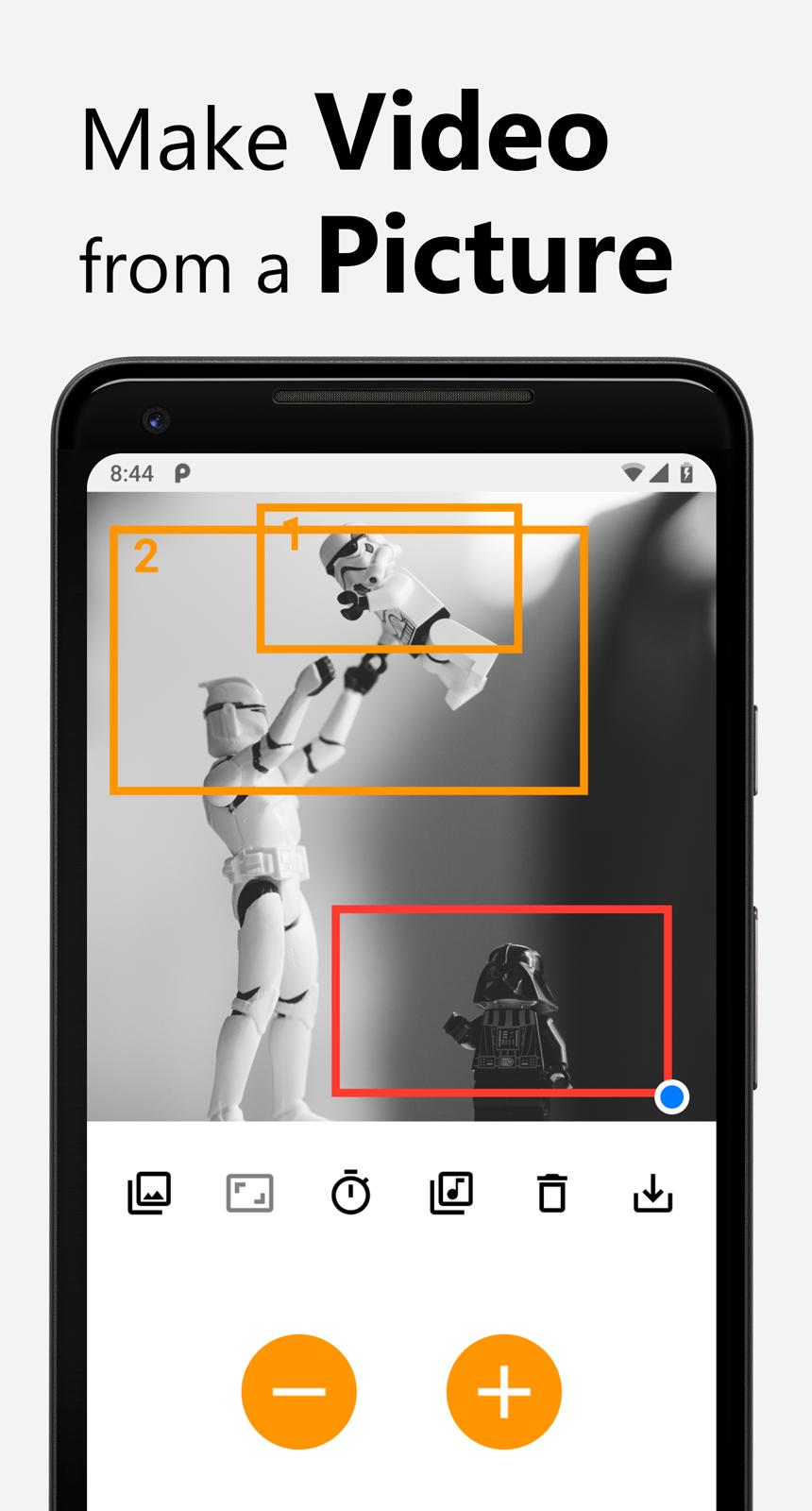
1. Select a picture from gallery
2. Select an aspect ratio of your video to be made
3. Select keyframes in the picture by panning & zooming the red rectangle
4. Press plus ➕ button to add the keyframe (press Minus ➖ button to remove added keyframe)
5. Select delay for the keyframes (delay for keyframes and moving speed between keyframes)
6. (optional) Select music for the video
7. Save as MP4
Buttons
▪ Gallery: open gallery to select an image
▪ Aspect ratio: select 4:3, 16:9, 1:1 square (Instagram feed), 3:4, 4:5, or 9:16 for Instagram Story, Reels, YouTube Shorts, Snapchat, and TikTok
▪ Timer: select delay
▪ Music: select music for your video
▪ Trash can: delete all keyframes / remove current picture
▪ Save: save the video as mp4
▪ Plus ➕ button: add a keyframe
▪ Minus ➖ button: remove a keyframe
Premium
▪ No watermark
▪ No Ads
▪ HD 1080p
▪ Bicubic interpolation
#PZPIC
Make sure add the hashtag #pzpic or tag @pzpicapp to your Instagram post for your chance to be featured on our Instagram.
預覽
標籤
攝影訊息
開發商
PHOTO3DLAB
最新版本
1.12.1
更新時間
2025-10-12
類別
攝影
同時可用
Google Play
更多
如何在電腦上用 GameLoop 玩 PZPIC Pan & Zoom Effect Video
1. 從官網下載GameLoop,然後運行exe文件安裝GameLoop
2. 打開GameLoop,搜索“PZPIC Pan & Zoom Effect Video”,在搜索結果中找到PZPIC Pan & Zoom Effect Video,點擊“安裝”
3. 享受在 GameLoop 上玩 PZPIC Pan & Zoom Effect Video 的樂趣
Minimum requirements
OS
Windows 8.1 64-bit or Windows 10 64-bit
GPU
GTX 1050
CPU
i3-8300
Memory
8GB RAM
Storage
1GB available space
Recommended requirements
OS
Windows 8.1 64-bit or Windows 10 64-bit
GPU
GTX 1050
CPU
i3-9320
Memory
16GB RAM
Storage
1GB available space