Kids Photo Frames 電腦版
RamkumarApps
用GameLoop模拟器在電腦上玩Kids Photo Frames
Kids Photo Frames 電腦版
來自發行商 RamkumarApps 的 Kids Photo Frames 能夠在安卓系統上運行。
現在,您可以在電腦上使用 GameLoop 模擬器流暢地玩 Kids Photo Frames。
在 GameLoop 遊戲庫或搜索結果中下載。 不需要再暢玩遊戲時盯著電池電量或被令人懊惱的來電打斷。
只需在電腦大屏幕上免費下載暢玩Kids Photo Frames 電腦版!
Kids Photo Frames 簡介
Transform your child's memories into adorable works of art with Kids Photo Frames! 📸✨ Choose from cute animal frames, fun cartoon styles, birthday themes, and DIY photo templates — perfect for every special moment.
Kids Photo Editing App: Make Every Moment Magical!
🎨✨Capture the joy and innocence of childhood with our comprehensive Kids Photo Editing App! Whether it's a birthday, a special moment, or just everyday fun, our app offers everything you need to make your child's photos stand out. With a wide variety of Kids Photo Frames, Baby Photo Frames, and Child Picture Frames, you can transform any photo into a cherished memory.
Our Kids Frames App combines the best of photo editing tools tailored specifically for kids. From Cute Photo Frames to Cartoon Photo Frames, we have it all! Our Photo Editor for Kids is designed to be user-friendly, ensuring that even the youngest users can have fun editing their photos. Whether you're looking for Kids Birthday Frames, Funny Photo Frames for Kids, or a versatile Kids Collage Maker, our app is the perfect choice.
Key Features:
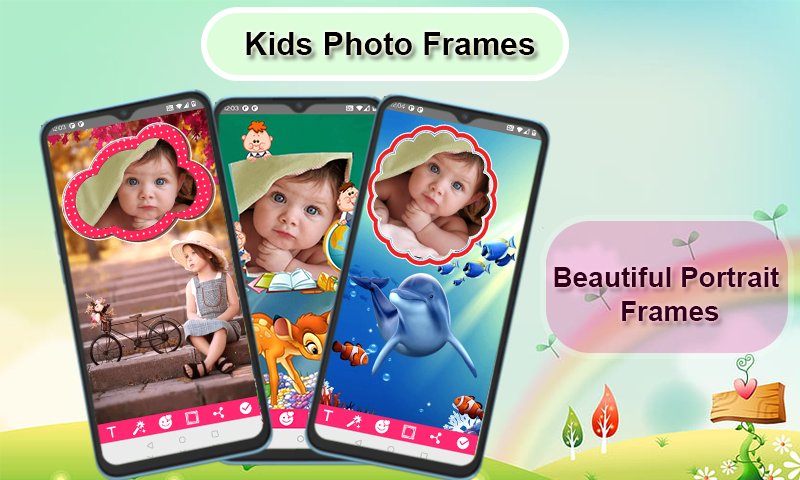
✔ Select and Capture: Choose a photo from your gallery or capture a new one with your camera phone in real-time. 📸
✔ Add Text: Personalize your frames with text! You can change the size, color, and font of the text at any time. 🖋️
✔ Edit and Adjust: Rotate, scale, zoom in, zoom out, or drag the photo to fit the frame exactly how you like. 🔄
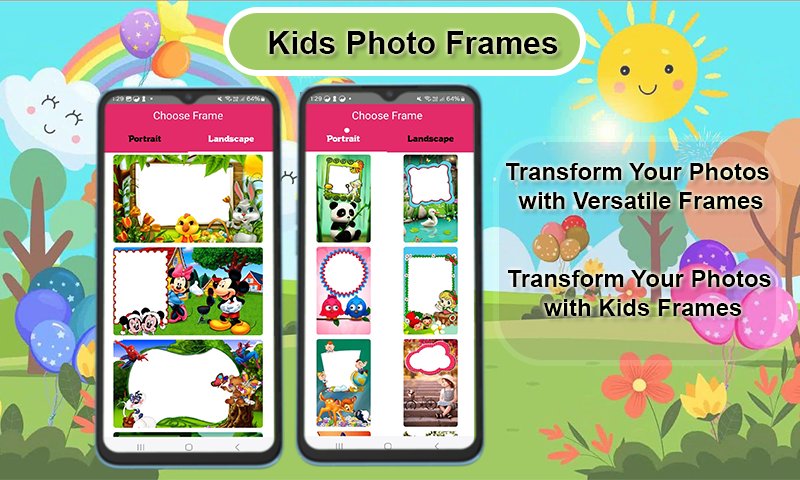
✔ Wide Variety of Frames: Choose from more than 100 HD quality beautiful and colorful photo frames in both portrait and landscape formats. 🎨
✔ Device Compatibility: Our Kids photo editing app supports all screen resolutions of mobile and tablet devices, ensuring a smooth experience on any device. 📱
✔ Save and Share: Save your edited images and share them instantly via social networks. 📤
✔ Easy to Use: Kids Photo Frames is designed for simplicity and ease of use, making it perfect for kids and parents alike. 👶
✔ Free Download: Enjoy all these amazing features for free! Our Kids Photo Editor is completely free to download. 🎉
Download our Kids Photo Editing App today and start creating magical memories with Cute Photo Frames, Baby Picture Editor, Kids Photo Effects, and much more. Make every photo special and share the joy with friends and family! 🌟
Make every photo a playful memory! Download now and start creating magic with Kids Photo Frames! 🎈🎁
預覽
標籤
攝影訊息
開發商
RamkumarApps
最新版本
8.0
更新時間
2026-01-16
類別
攝影
同時可用
Google Play
更多
如何在電腦上用 GameLoop 玩 Kids Photo Frames
1. 從官網下載GameLoop,然後運行exe文件安裝GameLoop
2. 打開GameLoop,搜索“Kids Photo Frames”,在搜索結果中找到Kids Photo Frames,點擊“安裝”
3. 享受在 GameLoop 上玩 Kids Photo Frames 的樂趣
Minimum requirements
OS
Windows 8.1 64-bit or Windows 10 64-bit
GPU
GTX 1050
CPU
i3-8300
Memory
8GB RAM
Storage
1GB available space
Recommended requirements
OS
Windows 8.1 64-bit or Windows 10 64-bit
GPU
GTX 1050
CPU
i3-9320
Memory
16GB RAM
Storage
1GB available space