
Timelapse Calculator 電腦版
Ioannis Ioannou
用GameLoop模拟器在電腦上玩Timelapse Calculator
Timelapse Calculator 電腦版
來自發行商 Ioannis Ioannou 的 Timelapse Calculator 能夠在安卓系統上運行。
現在,您可以在電腦上使用 GameLoop 模擬器流暢地玩 Timelapse Calculator。
在 GameLoop 遊戲庫或搜索結果中下載。 不需要再暢玩遊戲時盯著電池電量或被令人懊惱的來電打斷。
只需在電腦大屏幕上免費下載暢玩Timelapse Calculator 電腦版!
Timelapse Calculator 簡介
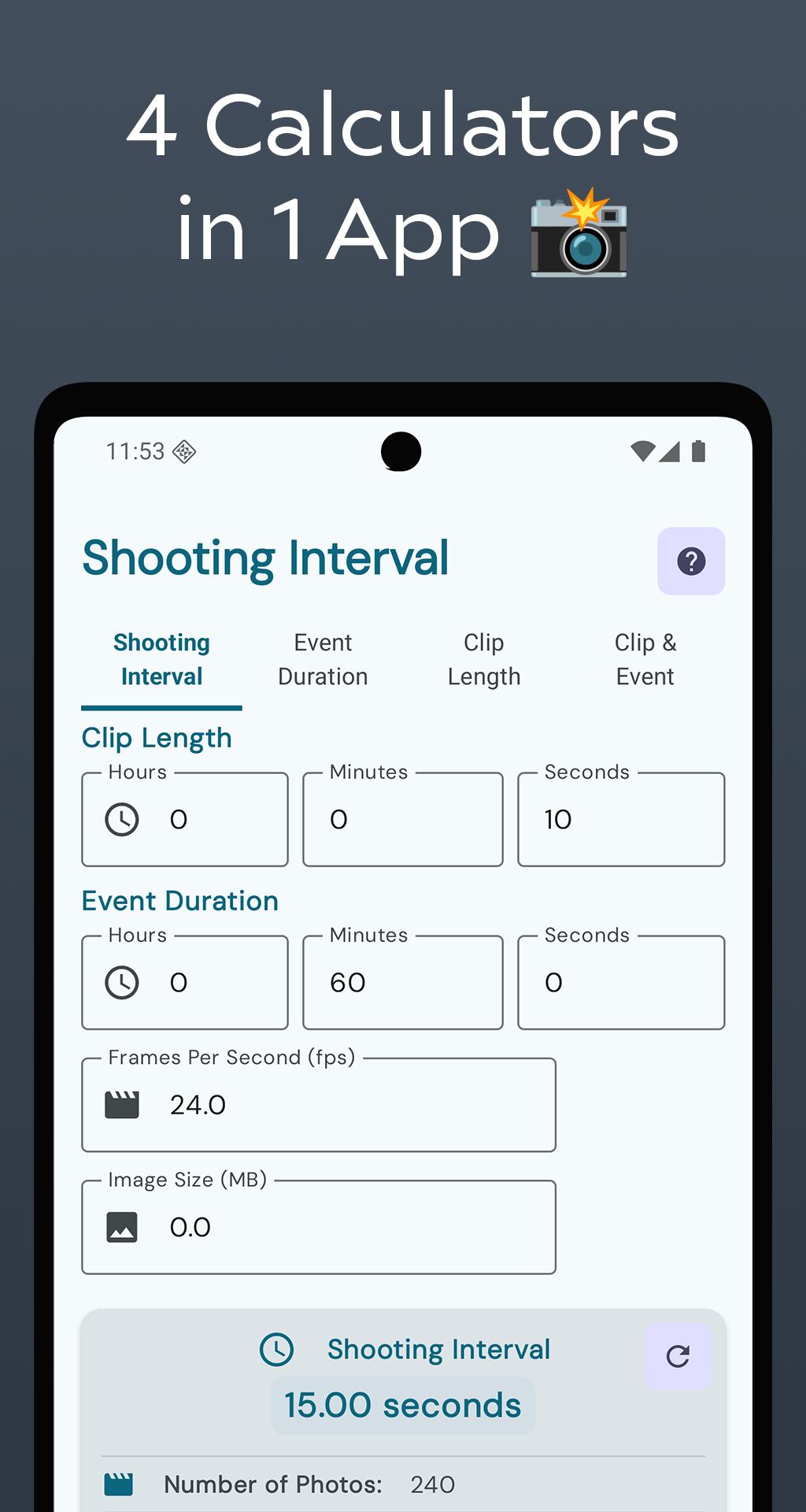
🎬 Timelapse Calculator Pro – Your Complete Timelapse Planning Solution
Transform your timelapse photography with our all-in-one calculator app for photographers, videographers, and content creators. Whether you're capturing sunsets, cityscapes, or nature scenes, get precise results every time with professional-grade tools.
📱 4 Powerful Calculators:
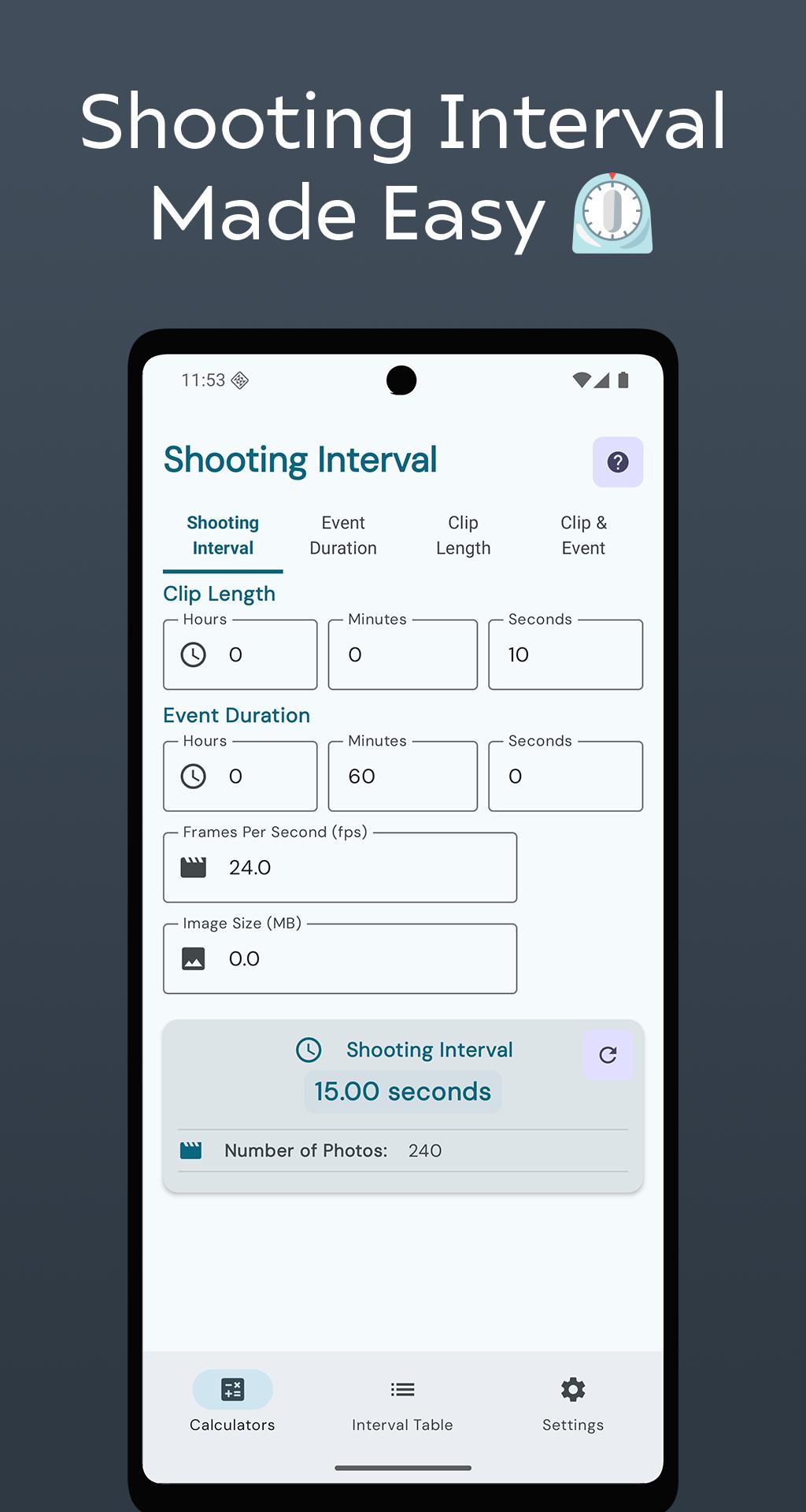
• Shooting Interval: Calculate the ideal interval based on clip length, event duration, frame rate, and image size.
• Event Duration: Find out how long you need to shoot to hit your target clip length — great for planning under time constraints.
• Clip Length: Preview the final video length based on your shooting interval and event duration.
• Clip & Event: Estimate both clip length and shooting time in one step — perfect for quick planning.
📊 Interval Table:
Plan and manage multiple shoots, add custom intervals using natural language, and track sessions with ease. Built with a modern Material 3 design for speed and clarity.
✨ Key Features:
• Real-time calculations
• Memory usage and photo count estimates
• Clean, responsive interface with light and dark modes
• Works fully offline
• Privacy-first with no tracking or login
• Optimized for all screen sizes
🎯 Ideal For:
Photographers, filmmakers, vloggers, content creators, landscape and architecture shooters, students, and hobbyists.
💡 Pro Tips:
Use the Interval Table to manage complex shoots. Try different FPS settings (24, 30, 60) to explore style options. Always consider image size for storage planning. Save favorite calculations for later use.
Download Timelapse Calculator Pro and take full control of your timelapse workflow — precision, speed, and simplicity in one app.
預覽
標籤
攝影訊息
開發商
Ioannis Ioannou
最新版本
6.2025.07.13
更新時間
2025-07-14
類別
攝影
同時可用
Google Play
更多
如何在電腦上用 GameLoop 玩 Timelapse Calculator
1. 從官網下載GameLoop,然後運行exe文件安裝GameLoop
2. 打開GameLoop,搜索“Timelapse Calculator”,在搜索結果中找到Timelapse Calculator,點擊“安裝”
3. 享受在 GameLoop 上玩 Timelapse Calculator 的樂趣
Minimum requirements
OS
Windows 8.1 64-bit or Windows 10 64-bit
GPU
GTX 1050
CPU
i3-8300
Memory
8GB RAM
Storage
1GB available space
Recommended requirements
OS
Windows 8.1 64-bit or Windows 10 64-bit
GPU
GTX 1050
CPU
i3-9320
Memory
16GB RAM
Storage
1GB available space