Cassettes for KLWP/KWGT 電腦版
BaconBits
用GameLoop模拟器在電腦上玩Cassettes for KLWP/KWGT
Cassettes for KLWP/KWGT 電腦版
來自發行商 BaconBits 的 Cassettes for KLWP/KWGT 能夠在安卓系統上運行。
現在,您可以在電腦上使用 GameLoop 模擬器流暢地玩 Cassettes for KLWP/KWGT。
在 GameLoop 遊戲庫或搜索結果中下載。 不需要再暢玩遊戲時盯著電池電量或被令人懊惱的來電打斷。
只需在電腦大屏幕上免費下載暢玩Cassettes for KLWP/KWGT 電腦版!
Cassettes for KLWP/KWGT 簡介
YOU NEED TO HAVE THE PRO VERSION OF KUSTOM KLWP INSTALLED ON YOUR PHONE TO USE THE WALLPAPERS/KOMPONENTS - https://goo.gl/UkHJ99
YOU NEED TO HAVE THE PRO VERSION OF KUSTOM KWGT INSTALLED ON YOUR PHONE TO USE THE WIDGETS - https://goo.gl/ABJVXq
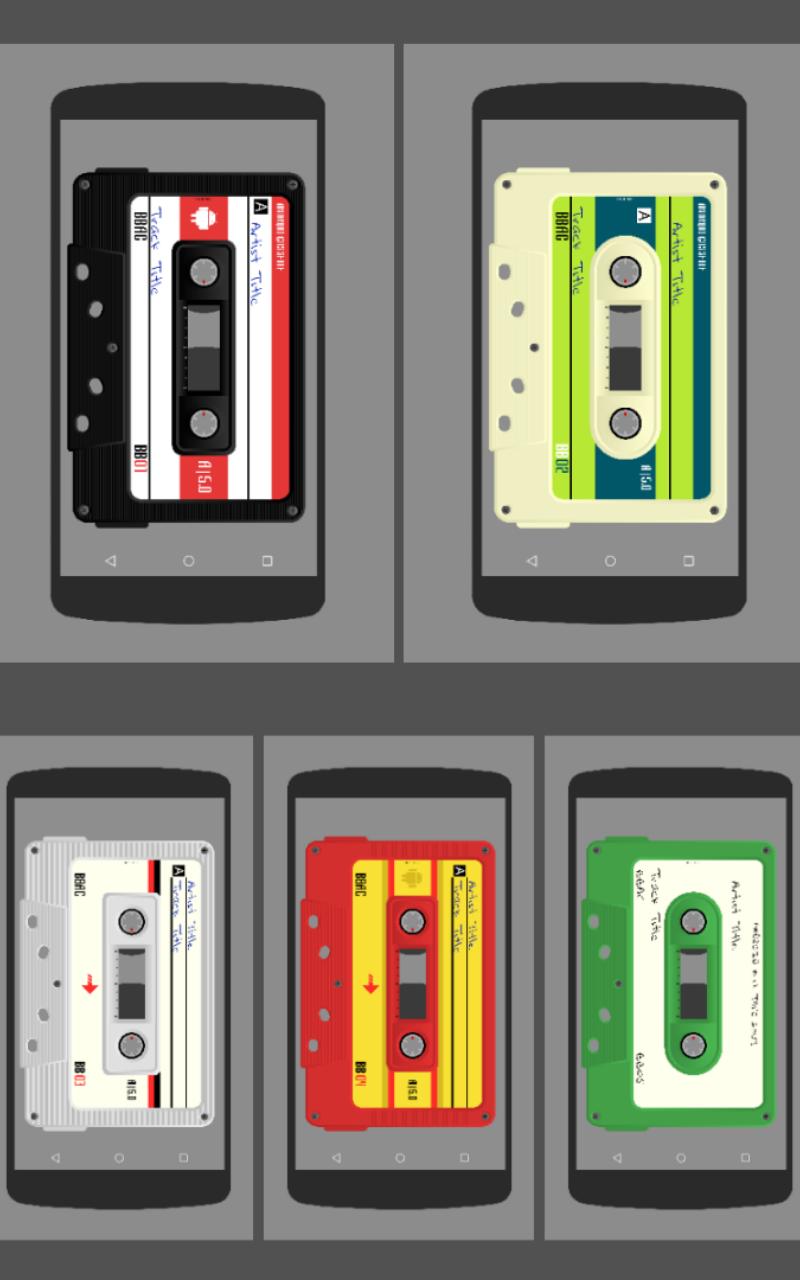
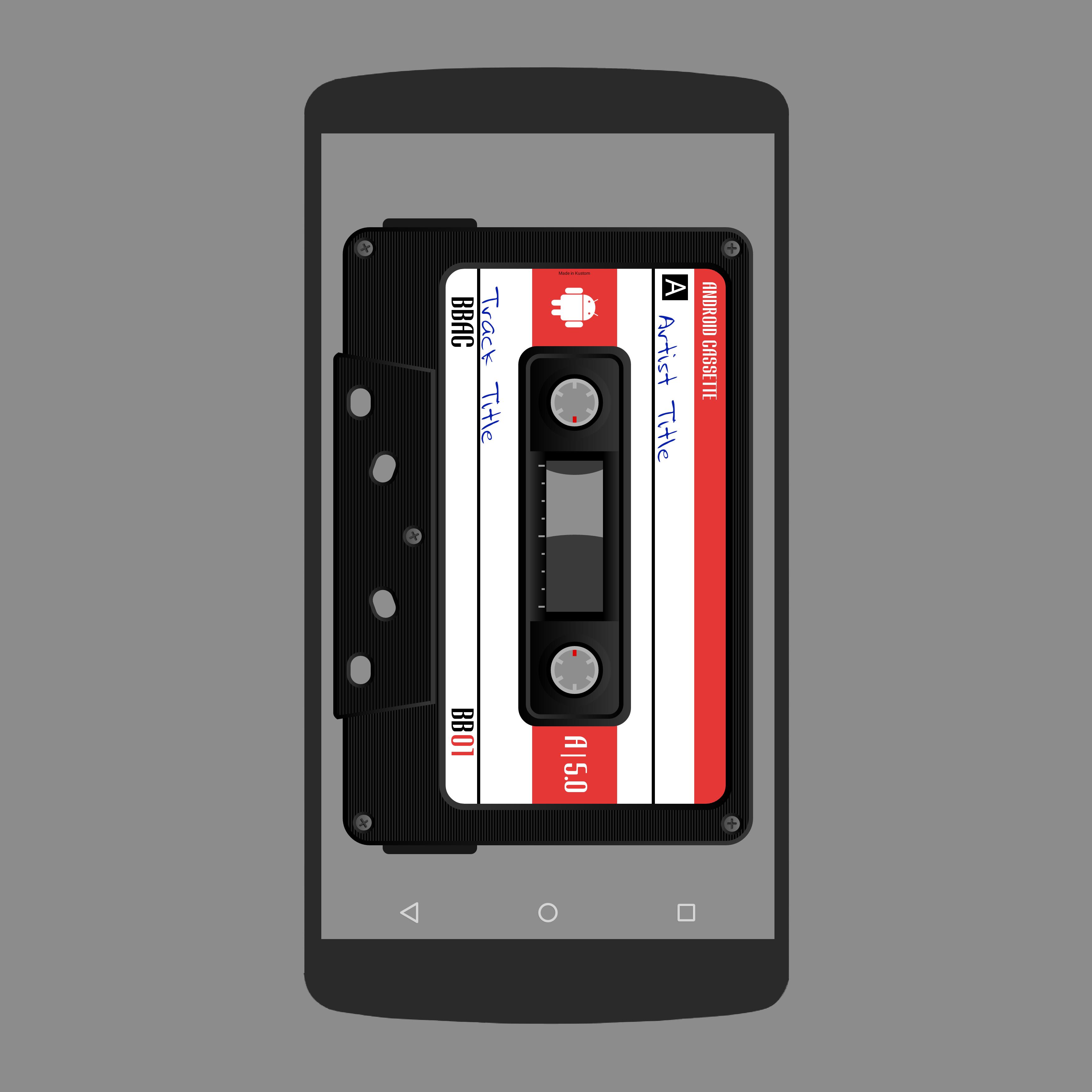
This is a set of 5 Komponents & widgets of different styled and coloured cassette tapes for use in KWLP & KWGT. Use them by themselves or include them in your own KWLP wallpaper setup
Each Komponent & widget has globals to change the colours of the cassette tape -
Body - sets colour of main cassette shape
Bottom - sets colour of bottom rectangular section
borderdr - sets colour of dark shading around the edges
borderlg - sets colour of light shading around the edges
label1, 2 & 3 - sets colours of the different label elements
text1, 2 & 3 - sets colour of different text elements
lines - sets colour of the lines under the track/artist text
marker - sets colour of marks in the centre for progress
infotext, infofont, infosize - sets colour, font and size of text for track and artist info
The Komponents/widgets can also be changed to landscape by tapping the bottom of the tape or by tapping the 'Open Editor Hotspot' selecting the Globals tap and switching the toggle. Scale had been increased/decreased with the scale sliders
Watch the video to see globals in action
HOTSPOTS
Hotspots are assigned to areas of the Komponents to play/pause music, skip to next or previous track, open media app and open Kustom editor
Broswe through the pictures, in this description, to see where the hotspots are
ADDING KOMPONENTS TO YOUR HOMESCREEN
- Open KLWP app
- Tap + icon and select Komponent
- Tap the down arrow and the top
- Select 'Cassettes for Kustom' from the dropdown list
- Select which cassette you wish to use
- Tap the save icon
- Return to homescreen
ADDING WIDGETS TO YOUR HOMESCREEN
- Long press your homescreen and select 'Widgets'
- Scroll down and select KWGT 4x4
- Long press on the KWGT 4x4 widget and drag to your homescreen
- Resize the widget to full screen
- Tap on widget to open KWGT editor
- Tap on the 'Installed' tab and then select 'Cassettes'
- Select one of the five Cassettes widgets
- Resize via the globals menu if needed
- Tap 'Save' icon and return to hoomescreen
TROUBLESHOOTING
If media does not play when the play/pause hotspot is tapped, tap the open media hotspot to open Play Music and begin playback from there before returning to home screen
Any problems please email me instead of rating one star
Enjoy & Thankyou
Find me on Reddit - https://www.reddit.com/user/BaconBitsNI/
or Twitter - https://twitter.com/baconbitskustom
for more Bacon
預覽
標籤
個人化訊息
開發商
BaconBits
最新版本
2.1
更新時間
2020-09-01
類別
個人化
同時可用
Google Play
更多
如何在電腦上用 GameLoop 玩 Cassettes for KLWP/KWGT
1. 從官網下載GameLoop,然後運行exe文件安裝GameLoop
2. 打開GameLoop,搜索“Cassettes for KLWP/KWGT”,在搜索結果中找到Cassettes for KLWP/KWGT,點擊“安裝”
3. 享受在 GameLoop 上玩 Cassettes for KLWP/KWGT 的樂趣
Minimum requirements
OS
Windows 8.1 64-bit or Windows 10 64-bit
GPU
GTX 1050
CPU
i3-8300
Memory
8GB RAM
Storage
1GB available space
Recommended requirements
OS
Windows 8.1 64-bit or Windows 10 64-bit
GPU
GTX 1050
CPU
i3-9320
Memory
16GB RAM
Storage
1GB available space