
Camera Tilt Sensor 電腦版
Nimba Labs
用GameLoop模拟器在電腦上玩Camera Tilt Sensor
Camera Tilt Sensor 電腦版
來自發行商 Nimba Labs 的 Camera Tilt Sensor 能夠在安卓系統上運行。
現在,您可以在電腦上使用 GameLoop 模擬器流暢地玩 Camera Tilt Sensor。
在 GameLoop 遊戲庫或搜索結果中下載。 不需要再暢玩遊戲時盯著電池電量或被令人懊惱的來電打斷。
只需在電腦大屏幕上免費下載暢玩Camera Tilt Sensor 電腦版!
Camera Tilt Sensor 簡介
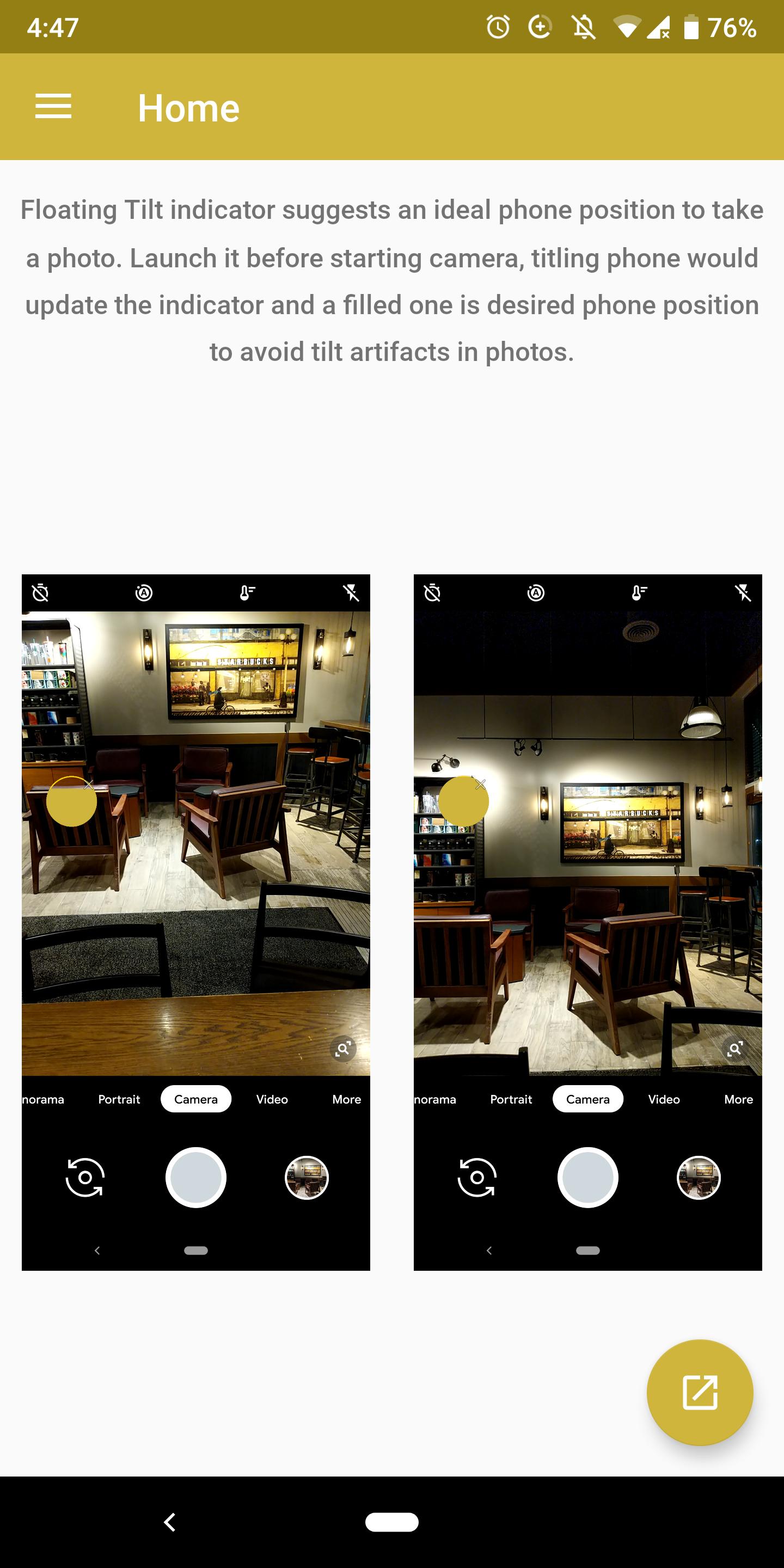
Ever had a friend take a photo, only to find tilt artifacts on the photo? This app comes to the rescue by offering a tilt indicator while the phone camera is being used.
Tilt indicator is shown as a floating window that can be moved around the screen. The indicator is updated as the phone is tilted and a filled one suggests an ideal position to take a photo without tilt artifacts. This is originally meant to be used along with a camera application but could be used stand alone as well.
預覽
標籤
個人化訊息
開發商
Nimba Labs
最新版本
1.5
更新時間
2022-09-02
類別
個人化
同時可用
Google Play
更多
如何在電腦上用 GameLoop 玩 Camera Tilt Sensor
1. 從官網下載GameLoop,然後運行exe文件安裝GameLoop
2. 打開GameLoop,搜索“Camera Tilt Sensor”,在搜索結果中找到Camera Tilt Sensor,點擊“安裝”
3. 享受在 GameLoop 上玩 Camera Tilt Sensor 的樂趣
Minimum requirements
OS
Windows 8.1 64-bit or Windows 10 64-bit
GPU
GTX 1050
CPU
i3-8300
Memory
8GB RAM
Storage
1GB available space
Recommended requirements
OS
Windows 8.1 64-bit or Windows 10 64-bit
GPU
GTX 1050
CPU
i3-9320
Memory
16GB RAM
Storage
1GB available space