
Family Nest: Private Locator 電腦版
Family360
用GameLoop模拟器在電腦上玩Family Nest: Private Locator
Family Nest: Private Locator 電腦版
來自發行商 Family360 的 Family Nest: Private Locator 能夠在安卓系統上運行。
現在,您可以在電腦上使用 GameLoop 模擬器流暢地玩 Family Nest: Private Locator。
在 GameLoop 遊戲庫或搜索結果中下載。 不需要再暢玩遊戲時盯著電池電量或被令人懊惱的來電打斷。
只需在電腦大屏幕上免費下載暢玩Family Nest: Private Locator 電腦版!
Family Nest: Private Locator 簡介
Family Nest – Child GPS Tracker (rebranded)
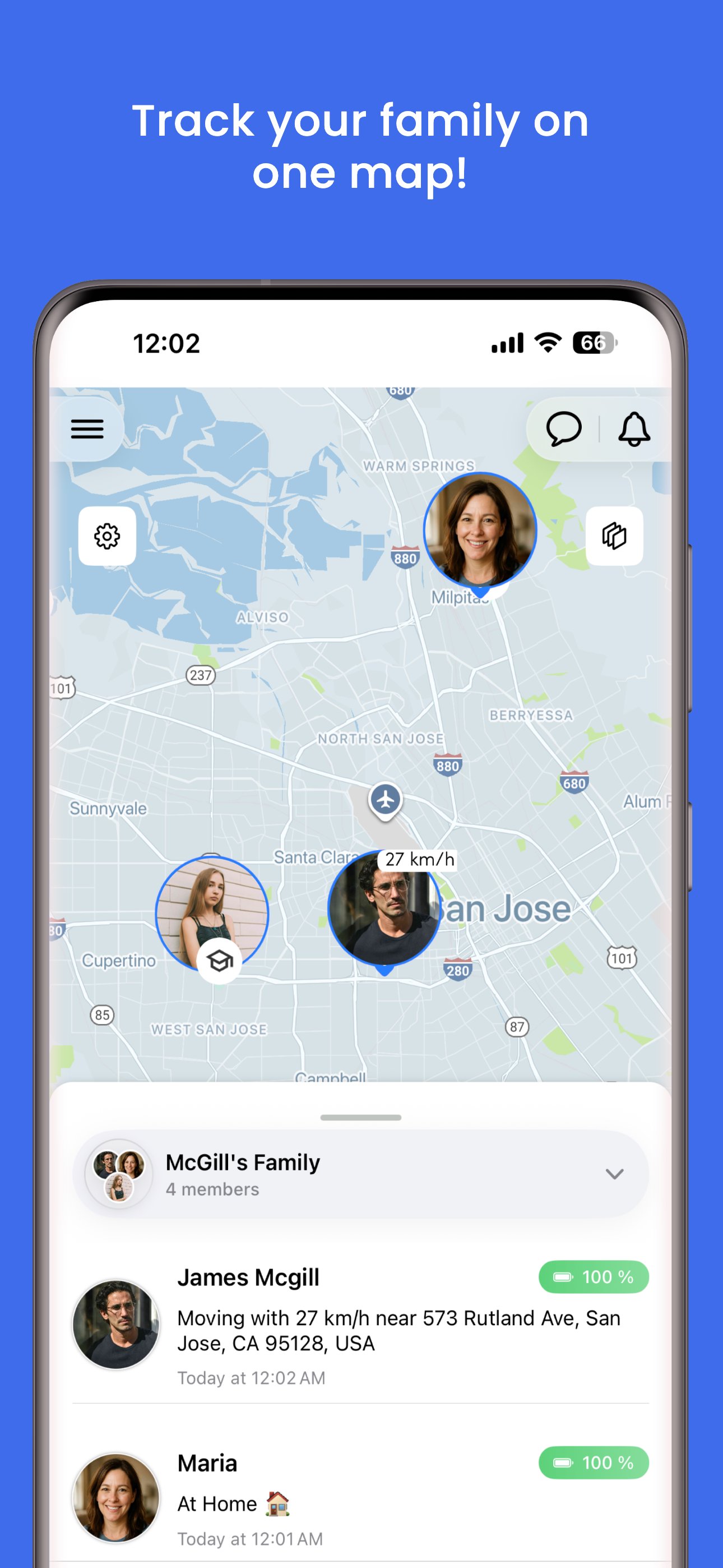
Family Nest is a secure child GPS tracker that helps parents monitor their children’s real-time location, driving safety, and travel history using precise GPS technology. Built exclusively for parental use, Family Nest gives peace of mind to guardians who want to keep their kids safe and connected — anytime, anywhere.
Family Nest continues to evolve as a trusted child location monitoring app with powerful tools for daily parenting.
Key Features for Parents
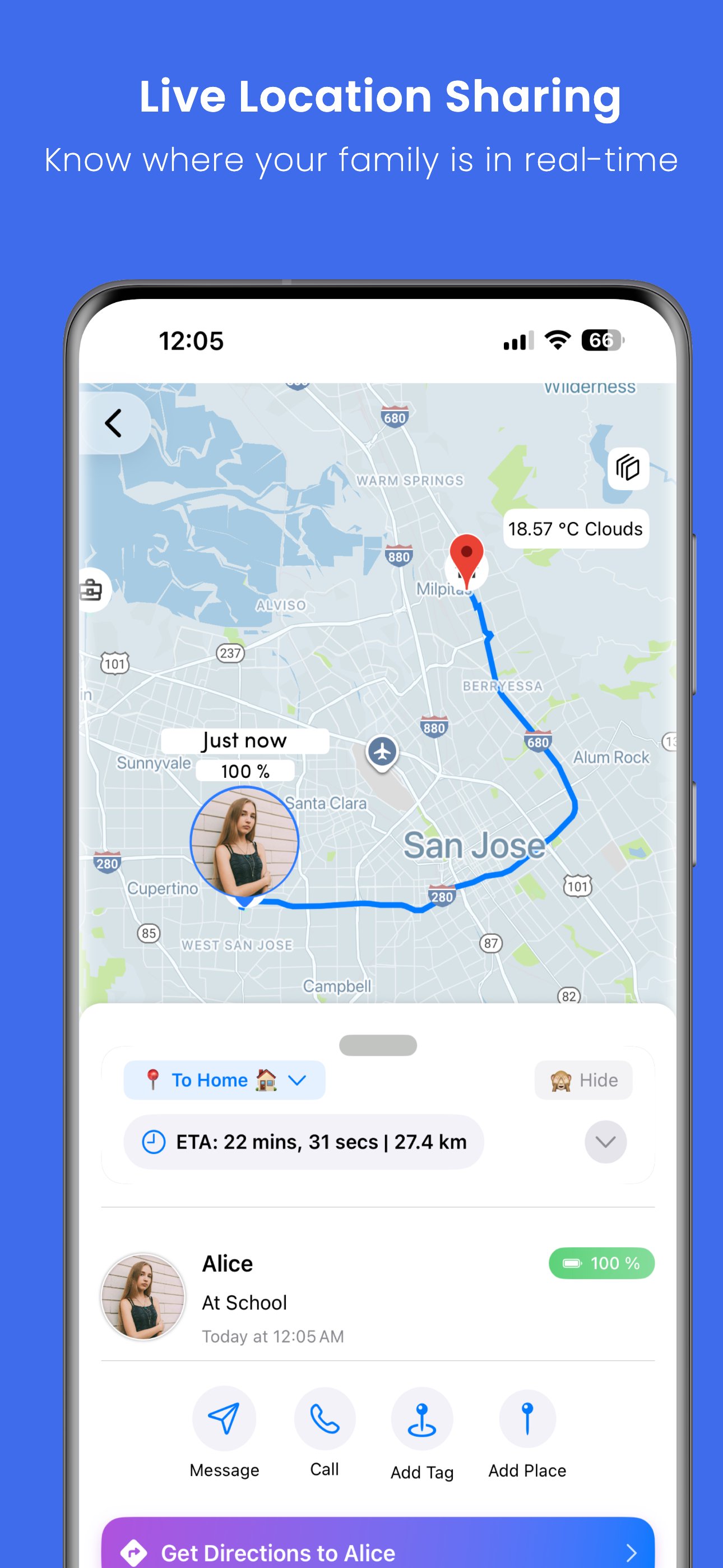
• Track your child’s live location in real-time with high GPS accuracy
• Create private Nests (formerly Circles) to group and organize your children
• Receive entry/exit alerts when your child enters or leaves safe zones
• View trip history, stops, and route patterns
• Export full location history as a PDF, including speed and distance graphs
• Get overspeeding notifications to ensure safe travel
• Detect fake GPS or mocked locations used to hide true whereabouts
• SOS emergency alert button for instant help
• Monitor your child’s driving route and ETA updates
• Built-in parental control tools designed for ethical, family use
• Real-time traffic updates for better trip context
• No ads. No hidden data tracking. Full privacy protection.
For Parents & Legal Guardians Only
Family Nest is designed for parents and legal guardians to monitor their minor children only. It is not intended for tracking adults or anyone without their knowledge or consent.
This app complies with Google Play’s policies for location tracking and child safety, and should only be used for lawful, ethical purposes under parental supervision.
Free Trial + Forever-Free Plan
• Start with a 21-day free trial — no credit card needed
• After the trial, request free forever access with essential tracking features
• No ads, no location selling — we prioritize your child’s privacy and safety
Premium Features (Optional)
• Real-time GPS updates every 2–3 seconds
• Unlimited safe zone alerts (geofencing)
• Up to 365 days of (downloadable as PDF) location history
• PDF reports with trip, speed, and distance analysis
• Priority support via email
📧 Support: [support@familynestapp.com](mailto:support@familynestapp.com)
🌐 Website: https://www.familynestapp.com
Keep your child safe, connected, and protected — with Family Nest (rebranded): the child GPS tracker parents trust.
預覽
標籤
子女教養訊息
開發商
Family360
最新版本
3.9.0
更新時間
2026-09-28
類別
子女教養
同時可用
Google Play
更多
如何在電腦上用 GameLoop 玩 Family Nest: Private Locator
1. 從官網下載GameLoop,然後運行exe文件安裝GameLoop
2. 打開GameLoop,搜索“Family Nest: Private Locator”,在搜索結果中找到Family Nest: Private Locator,點擊“安裝”
3. 享受在 GameLoop 上玩 Family Nest: Private Locator 的樂趣
Minimum requirements
OS
Windows 8.1 64-bit or Windows 10 64-bit
GPU
GTX 1050
CPU
i3-8300
Memory
8GB RAM
Storage
1GB available space
Recommended requirements
OS
Windows 8.1 64-bit or Windows 10 64-bit
GPU
GTX 1050
CPU
i3-9320
Memory
16GB RAM
Storage
1GB available space