
Wireless Workbench Mobile 電腦版
Shure Incorporated
用GameLoop模拟器在電腦上玩Wireless Workbench Mobile
Wireless Workbench Mobile 電腦版
來自發行商 Shure Incorporated 的 Wireless Workbench Mobile 能夠在安卓系統上運行。
現在,您可以在電腦上使用 GameLoop 模擬器流暢地玩 Wireless Workbench Mobile。
在 GameLoop 遊戲庫或搜索結果中下載。 不需要再暢玩遊戲時盯著電池電量或被令人懊惱的來電打斷。
只需在電腦大屏幕上免費下載暢玩Wireless Workbench Mobile 電腦版!
Wireless Workbench Mobile 簡介
ShurePlus Channels is now Wireless Workbench Mobile.
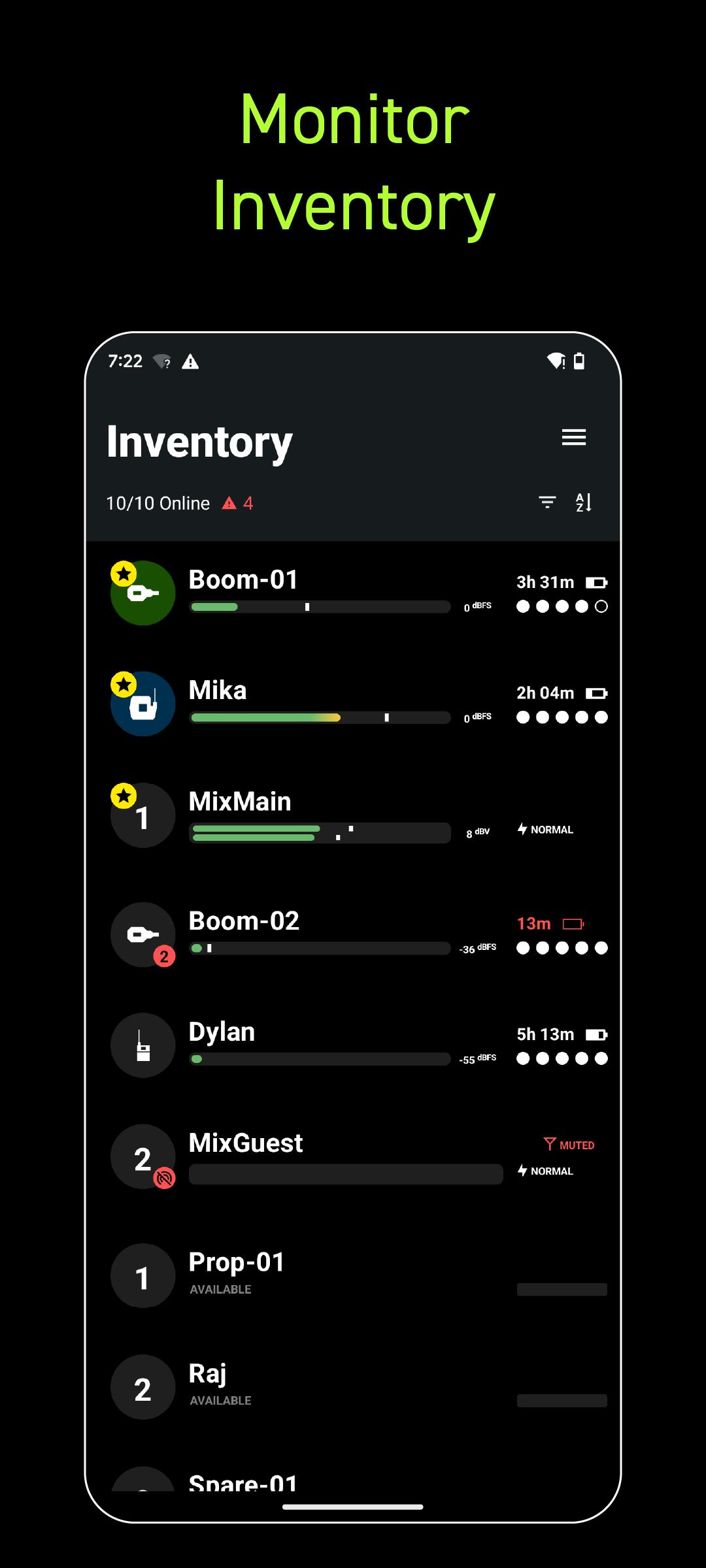
Wireless Workbench Mobile puts wireless control in your hands, wherever the job takes you. Built for professionals on the move, the app replaces ShurePlus Channels with a sleeker interface and powerful new tools. Whether on a walk test, working from a cart, or managing a live show, Wireless Workbench Mobile keeps you connected to your Shure Wireless and one step ahead.
Wireless Control, Always Within Reach:
• Control your Shure wireless systems on the go with fast, intuitive mobile access.
• Make quick, informed decisions with an interface that highlights key channel data.
• Receive guided alerts that show precisely what’s wrong and how to fix it.
• Tag, color-label, and favorite channels to match your unique workflow.
• Connect over Wi-Fi or Ethernet for reliable performance in any environment.
How It Works:
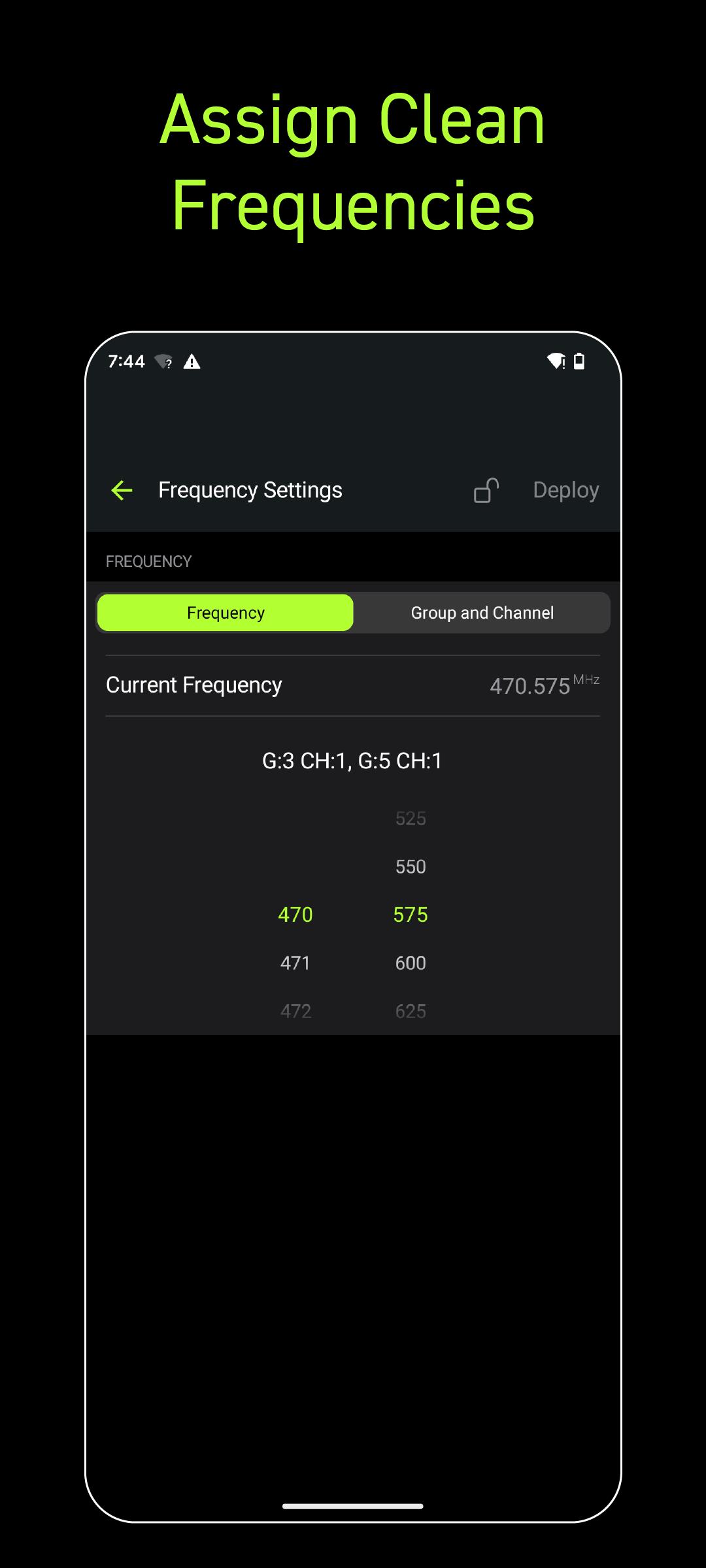
Wireless Workbench Mobile connects to supported Shure Wireless, displaying essential RF, battery, and audio data in real time. The streamlined layout adapts to your workflow, enabling you to focus on what matters most. Scan and deploy frequencies, monitor system performance, and troubleshoot directly from your tablet or phone.
Why It's Better:
Stay Ahead of Issues
Real-time alerts flag potential problems and provide guidance to resolve them, keeping your production on track.
Built for How You Work
Designed for speed and precision, the focused interface supports fast decisions in live production environments.
預覽
標籤
Music-&訊息
開發商
Shure Incorporated
最新版本
1.6.4.9
更新時間
2025-07-15
類別
Music-audio
同時可用
Google Play
更多
如何在電腦上用 GameLoop 玩 Wireless Workbench Mobile
1. 從官網下載GameLoop,然後運行exe文件安裝GameLoop
2. 打開GameLoop,搜索“Wireless Workbench Mobile”,在搜索結果中找到Wireless Workbench Mobile,點擊“安裝”
3. 享受在 GameLoop 上玩 Wireless Workbench Mobile 的樂趣
Minimum requirements
OS
Windows 8.1 64-bit or Windows 10 64-bit
GPU
GTX 1050
CPU
i3-8300
Memory
8GB RAM
Storage
1GB available space
Recommended requirements
OS
Windows 8.1 64-bit or Windows 10 64-bit
GPU
GTX 1050
CPU
i3-9320
Memory
16GB RAM
Storage
1GB available space