
playo(プレイオー)楽譜Viewer 電腦版
株式会社ヤマハミュージックエンタテインメントホールディングス
用GameLoop模拟器在電腦上玩playo(プレイオー)楽譜Viewer
playo(プレイオー)楽譜Viewer 電腦版
來自發行商 株式会社ヤマハミュージックエンタテインメントホールディングス 的 playo(プレイオー)楽譜Viewer 能夠在安卓系統上運行。
現在,您可以在電腦上使用 GameLoop 模擬器流暢地玩 playo(プレイオー)楽譜Viewer。
在 GameLoop 遊戲庫或搜索結果中下載。 不需要再暢玩遊戲時盯著電池電量或被令人懊惱的來電打斷。
只需在電腦大屏幕上免費下載暢玩playo(プレイオー)楽譜Viewer 電腦版!
playo(プレイオー)楽譜Viewer 簡介
[Playo Compatible Services]
・Print Sheet Music
[Features]
・Score Viewing
You can view scores available on Print Sheet Music that are included in the "Unlimited Sheet Music Viewing on the App" service.
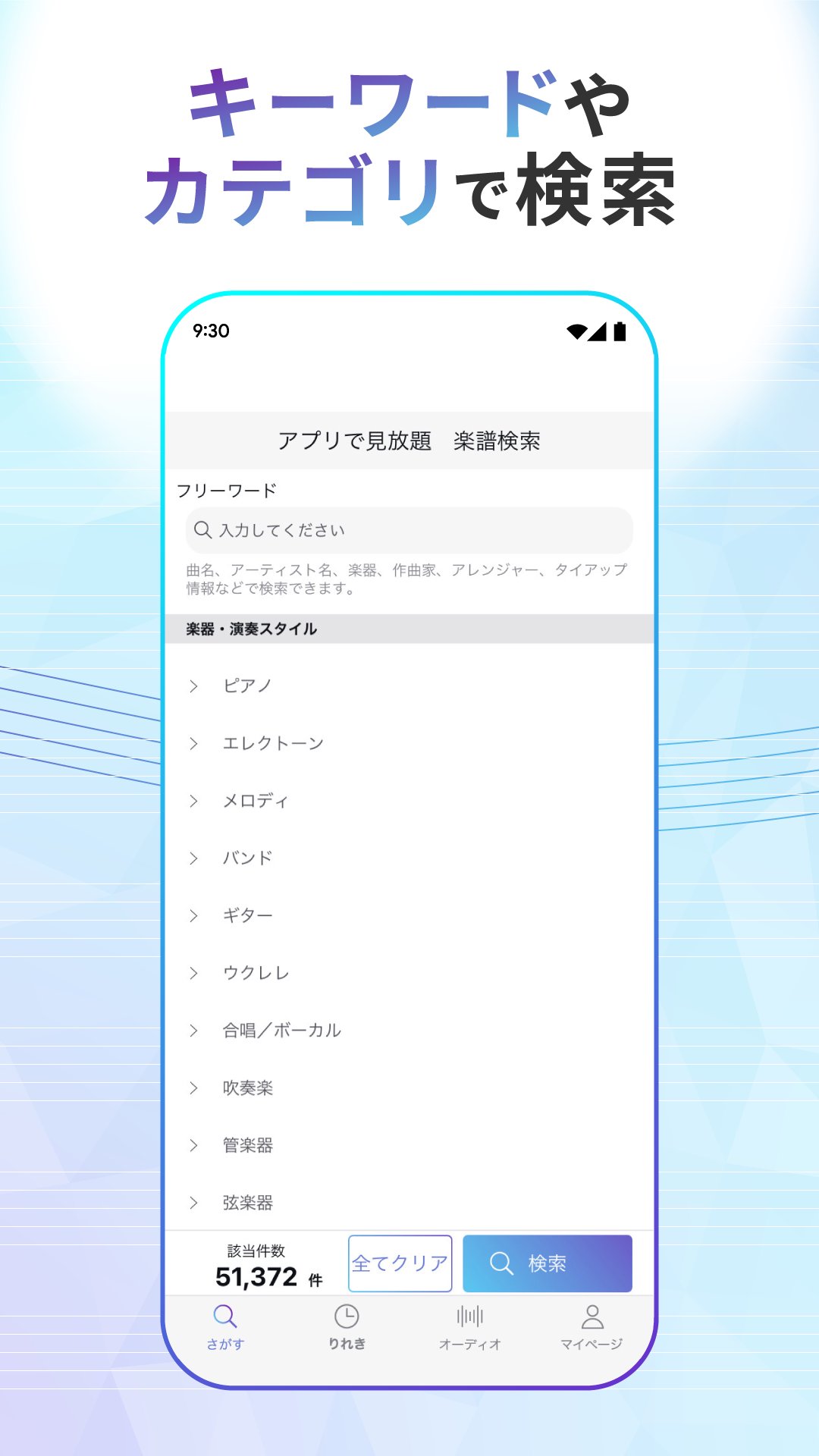
・Search
You can search for content from the app in a variety of ways, such as by keyword or category.
・Face-to-face view (tablet only)
You can view two pages of sheet music by turning your device landscape.
・Scroll bar navigation
When viewing sheet music, use the scroll bar at the bottom of the screen to navigate to any page.
・Audio Playback
You can play songs stored on your smartphone.
・Automatic Chord Progression Analysis
Analyzes and displays the chords of songs stored on your smartphone.
・Performance Video Viewing
If a performance video corresponding to the score is available, it will be displayed and you can watch it.
[Contact Information]
・Please contact us via "My Page > Contact Us" in the app.
We welcome any inquiries or comments regarding this app and service, as well as bug reports, feature additions, and song requests.
[Privacy Policy]
https://www.yamaha-meh.co.jp/privacy_policy/
[Note]
- Sheet music cannot be downloaded or printed.
- About automatic audio chord progression analysis
Since the results are determined based on audio signal analysis, the displayed results may differ from the actual chords.
預覽

標籤
Music-&訊息
開發商
株式会社ヤマハミュージックエンタテインメントホールディングス
最新版本
1.8.0
更新時間
2026-03-26
類別
Music-audio
同時可用
Google Play
更多
如何在電腦上用 GameLoop 玩 playo(プレイオー)楽譜Viewer
1. 從官網下載GameLoop,然後運行exe文件安裝GameLoop
2. 打開GameLoop,搜索“playo(プレイオー)楽譜Viewer”,在搜索結果中找到playo(プレイオー)楽譜Viewer,點擊“安裝”
3. 享受在 GameLoop 上玩 playo(プレイオー)楽譜Viewer 的樂趣
Minimum requirements
OS
Windows 8.1 64-bit or Windows 10 64-bit
GPU
GTX 1050
CPU
i3-8300
Memory
8GB RAM
Storage
1GB available space
Recommended requirements
OS
Windows 8.1 64-bit or Windows 10 64-bit
GPU
GTX 1050
CPU
i3-9320
Memory
16GB RAM
Storage
1GB available space