
MyMon Personal Monitor Mixer f 電腦版
Waves Inc
用GameLoop模拟器在電腦上玩MyMon Personal Monitor Mixer f
MyMon Personal Monitor Mixer f 電腦版
來自發行商 Waves Inc 的 MyMon Personal Monitor Mixer f 能夠在安卓系統上運行。
現在,您可以在電腦上使用 GameLoop 模擬器流暢地玩 MyMon Personal Monitor Mixer f。
在 GameLoop 遊戲庫或搜索結果中下載。 不需要再暢玩遊戲時盯著電池電量或被令人懊惱的來電打斷。
只需在電腦大屏幕上免費下載暢玩MyMon Personal Monitor Mixer f 電腦版!
MyMon Personal Monitor Mixer f 簡介
Description
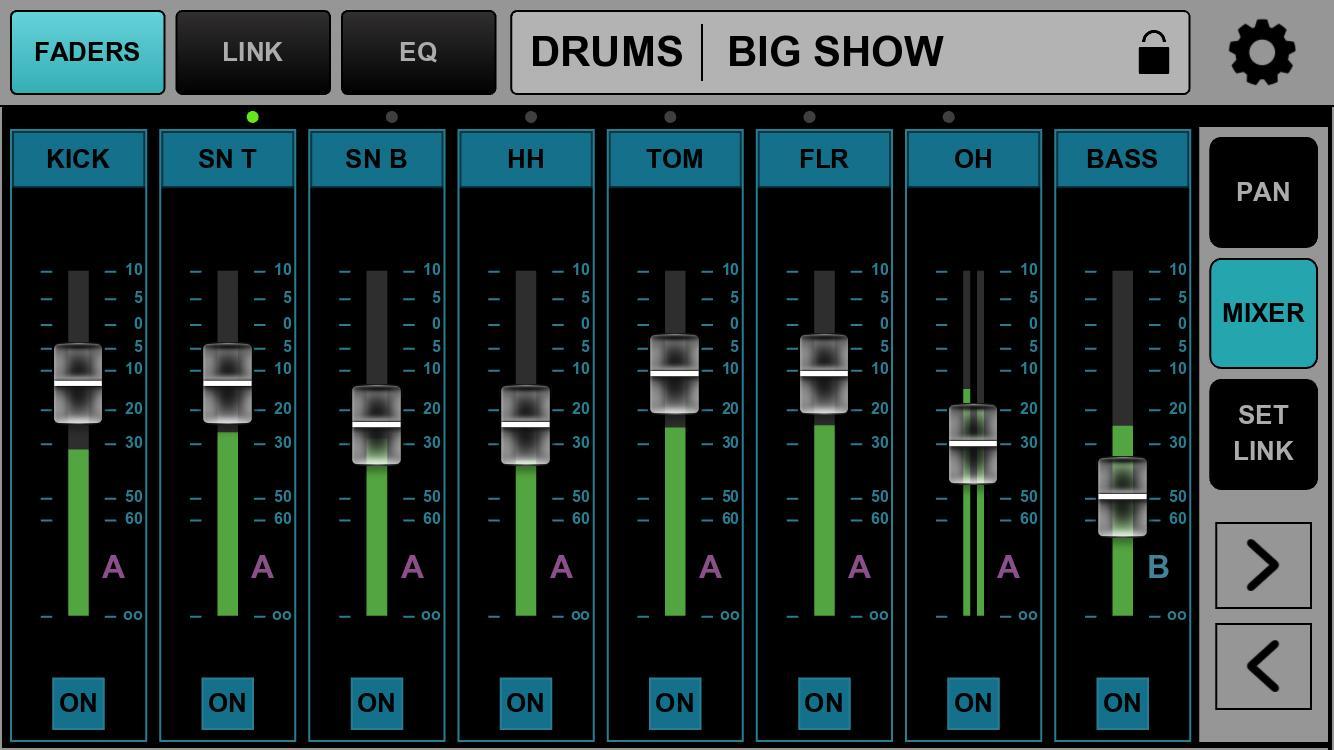
MyMon is a personal monitoring application for the Waves eMotion LV1 live mixer. It gives musicians on stage wireless remote control of their own monitor mix, directly from their mobile device.
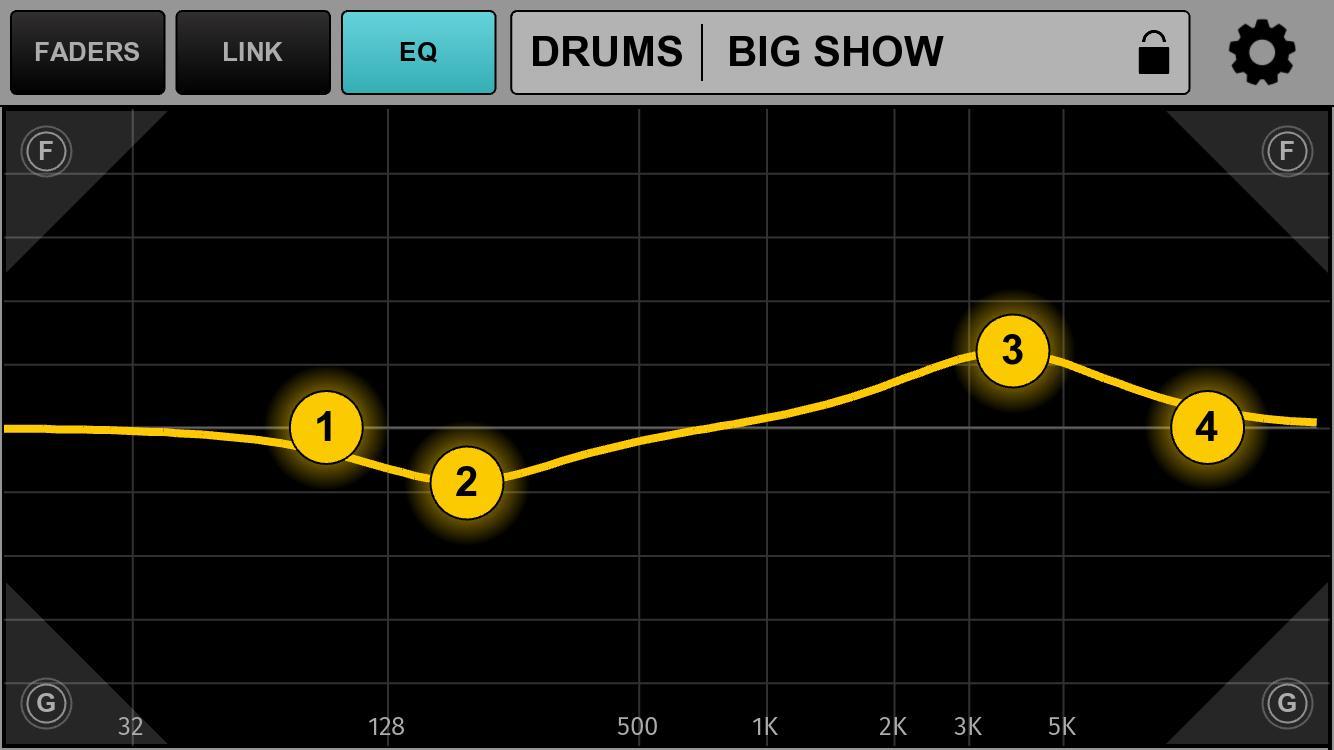
Musicians can adjust input levels, mute, pan, apply post-mix EQ and link channels to custom single fader groups, without affecting the band or FOH sound.
• Designed exclusively for the eMotion LV1 live mixer running v11 firmware
• Connect up to 16 mobile devices simultaneously to eMotion LV1
• Musician-friendly app interface: easy swipe navigation, double-tap reset
• Landscape and Portrait screen modes
• Control individual channel pan, mute and volume levels
• Control groups and FX returns (LV1 64/32-channel configurations only)
• Control post-mix (master bus) monitor EQ
• Assign any combination of channels to four LINK masters, each with volume and mute toggles
• Create unique names for Links
• Save and store Link names and assignments per session
• Lock individual devices for security
Simple setup and easy navigation— personal monitor mixing with MyMon makes the live experience more enjoyable for both the sound engineer and musicians.
Please note: MyMon is designed for use with the eMotion LV1 mixer running the latest V11 firmware update.
MyMon does not mix audio on its own; it requires an eMotion LV1 live mixer to fully function.
Requirements
• eMotion LV1 Live Mixer running V11 firmware
• A robust 5GHz Wi-Fi router positioned on stage
• An Ethernet cable connecting the eMotion LV1 host computer with the Wi-Fi router.
• The MyMon Wi-Fi network must be independent of the SoundGrid network.
• MyMon mobile app installed on each Android device
預覽
標籤
Music-&訊息
開發商
Waves Inc
最新版本
15.3.15
更新時間
2025-08-15
類別
Music-audio
同時可用
Google Play
更多
如何在電腦上用 GameLoop 玩 MyMon Personal Monitor Mixer f
1. 從官網下載GameLoop,然後運行exe文件安裝GameLoop
2. 打開GameLoop,搜索“MyMon Personal Monitor Mixer f”,在搜索結果中找到MyMon Personal Monitor Mixer f,點擊“安裝”
3. 享受在 GameLoop 上玩 MyMon Personal Monitor Mixer f 的樂趣
Minimum requirements
OS
Windows 8.1 64-bit or Windows 10 64-bit
GPU
GTX 1050
CPU
i3-8300
Memory
8GB RAM
Storage
1GB available space
Recommended requirements
OS
Windows 8.1 64-bit or Windows 10 64-bit
GPU
GTX 1050
CPU
i3-9320
Memory
16GB RAM
Storage
1GB available space