
Music Theory Companion 電腦版
PG App Studio
用GameLoop模拟器在電腦上玩Music Theory Companion
Music Theory Companion 電腦版
來自發行商 PG App Studio 的 Music Theory Companion 能夠在安卓系統上運行。
現在,您可以在電腦上使用 GameLoop 模擬器流暢地玩 Music Theory Companion。
在 GameLoop 遊戲庫或搜索結果中下載。 不需要再暢玩遊戲時盯著電池電量或被令人懊惱的來電打斷。
只需在電腦大屏幕上免費下載暢玩Music Theory Companion 電腦版!
Music Theory Companion 簡介
Unlock your musical potential with the Music Theory Companion app! This comprehensive tool is designed for musicians of all levels, from beginners to experienced composers. Whether you're into songwriting, music theory study, or want to improve your playing, this app is a goldmine. This app helps you develop your aural skills and relative pitch. It can help with improvisation, composition, arrangement, and interpretation.
🌟 KEY FEATURES:
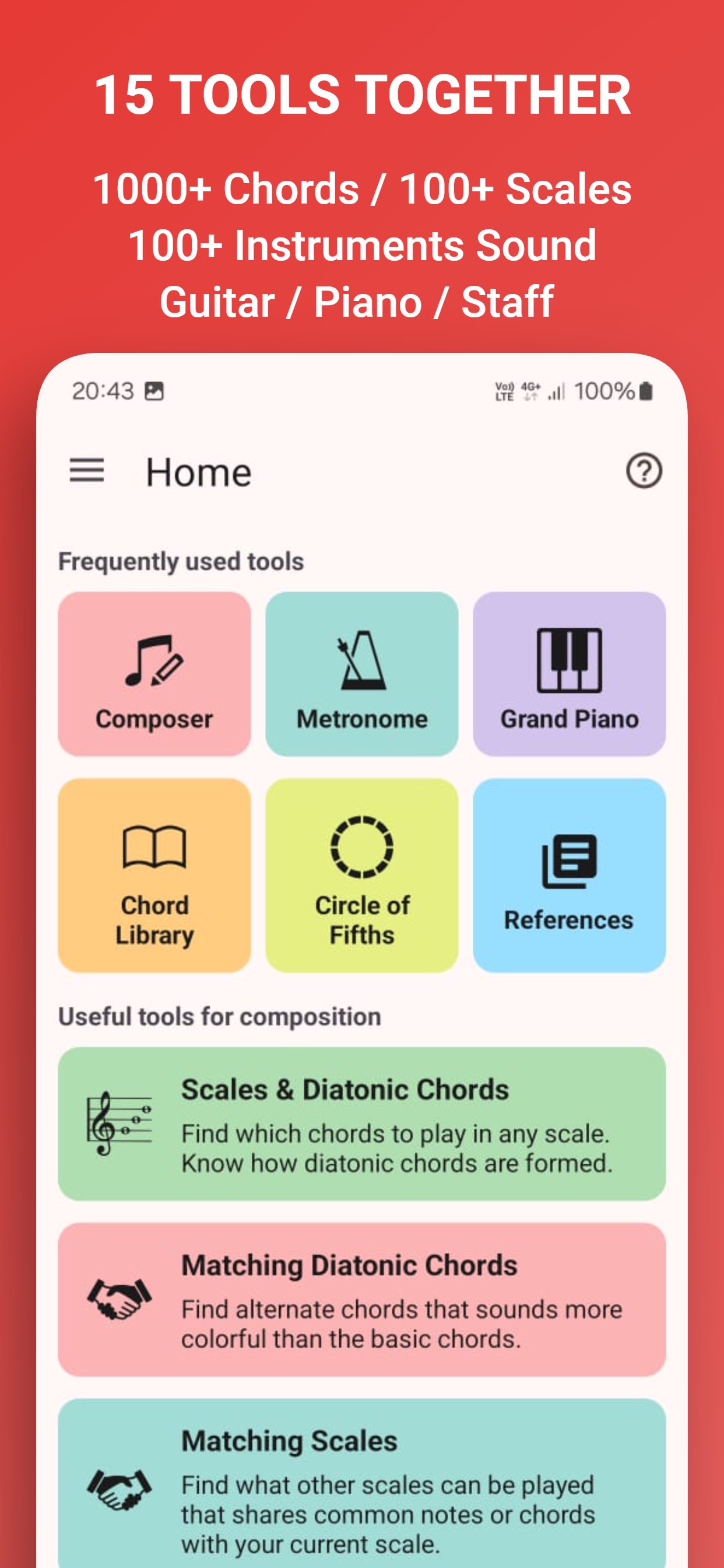
✅ Scales & Chords: Explore 86 unique heptatonic scales/modes and their diatonic triads/seventh-chord formations. The app has a wide list of scales for guitar, piano and vocal.
✅ Matching Chords: Discover alternative chords for any note in any scale.
✅ Matching Scales: Find alternative scales that can be played with any given scale.
✅ Circle of Fifths: Visualize the circle of fifths for all 86 scales, with options for triads and seventh chords. The circle of fifths tool can be used for finding chord progressions. The app supports both clockwise and anticlockwise directions for the circle of fifths.
✅ Voice Leading: Use the Cube Dance tool for voice leading guidance based on Neo-Riemannian theory.
✅ Chord Library Access a library of 1000+ chords, with chord construction details. This can be used as a chord finder.
✅ Modulations: Explore various chord progression options for smooth key changes.
✅ Scale Practice: Use the pitch detector to practice scales on guitar, piano, or vocals. This app can also be used for vocal training and helps with ear tuning.
✅ Intervals: Train your ear with interval exercises in all keys.
✅ Metronome: Practice with a highly accurate metronome that has configurable sounds. The metronome can be used with guitar, drum set, piano, and vocal practices.
✅ Piano: A realistic piano keyboard with different instrument sounds. This can be used as a piano chords learning app.
✅ Guitar Fretboard: Realistic left-handed and right-handed guitar fretboard display. The app is also a guitar chords app.
✅ Musical Symbols: Quick online reference for musical symbols.
✅ Music Theory Reference: Access a vast collection of online music theory resources, making it a great free music theory book.
✅ Supports both sharp (#) and flat (b) notes for root.
✅ Play guitar chords or piano chords in sync with the metronome ticks.
✅ Has a simple and easy-to-use user interface.
✅ Provides analytical labels such as Secondary Dominant and Secondary Leading-Tone.
✅ Shows compatible scales' chords.
✅ Displays similar and relative scales.
✅ Shows common degrees: Tonic, Supertonic, Mediant, Subdominant, Dominant, Submediant, Leading tone (in Major scale) / Subtonic (in Natural Minor Scale)
✅ Displays compatible chords' scales.
✅ Shows chords and scales on the staff with treble and bass clef.
🎯 APP USAGE:
This app is a complete toolbox for musicians and can be used for:
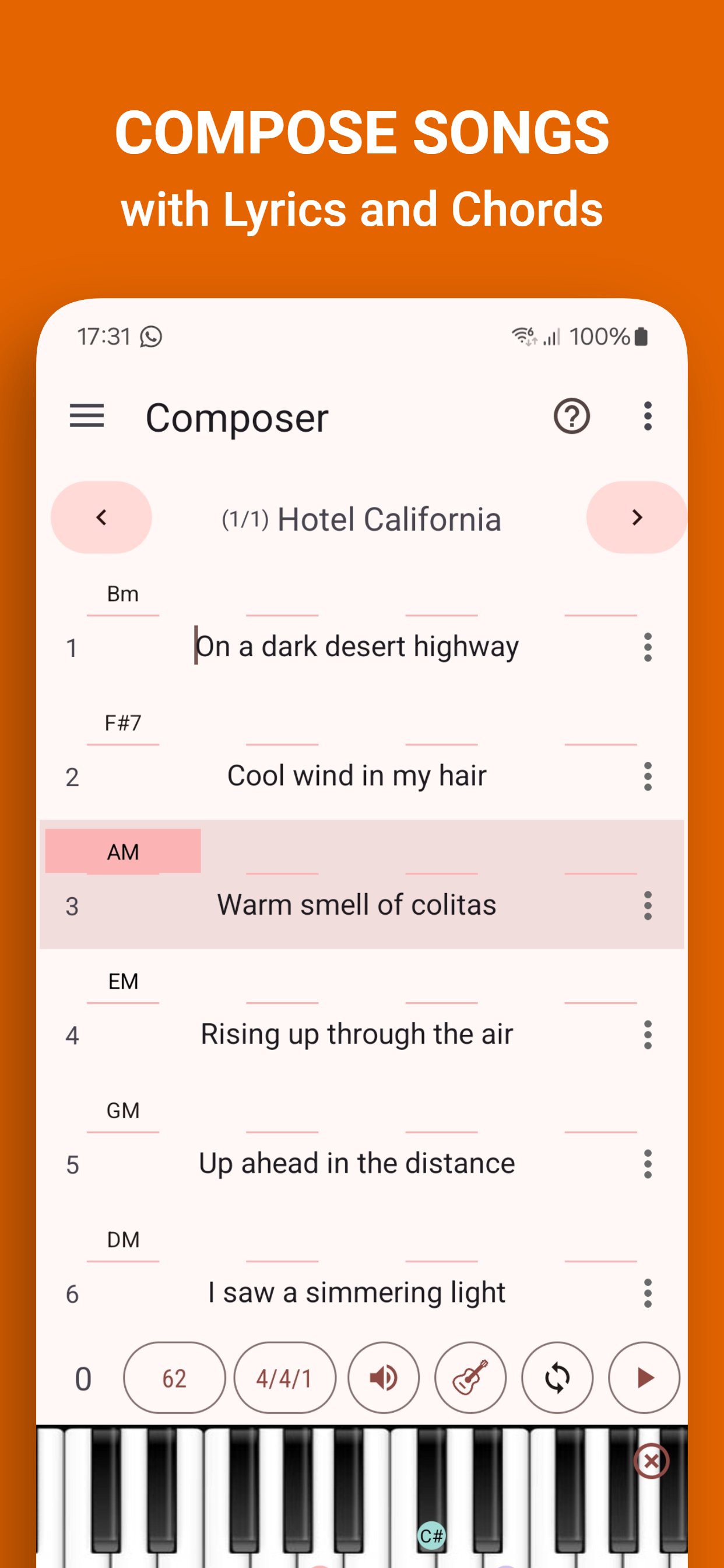
✅ Music Composing
✅ Music Theory Study
✅ Chord Progressions
✅ Modulation and Key Change
✅ Voice Leading
✅ Guitar and Piano Chord Practice
✅ Vocal Training
✅ Ear Training
✅ Sight reading
🎼 Designed for:
🎹 Pianists & keyboard players
🎶 Musicians, composers, and songwriters
🧠 Music theory learners & teachers
🎓 Students preparing for music exams
🎧 Anyone who loves creating music
The Music Theory Companion app has a realistic piano keyboard and guitar fretboard. It also has a pitch detector.
This app is continuously updated and improved.
COMMUNITY
Follow us on Facebook
https://www.facebook.com/MusicCompanionApp/
Join Our Facebook Group
https://www.facebook.com/groups/MusicCompanionGroup/
Visit Our Website
https://www.pgappstudio.com
Check our YouTube Channel
https://www.youtube.com/@PGAppStudio
Contact Customer Support
pgappstudio@gmail.com
預覽
標籤
Music-&訊息
開發商
PG App Studio
最新版本
8.1.1
更新時間
2026-01-14
類別
Music-audio
同時可用
Google Play
更多
如何在電腦上用 GameLoop 玩 Music Theory Companion
1. 從官網下載GameLoop,然後運行exe文件安裝GameLoop
2. 打開GameLoop,搜索“Music Theory Companion”,在搜索結果中找到Music Theory Companion,點擊“安裝”
3. 享受在 GameLoop 上玩 Music Theory Companion 的樂趣
Minimum requirements
OS
Windows 8.1 64-bit or Windows 10 64-bit
GPU
GTX 1050
CPU
i3-8300
Memory
8GB RAM
Storage
1GB available space
Recommended requirements
OS
Windows 8.1 64-bit or Windows 10 64-bit
GPU
GTX 1050
CPU
i3-9320
Memory
16GB RAM
Storage
1GB available space