
Melody Engineer Lite 電腦版
GyokovSolutions
用GameLoop模拟器在電腦上玩Melody Engineer Lite
Melody Engineer Lite 電腦版
來自發行商 GyokovSolutions 的 Melody Engineer Lite 能夠在安卓系統上運行。
現在,您可以在電腦上使用 GameLoop 模擬器流暢地玩 Melody Engineer Lite。
在 GameLoop 遊戲庫或搜索結果中下載。 不需要再暢玩遊戲時盯著電池電量或被令人懊惱的來電打斷。
只需在電腦大屏幕上免費下載暢玩Melody Engineer Lite 電腦版!
Melody Engineer Lite 簡介
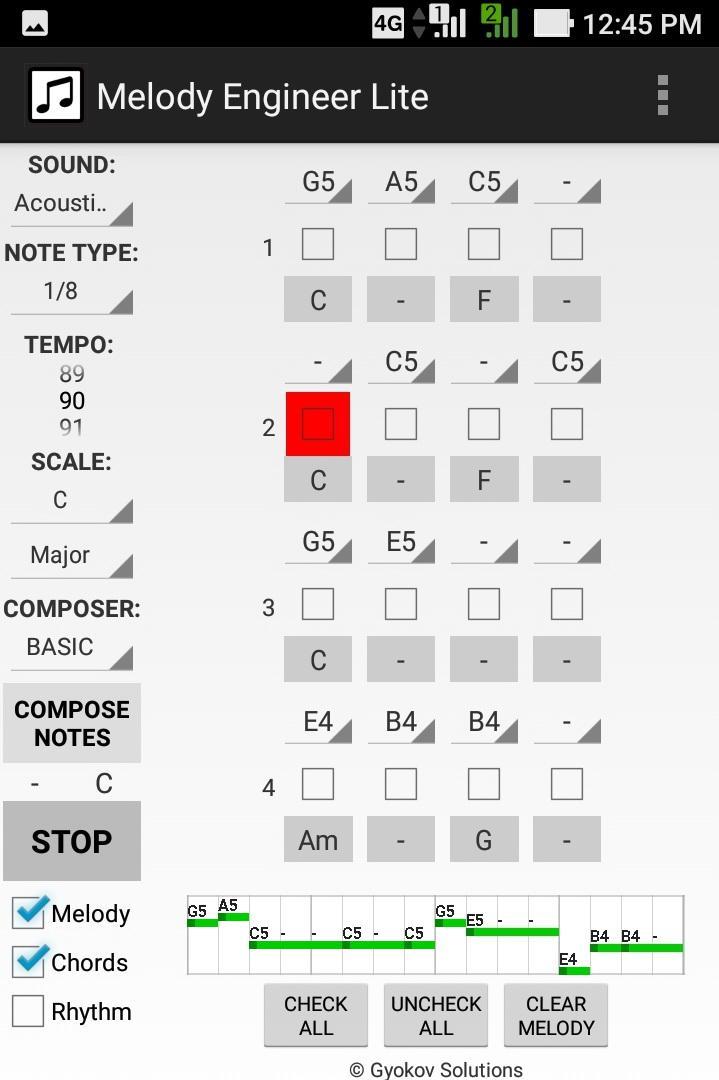
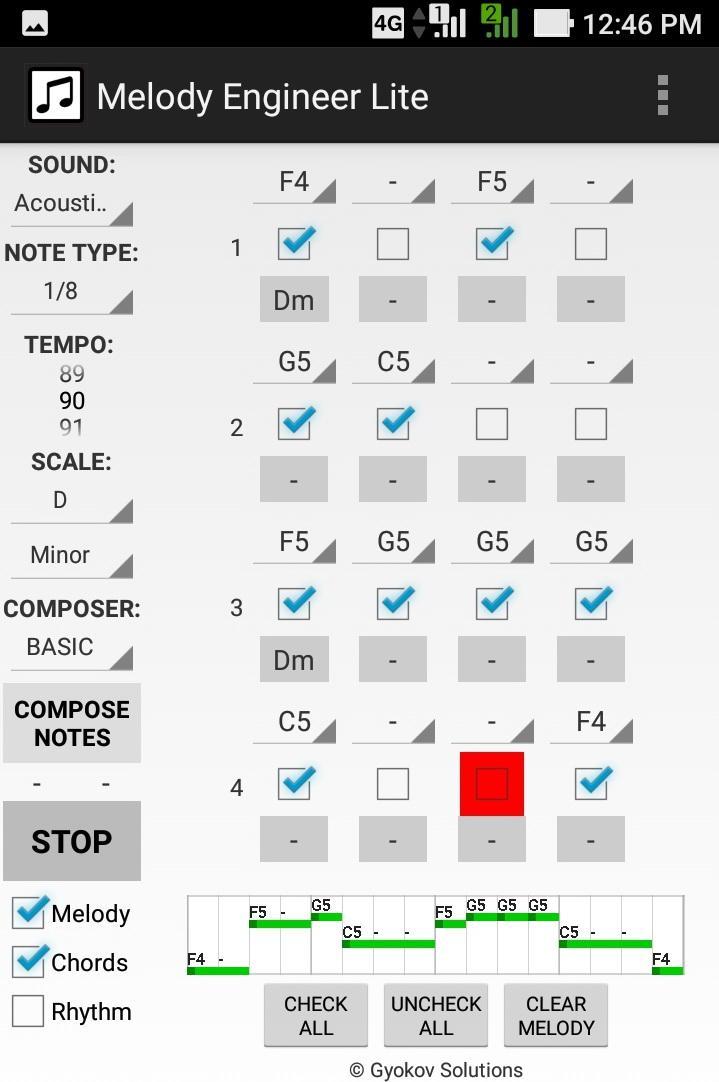
Melody Engineer is a melody auto-composition app. It helps composing melodies and accompanying harmony. Think of the app as calculator for music composition. No matter if you are a professional musician or just music enthusiast it will help you to compose music.
Video demo - https://youtu.be/Jt58aeH4Czc
There are two methods for composition:
- manual - you select notes and chords
- automatic - using the AUTO COMPOSER that chooses "right" notes and chords for you.
You can adjust the AUTO COMPOSER settings in app settings.
Melody Engineer Lite features:
- auto compose new melody and harmony
- auto compose new melody over existing harmony
- auto compose melody with predefined rhythm over existing harmony
- auto compose selected notes from existing melody
- manually change notes in melody
- manually change chords in harmony
- midi out option
Get full version with many additional features: http://play.google.com/store/apps/details?id=com.gyokovsolutions.melodyengineer
- save melody and harmony as midi and text file
- change number of notes up to 64
- harmonize melody - auto compose new harmony chords over existing melody
- AUTO MODE - when this mode is active then composed melody is repeatedly played and auto composed every 4 cycles and the good melodies can be saved while listening
- open saved melody
- many more scales
- AUTO COMPOSER advanced method
- ARTIFICIAL INTELLIGENCE COMPOSER
- option to auto compose chords in auto mode
- control melody range
- transpose melody up and down
- expand and shrink melody
- additional chords - dominant, major 7th, minor 7th, diminished, augmented
The app manual - https://gyokovsolutions.com/manual-melody-engineer
See demo of auto composing feature of Melody Engineer - https://www.youtube.com/watch?v=C6y2VNgFpCE
App privacy policy - https://sites.google.com/view/gyokovsolutions/melody-engineer-lite-privacy-policy
預覽
標籤
Music-&訊息
開發商
GyokovSolutions
最新版本
9.1
更新時間
2024-08-10
類別
Music-audio
同時可用
Google Play
更多
如何在電腦上用 GameLoop 玩 Melody Engineer Lite
1. 從官網下載GameLoop,然後運行exe文件安裝GameLoop
2. 打開GameLoop,搜索“Melody Engineer Lite”,在搜索結果中找到Melody Engineer Lite,點擊“安裝”
3. 享受在 GameLoop 上玩 Melody Engineer Lite 的樂趣
Minimum requirements
OS
Windows 8.1 64-bit or Windows 10 64-bit
GPU
GTX 1050
CPU
i3-8300
Memory
8GB RAM
Storage
1GB available space
Recommended requirements
OS
Windows 8.1 64-bit or Windows 10 64-bit
GPU
GTX 1050
CPU
i3-9320
Memory
16GB RAM
Storage
1GB available space