BT BOOSTER - Bass & Treble EQ 電腦版
Kushiheim
用GameLoop模拟器在電腦上玩BT BOOSTER - Bass & Treble EQ
BT BOOSTER - Bass & Treble EQ 電腦版
來自發行商 Kushiheim 的 BT BOOSTER - Bass & Treble EQ 能夠在安卓系統上運行。
現在,您可以在電腦上使用 GameLoop 模擬器流暢地玩 BT BOOSTER - Bass & Treble EQ。
在 GameLoop 遊戲庫或搜索結果中下載。 不需要再暢玩遊戲時盯著電池電量或被令人懊惱的來電打斷。
只需在電腦大屏幕上免費下載暢玩BT BOOSTER - Bass & Treble EQ 電腦版!
BT BOOSTER - Bass & Treble EQ 簡介
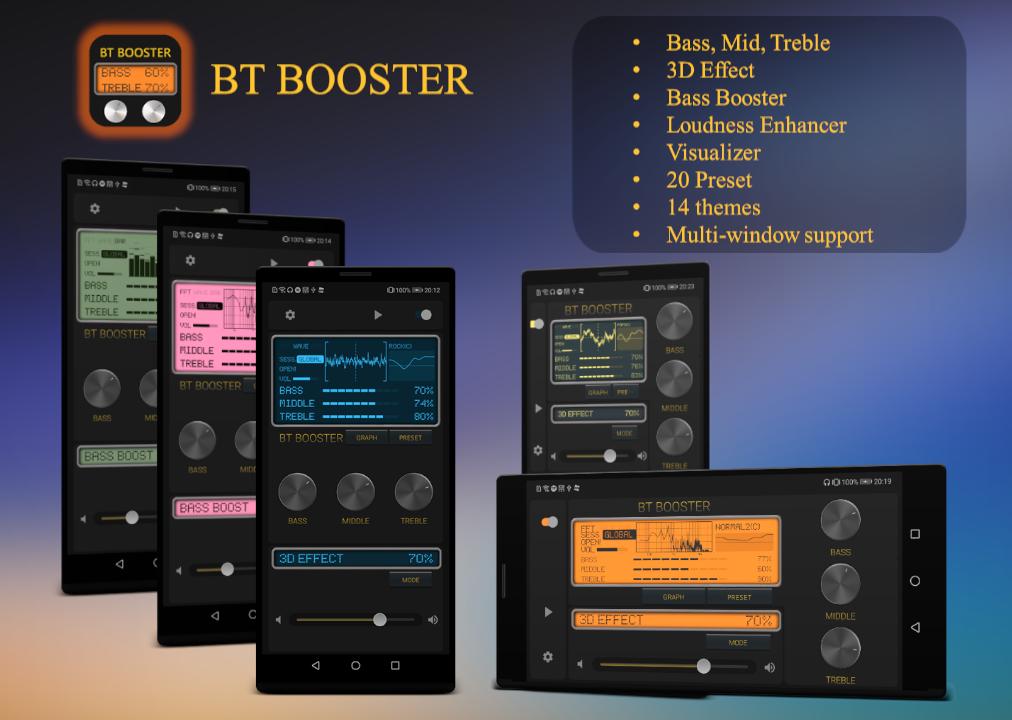
Designed as a tool for music and video, BT BOOSTER can powerfully and dynamically control the bass and treble tones.
BT BOOSTER can change the sound quality of music players, audio players, videos, music streaming apps, radio apps, etc.(*1)
Please start BT BOOSTER and experience the sound effects!
Feature:
- Bass Booster
- Treble Booster
- 3D Effect(Virtualizer)
- 14 LCD panel themes
- Launch and Exit from Notification
- Supports multi-window mode
To enter Multi-Window mode, after launching the software, press and hold the square button on the navigation bar. Press and hold again to restore.
- Visualizer (*2)
- Volume Booster (Loudness Enhancer) (*3)
- 3 presets
Description:
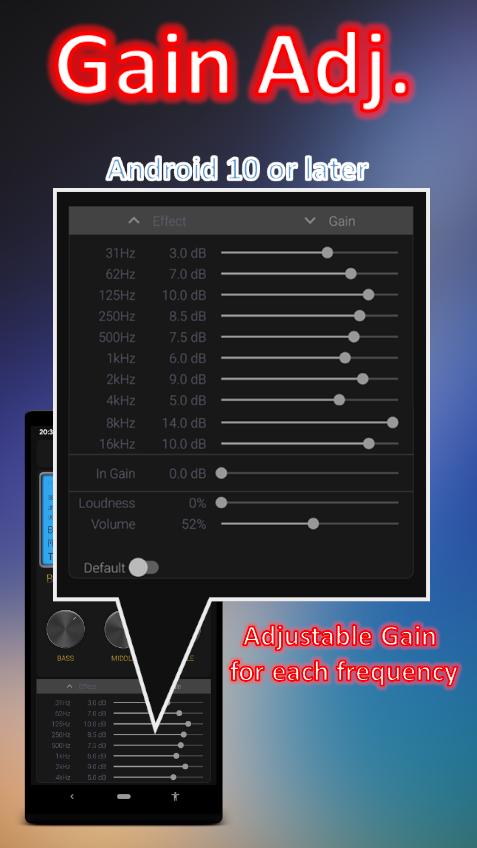
Bass boost is an audio effect to boost low frequencies of the sound.
Treble refers to tones whose frequency or range is at the higher end of human hearing. In music this corresponds to "high notes".
An audio virtualizer is a general name for an effect to spatialize audio channels. A stereo widening effect is used when this effect is turned on.You can get the best sound effect by using a headset.
(*1) Some models do not support the effect on music via the Internet.
Please enable the setting to start a private session in the settings of each music player. This app can use audio sessions broadcast by other apps by turning off the setting item "Global Audio Session Id". Normally, the session is acquired when the song is played. If you turn on "Global Audio Session Id", you can use the effect in Global as an auxiliary. When using with Global, please restart this app after quitting other equalizer apps.
(*2) This app needs to allow microphone permissions to display graphs and activate its own features to get as many Audio Session Ids as possible.
(*3) The maximum gain is set low, but when using it, gradually increase the volume while checking the volume.
In general, sound files have varying volume levels, and some have extremely loud volumes.
By installing this application you agree that you will not hold its developer responsible for any damage to hardware or hearing, and you are using it at your own risk.
預覽
標籤
Music-&訊息
開發商
Kushiheim
最新版本
1.10.19
更新時間
2023-12-31
類別
Music-audio
同時可用
Google Play
更多
如何在電腦上用 GameLoop 玩 BT BOOSTER - Bass & Treble EQ
1. 從官網下載GameLoop,然後運行exe文件安裝GameLoop
2. 打開GameLoop,搜索“BT BOOSTER - Bass & Treble EQ”,在搜索結果中找到BT BOOSTER - Bass & Treble EQ,點擊“安裝”
3. 享受在 GameLoop 上玩 BT BOOSTER - Bass & Treble EQ 的樂趣
Minimum requirements
OS
Windows 8.1 64-bit or Windows 10 64-bit
GPU
GTX 1050
CPU
i3-8300
Memory
8GB RAM
Storage
1GB available space
Recommended requirements
OS
Windows 8.1 64-bit or Windows 10 64-bit
GPU
GTX 1050
CPU
i3-9320
Memory
16GB RAM
Storage
1GB available space