Handy Recorder 電腦版
ZOOM Corporation
用GameLoop模拟器在電腦上玩Handy Recorder
Handy Recorder 電腦版
來自發行商 ZOOM Corporation 的 Handy Recorder 能夠在安卓系統上運行。
現在,您可以在電腦上使用 GameLoop 模擬器流暢地玩 Handy Recorder。
在 GameLoop 遊戲庫或搜索結果中下載。 不需要再暢玩遊戲時盯著電池電量或被令人懊惱的來電打斷。
只需在電腦大屏幕上免費下載暢玩Handy Recorder 電腦版!
Handy Recorder 簡介
The Handy Recorder app allows you to record high-quality audio with your Android device. Use it with a ZOOM Am series mic, which are designed to capture audio of the best quality with Android devices, and record using the high-fidelity linear PCM and space-saving AAC formats. This app includes normalize and divide functions that can be used on recorded files. In addition, it has compressor, EQ and reverb effects. Moreover, you can directly upload your recordings from Handy Recorder to the Cloud file-sharing site, allowing you to bring your creations to the world over the Internet.
Features
■ Stereo linear PCM and AAC recording
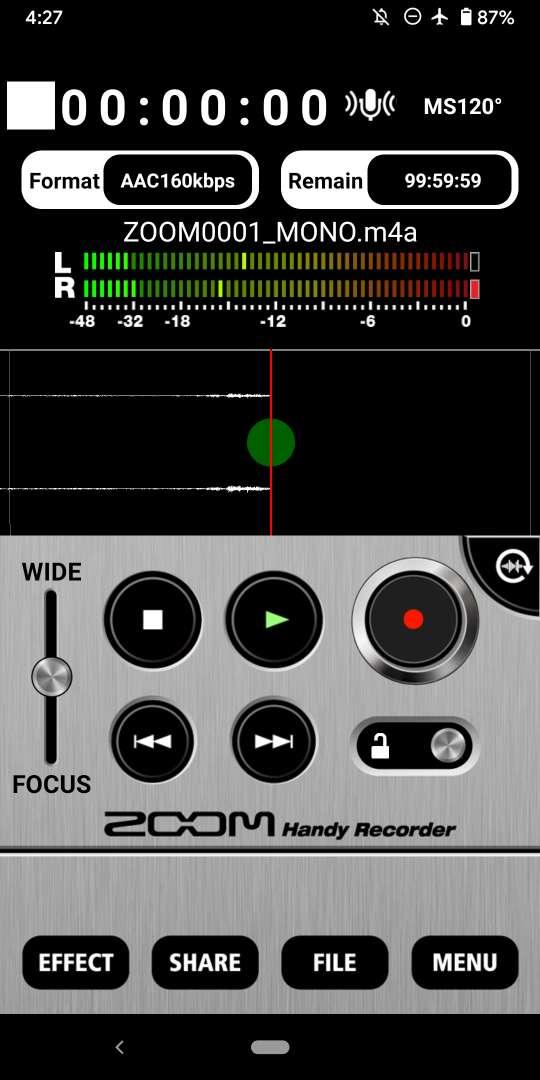
-You can record files using either high-quality linear PCM format or AAC format at a bit rate of 64, 128 or 160 kbps.
-The AUTO REC function can be used to start and stop recording automatically in response to the input signal level.
■ Works like a hardware recorder
-The operation screen was designed to simulate a ZOOM hardware Handy Recorder, so this app is as easy to operate as these products.
■ Effects
-Recorded files can be processed using the included effects.
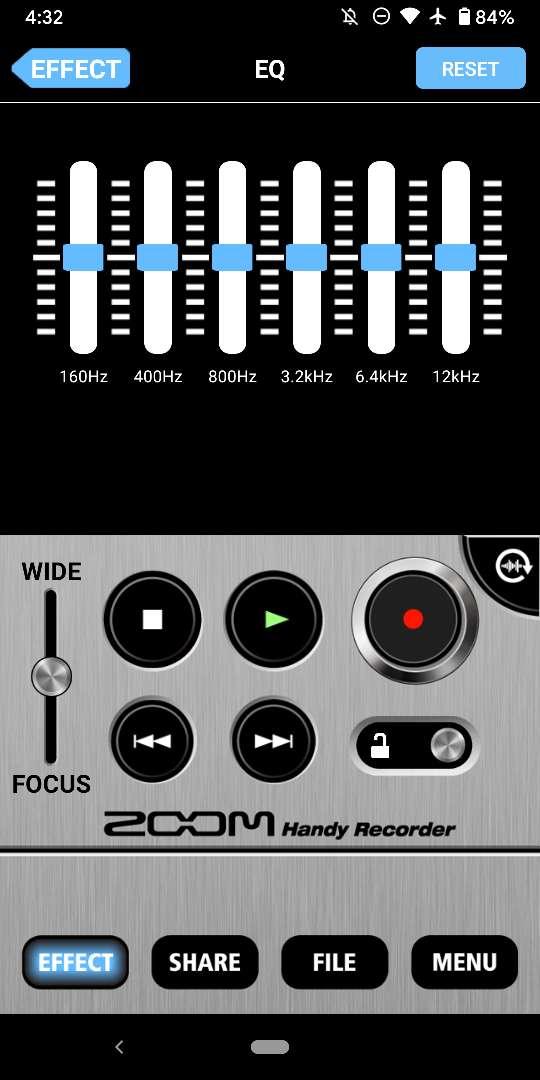
•6 BAND EQ
•REVERB (ROOM, JAZZ CLUB, CONCERT HALL, ARENA, STADIUM)
•MASTERING (MAXIMIZE, ULTRA MAXIMIZE, CLEAR & POWER, WIDE, MONO)
-Processed recordings can also be saved as separate files.
-Use the NORMALIZE function to optimize the volume.
■File editing
-In addition to deleting files, you can use the divide function to split files at the point that you want.
■Uploading to Cloud Services
-The app includes a function that allows you to upload your recordings directly to the Cloud site. You can name your recordings and make sharing settings in the Handy Recorder app.
■Optimized for the Am series
-By using the Am7 in MS recording mode, you can adjust the stereo width.
-Use the DIRECT MONITOR function to monitor the input signal through the headphones jack on the Am series without latency
-The left and right channels of the Am series input signal can be reversed.
For more information, please visit our website.
https://zoomcorp.com/
預覽
標籤
Music-&訊息
開發商
ZOOM Corporation
最新版本
3.6.00.125
更新時間
2025-08-12
類別
Music-audio
同時可用
Google Play
更多
如何在電腦上用 GameLoop 玩 Handy Recorder
1. 從官網下載GameLoop,然後運行exe文件安裝GameLoop
2. 打開GameLoop,搜索“Handy Recorder”,在搜索結果中找到Handy Recorder,點擊“安裝”
3. 享受在 GameLoop 上玩 Handy Recorder 的樂趣
Minimum requirements
OS
Windows 8.1 64-bit or Windows 10 64-bit
GPU
GTX 1050
CPU
i3-8300
Memory
8GB RAM
Storage
1GB available space
Recommended requirements
OS
Windows 8.1 64-bit or Windows 10 64-bit
GPU
GTX 1050
CPU
i3-9320
Memory
16GB RAM
Storage
1GB available space