Chord Chart 電腦版
torrac
用GameLoop模拟器在電腦上玩Chord Chart
Chord Chart 電腦版
來自發行商 torrac 的 Chord Chart 能夠在安卓系統上運行。
現在,您可以在電腦上使用 GameLoop 模擬器流暢地玩 Chord Chart。
在 GameLoop 遊戲庫或搜索結果中下載。 不需要再暢玩遊戲時盯著電池電量或被令人懊惱的來電打斷。
只需在電腦大屏幕上免費下載暢玩Chord Chart 電腦版!
Chord Chart 簡介
It is an application to create, refer to, and edit the score only for the chord progression of the song.
You can play the accompaniment with the chord progression you created.
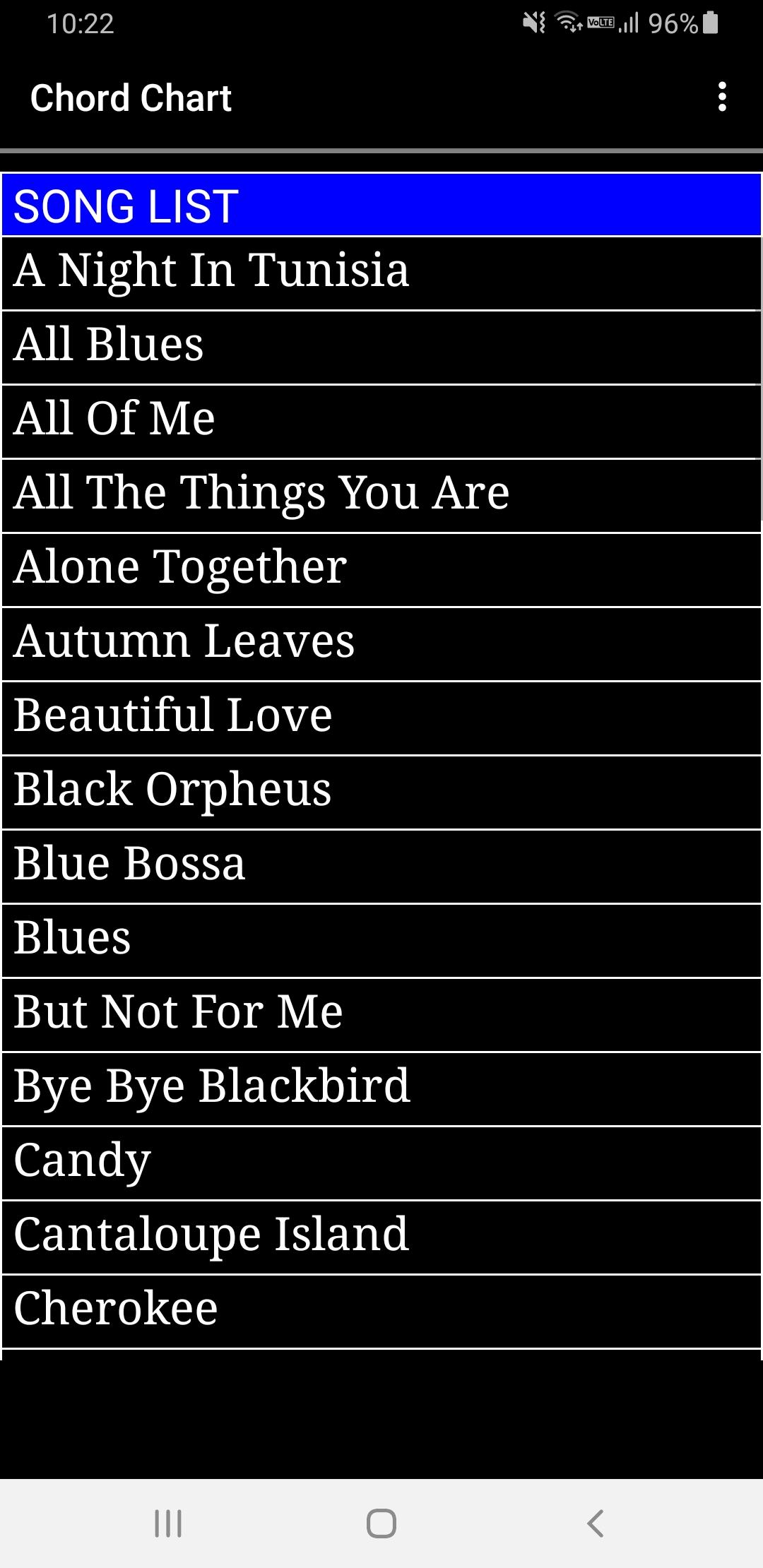
・Song list screen
A list of registered songs is displayed.
Select a song title to open the chord chart screen.
The menu has the following functions.
・Create
Create a new chord chart for the song.
An empty chord chart is displayed.
・Show All Data
The data of all registered songs is displayed as text.
Copy the data and send it to your friends,
or paste the data you sent and import it.
・Share All Data
Share the data of all registered songs to other apps.
Share your data to the email app and send emails to your friends.
・Info
View information about this app.
・Sample data
Open the site with the sample data.
You can open the all data screen from the "All data for app" link
at the bottom of the song list, copy the data with the "Copy all data" button,
and import the sample data from "Show All Data" in the menu.
・Chord chart screen
Select a song title from the song list screen to open the chord chart screen.
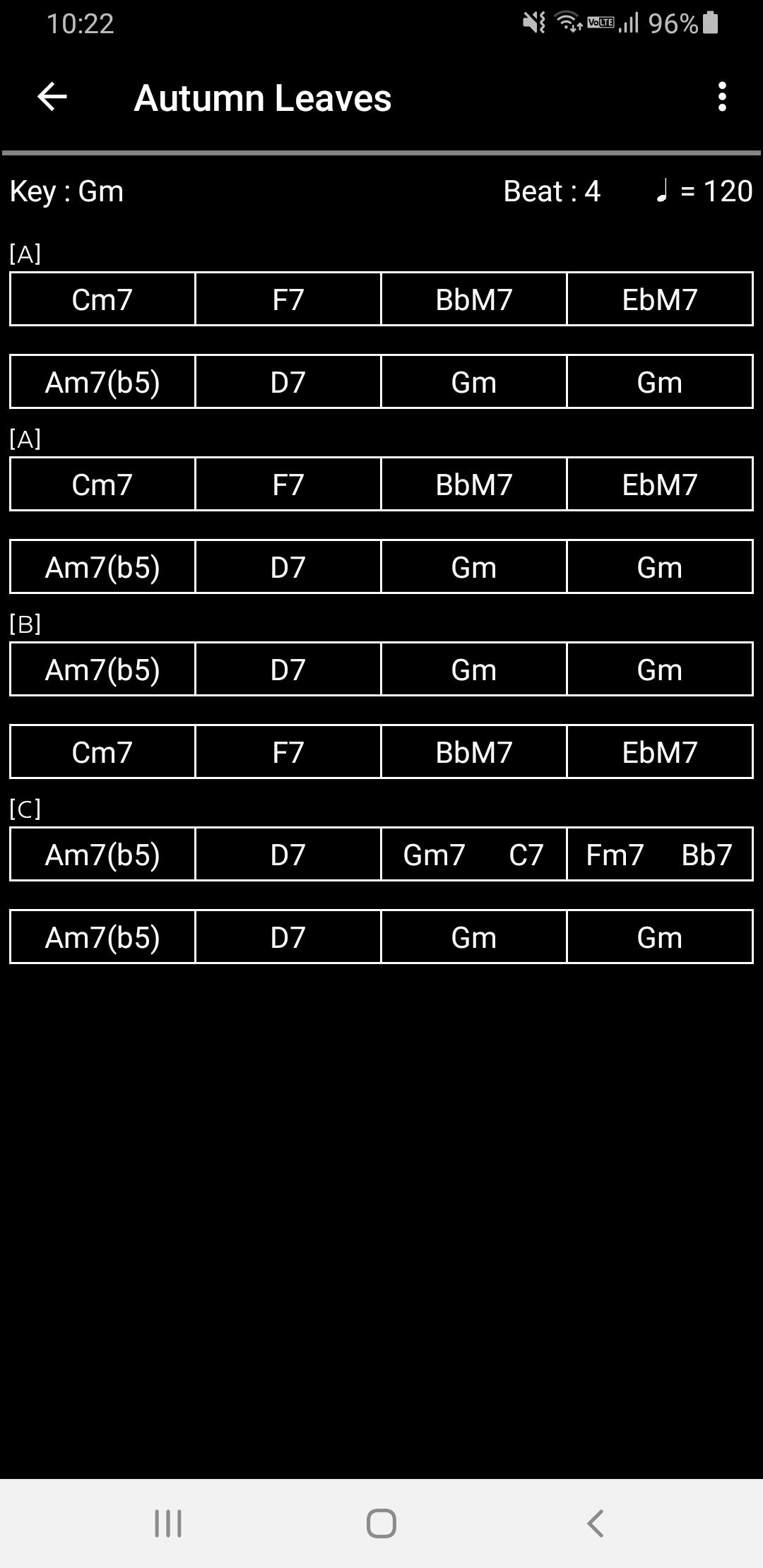
On the chord chart screen, you can see the chord progression of the song.
When you press the displayed chord, the chord will sound.
Press the left arrow displayed on the left side of the title (song title) to return to the song list screen.
The menu has the following functions.
・Change Key
The default key is displayed in the upper left, but you can transpose from that key.
・Change Tempo
The current tempo is displayed in the upper right, but you can change that tempo.
・Play
You can play the accompaniment with the displayed chord progression.
You can change the accompaniment playing style from "Change Play Style" in the menu.
・Stop
Stops the accompaniment during play.
・Change Play Style
You can change the style of the accompaniment played by selecting "Play" from the menu.
In the case of 4 beats, "Bossa Nova" or "Swing" can be selected.
・Edit
Open the chord chart edit screen and edit the chord progression data.
・Save
If you change the chord progression on the chord chart edit screen, "*" will be added to the left of the song title,
but the changed data will be overwritten and saved as the data of the currently selected song.
・Save As
Saves the data of the currently selected song with a different name.
If the data is being modified, the data being modified is saved.
・Delete
Deletes the data of the currently selected song.
・Show Data
The data of the currently selected song is displayed as text.
Copy the data and send it to your friends,
or paste the data you sent and import it.
・Share Data
Share the data of the currently selected song to other apps.
Share your data to the email app and send emails to your friends.
・Chord chart edit screen
Press "Edit" in the menu on the chord chart screen to open the chord chart edit screen.
There is "Basic info" on the first page, and when you press the Next button, the chord progression setting screen for the first bar will be displayed.
On the basic info screen, you can set the default key and beat.
On the chord progression setting screen for each bar, you can set the mark to be displayed on the chord chart and the chord progression.
The chord progression can be divided into several parts, and the number of divisions can be selected from 1 to 6,
but in the case of 4 beats, 3 and 5 and 6 cannot be set.
Press the left arrow displayed on the left side of the title (song title) to return to the chord chart screen.
・Show all data screen
Press "Show all data" in the menu of the song list to open the Show all data screen.
The data of all songs is displayed as text.
Press the left arrow displayed on the left side of the title "ALL DATA" to return to the song list screen.
預覽
標籤
Music-&訊息
開發商
torrac
最新版本
1.9
更新時間
2023-08-22
類別
Music-audio
同時可用
Google Play
更多
如何在電腦上用 GameLoop 玩 Chord Chart
1. 從官網下載GameLoop,然後運行exe文件安裝GameLoop
2. 打開GameLoop,搜索“Chord Chart”,在搜索結果中找到Chord Chart,點擊“安裝”
3. 享受在 GameLoop 上玩 Chord Chart 的樂趣
Minimum requirements
OS
Windows 8.1 64-bit or Windows 10 64-bit
GPU
GTX 1050
CPU
i3-8300
Memory
8GB RAM
Storage
1GB available space
Recommended requirements
OS
Windows 8.1 64-bit or Windows 10 64-bit
GPU
GTX 1050
CPU
i3-9320
Memory
16GB RAM
Storage
1GB available space