BoneBox™ - Skull Viewer 電腦版
iSO-FORM, LLC
用GameLoop模拟器在電腦上玩BoneBox™ - Skull Viewer
BoneBox™ - Skull Viewer 電腦版
來自發行商 iSO-FORM, LLC 的 BoneBox™ - Skull Viewer 能夠在安卓系統上運行。
現在,您可以在電腦上使用 GameLoop 模擬器流暢地玩 BoneBox™ - Skull Viewer。
在 GameLoop 遊戲庫或搜索結果中下載。 不需要再暢玩遊戲時盯著電池電量或被令人懊惱的來電打斷。
只需在電腦大屏幕上免費下載暢玩BoneBox™ - Skull Viewer 電腦版!
BoneBox™ - Skull Viewer 簡介
OVERVIEW
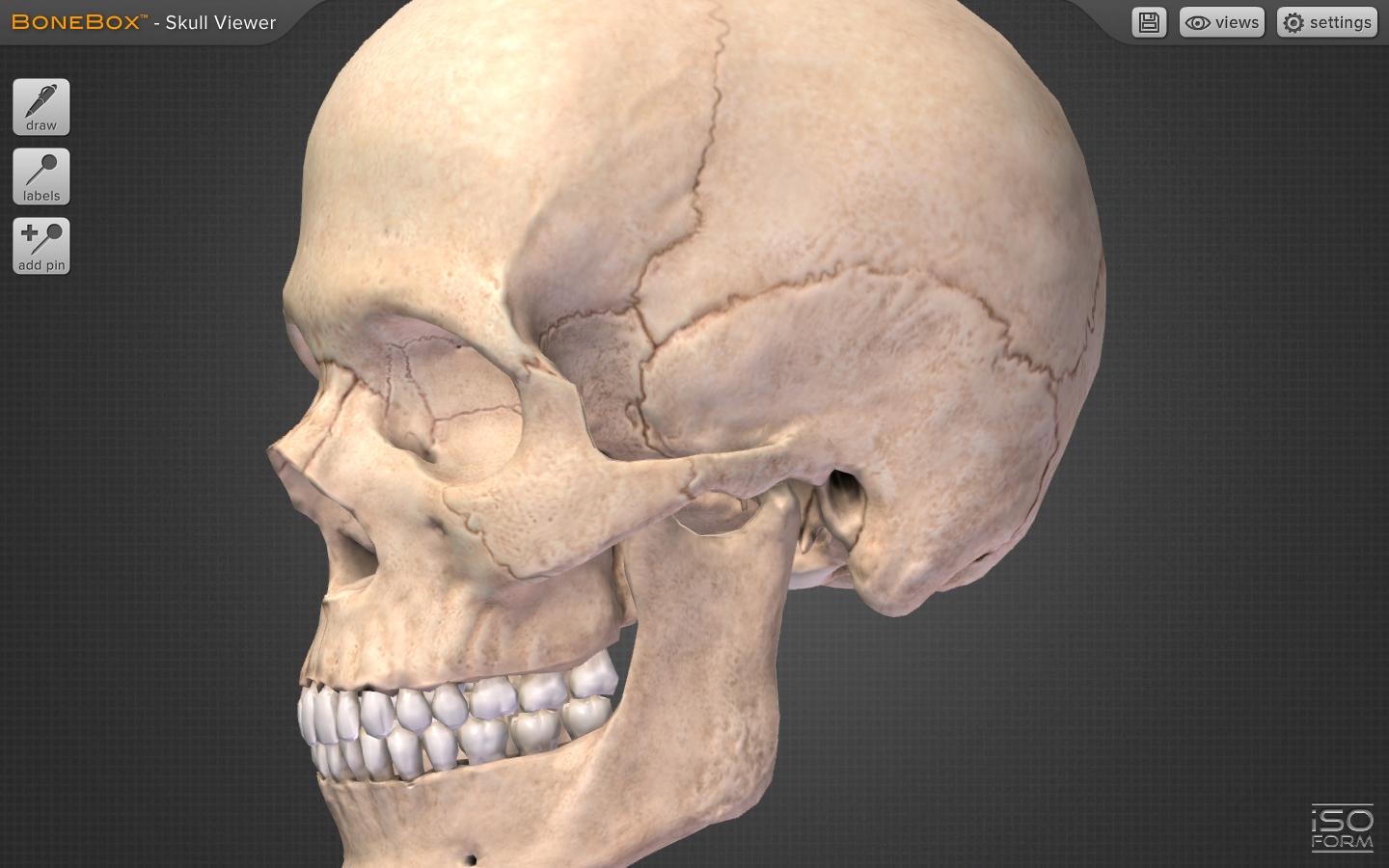
The BoneBox™ Skull Viewer is a real-time 3D medical education tool that features exceptionally detailed anatomical skull models and unique interactive elements. It is the first in a new series of apps developed by a team of anatomists, certified medical illustrators, animators, and programmers using actual human CT imaging data, and cutting-edge 3D modeling techniques.
Interaction with the BoneBox™ Skull Viewer utilizes true “real-time 3D”. Unlike other anatomical apps and programs, there are no pre-rendered frames or animations. Therefore, the user can orient the 3D skull in any position and zoom in to any location to explore anatomical structures.
The BoneBox™ Skull Viewer is appropriate for users at all levels, from secondary students to medical professionals wishing to learn skull anatomy.
FEATURES
• Views: By selecting the “Views” menu he user can interact with sagittal, coronal, and transverse sections of the skull. Color-coded, didactic models clearly show the bones that comprise the skull.
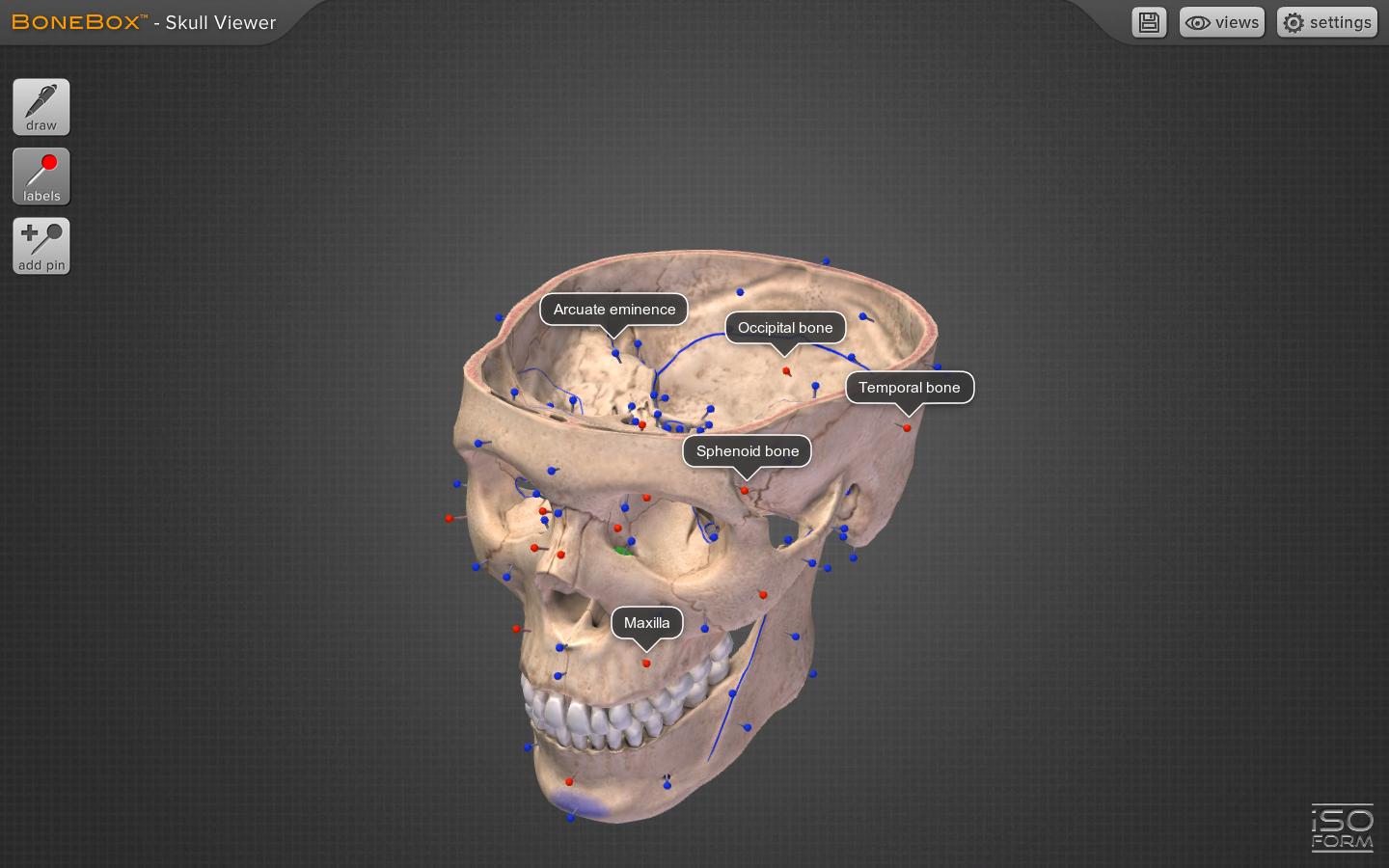
• Pins: By turning on the color coded pins, the user can study the names and locations of over 100 anatomical structures, including: bones, foramina, and prominent anatomical features. The pins and labels remain on screen and in the exact anatomical location during all real time 3D user interaction.
• Pen Tool: Drawing with the multi-colored pen tool allows the user to draw directly on the surface of the 3D skull for use in the clinic, or classroom.
• Save Custom Features: The latest feature in the BoneBox™ line of applications is the ability to save and load user lines and pins for a customized learning experience.
• Background Selection: The user can now select a background color of their liking.
• Quizzing: The BoneBox™ Skull Viewer an excellent tool for any anatomy lecture or lab. Using the custom pin tool, instructors can place color-coded pins anywhere on the skull. Once placed, the instructor can write a question on the label of that pin. Students can then rotate the skull in 3D to gain a better understanding of that pin’s location on the model.
About iSO-FORM
iSO-FORM is a team of award winning medical artists, programmers and innovators who believe that we are on the verge of a new era of learning, where the user doesn’t just memorize facts, but discovers them through engaging interaction and exploration. We’re passionate about science, technology and art, so we live and work at that intersection. If we’ve piqued your curiosity, check us out at: www.iso-form.com.
預覽
標籤
醫療訊息
開發商
iSO-FORM, LLC
最新版本
1.0.0
更新時間
2013-09-23
類別
醫療
同時可用
Google Play
更多
如何在電腦上用 GameLoop 玩 BoneBox™ - Skull Viewer
1. 從官網下載GameLoop,然後運行exe文件安裝GameLoop
2. 打開GameLoop,搜索“BoneBox™ - Skull Viewer”,在搜索結果中找到BoneBox™ - Skull Viewer,點擊“安裝”
3. 享受在 GameLoop 上玩 BoneBox™ - Skull Viewer 的樂趣
Minimum requirements
OS
Windows 8.1 64-bit or Windows 10 64-bit
GPU
GTX 1050
CPU
i3-8300
Memory
8GB RAM
Storage
1GB available space
Recommended requirements
OS
Windows 8.1 64-bit or Windows 10 64-bit
GPU
GTX 1050
CPU
i3-9320
Memory
16GB RAM
Storage
1GB available space