
T2 Remote 電腦版
Starkey Hearing Technologies
用GameLoop模拟器在電腦上玩T2 Remote
T2 Remote 電腦版
來自發行商 Starkey Hearing Technologies 的 T2 Remote 能夠在安卓系統上運行。
現在,您可以在電腦上使用 GameLoop 模擬器流暢地玩 T2 Remote。
在 GameLoop 遊戲庫或搜索結果中下載。 不需要再暢玩遊戲時盯著電池電量或被令人懊惱的來電打斷。
只需在電腦大屏幕上免費下載暢玩T2 Remote 電腦版!
T2 Remote 簡介
Controlling your hearing aids has never been easier with the T2 Remote app. This user-friendly app gives your mobile device the functionality of a remote control that allows you to conveniently operate your hearing aids from the palm of your hand.
HOW T2 REMOTE APP WORKS
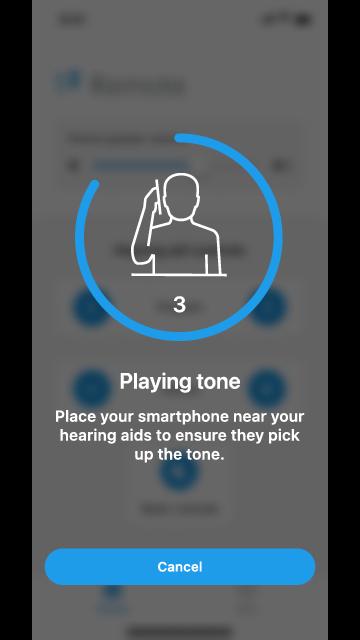
Simply make the hearing aid adjustment you want by tapping the Program, Volume, or Mute/Unmute buttons. Your mobile device will then play a tone. Hold your mobile device to your ear to ensure your hearing aids pick up the tone and then respond to it by making the adjustment. It’s that easy.
The T2 Remote app features the following benefits:
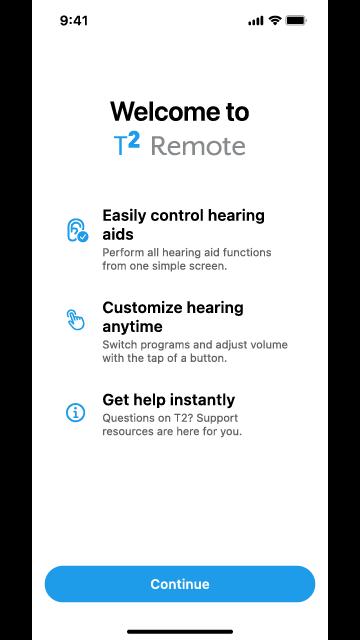
EASILY CONTROL HEARING AIDS
Increase, decrease or mute/unmute volume. Switch between programs. Adjust your phone speaker volume. All from one simple screen.
CUSTOMIZE HEARING ANYTIME
Convenient mobile device interface allows you to adjust your listening experience on the go.
GET HELP INSTANTLY
Questions about T2? Support resources are here for you, including easy-access to a searchable user guide and our Customer Support team.
Hearing aid ease and convenience awaits—check out T2 now.
預覽
標籤
生活品味訊息
開發商
Starkey Hearing Technologies
最新版本
4.0.0
更新時間
2025-08-13
類別
生活品味
同時可用
Google Play
更多
如何在電腦上用 GameLoop 玩 T2 Remote
1. 從官網下載GameLoop,然後運行exe文件安裝GameLoop
2. 打開GameLoop,搜索“T2 Remote”,在搜索結果中找到T2 Remote,點擊“安裝”
3. 享受在 GameLoop 上玩 T2 Remote 的樂趣
Minimum requirements
OS
Windows 8.1 64-bit or Windows 10 64-bit
GPU
GTX 1050
CPU
i3-8300
Memory
8GB RAM
Storage
1GB available space
Recommended requirements
OS
Windows 8.1 64-bit or Windows 10 64-bit
GPU
GTX 1050
CPU
i3-9320
Memory
16GB RAM
Storage
1GB available space