Gesture Lock Screen 電腦版
MR LLC
用GameLoop模拟器在電腦上玩Gesture Lock Screen
Gesture Lock Screen 電腦版
來自發行商 MR LLC 的 Gesture Lock Screen 能夠在安卓系統上運行。
現在,您可以在電腦上使用 GameLoop 模擬器流暢地玩 Gesture Lock Screen。
在 GameLoop 遊戲庫或搜索結果中下載。 不需要再暢玩遊戲時盯著電池電量或被令人懊惱的來電打斷。
只需在電腦大屏幕上免費下載暢玩Gesture Lock Screen 電腦版!
Gesture Lock Screen 簡介
✔✔ gesture lock screen where you back up your mobile with their signature or a gesture ✔✔
★ ★ ★ tired of the old patterns and password lock to lock your mobile ★ ★ ★
★ ★ ★ ★ here is a unique gesture lock screen on my android ★ ★ ★ ★
⚠ note:
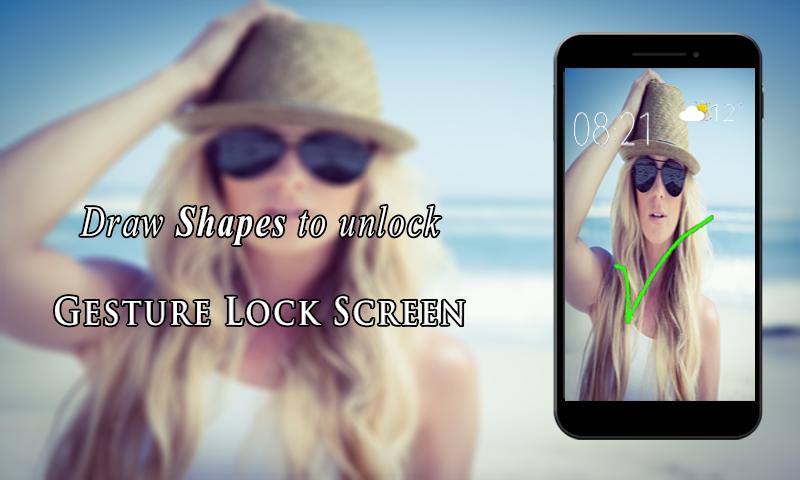
★ ★ now draw all the shapes, letters, signatures to unlock your phone ★ ★
✔ the lock screen detects and adjusts every time the signature is created and stored on the lock screen with their signature by as your lock screen password. you can draw and save each item as the symbol of the star, heart, triangle, square, circle, etc., or you can use any numeric number or a signature of her as a password.
✔ imagine displayed only once before, start your app only by any signs or alphanumeric or any forms on your mobile phone? is not it cool??
✔ draw letters, numbers, shapes, signatures and contextual gestures to unlock your phone.
✔ presentation gesture lock screen for those who silence open their favorite applications by locking the boring password or any pattern and for all those who want some creative app lock the app to start. with her finger to a short-cut, the navigation from one program to another by simply drawing a gesture with a finger on your android device.
✦✦ top features ✦✦
♦ password create any shape, letters, numbers, signature, etc. provided that. in single stroke without picking up your finger or stylus
♦ use as your lock screen password your stored gestures or signatures.
♦ display the date and time on lock screen lock with the font and color adjustment on screen.
♦ add / edit / delete gesture
♦ enter recovery password or backup password to unlock (key lock)
♦ enter the password to change gesture
♦ edit * draw gesture on password
♦ draw gesture or enter recovery password to turn locker
♦ custom recovery password (4 ~ 8 digit passwords supported)
♦ individual gesture colors
♦ hide gesture stops when drawing
♦ supports both single stroke (one touch) and a plurality of stops
♦ unlock draw gesture
♦ lock set default or background from mobile gallery on your screen.
♦ set lock your own text (name) with font and color adjustment on screen.
gesture features
🌟 add/change/delete gesture
🌟 custom gesture colors
🌟 stealth mode: hide gesture strokes when drawing
🌟 supports both single stroke (one touch drawing) and multiple strokes
✦✦ how to use?? ✦✦
☛ they launch their application in new way by drawing gestures on the screen
☛ create your own gesture for unlocking the apps
☛ free to write any symbol, shapes, alphanumeric, signature etc. and dedicate it to your app
☛ alter or change the dedicated gesture
☛ master password for security purpose
☛ simple and easy to use
so all of these great features easy access by installing the app, for free!!
★ ★ download gesture app lock and try these ★ ★
please don’t forget to review our application gesture lock screen and give us 5★ stars,
thank you,
預覽

標籤
生活品味訊息
開發商
MR LLC
最新版本
2.0
更新時間
2018-04-12
類別
生活品味
同時可用
Google Play
更多
如何在電腦上用 GameLoop 玩 Gesture Lock Screen
1. 從官網下載GameLoop,然後運行exe文件安裝GameLoop
2. 打開GameLoop,搜索“Gesture Lock Screen”,在搜索結果中找到Gesture Lock Screen,點擊“安裝”
3. 享受在 GameLoop 上玩 Gesture Lock Screen 的樂趣
Minimum requirements
OS
Windows 8.1 64-bit or Windows 10 64-bit
GPU
GTX 1050
CPU
i3-8300
Memory
8GB RAM
Storage
1GB available space
Recommended requirements
OS
Windows 8.1 64-bit or Windows 10 64-bit
GPU
GTX 1050
CPU
i3-9320
Memory
16GB RAM
Storage
1GB available space